What Does a Fast Busy Signal Mean on a Cell Phone
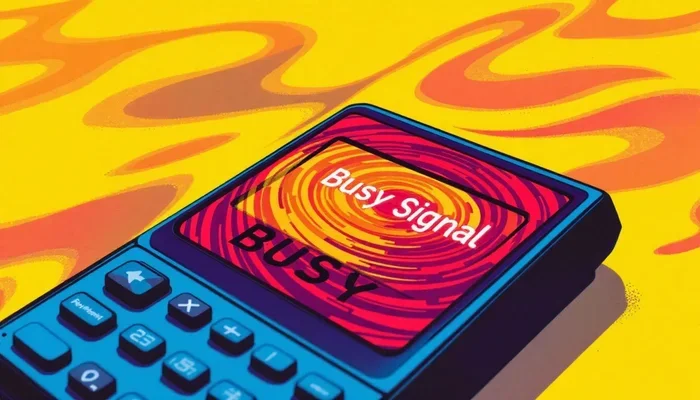
A fast busy signal on a cell phone means your call cannot connect because all available lines are in use or there is a network issue. This rapid, repeated tone tells you the network is temporarily unable to complete your call. Understanding what causes a fast busy signal helps you troubleshoot faster and avoid frustration when trying to reach someone.
You dial a number, hold the phone to your ear, and instead of ringing, you hear a rapid series of beeps. It is not the normal slow busy tone you are used to. It is faster. More urgent. And it can leave you wondering what is going on. This is what people call a fast busy signal, and it is one of the most confusing sounds your cell phone can make.
Many people assume a fast busy signal means the person they are calling has blocked them or turned their phone off. But that is not always the case. The truth is that a fast busy signal can come from several different sources, and most of them have nothing to do with the person you are trying to reach. Let us break down exactly what this signal means, why it happens, and what you can do about it.
Whether you are dealing with this issue once in a while or it is happening every time you make a call, understanding the fast busy signal is the first step toward fixing it. In this guide, we will cover everything from the basic meaning to advanced troubleshooting steps. You will walk away knowing exactly how to handle this frustrating situation.
Key Takeaways
- A fast busy signal means the network cannot complete your call due to congestion or technical issues.
- Common causes include network overload, SIM card problems, and carrier maintenance.
- Simple fixes like restarting your phone or toggling airplane mode often resolve the issue.
- A fast busy signal differs from a regular slow busy tone in rhythm and meaning.
- Contacting your carrier may be necessary if the problem persists beyond basic troubleshooting.
- Understanding network congestion helps you avoid peak times when signals are weakest.
- Your phone’s RAM and overall performance can indirectly affect how calls are handled.
📑 Table of Contents
- What Exactly Is a Fast Busy Signal?
- Why Does a Fast Busy Signal Happen?
- How to Fix a Fast Busy Signal Problem
- How Does a Fast Busy Signal Differ From Other Call Failure Signs?
- When Should You Worry About a Fast Busy Signal?
- Can a Fast Busy Signal Be Prevented?
- Expert Insights on Cell Network Call Failures
- Key Takeaways
What Exactly Is a Fast Busy Signal?
A fast busy signal is a rapid, repeating tone that your phone produces when it cannot connect your call. Unlike the traditional slow busy signal, which pulses at a calm and steady pace, the fast busy signal comes in quick bursts. It is almost like a rapid-fire beep pattern that lets you know something is blocking the connection.
Think of it this way. When you call someone and their line is already on another call, you might hear the slow busy tone. That means the line is tied up but reachable. A fast busy signal takes it a step further. It means the network itself is telling you that no path is available for your call to go through. It is a more definitive “no” from the system.
The fast busy signal has been around for decades, even before smartphones existed. Back in the day of landlines, the telephone exchange used this tone to indicate that all trunk lines were occupied. Today, the same concept applies to mobile networks, but the reasons have become more varied and complex.
How It Sounds Different From a Regular Busy Signal
The easiest way to tell the difference is the speed. A regular busy signal has a steady rhythm, usually one second of tone followed by one second of silence. A fast busy signal is much quicker, often repeating multiple times per second. Some people describe it as a rapid staccato beep that feels more urgent and insistent.
Here is a simple comparison to help you remember:
- Regular busy signal: Slow, steady pulses. The line is in use but reachable.
- Fast busy signal: Rapid, repeated beeps. The network cannot complete the call at all.
Once you know the difference, you will never confuse the two again. The fast busy signal is your phone telling you that the problem lies with the network, not the person you are calling.
Why Does a Fast Busy Signal Happen?
There are many reasons why your phone might throw a fast busy signal at you. Some are simple and easy to fix. Others require a bit more patience and effort. Let us walk through the most common causes so you can start narrowing down what is happening.
Network Congestion
The number one reason for a fast busy signal is network congestion. This happens when too many people are trying to use the same cell tower at the same time. Think about a crowded stadium or a busy downtown area during rush hour. The network simply does not have enough capacity to handle every call.
When congestion hits, your phone gets priority based on the network’s rules. If the tower is overloaded, your call gets rejected with a fast busy tone. This is not a problem with your phone or your plan. It is a temporary capacity issue that usually clears up on its own.
SIM Card Issues
A damaged or improperly seated SIM card can also trigger a fast busy signal. The SIM card is what connects your phone to your carrier’s network. If it is not reading correctly, your phone might not be able to register on the network properly. This can lead to call failures and that frustrating rapid beeping sound.
Removing and reinserting your SIM card is a simple fix that many people overlook. Just make sure your phone is powered off before you do this. A clean SIM card slot and a properly seated card can resolve a surprising number of call issues.
Carrier Network Maintenance
Carriers regularly perform maintenance on their networks. During these windows, some towers may go offline or operate at reduced capacity. If you happen to be in an area affected by maintenance, you might encounter a fast busy signal even though nothing is wrong with your phone.
Most carriers announce maintenance schedules in advance, but not always. Checking your carrier’s social media or status page can help you determine if a network outage is the culprit behind your call troubles.
Phone Performance and Memory
Here is something many people do not realize. Your phone’s overall performance can affect how it handles calls. Just like how a laptop needs enough RAM to run smoothly, your phone needs sufficient memory to manage network connections and call processing. If your device is low on resources, it might struggle to complete calls, resulting in a fast busy signal.
For example, understanding what RAM does on a laptop gives you a good idea of how memory affects device performance. The same principle applies to smartphones. When your phone is running too many apps in the background, it may not have the resources to handle incoming or outgoing calls properly.
Outdated Phone Software
Running outdated software on your phone can lead to compatibility issues with your carrier’s network. As networks upgrade their technology and protocols, older phone software may not keep up. This mismatch can cause call failures and trigger a fast busy signal.
Always check for software updates and install them promptly. These updates often include fixes for network compatibility issues that could be causing your call problems.
How to Fix a Fast Busy Signal Problem
Dealing with a fast busy signal can be annoying, but the good news is that most fixes are simple and free. You do not need to be a tech expert to troubleshoot this issue. Here are the steps that work best, starting with the easiest solutions.
Step One: Restart Your Phone
Turning your phone off and back on again sounds too simple, but it works more often than you would think. A restart clears your phone’s temporary memory and forces it to reconnect to the network fresh. This alone resolves a fast busy signal issue in many cases.
Make sure you wait at least ten seconds after powering off before turning it back on. This gives the phone enough time to fully disconnect from the network before reconnecting.
Step Two: Toggle Airplane Mode
If a restart does not work, try toggling airplane mode. Swipe down from the top of your screen, tap the airplane icon, wait thirty seconds, and then tap it again. This forces your phone to drop its current network connection and reconnect from scratch.
Many people find that toggling airplane mode is faster and more effective than a full restart. It is a great first step when you are dealing with a fast busy signal and need to make a call right away.
Step Three: Check Your SIM Card
Remove your SIM card and inspect it for damage or dirt. Use a clean, dry cloth to gently wipe the gold contacts. Reinsert the card firmly and try making a call again. If the SIM card is damaged, you may need to contact your carrier for a replacement.
Step Four: Update Your Phone Software
Go to your phone’s settings and check for any available software updates. Installing the latest version ensures your phone is compatible with your carrier’s current network standards. This can eliminate the fast busy signal problem if it is caused by outdated software.
Step Five: Contact Your Carrier
If none of the above steps work, it is time to reach out to your carrier. They can check your account status, run network diagnostics, and identify any issues on their end. Sometimes a simple account adjustment or network refresh is all it takes to get your calls working again.
How Does a Fast Busy Signal Differ From Other Call Failure Signs?
Not all call failures sound the same. Understanding the differences helps you pinpoint the problem faster. Let us compare the most common call failure signals you might encounter.
Fast Busy Signal vs. Regular Busy Signal
A regular busy signal means the person you are calling is on another line. A fast busy signal means the network cannot find a path to complete the call at all. The difference is significant, and knowing it saves you from wasting time trying to call back repeatedly.
Fast Busy Signal vs. Voicemail
When you reach someone’s voicemail, you hear a greeting and can leave a message. A fast busy signal cuts you off immediately with no option to leave a message. This tells you the problem is on the network side, not with the person’s phone settings.
Fast Busy Signal vs. No Signal
No signal means your phone cannot connect to any tower at all. A fast busy signal means your phone is connected to the network but the call is being rejected. The distinction matters because the troubleshooting steps are different for each scenario.
When Should You Worry About a Fast Busy Signal?
Occasional fast busy signal occurrences are normal and nothing to worry about. Networks get congested, towers go down for maintenance, and temporary glitches happen. However, if you are experiencing a fast busy signal every time you try to make a call, that is a sign something deeper is going on.
Persistent call failures could indicate a problem with your SIM card, your account, or even your phone’s hardware. If the issue lasts more than a day or two, it is worth investigating further. Start with the troubleshooting steps we covered above, and escalate to your carrier if needed.
Also, pay attention to where and when the fast busy signal happens. If it only occurs in certain locations, the problem might be with local tower coverage. If it happens everywhere, the issue is likely with your phone, your SIM card, or your account.
Can a Fast Busy Signal Be Prevented?
You cannot always prevent a fast busy signal, especially when it is caused by network congestion or carrier maintenance. But there are steps you can take to reduce how often you encounter this issue.
- Keep your phone software updated to maintain network compatibility.
- Restart your phone regularly to clear temporary network glitches.
- Avoid peak usage times in heavily congested areas if possible.
- Protect your SIM card from damage and keep it clean.
- Monitor your carrier’s network status for planned maintenance windows.
Taking these proactive steps will not eliminate every fast busy signal, but it will significantly reduce how often you run into one. Think of it like maintaining your car. Regular care prevents most problems before they start.
Expert Insights on Cell Network Call Failures
Network engineers often say that a fast busy signal is actually a good sign in a way. It means the network is working as designed. When a tower is overloaded, it needs a way to tell your phone that the call cannot go through. The fast busy signal is that communication tool.
Interestingly, the same principles that govern how speakers handle audio power also apply to how phones manage call signals. Understanding what watts mean on speakers gives you insight into how audio power and signal strength work in electronic devices. Stronger signal processing in your phone means better call handling and fewer instances of a fast busy signal.
Another thing to keep in mind is that your phone’s user interface plays a role in how you navigate these issues. Just like how a mouse on a laptop helps you navigate a computer interface smoothly, your phone’s touchscreen and interface design affect how quickly you can access troubleshooting settings and resolve call issues.
Technology is always evolving, and carriers are constantly upgrading their networks to handle more simultaneous connections. As networks improve, the frequency of fast busy signals should decrease. But until then, knowing how to troubleshoot them puts you ahead of the curve.
Key Takeaways
- A fast busy signal means your call cannot connect because the network has no available path.
- The most common causes are network congestion, SIM card issues, and carrier maintenance.
- Simple fixes like restarting your phone or toggling airplane mode resolve most cases.
- A fast busy signal differs from a regular busy signal in both sound and meaning.
- Persistent issues may require SIM card replacement or carrier support.
- Understanding how your phone’s memory and performance affect call handling helps you troubleshoot better.
- Preventive steps like keeping software updated reduce the frequency of call failures.
Dealing with a fast busy signal does not have to be a mystery. Now that you know what it means and how to address it, you are empowered to take action the next time it happens. Most of the time, a simple restart or airplane mode toggle is all it takes to get you back on the line. Keep this guide handy for those frustrating moments, and you will always know exactly what to do.
The next time your phone hits you with that rapid beeping tone, stay calm. You now understand what a fast busy signal really means, what causes it, and how to fix it. Share this knowledge with friends and family who struggle with the same issue. Sometimes a little understanding goes a long way toward solving everyday tech problems.
Frequently Asked Questions
What does a fast busy signal mean on a cell phone?
A fast busy signal means your phone cannot connect the call because the network has no available lines or paths to complete it. It is different from a regular busy signal, which means the person you are calling is on another line. The fast version indicates a network-level problem rather than a line-level problem.
Why am I getting a fast busy signal when calling one specific person?
If you only get a fast busy signal when calling one person, their phone might be in a area with poor coverage, or their line might be experiencing network issues on their end. It could also mean their carrier is experiencing congestion. Try calling them at a different time to see if the issue persists.
Can a fast busy signal mean I have been blocked?
No, a fast busy signal does not mean you have been blocked. When someone blocks your number, you typically hear either one ring and then go to voicemail or get a message saying the number is not in service. A fast busy signal is a network issue, not a blocking issue.
How do I stop getting a fast busy signal on my cell phone?
Start by restarting your phone and toggling airplane mode. Check your SIM card for damage and make sure your phone software is up to date. If the problem continues, contact your carrier to check for network issues or account problems that might be causing the fast busy signal.
Is a fast busy signal the same as a network outage?
A fast busy signal can be a symptom of a network outage, but it is not the same thing. A network outage means the entire network or a large portion of it is down. A fast busy signal usually means a specific tower or area is congested or experiencing temporary issues. You can still have signal and data service while getting a fast busy signal on calls.
Does a fast busy signal mean my phone is broken?
Not usually. A fast busy signal is most often caused by network issues rather than a broken phone. However, if your phone has a damaged SIM card slot, faulty antenna, or severely outdated software, it could contribute to call failures that sound like a fast busy signal. Try the basic troubleshooting steps first before assuming hardware damage.