What Is Illustrator Portable
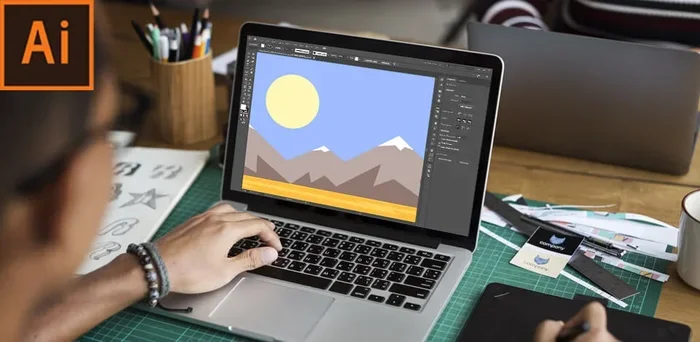
Illustrator Portable is a no-installation version of Adobe Illustrator that lets you run the full design software directly from a USB drive or any folder. It gives designers creative freedom on the go without needing admin rights or leaving traces on a computer. Whether you work across multiple machines or want a lightweight setup, this portable app delivers the same powerful vector editing tools as the desktop version.
Have you ever wanted to use Adobe Illustrator on a computer that you do not own? Or maybe you travel often and need your design tools with you everywhere? That is exactly where Illustrator Portable comes in. It is a version of Adobe Illustrator that you can run without installing it on your computer. You just copy it to a USB drive and go. In this article, we will break down everything you need to know about this handy tool. From what it is, to how it works, to whether it is worth using, we have you covered.
Designers and creatives are always looking for ways to work faster and smarter. The traditional Adobe Illustrator setup requires installation, admin rights, and a lot of storage space. But what if you could skip all of that? Portable design software like this opens up a world of flexibility. You can work on a library computer, a friend’s laptop, or even a shared workstation at the office. No strings attached. Let us dive into the details.
Key Takeaways
- No Installation Required: Run Adobe Illustrator directly from a USB drive or folder without touching the host system.
- Full Feature Access: Enjoy most of the core tools and functions found in the standard Adobe Illustrator desktop version.
- Perfect for Multiple Machines: Carry your design workspace with you and work seamlessly across different computers.
- Lightweight and Portable: Takes up minimal space and leaves no registry entries or temporary files behind.
- Great for Freelancers: Ideal for designers who travel, work in shared spaces, or lack admin privileges on their work computers.
- Offline Capability: Use the software without a constant internet connection once it is set up.
- Not Officially Supported by Adobe: It is a third-party modified version, so updates and support come from the community.
📑 Table of Contents
What Is Illustrator Portable?
Illustrator Portable is a modified, unpackaged version of Adobe Illustrator that does not need a traditional installation process. Instead of running a setup file and changing your system settings, you can launch the application directly from a folder or a USB flash drive. It behaves like a portable application, which means it carries its own configuration files and settings with it.
Think of it like carrying your entire design studio in your pocket. You plug in a USB drive, open the folder, and boom — you are inside Illustrator. The same tools, the same menus, the same features you know and love. The only difference is that it does not write anything to your computer’s hard drive or registry.
How Does It Differ from the Standard Version?
The standard Adobe Illustrator requires you to download an installer, go through a setup wizard, and allocate space on your system drive. It also needs an active Adobe Creative Cloud subscription to unlock all features. Illustrator Portable, on the other hand, skips the installation step entirely. It is usually a compressed folder that you extract and run.
Here is a quick look at the key differences:
- Standard Version: Requires installation, admin rights, and leaves files on your system.
- Portable Version: No installation needed, runs from any folder or drive, and leaves no traces.
- Standard Version: Tied to a specific machine through Adobe account authentication.
- Portable Version: Can be moved between machines easily without reconfiguration.
It is important to note that Illustrator Portable is not an official product from Adobe. It is typically created by third-party developers who repackage the software for portability. This means you should always download it from trusted sources to avoid security risks.
Key Features of Illustrator Portable
The whole point of a portable app is convenience, but that does not mean it skimps on features. Adobe Illustrator Portable still gives you access to the core tools that make Illustrator the industry standard for vector graphics. Let us look at what you can expect.
Full Vector Design Tools
You get the same pen tool, shape builder, pathfinder, and type tools as the desktop version. Whether you are creating logos, illustrations, or icons, the portable version handles it all. The vector editing capabilities remain untouched, which is what matters most to designers.
Custom Workspaces and Presets
One of the best things about the portable version is that it stores your preferences in its own folder. You can save custom workspaces, keyboard shortcuts, and color profiles. When you plug the drive into another computer, your entire setup comes with you. It feels like logging into your own machine every time.
Support for External Plugins
Many portable versions allow you to load third-party plugins and extensions. This means you can add extra brushes, scripts, or effects just like you would with the regular installation. Just make sure the plugins are compatible with your version of Illustrator.
Offline Functionality
Once the application is set up on your drive, you can use it without needing a constant internet connection. This is a huge advantage for designers who work in areas with unreliable internet or who travel frequently. You get a fully functional offline design tool right at your fingertips.
Who Should Use Illustrator Portable?
Not everyone needs a portable version of Illustrator, but for certain users, it is a game-changer. Let us look at who benefits the most from this approach.
Freelancers Who Work Across Multiple Locations
If you work from coffee shops, co-working spaces, or client offices, carrying a USB drive with your design software is incredibly useful. You do not need to worry about whether the computer has Illustrator installed. Just plug in your drive and start working. This is especially helpful for freelance designers who do not have control over the machines they use.
Students and Learners
Students often use shared computers in labs or libraries. These machines usually have strict security settings that prevent software installation. A portable version of Illustrator lets you practice and complete assignments without needing admin rights. It is a great way to learn vector graphic design on any computer you can access.
IT Professionals and Tech Support
People who troubleshoot computers or set up workstations for others sometimes need design tools but cannot install software on the machines they are fixing. A portable version solves this problem instantly. It is also useful for IT consultants who need to create diagrams or presentations on the fly.
Travelers and Digital Nomads
If you are always on the move, every gigabyte of space counts. A portable version takes up less room than a full installation and does not clutter your laptop with system files. You can keep it on a small USB drive alongside your project files and have a complete design studio wherever you go.
Pros and Cons of Using Illustrator Portable
Like any tool, the portable version has its strengths and weaknesses. Let us weigh them so you can make an informed decision.
Advantages
- No Installation Required: You can run it on any Windows computer without leaving files behind.
- Portability: Carry it on a USB drive alongside your project files.
- No Admin Rights Needed: Perfect for restricted or shared computers.
- Consistent Workspace: Your settings and presets travel with the application.
- Saves Disk Space: No registry entries or temporary cache files on the host machine.
- Quick Setup: Extract and run — no waiting for installers to finish.
Disadvantages
- Not Officially Supported: Adobe does not endorse or provide updates for portable versions.
- Security Risks: Downloading from untrusted sources can expose you to malware or modified files.
- No Automatic Updates: You will need to manually update the portable version when new releases come out.
- Potential Compatibility Issues: Some plugins or features may not work correctly in the portable build.
- No Cloud Integration: Syncing with Adobe Cloud or Creative Cloud libraries may be limited or unavailable.
To put it simply, the portable version is a fantastic tool for flexibility, but you trade off the convenience of automatic updates and official support. If you are careful about where you download it from, the benefits often outweigh the downsides.
How to Set Up Illustrator Portable
Getting started with Illustrator Portable is straightforward. Here is a step-by-step guide to help you set it up the right way.
- Download from a Trusted Source: Only use reputable websites or community forums that host verified portable apps. Avoid sketchy download sites that bundle unwanted software.
- Extract the Files: Use a tool like 7-Zip or WinRAR to extract the compressed folder to your desired location.
- Run the Application: Open the folder and launch the executable file. The application should start just like the regular version.
- Configure Your Settings: Set up your workspace, preferences, and any plugins you want to use.
- Copy to a USB Drive: Once everything is set up, copy the entire folder to a USB drive for on-the-go use.
- Test on Another Computer: Plug the drive into a different machine and make sure everything works as expected.
A quick tip: always keep a backup of your portable folder. If something goes wrong or you need to reinstall, having a backup saves a lot of time. Also, make sure your USB drive has enough read/write speed for smooth performance. A standard flash drive works fine, but a solid-state drive (SSD) in a USB enclosure will give you the best experience.
If you are also looking to invest in hardware that keeps your design workstation running smoothly, check out what is considered the best investment for the lifespan of your PC. A good CPU cooler, reliable RAM, and a fast SSD all contribute to a smoother design workflow, whether you use the portable or standard version of Illustrator.
Is Illustrator Portable Legal and Safe?
This is one of the most common questions people ask about portable software. The short answer is: it depends on where you get it and how you use it.
Adobe Illustrator itself is a paid product that requires a valid subscription. The portable version is essentially the same software repackaged to run without installation. Using it without a proper Adobe license is technically a violation of Adobe’s terms of service. However, many people use it for personal learning, testing, or in situations where they already own a license but need a portable setup.
From a safety standpoint, the biggest risk comes from downloading from unverified sources. Some websites bundle malware, adware, or even trojans with portable apps. Always scan any downloaded file with your antivirus software before running it. Stick to well-known community sites and forums where other users have verified the files.
Think of it this way: the portable version is a tool, and like any tool, it is only safe when used responsibly. If you download from trusted sources and use it ethically, the risk is minimal.
Alternatives to Illustrator Portable
If the portable version does not seem like the right fit for you, there are other options worth considering. Some of these are free, while others offer similar portability.
Adobe Illustrator on the Cloud
Adobe offers a web-based version of Illustrator through Creative Cloud. It runs in your browser and does not require installation at all. The downside is that you need a stable internet connection and a paid Creative Cloud subscription. It is not as full-featured as the desktop version, but it works well for quick edits and basic designs.
Inkscape
Inkscape is a free, open-source vector graphics editor. It is not a direct replacement for Illustrator, but it covers many of the same use cases. The best part? It is completely free and can be run portably. If you are looking for a free vector design tool that does not require installation, Inkscape is a great option.
Affinity Designer
Affinity Designer is a professional-grade vector design tool that offers a one-time purchase instead of a subscription. It is not officially portable, but it can be installed on a USB drive and run from there. It is a strong alternative if you want a legitimate, fully supported design application without the Adobe subscription model.
Each of these alternatives has its own strengths. The best choice depends on your budget, workflow, and how much you rely on Adobe-specific features. If you are already invested in the Adobe ecosystem, the portable version of Illustrator remains the most seamless option.
Final Thoughts
Illustrator Portable is a powerful tool that brings the full might of Adobe Illustrator to any computer without the hassle of installation. It is perfect for freelancers, students, travelers, and anyone who needs design capabilities on the go. The freedom it offers is unmatched, especially when you are working in shared or restricted environments.
However, it comes with trade-offs. You sacrifice official support, automatic updates, and cloud integration. You also need to be mindful of where you download the software from to stay safe. As long as you take these precautions, Illustrator Portable can be a valuable addition to any designer’s toolkit.
Remember, the best tool is the one that fits your workflow. If portability and flexibility matter most to you, give the portable version a try. If you prefer full support and regular updates, stick with the standard Adobe Illustrator setup. Either way, you are investing in your creative workflow, and that is always a smart move.
For more tips on keeping your design and tech setup running at its best, explore our guides on hardware investments and software optimization. Your creative journey deserves the right tools, whether they are portable or not.
Frequently Asked Questions
Is Illustrator Portable Free to Use?
The portable version itself is typically distributed for free by third-party sources, but Adobe Illustrator requires a paid subscription for full functionality. Using it without a license violates Adobe’s terms of service. Always make sure you have the proper Adobe subscription if you plan to use it professionally.
Can I Run Illustrator Portable on a Mac?
Most portable versions are designed for Windows. Running them on a Mac is not straightforward and may require additional software like Wine or Boot Camp. If you are on a Mac, it is better to use the standard Adobe Illustrator or explore cloud-based alternatives.
Will My Files Be Safe When Using the Portable Version?
Yes, your files are completely safe. The portable version does not modify your system, and your project files are stored wherever you save them. Just make sure to back up your work regularly, especially when working on shared or public computers.
Can I Update Illustrator Portable When New Versions Come Out?
No, automatic updates are not available for portable versions. You will need to manually download the updated portable build from a trusted source whenever a new version of Illustrator is released. This can be a hassle for some users.
Does Illustrator Portable Support All Plugins?
Most standard plugins and extensions work with the portable version, but some may not function correctly due to the lack of a traditional installation path. Always test your plugins before relying on them for important projects.
What Is the Best USB Drive for Running Illustrator Portable?
A USB 3.0 or higher flash drive with at least 64GB of storage is recommended. For the best performance, consider using an external SSD connected via USB. This will give you faster load times and smoother performance while working on large design files.