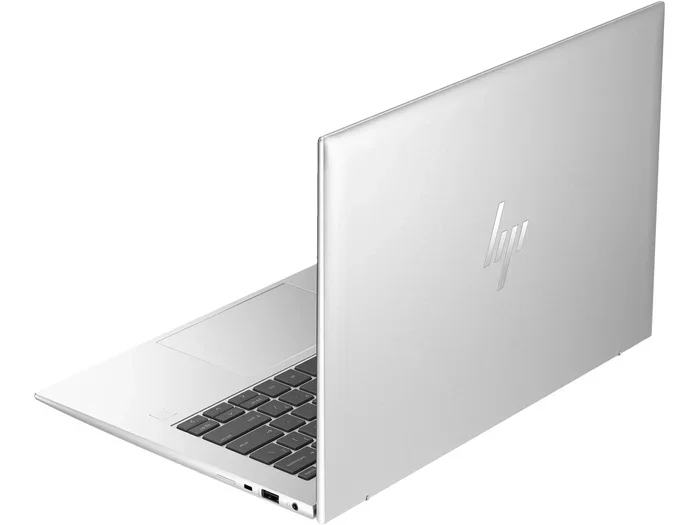
Windows Laptop 8 Gb Ram

A Windows laptop with 8 GB RAM offers a solid balance of speed and affordability for everyday tasks. Whether you browse the web, stream videos, or handle office work, 8 GB of memory keeps things running smoothly. This guide covers everything you need to know about choosing, using, and upgrading an 8 GB RAM laptop.
A Windows laptop 8 GB RAM setup hits a sweet spot that many buyers look for. It gives you enough memory to handle daily tasks without spending too much money. If you have been wondering whether 8 GB is enough in 2024 and beyond, you are in the right place.
This guide breaks down everything about 8 GB RAM laptops. We will talk about performance, use cases, upgrade paths, and what to look for when shopping. By the end, you will know exactly what to expect from a laptop with 8 GB of memory.
Key Takeaways
- 8 GB RAM is the sweet spot: It handles everyday tasks with ease without breaking the bank.
- Windows 11 runs well on 8 GB: Microsoft’s latest OS performs decently with 8 GB of memory.
- Upgrade options exist: Many laptops let you add more RAM later if your needs grow.
- DDR4 is standard: Most modern 8 GB laptops use DDR4 memory for reliable speed.
- Know your usage: Match your RAM to what you actually do on the laptop each day.
- Brand options are plentiful: HP, Acer, Lenovo, and others offer great 8 GB models at various price points.
📑 Table of Contents
- What Is 8 GB RAM and Why Does It Matter?
- Best Uses for a Windows Laptop with 8 GB RAM
- Windows 11 and 8 GB RAM: How Well Do They Work Together?
- What to Look for When Buying an 8 GB RAM Laptop
- Popular Brands Offering 8 GB RAM Laptops
- Can You Upgrade 8 GB RAM on a Laptop?
- Common Mistakes People Make with 8 GB RAM Laptops
- How Much Should You Spend on an 8 GB RAM Laptop?
- Final Thoughts on Windows Laptop 8 GB RAM
What Is 8 GB RAM and Why Does It Matter?
RAM stands for Random Access Memory. Think of it as your laptop’s short-term brain. When you open apps, browse websites, or edit documents, the RAM holds that data temporarily. More RAM means your laptop can juggle more tasks at once without slowing down.
An 8 GB RAM laptop gives you a comfortable amount of memory for most people. You can open several browser tabs, run office apps, and stream videos without any hiccups. It is not the highest amount available, but it covers the needs of the average user very well.
When you compare 8 GB to lower options like 4 GB, the difference is huge. Four GB feels sluggish these days. Eight GB gives you room to breathe. And when you compare it to 16 GB or 32 GB, 8 GB costs significantly less while still delivering a great experience for everyday use.
How RAM Affects Your Laptop Speed
Your laptop speed depends on several parts working together. The processor, storage drive, and RAM all play a role. But RAM is especially important for multitasking. If you have many programs open at the same time, your laptop relies on RAM to keep everything running fast.
With 8 GB of system memory, you can comfortably:
- Browse the web with 10 to 15 tabs open
- Use Microsoft Office apps like Word and Excel
- Stream HD video on YouTube or Netflix
- Run light photo editing in programs like Canva
- Handle video calls on Zoom or Microsoft Teams
If you try to do heavy video editing or run modern AAA games on 8 GB, you may notice slowdowns. But for the majority of users, 8 GB is more than enough.
Best Uses for a Windows Laptop with 8 GB RAM
Not everyone needs a powerful machine. Many users just want a reliable laptop for everyday jobs. An 8 GB RAM Windows laptop fits perfectly into several common use cases.
Office and Productivity Work
If your day involves emails, spreadsheets, and word processing, 8 GB is ideal. Programs like Microsoft 365, Google Docs, and Slack run smoothly with this amount of memory. You can switch between apps quickly and keep multiple windows open without any lag.
Student Use
Students benefit a lot from 8 GB RAM laptops. They need to take notes, browse research sites, and run presentation software. A student laptop with 8 GB RAM handles all of these tasks without breaking a sweat. It also keeps the cost low, which matters for student budgets.
Casual Browsing and Streaming
For people who mainly browse the web and watch videos, 8 GB provides a smooth experience. You can keep a dozen tabs open while listening to music and watching a video at the same time. This kind of multitasking is where 8 GB really shines.
Light Creative Work
Photographers and designers who work with light files can also benefit. Programs like Adobe Photoshop or Canva work well with 8 GB for basic editing. Just keep in mind that very large files or complex projects may need more memory.
Windows 11 and 8 GB RAM: How Well Do They Work Together?
Microsoft’s Windows 11 has become the standard for new laptops. Many people wonder if 8 GB RAM is enough to run it smoothly. The short answer is yes, for most users.
Windows 11 uses more memory than Windows 10 did. Microsoft added features like live tiles, better animations, and improved security tools. These features take up some RAM. But with 8 GB, your laptop still has plenty of memory left for your apps.
Many HP laptop Windows 11 8 GB RAM models are available on the market right now. These machines are built specifically to handle Windows 11 with 8 GB of memory. They offer a balanced experience that works for both home and office use.
Does Windows 11 Slow Down 8 GB Laptops?
Some users worry that Windows 11 will make their 8 GB laptop feel slow. In most cases, this does not happen. Windows 11 is well optimized for 8 GB systems. You might notice a slight use of memory during startup, but once you are into your work, the laptop feels responsive.
If you want to keep things running fast, here are a few tips:
- Turn off unnecessary startup programs
- Keep your system updated with the latest Windows patches
- Use a solid state drive (SSD) instead of a hard drive
- Restart your laptop regularly to clear memory
What to Look for When Buying an 8 GB RAM Laptop
Shopping for a laptop can feel overwhelming. There are so many brands, models, and specs to consider. Here is what to focus on when you are looking for an 8 GB RAM Windows laptop.
Processor Matters
The processor works hand in hand with your RAM. An 8 GB laptop with a strong processor will feel faster than one with a weak chip. Look for Intel Core i5 or AMD Ryzen 5 processors for the best balance of power and value.
For basic tasks, an Intel Core i3 or AMD Ryzen 3 also works fine. These are budget-friendly options that pair well with 8 GB of memory. They handle web browsing, office work, and media consumption without issues.
Storage Type and Capacity
Your storage drive affects overall speed just as much as RAM does. Always choose a laptop with an SSD. An SSD loads programs faster and makes the whole system feel snappier. A 256 GB SSD is a good starting point. If you need more space, look for a 512 GB SSD.
Display Quality
RAM does not affect your screen quality, but the laptop as a whole does. Look for an IPS display with at least 1920 x 1080 resolution. This gives you clear, vibrant images for work and entertainment.
Battery Life
An 8 GB laptop should also have good battery life. Look for models that offer 7 to 10 hours of real-world use. This way, you can work or study on the go without constantly searching for an outlet.
Popular Brands Offering 8 GB RAM Laptops
Several major brands offer excellent laptops with 8 GB of RAM. Here are some of the top choices you should consider.
HP
HP offers a wide range of laptops with 8 GB RAM. From budget-friendly models to business-class machines, there is an HP option for everyone. Many HP 8 GB RAM laptops come with Windows 11 preinstalled and include solid build quality.
Acer
Acer is known for delivering strong value. Their Aspire and Swift lines often feature 8 GB RAM configurations at very competitive prices. If you want a reliable machine without spending a fortune, Acer is a brand worth looking at.
Lenovo
Lenovo makes durable laptops that are popular in both offices and homes. Their IdeaPad and ThinkPad lines offer 8 GB RAM options that handle daily tasks with ease. ThinkPad models in particular are built for professionals who need reliability.
Dell
Dell’s Inspiron and Vostro lines frequently include 8 GB RAM configurations. These laptops offer a good mix of performance and style. Dell also provides solid customer support, which adds value to your purchase.
Can You Upgrade 8 GB RAM on a Laptop?
One of the best things about many laptops is that you can upgrade the RAM later. If you start with 8 GB and find you need more, adding another stick can boost your performance significantly.
Before buying a laptop, check if it has an extra RAM slot. Some laptops come with 8 GB soldered onto the motherboard, which means you cannot upgrade them. Others have one open slot that lets you add another 8 GB stick for a total of 16 GB.
Upgrading RAM is one of the easiest and most affordable ways to breathe new life into an older laptop. A new stick of DDR4 RAM can cost as little as $20 to $40. That is a small price for a big performance boost.
How to Check Your Current RAM
If you already own a Windows laptop, you can check your RAM in seconds. Just follow these steps:
- Press Ctrl + Shift + Esc to open Task Manager
- Click on the Performance tab
- Look for Memory in the left sidebar
- You will see your total RAM and how much you are using
This quick check helps you decide if an upgrade is needed. If you are using 7 GB or more with just a few apps open, it might be time to add more memory.
Common Mistakes People Make with 8 GB RAM Laptops
Even though 8 GB is plenty for most users, some common mistakes can hurt your experience. Avoid these pitfalls to get the most out of your laptop.
- Opening too many browser tabs: Each tab uses memory. Keep your tab count reasonable.
- Running too many background apps: Close apps you are not using to free up RAM.
- Skipping the SSD: A laptop with 8 GB RAM but a hard drive will feel slow. Always choose an SSD.
- Ignoring the processor: RAM alone does not make a laptop fast. Pair it with a decent CPU.
- Not checking upgrade options: Buy a laptop that allows RAM upgrades so you can grow with your needs.
By keeping these tips in mind, you can ensure your 8 GB RAM laptop stays fast and responsive for years to come.
How Much Should You Spend on an 8 GB RAM Laptop?
Price is always a factor when buying a laptop. The good news is that 8 GB RAM laptops come in a wide range of prices. You can find solid options at every budget level.
Budget models under $400 often come with 8 GB RAM and an SSD. These are perfect for basic tasks and students. Mid-range laptops between $400 and $700 offer better processors, higher-resolution displays, and premium build quality. And models above $700 may include extras like touchscreens, backlit keyboards, and faster components.
No matter your budget, there is an 8 GB laptop that fits your needs. The key is to focus on the overall package rather than just one spec. A well-rounded laptop with 8 GB RAM, a good processor, and an SSD will serve you well.
Final Thoughts on Windows Laptop 8 GB RAM
A Windows laptop with 8 GB RAM remains one of the best values in the laptop market today. It delivers reliable performance for everyday tasks, handles Windows 11 with ease, and keeps costs reasonable. Whether you are a student, a professional, or a casual user, 8 GB of memory gives you exactly what you need.
Before you buy, consider your specific needs. Think about what you will use the laptop for most often. Match the RAM to your workload, and do not be afraid to upgrade later if needed. With the right 8 GB laptop, you get a machine that is fast, affordable, and ready for whatever you throw at it.
Take your time when shopping. Compare models, read reviews, and pick the laptop that fits your lifestyle best. An 8 GB RAM Windows laptop is a smart choice that will serve you well for many years.
Frequently Asked Questions
Is 8 GB RAM enough for Windows 11?
Yes, 8 GB RAM is enough for Windows 11 for most users. Microsoft lists 4 GB as the minimum, so 8 GB gives you comfortable headroom. You can run everyday apps, browse the web, and handle office work without any issues.
Can I upgrade 8 GB RAM to 16 GB?
It depends on your laptop model. Many laptops have an extra RAM slot that lets you add another 8 GB stick. Check your laptop specs before buying to make sure an upgrade is possible. This can be a cost-effective way to boost performance later.
What can I do with an 8 GB RAM laptop?
You can browse the web, stream videos, use office apps, take video calls, and handle light creative work. An 8 GB RAM laptop covers the needs of students, professionals, and casual users very well. It is not ideal for heavy video editing or modern gaming, but it handles most daily tasks with ease.
Does 8 GB RAM slow down over time?
8 GB RAM does not slow down on its own. However, as software updates add new features, they may use slightly more memory. Keeping your laptop clean of unnecessary programs and restarting it regularly helps maintain speed. An SSD also plays a big role in keeping things fast.
Which brands offer the best 8 GB RAM laptops?
HP, Acer, Lenovo, and Dell all offer excellent 8 GB RAM laptops at various price points. HP is known for reliability, Acer for value, Lenovo for durability, and Dell for build quality. Choose based on your budget and specific needs.
How much does an 8 GB RAM laptop cost?
You can find a solid 8 GB RAM laptop starting around $300 to $400. Mid-range models between $400 and $700 offer better processors and displays. The price depends on the brand, build quality, and additional features like touchscreen or backlit keyboard options.