Laptop 8gb Ram I5 Processor
A laptop with 8GB RAM and an i5 processor delivers solid performance for everyday tasks like browsing, office work, and light multitasking. This combination strikes the perfect balance between affordability and capability, making it ideal for students, professionals, and casual users. Our guide covers everything you need to know before buying.
A laptop 8GB RAM i5 processor setup has become one of the most popular choices for everyday computing. Whether you are a student, a remote worker, or someone who just needs a reliable machine for daily tasks, this combination delivers solid performance without breaking the bank. But what makes this pairing so appealing, and how do you find the right one for your needs?
In this guide, we will walk you through everything you need to know about 8GB RAM laptops with Intel Core i5 processors. We will cover what to expect in terms of performance, which use cases work best, and how to avoid common buying mistakes. By the end, you will feel confident choosing the right machine.
Key Takeaways
- Affordable Power: An 8GB RAM i5 laptop offers excellent value for most daily computing needs.
- Great for Students: These laptops handle research, writing, and light media editing with ease.
- Check Your Needs: The right specs depend on your specific tasks and workflow.
- Windows 11 Ready: Most 8GB RAM i5 laptops run Windows 11 smoothly.
- Upgrade Options Exist: Many models let you add more RAM or swap storage later.
- Know the Specs: Understanding processor generation and RAM type helps you make smarter choices.
📑 Table of Contents
What Is a Laptop with 8GB RAM and an I5 Processor?
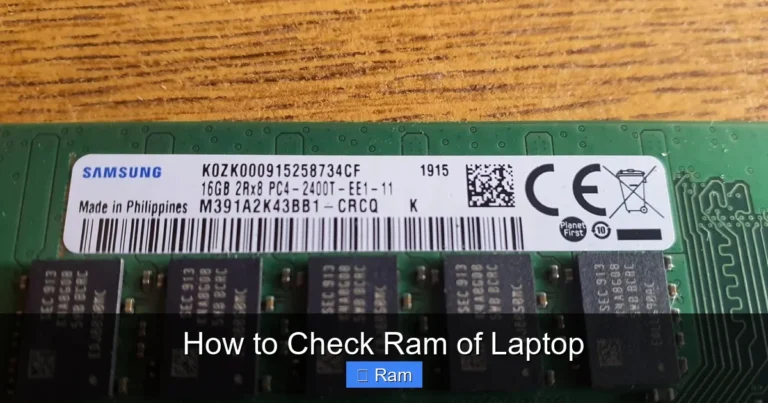
A laptop with 8GB RAM and an i5 processor is a mid-range computer built for everyday efficiency. The Intel Core i5 is a powerful yet affordable processor line that handles most tasks with ease. Meanwhile, 8GB of RAM gives your system enough memory to run multiple apps at the same time without slowing down.
Think of RAM as your laptop’s short-term memory. It holds the data your computer needs right now. The i5 processor acts as the brain, crunching numbers and running instructions. Together, they create a balanced machine that works well for a wide range of users.
If you want to learn more about whether 8GB RAM is sufficient for your needs, check out our article on is 8GB RAM enough for a laptop. It dives deeper into real-world performance scenarios.
How Does This Setup Perform in Daily Use?
For most people, an 8GB RAM i5 laptop handles the following tasks without any issues:
- Web browsing with multiple tabs open
- Microsoft Office applications like Word, Excel, and PowerPoint
- Video conferencing on Zoom or Microsoft Teams
- Streaming movies and music
- Light photo editing
- Basic coding and programming
- Running Windows 11 or Windows 10 smoothly
These laptops are not designed for heavy gaming or professional video editing. But for everyday computing, they are hard to beat. The key is finding the right model that matches your specific needs.
Who Should Buy an 8GB RAM I5 Laptop?
Not everyone needs a high-end machine. A laptop 8GB RAM i5 processor setup is perfect for several groups of users. Let us look at who benefits most from this configuration.
Students
Students need a reliable machine for research, writing papers, and attending online classes. An i5 processor with 8GB of RAM handles all of these tasks effortlessly. These laptops are also lightweight and portable, which is a big plus for campus life.
Remote Workers
Working from home requires a computer that can handle video calls, email, and document work simultaneously. A core i5 laptop with 8GB RAM does all of this without lag. You can switch between Slack, Zoom, and your browser without any slowdown.
Casual Users
If you mainly use your laptop for social media, browsing, and watching videos, an 8GB RAM i5 machine is more than enough. You do not need a powerful processor or extra memory for these activities.
Small Business Owners
Small business owners who manage emails, spreadsheets, and presentations will find this setup very capable. It is cost-effective and reliable, which matters when you are watching your budget.
Top Features to Look For
Not all laptops with 8GB RAM and i5 processors are created equal. Here are the key features you should compare before making a purchase.
Processor Generation
Intel releases new i5 processor generations regularly. A newer generation usually means better performance and improved energy efficiency. Look for 12th, 13th, or 14th generation Intel Core i5 chips for the best experience.
RAM Speed and Type
Not all 8GB RAM is the same. Some laptops use DDR4 memory, while newer models use DDR5. DDR5 is faster and more efficient. Check the RAM speed in megahertz (MHz) as well, because higher numbers mean smoother multitasking.
Storage Options
Most 8GB RAM i5 laptops come with SSD storage, which is much faster than traditional hard drives. A laptop 8GB RAM 256GB SSD is a common configuration. If you need more space, look for 512GB or 1TB SSD options.
For more details on storage and RAM combinations, read our guide on laptop 8GB RAM 256GB SSD configurations.
Display Quality
A good display makes a huge difference in your daily experience. Look for laptops with at least a Full HD (1080p) screen. IPS panels offer better viewing angles and color accuracy compared to basic TN panels.
Battery Life
Battery life matters, especially if you work on the go. Many 8GB RAM i5 laptops offer 8 to 12 hours of battery life. Check real-world reviews for honest battery performance data.
Best Use Cases for 8GB RAM I5 Laptops
Understanding what a laptop 8GB RAM i5 processor can do helps you set realistic expectations. Here are the best use cases for this configuration.
Office Work and Productivity
Running Word, Excel, PowerPoint, and Outlook simultaneously works perfectly on 8GB RAM. You can also have a browser with a dozen tabs open and still maintain smooth performance.
Online Learning
Students attending virtual classes need a stable machine for video streaming and note-taking. An i5 processor with 8GB RAM handles these demands without any hiccups.
Light Creative Work
Basic photo editing in tools like Canva or Adobe Lightroom works well on this setup. You can also handle simple video editing for social media content.
Programming and Development
Beginners and intermediate coders will find 8GB RAM sufficient for running IDEs, compilers, and testing environments. However, running virtual machines or heavy databases may push this configuration to its limits.
Entertainment
Watching Netflix, browsing YouTube, and casual gaming are all well within the capabilities of an 8GB RAM i5 laptop. You can enjoy most games at medium settings.
How to Choose the Right 8GB RAM I5 Laptop
Choosing the right laptop can feel overwhelming with so many options available. Here is a simple approach to help you decide.
Step 1: Define Your Needs
Ask yourself what you will use the laptop for most. If it is basic tasks, you do not need to spend extra on high-end features. If you need some creative work, prioritize a better display and more storage.
Step 2: Set a Budget
8GB RAM i5 laptops come in a wide price range, typically from $400 to $900. Set a realistic budget and focus on models within that range. You do not always need to spend more to get good quality.
Step 3: Compare Models
Read reviews and compare specifications side by side. Pay attention to build quality, keyboard comfort, and port selection, not just the processor and RAM numbers.
Step 4: Check Upgrade Options
Some laptops allow you to upgrade RAM or storage later. This flexibility can extend the life of your machine significantly. Always check the manufacturer’s specifications before buying.
Step 5: Consider the Operating System
Most 8GB RAM i5 laptops come with Windows 11 pre-installed. If you prefer Linux or need Windows 11 specifically, verify compatibility before purchasing. 8GB RAM laptops with Windows 11 are widely available and run efficiently.
Common Mistakes to Avoid
Buying a laptop is a significant investment. Avoid these common mistakes when shopping for an 8GB RAM i5 processor laptop.
- Ignoring the processor generation: An older i5 chip may not perform as well as a newer one, even with the same RAM.
- Overlooking storage type: Always choose an SSD over a traditional hard drive for faster performance.
- Skipping battery life checks: A powerful laptop with poor battery life will frustrate you on the go.
- Not checking RAM upgradability: Some laptops have soldered RAM, meaning you cannot upgrade later.
- Focusing only on specs: Build quality, keyboard feel, and display quality matter just as much for daily use.
Remember, the best laptop is the one that fits your specific needs and budget. Do not get swayed by flashy specs that you will never use.
Expert Insights on 8GB RAM I5 Laptops
Industry experts consistently recommend the 8GB RAM i5 combination as the sweet spot for most users. According to laptop review platforms, this configuration offers the best balance of performance, price, and battery life.
Tech reviewers often note that an i5 processor with 8GB RAM handles multitasking remarkably well for its price range. You can run a web browser with many tabs, a music app, and a document editor all at once without noticeable slowdown.
If you are curious about what constitutes good RAM for a laptop in general, our article on what is good RAM on a laptop provides expert analysis and recommendations.
One important tip from professionals: always buy from reputable brands with good customer support. A warranty and reliable service network add significant value to your purchase.
Conclusion
A laptop 8GB RAM i5 processor remains one of the smartest choices for anyone seeking a reliable, affordable, and capable machine. It handles everyday tasks with ease, offers good battery life, and comes in a wide range of prices to fit any budget.
Whether you are a student, a professional, or a casual user, this configuration delivers the performance you need without unnecessary extras. Focus on the features that matter most to you, compare models carefully, and you will find the perfect laptop.
Take your time, do your research, and trust your instincts. The right 8GB RAM i5 laptop is out there waiting for you.
Frequently Asked Questions
Is 8GB RAM enough for a laptop in 2024?
Yes, 8GB RAM is still plenty for most everyday tasks in 2024. It handles web browsing, office work, and light multitasking with ease. However, if you plan to do heavy video editing or gaming, you may want to consider 16GB or more.
Can I upgrade the RAM in my 8GB i5 laptop?
It depends on the laptop model. Some laptops have upgradeable RAM, while others have soldered memory. Check your laptop’s specifications or contact the manufacturer to confirm before purchasing.
What is the difference between an i5 and an i7 processor?
The i7 processor is generally faster and has more features than the i5. For most everyday tasks, an i5 with 8GB RAM performs just as well as an i7 in the same price range. You only need an i7 if you do intensive work like video rendering or heavy multitasking.
How long does a laptop with 8GB RAM and i5 last?
With proper care, a laptop 8GB RAM i5 processor can last 4 to 6 years for everyday use. Keeping your software updated and avoiding excessive strain on the hardware helps extend its lifespan significantly.
Are 8GB RAM i5 laptops good for students?
Absolutely. Students benefit greatly from the balance of performance and affordability that 8GB RAM i5 laptops offer. They handle research, writing, online classes, and light creative work without any issues.
Should I choose a laptop with 8GB RAM or 16GB RAM?
Choose 8GB RAM if your tasks are basic to moderate, like browsing, office work, and streaming. Choose 16GB RAM if you do heavy multitasking, video editing, or gaming. For most users, 8GB provides the best value for money.