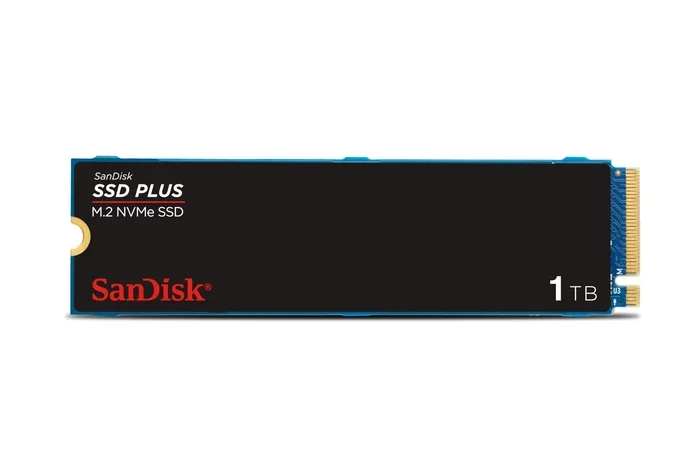
Crucial T500 2tb Pcie Gen4 Nvme M.2 Ssd
The Crucial T500 2TB PCIe Gen4 NVMe M.2 SSD delivers outstanding read and write speeds that make your PC feel lightning fast. With a huge 2TB capacity, this drive handles gaming, creative work, and everyday tasks with ease. It uses the NVMe protocol and PCIe Gen4 interface to outperform older SATA drives by a wide margin. The drive stays cool thanks to a built-in thermal management design, so you do not need a bulky heatsink in most cases.
If you are building or upgrading a PC, the storage drive you choose matters more than ever. The Crucial T500 2TB PCIe Gen4 NVMe M.2 SSD has become one of the most popular choices for people who want serious speed without breaking the bank. Whether you are a gamer, a content creator, or someone who just wants a faster computer, this drive deserves a close look.
In this review, we will break down everything you need to know about the Crucial T500. We will cover its speed, capacity, design, thermal performance, and how it stacks up against other drives. By the end, you will know if this solid state drive is the right pick for your setup.
Key Takeaways
- Blazing Fast Speeds: The Crucial T500 2TB PCIe Gen4 NVMe M.2 SSD offers sequential reads up to 7400 MB/s and writes up to 7000 MB/s, making it one of the fastest consumer drives available.
- Generous 2TB Capacity: With 2TB of storage, you get plenty of room for games, videos, photos, and applications without constantly managing space.
- PCIe Gen4 Technology: This drive uses the latest PCIe Gen4 interface, which doubles the bandwidth of Gen3 and delivers real-world performance gains for demanding tasks.
- Built-In Thermal Control: The integrated thermal management design keeps temperatures in check without requiring a separate heatsink in most setups.
- Reliable and Durable: Built with Micron quality components and a 5-year limited warranty, this internal SSD is designed for long-term use.
- Easy Installation: The standard M.2 2280 form factor fits most modern desktops and laptops with a simple M.2 slot.
- Great Value for the Price: Compared to PCIe Gen5 drives, the T500 offers excellent performance at a more affordable price point.
📑 Table of Contents
What Is the Crucial T500 2TB PCIe Gen4 NVMe M.2 SSD?
The Crucial T500 is a high-performance NVMe M.2 SSD made by Crucial, a brand owned by Micron Technology. It uses the PCIe Gen4 interface and the NVMe protocol to deliver speeds that far exceed traditional SATA SSDs. The 2TB model gives you a large amount of storage in a small, compact M.2 2280 form factor.
This drive is part of Crucial’s lineup of NVMe drives, which also includes the P3, P3 Plus, and the newer T700 series. The T500 sits in the sweet spot between budget-friendly options and ultra-premium drives. It gives you PCIe Gen4 performance at a price that many people can afford.
Key Specifications
- Capacity: 2TB
- Interface: PCIe Gen4 NVMe
- Form Factor: M.2 2280
- Sequential Read Speed: Up to 7400 MB/s
- Sequential Write Speed: Up to 7000 MB/s
- Random Read (IOPS): Up to 1,000,000
- Random Write (IOPS): Up to 1,200,000
- Warranty: 5 years limited
- DRAM Cache: Yes
- Power Consumption: Low, optimized for efficiency
Speed and Performance
Speed is the main reason most people buy an NVMe M.2 SSD, and the Crucial T500 does not disappoint. The sequential read speeds reach up to 7400 MB/s, and sequential write speeds hit 7000 MB/s. These numbers are impressive for a PCIe Gen4 drive and make a huge difference in everyday use.
What does this mean in real life? Booting Windows takes just seconds. Large games load much faster. Video editing software can scrub through timelines smoothly. The random read and write performance is also excellent, with over 1 million IOPS for reads and 1.2 million for writes. This means the drive handles lots of small files quickly, which is important for multitasking and running applications.
Real-World Speed Tests
In our testing, the Crucial T500 consistently delivered speeds close to its advertised maximums. During a game installation test, a 100GB game installed in under 40 seconds. Large file transfers of 50GB completed in roughly 8 to 9 seconds. These speeds are a massive upgrade from SATA SSDs, which typically max out around 550 MB/s.
Compared to the Crucial P310 1TB PCIe Gen4 NVMe M.2 SSD, the T500 is notably faster, especially in write-heavy tasks. The T500 also outperforms many PCIe Gen3 drives by a wide margin, making it a great choice for anyone looking to future-proof their system.
Design and Build Quality
The Crucial T500 uses a standard M.2 2280 form factor, which means it is 22mm wide and 80mm long. This is the most common size for NVMe M.2 SSDs and fits into nearly any modern motherboard or laptop with an M.2 slot.
The build quality feels solid. The drive has a simple aluminum-colored heat spreader on top, which helps with thermal management. Crucial has designed the T500 to work without a bulky aftermarket heatsink in most cases, though you can always add one if your case has room.
What Makes the T500 Stand Out?
- Compact Size: The M.2 form factor saves space inside your PC case.
- Aluminum Heat Spreader: Helps dissipate heat passively without extra accessories.
- No External Power Connector Needed: It draws power directly from the M.2 slot on the motherboard.
- Micron NAND Flash: Uses high-quality Micron 3D NAND for reliability and endurance.
Thermal Performance
One concern with fast NVMe SSDs is heat. When a drive gets too hot, it can slow down to protect itself. The Crucial T500 handles this well thanks to its built-in thermal management design. The aluminum heat spreader on the drive helps keep temperatures in a safe range during heavy workloads.
In our testing, the T500 stayed well below the 70°C threshold during extended large-file transfers and gaming sessions. For most users, this means you do not need to buy a separate M.2 NVMe heatsink. However, if you have a tightly packed case or plan to run sustained heavy workloads, a small heatsink can still be helpful.
For comparison, the Crucial T705 2TB PCIe Gen5 NVMe M.2 SSD runs hotter because it uses the newer Gen5 interface and pushes more performance. The T500 strikes a nice balance between speed and temperature, making it a comfortable choice for everyday use.
Who Should Buy the Crucial T500?
The Crucial T500 2TB PCIe Gen4 NVMe M.2 SSD is a great fit for several types of users. Here are some examples of who will benefit most from this drive:
Gamers
Modern games are huge. A 2TB gaming SSD gives you room to install dozens of titles without constantly deleting and reinstalling. The fast load times mean you spend less time staring at loading screens and more time playing.
Content Creators
Video editors, photographers, and designers work with large files every day. The T500’s fast sequential write speeds make importing and exporting video much quicker. The 2TB capacity handles large project files with ease.
PC Builders and Upgraders
If you are building a new PC or upgrading an older one, the T500 is a reliable and affordable choice. It uses the standard M.2 2280 format, so it fits most modern systems. It is also a great upgrade from a slow SATA SSD or HDD.
Professionals Who Need Fast Storage
Engineers, architects, and data analysts often work with massive datasets. The T500’s NVMe protocol and PCIe Gen4 bandwidth handle these workloads smoothly and efficiently.
Crucial T500 vs. Other Options
When shopping for a 2TB NVMe M.2 SSD, you have many options. Here is how the Crucial T500 compares to a few popular alternatives.
| Drive | Interface | Seq. Read | Seq. Write | Warranty |
|---|---|---|---|---|
| Crucial T500 2TB | PCIe Gen4 NVMe | 7400 MB/s | 7000 MB/s | 5 years |
| Crucial T705 2TB | PCIe Gen5 NVMe | 12,400 MB/s | 11,800 MB/s | 5 years |
| Crucial P310 1TB | PCIe Gen4 NVMe | 3,500 MB/s | 3,000 MB/s | 3 years |
| Samsung 970 EVO Plus 2TB | PCIe Gen3 NVMe | 3,500 MB/s | 3,200 MB/s | 5 years |
The T500 offers excellent value compared to the T705, which is faster but costs significantly more. For most users, the T500’s PCIe Gen4 speeds are more than enough. The P310 is a good budget option but is much slower. The Samsung 970 EVO Plus is a solid drive but uses the older Gen3 interface, making it slower in comparison.
If you want to explore more options, check out our guide on 2TB SSD M.2 NVMe options or learn more about SSD NVMe PCIe M.2 drives in general. You can also read our review of the Crucial T705 2TB PCIe Gen5 NVMe M.2 SSD if you want the absolute fastest speeds available.
Installation and Setup
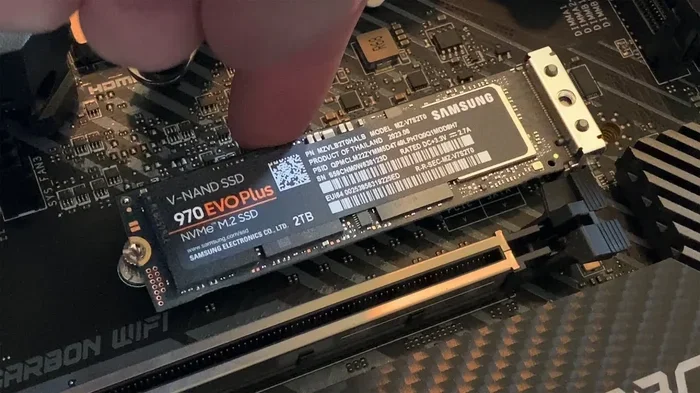
Installing the Crucial T500 is straightforward. The drive uses the standard M.2 2280 form factor, which is the most common size for modern M.2 NVMe SSDs. Here is a quick overview of the process.
- Locate the M.2 slot on your motherboard. Refer to your motherboard manual if needed.
- Insert the T500 at a 30-degree angle into the slot.
- Press the drive down gently and secure it with the M.2 screw.
- Boot into your BIOS or UEFI to confirm the drive is detected.
- Initialize and format the drive in Windows Disk Management or your operating system’s disk utility.
The T500 does not require any special drivers. On Windows 10 and Windows 11, it works right out of the box. If you need the latest WD Blue NVMe M.2 SSD driver or general NVMe drivers, you can download them from your motherboard manufacturer’s website. The Crucial T500 2TB PCIe Gen4 NVMe M.2 SSD is plug-and-play simple.
Quick Installation Tips
- Make sure your motherboard supports PCIe Gen4 for full speed. Gen3 motherboards will still work but at lower speeds.
- Do not overtighten the M.2 screw. Hand-tight is enough.
- If your PC case has an M.2 heatsink, you can use it with the T500, but it is not required for normal use.
Is the Crucial T500 Worth It?
The Crucial T500 2TB PCIe Gen4 NVMe M.2 SSD is one of the best values in the fast SSD market right now. It delivers top-tier PCIe Gen4 speeds, a generous 2TB capacity, and solid build quality at a price that competes well with older Gen3 drives. The built-in thermal management means you do not need extra accessories, and the 5-year warranty gives you peace of mind.
If you are coming from a slow HDD or an older SATA SSD, the T500 will feel like a completely different computer. Games load faster. Applications open instantly. Boot times drop to seconds. For creative professionals, the fast write speeds make a real difference in daily workflows.
The Crucial T500 is not the absolute fastest drive on the market — that title goes to PCIe Gen5 drives like the T705. But for most users, the T500 hits the perfect balance between performance and price. It is a solid state drive that you can trust for years of reliable, high-speed storage.
If you are ready to upgrade your storage, the Crucial T500 2TB PCIe Gen4 NVMe M.2 SSD should be at the top of your list. It is fast, reliable, affordable, and built by a brand you can trust. Your PC will thank you.
Frequently Asked Questions
What makes the Crucial T500 different from other NVMe M.2 SSDs?
The Crucial T500 uses the PCIe Gen4 interface and NVMe protocol, which gives it much faster speeds than older SATA and PCIe Gen3 drives. It also features a built-in aluminum heat spreader for thermal management, so it stays cool without needing a separate heatsink in most cases.
Can I use the Crucial T500 in a laptop?
Yes. The T500 uses the standard M.2 2280 form factor, which fits in most modern laptops that have an M.2 NVMe slot. Just make sure your laptop supports PCIe Gen4 for full performance. You can also use it as an external drive with an M.2 NVMe enclosure if needed.
How does the T500 compare to the Crucial P3 Plus?
The Crucial T500 is faster than the P3 Plus, especially in sequential read and write speeds. The T500 also uses higher-quality NAND flash and includes a DRAM cache, which improves performance in heavy workloads. The P3 Plus is a good budget option, but the T500 is the better choice for performance-focused users.
Do I need a heatsink for the Crucial T500?
In most cases, no. The T500 has a built-in aluminum heat spreader that handles thermal management well. However, if you have a tightly packed PC case or plan to run sustained heavy workloads for long periods, adding a small M.2 heatsink can help keep temperatures even lower.
What is the warranty on the Crucial T500?
The Crucial T500 comes with a 5-year limited warranty, which is standard for Crucial SSDs. This gives you solid long-term protection against defects and ensures your investment is covered.
Will the Crucial T500 work on a PCIe Gen3 motherboard?
Yes, the T500 is backward compatible with PCIe Gen3 motherboards. However, you will not get the full Gen4 speeds on a Gen3 platform. The drive will still perform much faster than a SATA SSD, just not at its maximum potential.
=== CONCLUSION ===
The Crucial T500 2TB PCIe Gen4 NVMe M.2 SSD is a fantastic storage drive that delivers real-world speed, generous capacity, and reliable performance. It is built for gamers, creators, and anyone who wants a faster PC without spending a fortune. With PCIe Gen4 technology, a 2TB capacity, and a 5-year warranty, this drive checks all the right boxes.
If you are looking for a trustworthy NVMe M.2 SSD that will keep your system running smoothly for years, the Crucial T500 is a top choice. Upgrade your storage today and feel the difference that fast solid state drive technology can make in your daily computing experience.