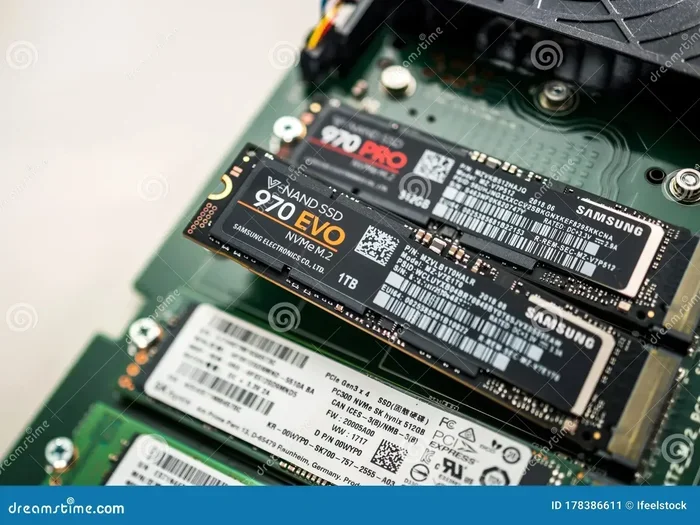
Samsung 970 Evo Plus 1tb Nvme M 2 Ssd
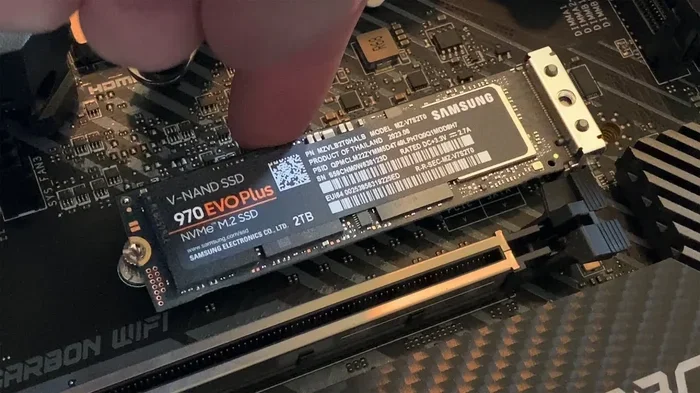
The Samsung 970 Evo Plus 1TB NVMe M.2 SSD is a top-tier solid state drive built for speed, reliability, and everyday performance. With V-NAND TLC technology, DRAM cache, and read speeds up to 3500 MB/s, this M.2 drive handles gaming, creative workloads, and storage upgrades with ease. It remains one of the best NVMe SSDs on the market for users who want proven performance without breaking the bank.
Key Takeaways
- Blazing Read Speeds: The Samsung 970 Evo Plus delivers sequential read speeds of up to 3500 MB/s, making it one of the fastest PCIe Gen 3 NVMe M.2 SSDs available.
- Reliable V-NAND TLC Memory: Samsung’s 3D V-NAND TLC flash provides excellent endurance and consistent performance over time.
- Built-In DRAM Cache: The onboard DRAM cache ensures fast access to frequently used files and applications.
- Great for Gaming and Creative Work: This boot drive excels in gaming, video editing, and multitasking scenarios.
- Easy Installation: The standard M.2 2280 form factor fits most modern desktops and laptops with an M.2 slot.
- Solid Value: Compared to competing models like the Crucial P310 1TB, the Samsung 970 Evo Plus offers better sustained performance and reliability.
📑 Table of Contents
What Is the Samsung 970 Evo Plus 1TB NVMe M.2 SSD?
The Samsung 970 Evo Plus 1TB NVMe M.2 SSD is a high-performance solid state drive designed for users who need fast storage without the bulk of traditional hard drives. It uses the NVMe protocol over a PCIe Gen 3 x4 interface, which means it communicates with your motherboard much faster than older SATA drives ever could.
This M.2 drive uses Samsung’s proprietary 3D V-NAND TLC technology, stacking memory layers vertically to deliver both speed and endurance. The 1TB capacity gives you plenty of room for your operating system, favorite games, creative projects, and media files. Samsung has built a strong reputation with this series, and the Evo Plus line remains one of the most popular NVMe M.2 SSDs among everyday users and enthusiasts alike.
Whether you are building a new gaming PC, upgrading a laptop, or creating a fast boot drive, the Samsung 970 Evo Plus is a choice you can feel confident about. It combines Samsung’s proven quality with competitive pricing, making it a storage upgrade that punches well above its weight.
Key Features and Specifications
Sequential Read and Write Speeds
The headline numbers for the Samsung 970 Evo Plus are impressive. It offers sequential read speeds of up to 3500 MB/s and sequential write speeds of up to 3200 MB/s. These numbers mean you can boot Windows in seconds, load heavy applications instantly, and transfer large files in a flash.
For real-world read/write speeds, the drive maintains consistently high performance. Unlike some budget NVMe SSDs that slow down significantly when the DRAM cache fills up, the Samsung 970 Evo Plus keeps delivering smooth performance thanks to its generous cache buffer.
3D V-NAND TLC Flash Memory
Samsung’s 3D V-NAND technology stacks memory cells in vertical layers rather than spreading them out horizontally. This design delivers higher density, better endurance, and improved power efficiency. The TLC (Triple-Level Cell) configuration stores three bits per cell, which balances speed, capacity, and cost perfectly for most users.
DRAM Cache and Controller
One of the standout features of this drive is the dedicated DRAM cache. The Samsung Phoenix controller works alongside the cache to manage data efficiently. This setup ensures that random read/write performance stays strong, which matters a lot for multitasking and running multiple applications at once.
Endurance and Warranty
Samsung rates the 970 Evo Plus with a TBW (Total Bytes Written) endurance of 600 TBW for the 1TB model. That means you can write 600 terabytes of data before the drive is expected to wear out. Combined with a 5-year limited warranty, Samsung gives you peace of mind that your M.2 NVMe SSD is built to last.
Thermal Management
The drive comes with a thermal pad on the heatsink to help manage heat during heavy workloads. While the Samsung 970 Evo Plus does not run as hot as some PCIe Gen 4 drives, it still benefits from good thermal design. This is especially important if you are running sustained write-intensive tasks like video rendering or large file transfers.
Performance Benchmarks
Sequential Performance
In synthetic benchmarks, the Samsung 970 Evo Plus 1TB consistently hits its advertised sequential read speeds of around 3400 to 3500 MB/s. Write speeds typically land in the 3000 to 3200 MB/s range. These numbers place it among the fastest PCIe Gen 3 NVMe SSDs ever made.
Real-World Gaming and Application Loading
For gaming performance, the difference between this NVMe M.2 SSD and a SATA drive is night and day. Modern games like Cyberpunk 2077 and Call of Duty load significantly faster when installed on the Samsung 970 Evo Plus. You will notice reduced stuttering and faster level transitions, especially in open-world titles.
Creative professionals will also appreciate the speed. Video editing with 4K footage, working with large Photoshop files, and running multiple virtual machines all benefit from the fast read/write speeds of this drive.
Comparison with Other Popular SSDs
When compared to other 1TB NVMe M.2 SSDs, the Samsung 970 Evo Plus holds its own very well. For instance, the Crucial P310 1TB PCIe Gen4 NVMe 2280 M.2 SSD offers newer Gen 4 speeds but sometimes lags in sustained write performance. The Samsung 970 Evo Plus delivers more consistent real-world results thanks to its DRAM cache and mature controller.
For a detailed look at how the Samsung 970 Evo Plus compares to other models, check out our Samsung 970 Evo Plus NVMe M.2 SSD review and our guide on the Samsung 970 Evo Plus 1TB NVMe SSD.
| Feature | Samsung 970 Evo Plus 1TB | Crucial P310 1TB |
|---|---|---|
| Interface | PCIe Gen 3 x4 NVMe | PCIe Gen 4 x4 NVMe |
| Sequential Read | Up to 3500 MB/s | Up to 3400 MB/s |
| Sequential Write | Up to 3200 MB/s | Up to 3000 MB/s |
| DRAM Cache | Yes | No |
| Endurance (TBW) | 600 TBW | 600 TBW |
| Warranty | 5 years | 5 years |
| Thermal Pad | Included | Not included |
Who Should Buy the Samsung 970 Evo Plus?
The Samsung 970 Evo Plus 1TB NVMe M.2 SSD is an excellent choice for a wide range of users. Here is a quick breakdown of who benefits most from this drive:
- Gamers: Fast load times and smooth gaming performance make this a perfect gaming storage upgrade. Install your favorite titles and enjoy near-instant boot times.
- Content Creators: Video editors, photographers, and graphic designers will appreciate the fast read/write speeds when working with large files.
- Everyday Users: If your current system uses an older hard drive or SATA SSD, upgrading to this NVMe M.2 SSD will transform your computing experience.
- Professionals: Running databases, virtual machines, or workload-intensive applications benefits greatly from the low latency and high IOPS of this drive.
- PC Builders: The standard M.2 2280 form factor fits most modern motherboards, making installation straightforward for both beginners and experienced builders.
If you are looking for a reliable boot drive that handles everything from daily browsing to intensive creative workloads, the Samsung 970 Evo Plus is hard to beat at its price point.
How to Install the Samsung 970 Evo Plus 1TB
What You Need
Installing the Samsung 970 Evo Plus is straightforward. You need a motherboard with an M.2 slot that supports PCIe NVMe drives. Most modern motherboards from Intel and AMD include at least one M.2 slot. You will also need a small Phillips-head screwdriver.
Step-by-Step Installation
- Power off your PC and unplug it from the wall. Ground yourself to prevent static damage.
- Locate the M.2 slot on your motherboard. It is usually labeled and covered by a small heatsink.
- Remove the heatsink by unscrewing the mounting bracket.
- Insert the SSD at a 30-degree angle into the M.2 slot. Gently press it down until it sits flat.
- Secure the drive with the small screw that came with your motherboard.
- Reattach the heatsink if your motherboard has one. The Samsung 970 Evo Plus comes with its own heatsink, so you can use either.
- Boot into your BIOS and confirm the drive is detected. Then install your operating system or migrate your existing drive.
Quick Tips for Installation
- Always check your motherboard manual for the correct M.2 slot configuration. Some slots run at PCIe Gen 3 speeds while others support Gen 4.
- If you are using the drive as a secondary storage, make sure to format it in Disk Management (Windows) or Disk Utility (macOS) before use.
- For the best thermal performance, make sure the thermal pad is properly seated against the drive’s controller and NAND chips.
Common Mistakes to Avoid
Even with a great NVMe SSD like the Samsung 970 Evo Plus, some users make avoidable mistakes. Here are a few to watch out for:
- Skipping the BIOS update: Older motherboards sometimes need a BIOS update to properly recognize PCIe Gen 3 NVMe drives. Always check for the latest firmware before installing.
- Using the wrong M.2 slot: Not all M.2 slots support NVMe. Some only support SATA M.2 SSDs. Check your motherboard manual to confirm.
- Ignoring thermal management: While the Samsung 970 Evo Plus runs cooler than many drives, sustained heavy workloads can still cause thermal throttling. A good case airflow setup helps.
- Not enabling AHCI or NVMe mode: Make sure your storage controller is set to AHCI or NVMe mode in the BIOS, not IDE mode. This ensures you get the full speed of the NVMe interface.
Final Verdict
The Samsung 970 Evo Plus 1TB NVMe M.2 SSD remains one of the best solid state drives you can buy for a reliable, fast, and affordable storage upgrade. Its combination of 3D V-NAND TLC memory, DRAM cache, and PCIe Gen 3 speeds delivers an outstanding user experience for gaming, creative work, and everyday computing.
While newer PCIe Gen 4 and Gen 5 NVMe drives offer higher peak speeds, the Samsung 970 Evo Plus still competes strongly in real-world performance. Its 600 TBW endurance rating, 5-year warranty, and included thermal pad add significant long-term value. For users who want proven performance without spending premium Gen 4 prices, this drive is an excellent pick.
If you are ready to upgrade your system, consider pairing this M.2 NVMe SSD with a quality enclosure for external use, or explore other capacity options like the 512GB NVMe M.2 SSD or 2TB NVMe M.2 SSD variants from Samsung and other brands. For more options, check out our guides on SSD 1TB M.2 NVMe and 1TB NVMe M.2 SSD to find the best fit for your needs.
In short, the Samsung 970 Evo Plus 1TB NVMe M.2 SSD is a fast, reliable, and well-built drive that continues to earn its place as one of the most recommended NVMe M.2 SSDs in the market today.
Frequently Asked Questions
Is the Samsung 970 Evo Plus still worth buying in 2024?
Absolutely. While newer PCIe Gen 4 and Gen 5 drives are available, the Samsung 970 Evo Plus still delivers excellent real-world performance. Its 3500 MB/s read speeds and DRAM cache make it a solid choice for gaming, productivity, and everyday use. The price-to-performance ratio remains very competitive.
What is the difference between the Samsung 970 Evo and the Evo Plus?
The 970 Evo Plus is the successor to the original 970 Evo. It offers improved V-NAND TLC technology, better sustained write performance, and a more efficient controller. The Evo Plus also includes a thermal pad on the heatsink, which the original did not always have.
Can I use the Samsung 970 Evo Plus 1TB as a boot drive?
Yes, this NVMe M.2 SSD works perfectly as a boot drive. Install Windows or your preferred operating system on it, and you will experience significantly faster boot times and application launches compared to traditional hard drives or SATA SSDs.
Does the Samsung 970 Evo Plus need a heatsink?
The drive comes with its own integrated heatsink and thermal pad. For most users, this is sufficient. However, if you are running sustained heavy workloads in a tight case, adding an aftermarket M.2 heatsink can help maintain optimal temperatures.
How does the Samsung 970 Evo Plus compare to the Crucial P310?
The Samsung 970 Evo Plus uses PCIe Gen 3 with a DRAM cache, while the Crucial P310 uses PCIe Gen 4 without DRAM. In real-world tasks, the Samsung drive often performs more consistently thanks to its cache. The P310 may have a slight edge in sequential reads, but the Samsung wins in sustained workloads.
What is the warranty on the Samsung 970 Evo Plus 1TB?
Samsung offers a 5-year limited warranty on the 970 Evo Plus 1TB model. It also carries a 600 TBW endurance rating, which means the drive is built to handle years of heavy use before any reliability concerns arise.
=== CONCLUSION ===
The Samsung 970 Evo Plus 1TB NVMe M.2 SSD is a fantastic solid state drive that delivers on all fronts: speed, reliability, and value. Whether you are a gamer, a content creator, or someone looking for a simple storage upgrade, this drive exceeds expectations. Its 3D V-NAND TLC memory, DRAM cache, and proven endurance make it one of the most trusted NVMe M.2 SSDs available today.
Do not miss the chance to supercharge your system with one of the best M.2 NVMe SSDs on the market. Upgrade today and experience the difference that fast, reliable NVMe storage can make in your daily computing.