Crucial P3 Plus Nvme Ssd

The Crucial P3 Plus NVMe SSD delivers fast PCIe Gen4 speeds in a compact M.2 form factor. With up to 5,000 MB/s read speeds and multiple capacity options, it offers excellent value for gaming and everyday use. This drive combines reliable 3D NAND technology with a sturdy aluminum heatsink design.
The Crucial P3 Plus NVMe SSD has been turning heads since its release. It sits in a sweet spot between budget-friendly storage and high-performance drives. If you are tired of slow boot times or laggy file transfers, this drive might be exactly what you need.
Many people wonder whether upgrading to a PCIe Gen4 NVMe drive is worth the cost. The short answer is yes. The Crucial P3 Plus NVMe SSD offers a massive speed jump over older SATA drives. You will notice faster game loads, quicker file transfers, and snappier system responsiveness.
For a detailed look at the overall review, you can check the full Crucial P3 Plus NVMe SSD Review on our site. That review goes deeper into benchmarks and testing methodology.
The Crucial P3 Plus NVMe SSD uses PCIe Gen4 technology. This means it communicates with your motherboard at much higher speeds than older Gen3 drives. The result is noticeably faster read and write performance in everyday tasks.
This drive is built on Micron’s 176-layer 3D NAND technology. QLC flash memory stores multiple bits per cell, which helps keep costs down while still delivering solid performance. The aluminum heatsink that comes attached also helps keep temperatures in check during long gaming sessions or heavy workloads.
### Speed and Performance
The Crucial P3 Plus NVMe SSD delivers sequential read speeds of up to 5,000 MB/s. Sequential write speeds reach up to 2,000 MB/s. These numbers are impressive for a drive in this price range.
In real-world use, you will see the biggest difference when:
- Booting Windows or other operating systems
- Loading large games like Cyberpunk 2077 or Call of Duty
- Transferring large video files or photo libraries
- Running virtual machines or video editing software
Compared to a standard SATA SSD, the P3 Plus feels lightning fast. File copies that took minutes on a SATA drive now finish in seconds. This speed boost makes a real difference in daily productivity.
### Capacity Options and Pricing
The Crucial P3 Plus NVMe SSD comes in three main capacities. Each option suits different user needs and budgets.
- 500GB: Great for a boot drive or light gaming setup. Fits around 1,100 GB of data on average.
- 1TB: The most popular choice. Holds most modern games and still leaves room for apps and media.
- 2TB: Ideal for content creators or gamers with large libraries.
Pricing is competitive. The 1TB model often costs less than many Gen3 alternatives. If you want to compare specific capacity options, check out our Crucial P3 1TB NVMe SSD guide for more details on pricing and availability.
### Design and Build Quality
The P3 Plus features a sleek aluminum heatsink that covers the entire NAND package. This design does two things. It looks great inside a transparent PC case, and it helps dissipate heat effectively.
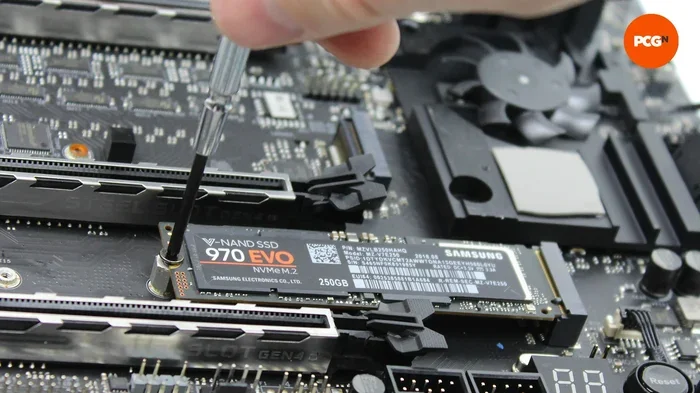
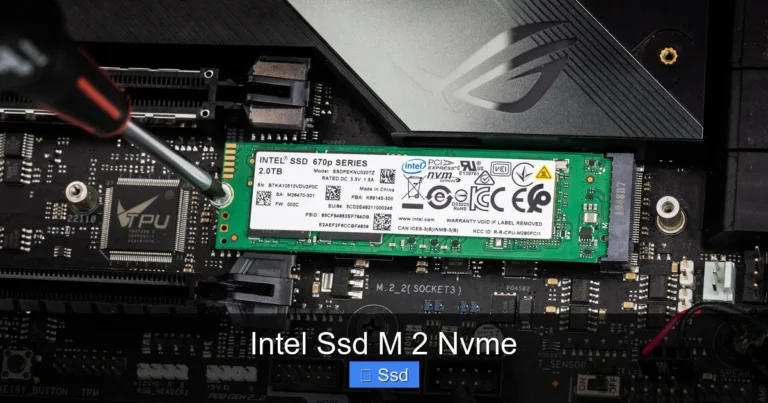
The drive uses the standard M.2 2280 form factor. This means it fits into any motherboard with an M.2 slot that supports PCIe NVMe drives. Installation is straightforward. You just insert it at a 30-degree angle and push it down to secure it with a single screw.
One thing to note is the heatsink adds a bit of thickness. Most cases and motherboards handle this just fine. But if you are building a very compact system, double-check your clearance first.
### Heatsink and Thermal Management
Thermal management matters for NVMe SSDs. When drives get too hot, they throttle performance. The Crucial P3 Plus NVMe SSD addresses this with its integrated aluminum heatsink.
The heatsink works passively. It draws heat away from the NAND chips and spreads it across the metal surface. This keeps the drive cooler without needing a fan or additional cooling solution.
For most users, the built-in heatsink is more than enough. However, if you plan on running sustained heavy workloads, consider adding case airflow. A simple fan pointing toward the M.2 slot can make a big difference.
### How It Compares to Competitors
The Crucial P3 Plus NVMe SSD competes in a crowded market. Let us look at how it stacks up against some popular alternatives.
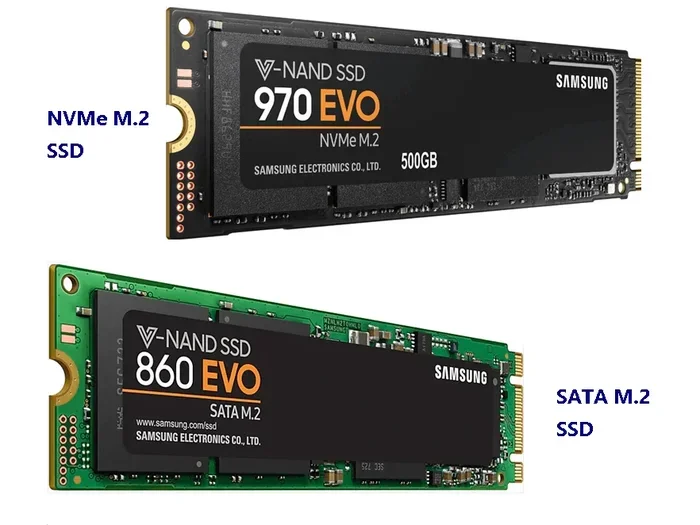
The Samsung 970 EVO Plus NVMe M.2 SSD is a well-known competitor. It uses PCIe Gen3 technology and delivers up to 3,500 MB/s read speeds. The P3 Plus beats it in raw speed thanks to Gen4 support. The Samsung drive does have a longer track record and slightly better endurance ratings in some configurations.
Another option is the Corsair MP600 Core XT M.2 NVMe SSD. This drive also uses PCIe Gen4 and offers strong performance. The Corsair tends to run warmer without a heatsink, while the P3 Plus comes with one already attached.
If you are looking at the next generation, the Crucial T705 PCIe Gen5 NVMe M.2 SSD represents the cutting edge. It offers even faster speeds but at a higher price point. The P3 Plus remains the better value for most users today.
For a broader look at storage options, our 1TB NVMe M.2 SSD guide compares multiple drives in this capacity range.
### Who Should Buy the Crucial P3 Plus NVMe SSD?
This drive is a great fit for several types of users. Here is a quick breakdown.
- Gamers: Fast load times and large capacity make it ideal for modern gaming setups.
- Content Creators: Quick file transfers help with video editing and photo workflows.
- Budget Builders: Offers Gen4 speeds at a price point close to Gen3 drives.
- Upgraders: A simple way to breathe new life into an older PC with an M.2 slot.
- Students: The 500GB model provides plenty of speed for schoolwork at an affordable price.
If you already have a fast NVMe drive and are happy with its performance, you may not need an upgrade. But if you are still using a SATA SSD or an old hard drive, the P3 Plus will feel like a massive improvement.
### Installation and Setup
Setting up the Crucial P3 Plus NVMe SSD is simple. Here is a quick step-by-step guide.
- Power off your PC and unplug it from the wall.
- Open your case and locate an M.2 slot on the motherboard.
- Remove the M.2 heatsink or retention bracket if needed.
- Insert the drive at a 30-degree angle into the slot.
- Press the drive down flat and secure it with the screw.
- Close the case and power on your PC.
- Initialize the drive in Windows Disk Management if it is a new installation.
The drive is recognized instantly on most modern systems. Windows 10 and 11 include native NVMe drivers, so you typically do not need to download anything extra.
### Reliability and Warranty
The Crucial P3 Plus NVMe SSD comes with a 5-year limited warranty. This is standard for Crucial drives and gives you solid long-term protection. The drive also features end-to-end data protection and hardware encryption support.
Micron’s 176-layer QLC NAND is known for being reliable. While QLC drives traditionally have lower endurance than TLC alternatives, the P3 Plus handles everyday workloads with ease. For most users, the drive will last well beyond its warranty period.
### Final Verdict
The Crucial P3 Plus NVMe SSD is a strong choice for anyone looking to upgrade their storage. It offers fast PCIe Gen4 speeds, a built-in heatsink, and competitive pricing. The 5-year warranty adds extra confidence for long-term use.
If you want the best performance at the lowest cost, this drive delivers. It may not be the absolute fastest NVMe SSD on the market, but it comes very close at a much friendlier price. For most users, the Crucial P3 Plus NVMe SSD hits the perfect balance of speed, capacity, and value.
Key Takeaways
- Fast PCIe Gen4 Speeds: The Crucial P3 Plus NVMe SSD offers sequential reads up to 5,000 MB/s, making it much faster than SATA drives.
- Multiple Capacity Options: Available in 500GB, 1TB, and 2TB configurations to fit different needs and budgets.
- Built-In Heatsink: The aluminum shroud helps manage thermals during heavy workloads and gaming sessions.
- Solid 3D NAND Technology: Uses Micron’s 176-layer QLC NAND for reliable performance and endurance.
- Great Value: Competes well against the Samsung 970 EVO Plus NVMe M.2 SSD at a lower price point.
- Easy Installation: Simple M.2 2280 form factor fits most modern desktops and laptops with an M.2 slot.
- 5-Year Warranty: Backed by Crucial’s standard 5-year limited warranty for peace of mind.
Frequently Asked Questions
What makes the Crucial P3 Plus NVMe SSD different from the original P3?
The P3 Plus uses PCIe Gen4 technology, which doubles the bandwidth compared to the original P3’s Gen3 interface. This translates to faster read speeds of up to 5,000 MB/s. The P3 Plus also features a built-in aluminum heatsink for better thermal management.
Is the Crucial P3 Plus NVMe SSD good for gaming?
Yes, it is an excellent choice for gaming. The fast sequential read speeds reduce game load times significantly. The drive handles modern AAA titles with ease and provides smooth performance during gameplay. Many gamers find it to be one of the best value NVMe drives available today.
Does the Crucial P3 Plus NVMe SSD need additional cooling?
The built-in aluminum heatsink handles most cooling needs on its own. For typical use and gaming, no additional cooling is necessary. However, if you plan on running sustained heavy workloads, adding case airflow can help maintain optimal temperatures over long periods.
How does the Crucial P3 Plus compare to the Samsung 970 EVO Plus?
The P3 Plus uses PCIe Gen4 while the Samsung 970 EVO Plus uses Gen3. This gives the P3 Plus a clear speed advantage in sequential reads. The Samsung drive has a proven track record and slightly better endurance in some tests. However, the P3 Plus offers better value for the price.
Can I use the Crucial P3 Plus NVMe SSD as a boot drive?
Absolutely. The drive works perfectly as a boot drive for Windows or Linux. Its fast read speeds make system boot times significantly shorter. The M.2 2280 form factor fits most modern motherboards with an available M.2 slot.
What is the warranty on the Crucial P3 Plus NVMe SSD?
The drive comes with a 5-year limited warranty from Crucial. This covers defects in materials and workmanship under normal use conditions. The warranty provides solid peace of mind for long-term storage use.
=== CONCLUSION ===
The Crucial P3 Plus NVMe SSD stands out as a well-rounded storage upgrade. It brings PCIe Gen4 speeds to the mainstream market without an inflated price tag. The built-in heatsink, multiple capacity options, and strong warranty make it a smart choice for a wide range of users.
Whether you are a gamer chasing faster load times, a creator moving large files, or someone simply tired of slow storage, this drive delivers. It represents one of the best values in the NVMe SSD market today. If you are ready to upgrade, the Crucial P3 Plus NVMe SSD is a drive you can confidently recommend.