What Can I Do with Old Laptop Parts
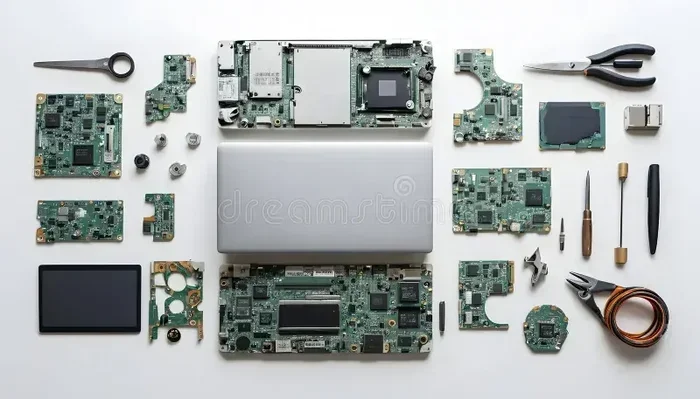
Old laptop parts still have plenty of life left in them. You can upgrade your current laptop’s RAM, repurpose components for DIY projects, sell them for cash, or recycle them responsibly. This guide walks you through every option so nothing goes to waste.
You just pulled an old laptop out of storage, and it’s collecting dust. Before you toss it in the trash, stop. There are actually a lot of things you can do with old laptop parts. These components still have value, whether that means boosting your current setup, funding a new purchase, or even sparking a fun DIY project.
Most people don’t realize that a laptop’s RAM, hard drive, screen, and battery can all serve a second life. Even if the laptop itself is too outdated to use, the individual parts inside often work perfectly fine. In this guide, we’ll explore every practical option so you can make the most of what you have.
Let’s dive in and see what your old laptop parts can do for you.
Key Takeaways
- Upgrade Your Current Setup: Old laptop RAM and hard drives can boost your existing computer’s performance.
- DIY Projects Are Fun and Useful: Turn old screens, keyboards, and batteries into creative projects.
- Sell for Extra Cash: Many laptop parts still hold value and can be sold online.
- Recycle Responsibly: Electronics contain materials that should never go in a landfill.
- Help Others: Donate working parts to schools, nonprofits, or community programs.
- Learn New Skills: Working with old parts teaches you valuable tech skills.
📑 Table of Contents
Upgrade Your Current Laptop or Desktop
The simplest and most practical use for old laptop parts is upgrading your current machine. Many laptop components are compatible with other systems, and you can breathe new life into an older computer without spending much money.
Repurpose Old Laptop RAM
One of the easiest upgrades involves laptop RAM. If you have extra memory sticks lying around, they might work in a desktop or another compatible laptop. Before you install them, check compatibility. Not all RAM sticks fit every machine, and speed differences can cause issues.
For example, if you want to upgrade your RAM to improve multitasking, old laptop memory might do the trick — but only if it matches the right specs. You need to check the type (DDR3, DDR4), speed, and maximum capacity your motherboard supports.
Many people ask, can I upgrade RAM on my laptop using parts from an old machine? The answer is usually yes, as long as the RAM type matches. If you are unsure, check your laptop’s manual or look up your model online for specs.
Here are quick tips for RAM upgrades:
- Match the RAM type (DDR3 or DDR4) exactly.
- Check your motherboard’s maximum supported speed.
- Install RAM in matching pairs for dual-channel performance.
- Run a compatibility check before purchasing anything new.
If you are looking for more guidance on RAM compatibility, you can check our article on Can I Upgrade Ram On Laptop for detailed steps.
Reuse Old Hard Drives and SSDs
Old laptop hard drives and solid-state drives can become external storage. You just need a cheap hard drive enclosure, and your old drive becomes a portable storage device. This works great for backing up files, storing media, or even running a lightweight operating system.
If the drive is still fast enough, you can also use it as a secondary storage drive in a desktop computer. This is especially useful for storing large files like videos, photos, and games without slowing down your main drive.
Sell Old Laptop Parts for Cash
Did you know that old laptop components can actually make you money? Many people search for specific parts to fix their own machines, and they are willing to pay for quality used components.
Which Parts Sell Best?
Not all parts hold the same value. Here are the top-selling components from old laptops:
- RAM Modules: Memory sticks are always in demand, especially DDR3 and DDR4 sticks.
- Hard Drives and SSDs: Working drives with decent storage capacity sell quickly.
- Screens and Displays: Replacement laptop screens are expensive, so used ones are popular.
- Batteries: Good condition laptop batteries still hold value for replacement needs.
- Keyboards and Touchpads: These smaller parts are easy to swap into compatible models.
You can sell these parts on platforms like eBay, Facebook Marketplace, or local electronics buy-and-sell groups. Always test the parts before selling and be honest about their condition.
How Much Can You Expect to Earn?
Prices vary widely depending on the part and its condition. A single RAM stick might fetch $5 to $20, while a working laptop screen could bring in $30 to $100 or more. If you have multiple parts, the earnings add up faster than you might think.
For tips on how much memory you actually need for an upgrade, check out our guide on How Much Ram Do I Need In A Laptop.
DIY Projects with Old Laptop Parts
If you are a hands-on person, old laptop parts can fuel some really fun and creative projects. This is a great way to learn about hardware while giving components a second purpose.
Build a Portable Media Player
An old laptop screen can be turned into a standalone portable monitor or media player. With a simple controller board, you can connect the screen to a Raspberry Pi or a small computer and watch movies or display information anywhere.
This project is surprisingly easy and makes a great gift. You will need:
- An old laptop LCD screen
- A compatible LCD controller board
- A power supply
- A HDMI or VGA cable
Create a Custom External Drive
Remove an old hard drive from the laptop and place it inside a USB enclosure. You now have a portable external drive for backups or extra storage. This costs almost nothing and takes about five minutes.
Many people also use old laptop batteries for small electronics projects. While you should always handle lithium batteries with care, they can power LED lights, small fans, or other low-voltage devices when wired correctly.
Turn Parts into Learning Tools
If you have kids or students interested in technology, old laptop parts make excellent teaching tools. Let them explore what a motherboard looks like, how RAM connects to the system, or how a hard drive stores data. It is hands-on learning that sparks curiosity and builds real-world tech skills.
Recycle Old Laptop Parts Responsibly
Some parts simply cannot be reused or sold. In these cases, recycling is the best option. Electronics contain hazardous materials like lead, mercury, and cadmium that should never end up in a landfill.
Why Recycling Matters
Electronic waste, or e-waste, is one of the fastest-growing waste streams in the world. When laptops sit in landfills, toxic chemicals can leak into soil and water. Recycling ensures these materials are recovered and reused safely.
Many manufacturers and retailers offer free recycling programs. You can also find local e-waste collection centers that accept old computer parts. Before recycling, make sure you have wiped all personal data from any storage drives.
What Gets Recycled?
Recycling facilities can recover valuable metals and materials from old laptop parts, including:
- Gold and silver from circuit boards
- Copper from wiring and connectors
- Aluminum from the laptop chassis
- Plastics from the housing
- Rare earth elements from batteries
These recovered materials go back into manufacturing new products, reducing the need for mining and raw material extraction.
Donate or Repurpose for Others
Not every part needs to be sold or recycled. Some old laptop components can make a real difference in someone else’s life.
Donate to Schools and Nonprofits
Schools, libraries, and community organizations often need working computer parts. A donated RAM stick or a functional hard drive can help someone complete homework, access the internet, or learn basic computer skills. Contact local schools or nonprofits to see what they need.
Help Friends and Family
Sometimes the best use for old parts is simply helping someone you know. A friend with a slow computer might benefit from a RAM upgrade, or a family member might need a replacement keyboard. These small gestures can save someone hundreds of dollars.
Before you give parts away, always make sure they work properly. Test everything first, and clean the components gently with a soft cloth to remove dust and grime.
Common Mistakes to Avoid
When working with old laptop parts, there are a few pitfalls to watch out for:
- Assuming Compatibility: Not all parts fit all machines. Always check specs before installing anything.
- Skipping Data Wipe: If a hard drive still has data, erase it completely before selling or donating.
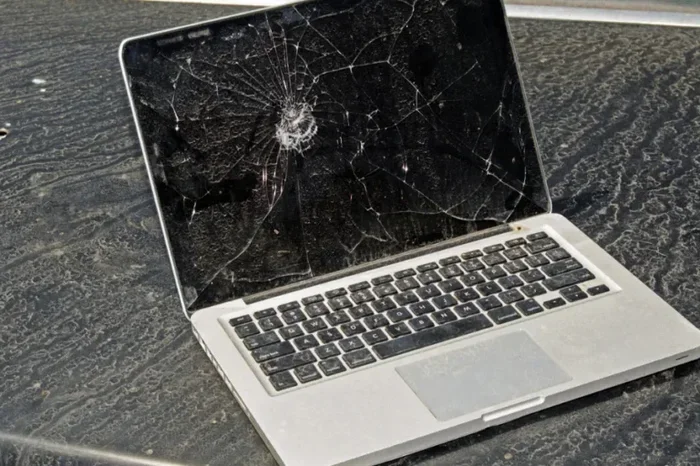
- Ignoring Physical Damage: Cracked screens or swollen batteries should be handled carefully and recycled, not reused.
- Throwing Parts in the Trash: Electronics belong in recycling, not garbage.
- Overlooking Value: Even broken parts sometimes have value for spare components or repair shops.
By avoiding these mistakes, you protect your data, your wallet, and the environment.
Expert Tips for Getting the Most from Old Laptop Parts
Want to squeeze every last bit of value from your old hardware? Here are some expert-backed tips:
- Test Before You Do Anything: Use diagnostic tools to check if RAM, drives, and batteries still work.
- Keep Documentation: Save manuals and model numbers. They help with compatibility checks.
- Research Market Prices: Check what similar parts sell for before listing them online.
- Bundle Parts Together: Selling a full set of components often fetches more than individual pieces.
- Stay Safe: Always disconnect power and handle batteries carefully to avoid injury.
If you are considering upgrading your current system, understanding how much RAM does a laptop need is key. Check out our guide on What Does More Ram Do For A Laptop to understand the performance benefits of adding memory.
For those wondering about the actual process, learning how to upgrade RAM on a laptop is simpler than most people think. Our detailed walkthrough on How Do I Upgrade Ram On My Laptop covers every step from opening the back panel to seating the new stick properly.
Conclusion
Old laptop parts are far more valuable than most people realize. Whether you choose to upgrade your current machine, sell components for extra cash, tackle a DIY project, recycle responsibly, or donate to someone in need, there is no shortage of options. The key is to think before you toss. Every RAM stick, hard drive, and battery has potential.
Take a few minutes to assess what you have. Test the parts, research their value, and pick the option that works best for you. You will not only save money and reduce waste — you might just discover a new hobby or skill along the way.
So the next time you look at an old laptop gathering dust, remember: the real treasure is inside. Give your old laptop parts a second life, and you will be glad you did.
Frequently Asked Questions
Can I use old laptop RAM in a new laptop?
It depends on compatibility. The RAM type (DDR3, DDR4), speed, and form factor must match your new laptop’s specifications. Check your laptop’s manual or look up the model online to confirm before installing.
How do I wipe data from an old laptop hard drive before selling?
Use a data wiping tool or the built-in reset feature in your operating system. For the most secure option, physically destroy the drive or use specialized software that overwrites all data multiple times.
Are old laptop batteries safe to reuse?
Only if they are in good condition. Swollen or damaged batteries can be dangerous and should be recycled immediately. Good-condition batteries can be reused in compatible devices or for small DIY projects with proper safety precautions.
Where can I sell old laptop parts online?
Popular platforms include eBay, Facebook Marketplace, Craigslist, and specialized electronics buyback websites. Always test parts first, take clear photos, and be honest about the condition to get the best price.
What old laptop parts are worth the most money?
Working screens, RAM modules, SSDs, and batteries tend to hold the most value. Rare or high-performance components from newer models can also command good prices on the used market.
Can I recycle laptop parts even if they are broken?
Yes. Many recycling facilities accept broken electronics and recover valuable materials like metals and plastics. Broken parts should never go in the regular trash. Find a certified e-waste recycler in your area for safe disposal.