Ddr5 Vs Ddr4 Ram Worth Upgrading in 2026 Find Out Why

Upgrading to DDR5 RAM in 2026 offers faster speeds and better power efficiency than DDR4, but the real question is whether the performance boost justifies the cost for your specific needs. This guide breaks down the key differences in speed, latency, compatibility, and price so you can decide if DDR5 vs DDR4 RAM is worth the upgrade. Whether you are a gamer, creator, or casual user, you will find clear answers here.
Let us talk about something that confuses a lot of people. You hear about DDR5 everywhere, and suddenly your old DDR4 setup feels outdated. But is it really worth swapping out your current ram upgrade in 2026? The short answer is: it depends on what you do with your computer.
In this guide, we will walk through everything you need to know about DDR5 vs DDR4 RAM. We will cover speed, power use, compatibility, and real-world performance. By the end, you will know exactly whether an upgrade makes sense for you. No fluff. No confusing jargon. Just clear, honest advice.
Key Takeaways
- DDR5 RAM delivers significantly higher speeds: DDR5 starts at 4800 MHz and goes well beyond 8000 MHz, while DDR4 tops out around 3200 MHz for most users.
- Power efficiency is a major DDR5 advantage: DDR5 runs at 1.1V compared to DDR4’s 1.2V, which means less heat and better battery life in laptops.
- Compatibility matters most: You cannot mix DDR5 and DDR4 on the same motherboard, so check your system before buying any memory upgrade.
- DDR5 is worth it for demanding tasks: If you do video editing, machine learning, or gaming, the bandwidth gains from DDR5 are noticeable.
- DDR4 still holds value in 2026: For basic tasks, office work, and budget builds, DDR4 remains a solid and affordable choice.
- Price gaps are shrinking: DDR5 prices have dropped significantly in 2026, making the upgrade more accessible than ever before.
📑 Table of Contents
What Is DDR5 RAM And How Does It Compare To DDR4?
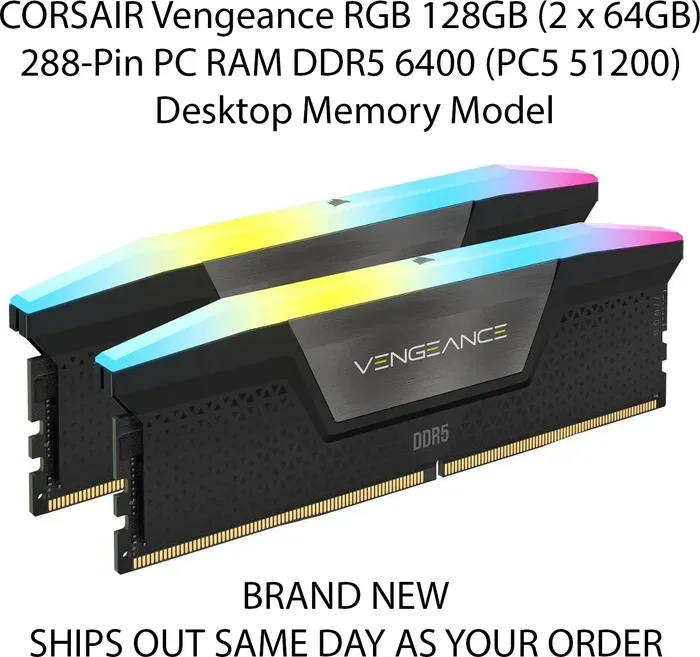
DDR stands for Double Data Rate. It is a type of laptop memory and desktop ram that transfers data on both the rising and falling edges of a clock signal. Think of it like a highway. DDR4 is a well-built two-lane road that handles traffic just fine for most daily tasks. DDR5 is a wider, smarter highway with more lanes and better traffic management.
DDR5 was introduced in 2020 and has steadily improved since then. DDR4 has been around since 2014 and still powers millions of systems worldwide. Both are ram modules that serve the same core purpose, but they differ in architecture, speed, and efficiency. The ram generations jump from DDR4 to DDR5 brings meaningful changes, but it also means you need a compatible motherboard.
Here is what makes DDR5 different at a glance:
- Higher base speed: DDR5 starts at 4800 MHz, while DDR4 starts at 2133 MHz.
- Lower voltage: DDR5 runs at 1.1V, DDR4 at 1.2V.
- More bandwidth: DDR5 moves more data per second thanks to its improved architecture.
- On-die ECC: DDR5 includes error correction built into the module, which improves stability.
- Dual channel per module: Each DDR5 stick acts like two separate channels, boosting memory bandwidth.
These differences sound great on paper. But the real question is whether they translate into real-world improvements that matter to you. Let us dig deeper.
Understanding DDR4 And DDR5 Generations
Both DDR4 and DDR5 have evolved over the years. DDR4 started at 2133 MHz and reached speeds up to 5333 MHz in high-end kits. DDR5 began at 4800 MHz and has already pushed past 8000 MHz in enthusiast kits. When you are looking at ram speed and ram frequency, these numbers matter a lot for performance-sensitive tasks.
If you are unsure what type of RAM your system currently uses, you can learn how to find your RAM DDR type quickly and easily. Knowing your current setup is the first step before making any upgrade decision.
Speed And Performance Differences
Speed is where DDR5 really shines. But let us be honest. Raw speed numbers do not always tell the full story. What matters is how that speed translates into the work you actually do every day.
For gaming, the difference between DDR4 and DDR5 is noticeable but not massive at the highest settings. Your graphics card matters more for frame rates than your RAM does. However, at lower settings or in CPU-bound games, DDR5 can give you a 10 to 15 percent boost in frame rates. That is a real improvement if you are chasing smooth gameplay.
For content creators, the story is different. Video editing, 3D rendering, and 3D rendering speed all benefit from the extra memory bandwidth that DDR5 provides. If you work with large files or run multiple applications at once, DDR5 will feel noticeably faster.
DDR5 Speed vs DDR4 Speed In Real Tasks
Let us look at a quick comparison of what you can expect from each type of RAM:
- Boot times: DDR5 systems boot slightly faster, but the difference is small.
- Web browsing with many tabs: DDR5 handles heavy multitasking with less slowdown.
- Video editing: DDR5 reduces render times, especially with 4K footage.
- Gaming: DDR5 provides smoother frame pacing in CPU-heavy games.
- Machine learning tasks: DDR5’s extra bandwidth helps with data-heavy workloads significantly.
For most users, the DDR5 speed advantage becomes clear when you push your system hard. For casual browsing and office work, DDR4 still does the job just fine.
Power Efficiency And Heat
One thing people overlook when comparing RAM types is power consumption. DDR5 operates at a lower voltage than DDR4, which means it generates less heat. Less heat means your system stays cooler and quieter, and in laptops, it can also mean better battery life.
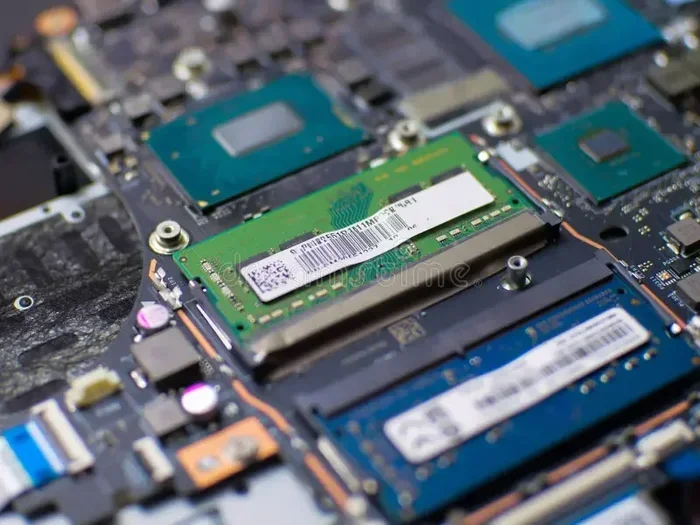
If you have ever noticed your laptop getting warm during heavy tasks, switching to DDR5 laptop ram could help. The lower power draw adds up over time, especially if you run demanding applications for hours at a stretch.
Does Heat From RAM Matter?
Here is a quick question that comes up often: does RAM need cooling? The short answer is usually no. Modern DDR4 and DDR5 modules run cool enough for most setups. However, if you are overclocking your RAM or running a very compact system with poor airflow, extra cooling can help. DDR5 runs cooler by default, which is a nice advantage in tight spaces.
For laptop users especially, the power efficiency of DDR5 can extend your battery life by 10 to 20 minutes during light use. It is not a huge number, but every bit counts when you are working away from a power outlet.
Compatibility Considerations
This is where things get tricky. DDR5 and DDR4 are not interchangeable. You cannot put DDR5 RAM into a DDR4 motherboard slot, and vice versa. The physical notches on the modules are in different positions, and the memory controllers are different.
Before you buy any RAM, you need to confirm what your system supports. If you have a DDR4 motherboard, you are stuck with DDR4 unless you replace the motherboard or buy a new system. This is the single biggest factor in whether an upgrade makes sense for you in 2026.
Can You Mix RAM Types?
No. You cannot mix DDR4 and DDR5 in the same system. They use different slots, different voltages, and different signaling. If you want to switch from DDR4 to DDR5, you will likely need a new motherboard and possibly a new CPU as well.
If you are wondering whether your current laptop RAM can work in a desktop, we have covered that topic in detail. Check out our guide on whether laptop RAM works in a desktop for more information.
Checking Your System Before Upgrading
Here is a simple checklist to follow before you buy new RAM:
- Check your motherboard manual for supported RAM types.
- Look up your CPU to confirm its memory controller supports DDR5.
- Check your current RAM speed and capacity to see what you are upgrading from.
- Decide if you need 16 GB, 32 GB, or 64 GB based on your workload.
- Compare prices for DDR5 kits that match your motherboard’s supported speed.
Taking these steps saves you from buying the wrong RAM and wasting money. It is the easiest way to avoid a frustrating experience.
Is DDR5 Worth Upgrading To In 2026?
Now we get to the big question. Is DDR5 vs DDR4 RAM worth upgrading to in 2026? The answer depends on three things: your current setup, your workload, and your budget.
If you are still running DDR4 2133 MHz or DDR4 2400 MHz, upgrading to DDR5 will feel like a night and day difference. Your system will feel snappier, multitasking will be smoother, and demanding applications will run faster. In this case, yes, the upgrade is absolutely worth it.
If you already have DDR4 3200 MHz or higher, the gains from DDR5 are more modest. You will see improvements in bandwidth-heavy tasks, but everyday use may not feel dramatically different. In this case, you might want to hold off unless you have a specific need for the extra performance.
When DDR5 Is Worth The Money
- You are a gamer who wants the best frame rates possible.
- You do professional video editing or 3D rendering.
- You run machine learning or data analysis workloads.
- You are building a new system from scratch and want future-proofing.
- You need better power efficiency for a laptop or portable setup.
When DDR4 Still Makes Sense
- You are on a tight budget and DDR4 is much cheaper.
- Your current DDR4 setup already runs at 3200 MHz or higher.
- You only use your computer for web browsing, office tasks, and light multitasking.
- Your motherboard only supports DDR4 and you do not want to replace it.
One thing that has changed in 2026 is the price gap. DDR5 used to carry a significant premium, but prices have come down a lot. A 32 GB DDR5 kit now costs only slightly more than a comparable DDR4 kit. When the price difference is small, the value proposition of DDR5 becomes much stronger.
If you are planning a RAM upgrade, make sure you know the right capacity for your needs. Our article on 8GB RAM vs 16GB RAM for laptops can help you decide how much memory is right for you.
Common Mistakes To Avoid When Upgrading RAM
Upgrading RAM sounds simple, but people make mistakes that cost them time and money. Here are the most common ones to watch out for.
- Buying the wrong DDR type: Always double-check DDR4 vs DDR5 compatibility before ordering. One wrong purchase and you have useless RAM on your hands.
- Ignoring speed matching: Mixing different speeds can cause all modules to run at the slowest speed. Stick to matched kits for best results.
- Overlooking capacity needs: 8 GB is no longer enough for most users in 2026. Consider 16 GB as a minimum and 32 GB for demanding workloads.
- Skipping BIOS updates: Some motherboards need a BIOS update to support newer DDR5 speeds. Check before you install.
- Forgetting about dual channel: Always install RAM in matched pairs for dual channel mode. This doubles your memory bandwidth and improves performance significantly.
If you are new to upgrading RAM, our guide on upgrading RAM on a laptop walks you through the process step by step. It is beginner-friendly and covers all the basics you need to know.
DDR5 vs DDR4 RAM is not a simple yes or no answer. It depends on your system, your needs, and your budget. But one thing is clear: DDR5 is the future of memory, and in 2026, it is more accessible than ever. Whether you choose to upgrade now or wait a bit longer, understanding the differences puts you in control of your decision.
Take a look at your current setup, think about what you use your computer for, and make the choice that makes the most sense for you. A memory upgrade can breathe new life into an older system or push a new build to its full potential. The key is knowing what you are buying and why.
So go ahead. Check your motherboard, compare your options, and make the upgrade that fits your life. Whether it is DDR4 or DDR5, the right RAM for your needs is out there waiting for you.
Frequently Asked Questions
Is DDR5 RAM really faster than DDR4?
Yes, DDR5 RAM is faster than DDR4 in terms of raw speed and bandwidth. DDR5 starts at 4800 MHz compared to DDR4’s typical starting point of 2133 MHz. In real-world tasks like video editing and gaming, you will notice smoother performance, especially when your workload pushes the memory hard.
Can I upgrade from DDR4 to DDR5 without replacing my motherboard?
No, you cannot. DDR4 and DDR5 use different slots and different memory controllers. To upgrade from DDR4 to DDR5, you will need a compatible motherboard and usually a CPU that supports DDR5 as well. Always check your motherboard specifications before buying DDR5 RAM.
Is 16 GB DDR5 enough for gaming in 2026?
Yes, 16 GB DDR5 is a solid amount for gaming in 2026. Most modern games run well with 16 GB, and the faster DDR5 speeds help with smoother frame rates. If you also stream or run background applications while gaming, 32 GB gives you more headroom and a better experience overall.
Does DDR5 use less power than DDR4?
Yes, DDR5 uses less power than DDR4. DDR5 operates at 1.1V while DDR4 runs at 1.2V. The difference is small per module, but it adds up, especially in laptops where it can contribute to slightly better battery life and cooler operation during heavy tasks.
When should I wait instead of upgrading to DDR5 now?
You should wait if your current DDR4 setup already runs at 3200 MHz or higher and you only do basic tasks like browsing and office work. The performance gains from DDR5 will be modest for light workloads. Save your money until you have a specific need that DDR5 can address, like professional video editing or heavy multitasking.
What is the best DDR5 RAM speed for most users in 2026?
For most users in 2026, DDR5 5600 MHz offers the best balance of performance and price. It provides a significant boost over DDR4 without the premium cost of high-end DDR5 8000 MHz kits. If you are building or upgrading a system, DDR5 5600 MHz is the sweet spot that most people should target.
=== CONCLUSION ===
DDR5 vs DDR4 RAM in 2026 comes down to your specific needs and current setup. DDR5 brings faster speeds, better power efficiency, and more bandwidth that genuinely improves demanding workloads. DDR4 still holds its own for budget builds and light daily use. The good news is that DDR5 prices have become much more reasonable, making the upgrade more appealing than ever before.
Take the time to check your motherboard compatibility, assess your workload, and pick the right RAM for your situation. Whether you choose DDR5 or stick with DDR4, making an informed decision is the best way to get the most value from your memory upgrade. Your computer will thank you for it.