Difference Between Studio Monitors and Speakers
Studio monitors and regular speakers may look similar, but they serve very different purposes. This article breaks down the technical and practical differences, helping you choose the right gear for music production, mixing, or everyday listening.
Key Takeaways
- Purpose‑Driven Design: Studio monitors aim for flat, accurate sound, while consumer speakers are tuned for excitement.
- Frequency Response: Monitors cover a wider, more even range; typical speakers boost bass and treble.
- Room Interaction: Monitors reveal room flaws; speakers often mask them with processing.
- Connectivity: Monitors use balanced XLR or TRS inputs; speakers rely on RCA or Bluetooth.
- Placement Rules: Monitors need precise positioning; speakers are more forgiving.
- Price vs. Performance: High‑end monitors can cost as much as premium speakers, but they deliver precision.
- Choosing the Right Tool: Match your goal—mixing, mastering, or casual listening—to the appropriate type.
📑 Table of Contents
Introduction: Why the Confusion Exists
Walking into an electronics store, you’ll see rows of sleek boxes labeled “speakers” and “studio monitors.” At a glance they both have drivers, cabinets, and wires, so it’s easy to think they’re interchangeable. The truth is, they are built for very different listening experiences.
Whether you’re a bedroom producer, a podcast creator, or just someone who loves movies, understanding the difference between studio monitors and speakers will save you money, time, and countless headaches. In this guide we’ll walk through the science, the design philosophy, and the practical tips you need to make an informed decision.
1. Design Philosophy: Accuracy vs. Enjoyment
Flat Frequency Response – The Hallmark of Studio Monitors
Studio monitors are engineered to reproduce audio exactly as it was recorded. That means a “flat” frequency response—no extra bass, no exaggerated highs. The goal is neutrality so that you can hear flaws in a mix and fix them.

Visual guide about Difference Between Studio Monitors and Speakers
Image source: fabricerie.com
Consumer Speakers – Tailored for Pleasure
Regular speakers, whether they sit on a bookshelf or are part of a home‑theater system, are deliberately colored. Manufacturers boost low‑end for thump and add sparkle to the highs to make movies and pop songs sound more exciting.
Real‑World Example
Play a simple piano chord on a pair of best studio monitors for home studio. You’ll hear each note clearly, with no one frequency dominating. Switch to a typical TV speaker and the bass will suddenly feel “bigger,” while the mids may recede.
2. Technical Specs That Matter
Frequency Range
Studio monitors often cover 20 Hz – 20 kHz or wider, with a smooth roll‑off at the extremes. Consumer speakers might claim a similar range, but the response curve is usually uneven, with a noticeable dip in the mid‑range.
Visual guide about Difference Between Studio Monitors and Speakers
Image source: adamharkus.b-cdn.net
Driver Configuration
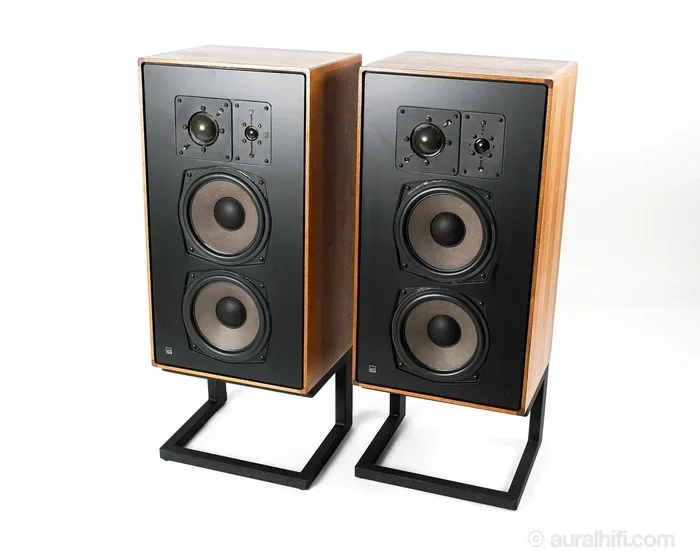
Most monitors use a two‑way design (woofer + tweeter) and sometimes a dedicated midrange driver for accuracy. Home speakers can be two‑way, three‑way, or even “full‑range” drivers that sacrifice precision for simplicity.
Power and Sensitivity
Monitors rely on clean, low‑distortion power amplifiers and often use balanced inputs (XLR, TRS). Regular speakers may accept unbalanced RCA or even Bluetooth, prioritizing convenience over signal integrity.
3. How They Interact With the Room
Room Reflections and Positioning
Because monitors are neutral, any acoustic problem in your room—flutter echo, standing waves, or bass buildup—will be obvious. That’s why many producers treat their rooms with bass traps and diffusers.

Visual guide about Difference Between Studio Monitors and Speakers
Image source: tabiris.com
Speaker “Masking” Effect
Consumer speakers often hide these flaws with built‑in DSP (digital signal processing) that adds bass boost or virtual surround. It sounds great for movies, but it can mislead you when mixing music.
Practical Tip
If you’re on a budget, start with a pair of monitors and add simple acoustic treatment—like a 5‑inch foam panel behind each driver. You’ll notice a dramatic improvement in clarity without spending a fortune.
4. Connectivity and Setup
Balanced vs. Unbalanced Connections
Studio monitors use balanced XLR or TRS cables that cancel out noise over long runs. Regular speakers typically use unbalanced RCA, 3.5 mm, or wireless connections, which are more susceptible to hum and interference.
Power Requirements
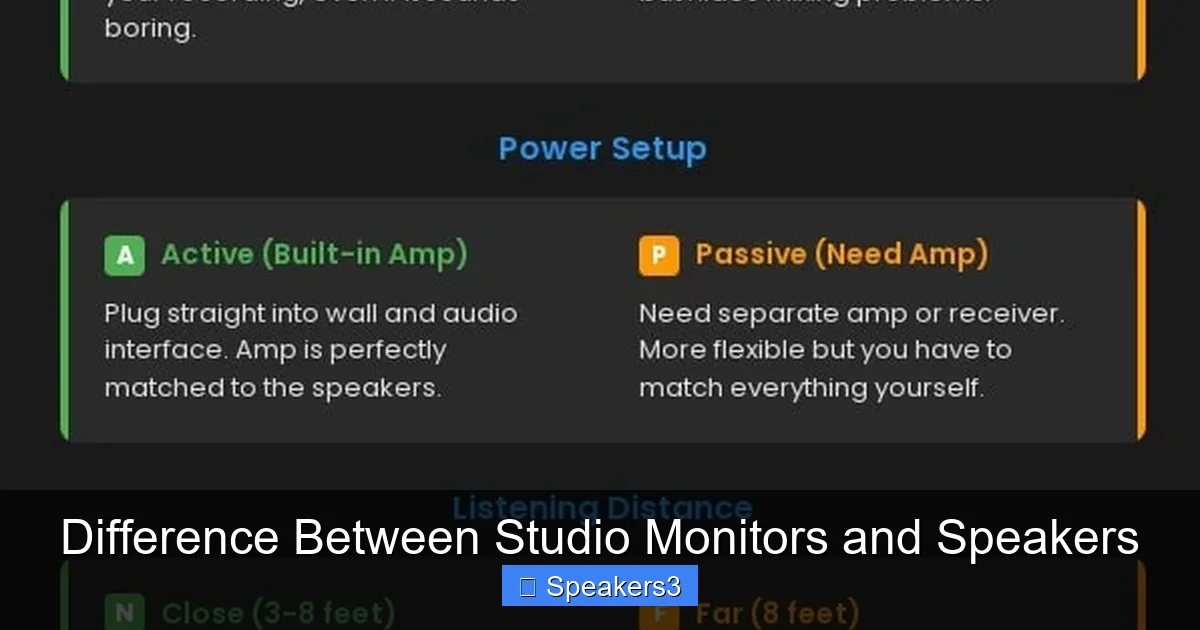
Active monitors have built‑in amplifiers and only need a power outlet. Passive speakers require a separate amp or receiver, adding another layer of cost and complexity.
Quick Setup Checklist
- Place monitors at ear level, forming an equilateral triangle with your listening position.
- Use balanced cables from your audio interface or mixer.
- Turn off any room EQ or bass boost on the speakers.
5. Choosing the Right Gear for Your Needs
For Music Production and Mixing
Invest in monitors that are known for accuracy. Brands like Yamaha, KRK, and Adam Audio dominate the market. Pair them with a calibrated room and you’ll hear every detail.
For Home Theater and Gaming
If your primary goal is immersive movie sound or punchy game effects, a set of high‑quality consumer speakers (or a soundbar) will give you the excitement you crave.
Hybrid Setups
Some professionals use monitors for mixing and a separate speaker system for reference listening. This approach helps you understand how your mix translates to everyday playback devices.
Budget Considerations
Don’t assume the most expensive speaker is the best monitor. A well‑designed entry‑level monitor can outperform a pricey consumer speaker in accuracy. Check out the pro studio speakers 15 inch for a mid‑range option that balances power and precision.
6. Real‑World Buying Guide
Step 1: Define Your Primary Use
Write down whether you’ll be mixing, mastering, gaming, or just watching movies. This will narrow your search dramatically.
Step 2: Measure Your Space
Room size influences driver size. Small rooms pair well with 5‑inch woofers; larger spaces may need 6‑8 inch drivers. The 5 and a quarter speakers article explains how driver size impacts bass response.
Step 3: Test, Test, Test
If possible, listen to both monitors and speakers side by side. Bring a familiar track and focus on the mids and highs. Do you hear the snare crack the same way on both?
Step 4: Check Compatibility
Ensure your audio interface has the right outputs (XLR/TRS). If you only have RCA, you may need a DI box or a monitor with RCA inputs.
Step 5: Read Reviews and Warranty Info
A solid warranty (at least two years) is a good sign. Look for user reviews that mention long‑term reliability.
Conclusion: Make the Choice That Fits Your Goal
The difference between studio monitors and speakers isn’t just a technical footnote—it’s the foundation of how you’ll hear your audio. Monitors give you a truthful canvas to craft mixes that translate across devices, while consumer speakers deliver the emotional punch for movies and games.
By understanding the design philosophy, technical specs, room interaction, and connectivity options, you can select the perfect system for your unique needs. Remember, the best tool is the one that aligns with your purpose, budget, and listening environment.
Frequently Asked Questions
What makes studio monitors sound more accurate than regular speakers?
Studio monitors are designed with a flat frequency response and use balanced inputs, which together deliver a neutral sound that reveals every detail without coloration.
Can I use consumer speakers for music mixing?
While it’s possible, consumer speakers add bass boost and other processing that can mask flaws, leading to mixes that may not translate well to other playback systems.
Do I need a separate amplifier for studio monitors?
Most modern studio monitors are active, meaning they have built‑in amplifiers and only require a power outlet and balanced audio connections.
How important is room treatment when using studio monitors?
Very important. Since monitors reveal room acoustics, adding bass traps, diffusers, and proper speaker placement will greatly improve accuracy.
Are Bluetooth studio monitors a good idea?
Bluetooth introduces latency and compression, which can affect timing and fidelity. For critical work, wired balanced connections are recommended.
What’s the price range for a decent pair of studio monitors?
Entry‑level monitors start around $150 per pair, while professional‑grade models can exceed $1,500. Your choice should reflect both budget and the level of precision you need.