M 2 Nvme Ssd 500gb
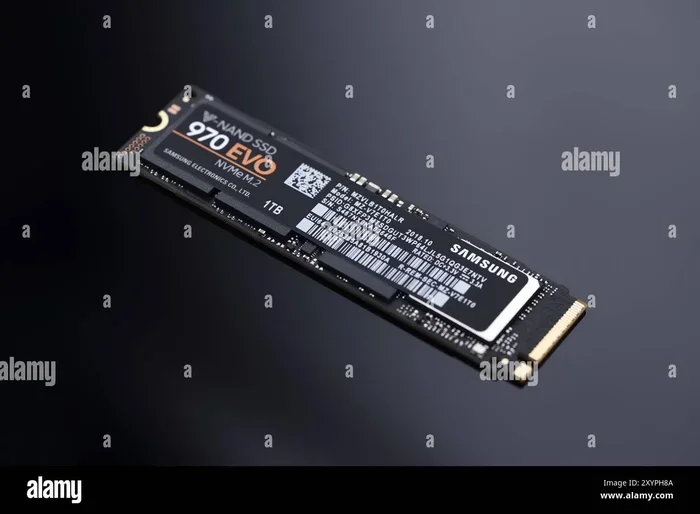
The M 2 NVMe SSD 500GB is a compact, fast storage solution that delivers excellent performance for everyday computing and gaming. It uses the PCIe interface to offer speeds far beyond traditional hard drives. This guide covers everything you need to know about choosing, installing, and getting the most from a 500GB NVMe M.2 drive.
Looking to speed up your computer without breaking the bank? The M 2 NVMe SSD 500GB might be exactly what you need. This small but mighty drive packs a serious punch when it comes to performance.
If you are tired of waiting for your PC to boot up or watching your games stutter while loading, an NVMe SSD can change everything. The 500GB size gives you enough room for your operating system, favorite apps, and several games without emptying your wallet.
In this guide, we will walk you through everything you need to know. From understanding what makes NVMe different from regular SSDs to picking the right drive for your setup. Whether you are a gamer, a student, or a professional, this article has you covered.
Key Takeaways
- Speed Boost: A 500GB NVMe M.2 SSD offers read speeds up to 3,500 MB/s or higher, making your system feel lightning fast.
- Compact Form Factor: The M.2 stick design fits directly onto your motherboard, saving space compared to traditional 2.5-inch drives.
- Great for Budget Upgrades: A 500GB capacity strikes a solid balance between cost and storage for most users.
- PCIe Gen3 and Gen4 Options: You can choose between older and newer PCIe generations depending on your motherboard and budget.
- Easy Installation: Installing an M.2 NVMe SSD is straightforward and takes just a few minutes.
- Ideal for OS and Gaming: A 500GB drive works perfectly as a boot drive or for storing your most-used games and apps.
📑 Table of Contents
What Is an M 2 NVMe SSD 500GB?
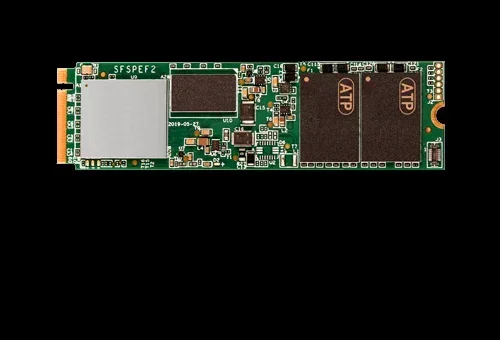
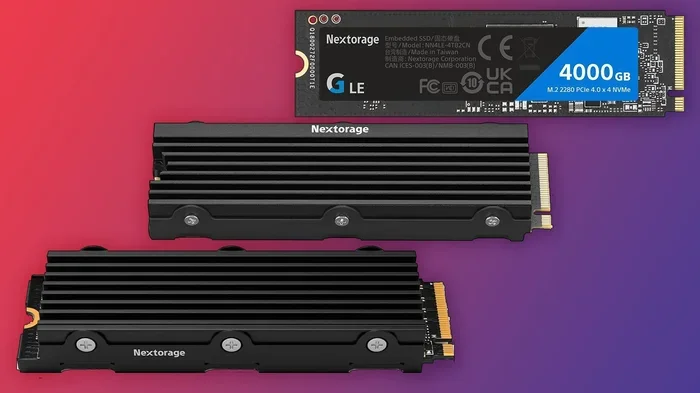
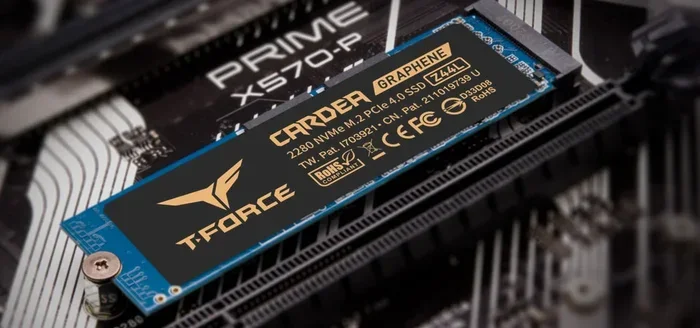
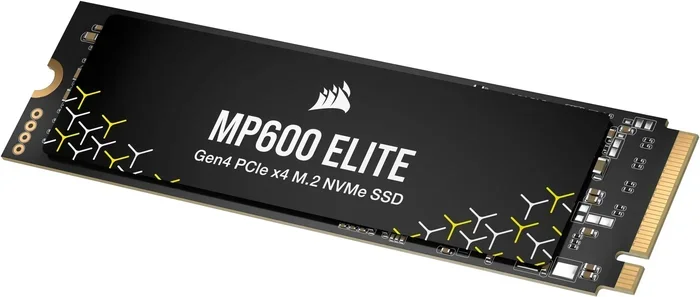
Let us start with the basics. An M 2 NVMe SSD 500GB is a type of solid state drive that uses the M.2 form factor and the NVMe protocol to transfer data. The M.2 part refers to the physical shape and size of the drive. It looks like a small stick, sometimes called a gum stick because of its slim profile.
The NVMe part stands for Non-Volatile Memory Express. This is the communication protocol that lets the drive talk to your motherboard at incredibly fast speeds. Unlike older SATA SSDs, NVMe drives use the PCIe interface, which was originally designed for graphics cards.
A 500GB capacity means you get 500 gigabytes of storage space. That is enough to hold your Windows operating system, a handful of applications, and several large games. It is a sweet spot for many users who want speed without paying for a massive 2TB or 4TB drive.
M.2 vs. 2.5-Inch SSDs
You might wonder how an M.2 drive differs from a regular SSD. Traditional SSDs use a 2.5-inch form factor and connect through SATA cables. They are still fast, but they cannot match the speeds of NVMe drives.
M.2 drives plug directly into a slot on your motherboard. There are no cables to manage, which makes your build cleaner and simpler. They also take up much less space inside your case, which is a big win for compact builds.
Here is a quick comparison:
- M.2 NVMe SSD: Uses PCIe lanes, no cables, ultra-fast speeds, compact size.
- 2.5-Inch SATA SSD: Uses SATA cables, slower speeds, larger footprint.
Why Choose a 500GB NVMe M.2 SSD?
The M 2 NVMe SSD 500GB offers a great mix of performance and value. Here are some of the top reasons to consider one for your next upgrade.
Blazing Fast Speeds
Speed is the biggest advantage of NVMe technology. A typical 500GB NVMe M.2 SSD can deliver read speeds of 3,500 MB/s or more. Write speeds often reach 3,000 MB/s on Gen4 drives and around 1,500 MB/s on Gen3 models.
What does this mean in real life? Your PC will boot up in seconds instead of minutes. Applications will open almost instantly. Large files will copy in a fraction of the time it takes on a traditional hard drive or even a SATA SSD.
For gaming, this means faster level loads and smoother streaming of game assets. For content creators, it means quicker file transfers and smoother editing workflows.
Perfect for Budget Builds
Not everyone needs 2TB or 4TB of storage. A 500GB NVMe M.2 SSD gives you the speed you want at a price that makes sense for most budgets. You can always add a larger hard drive or second SSD later for mass storage.
This approach lets you keep your most important and frequently used files on the fast NVMe drive. You can store photos, videos, and archives on a slower but cheaper drive. It is the best of both worlds.
Compact and Clean Builds
The M.2 form factor is tiny compared to a 2.5-inch SSD. It takes up no cables and no drive bays. This makes it perfect for small form factor cases and minimalist builds.
If you are building a compact PC or a home theater setup, the M.2 shape is a huge advantage. It frees up space for other components and improves airflow inside your case.
How to Choose the Right M 2 NVMe SSD 500GB
Not all 500GB NVMe M.2 SSDs are the same. There are a few things you should check before buying one. Let us break them down.
PCIe Generation
NVMe SSDs come in different PCIe generations. The most common are Gen3 and Gen4. Gen4 is newer and faster, but Gen3 drives are still very capable and often more affordable.
Here is a simple way to think about it:
- PCIe Gen3: Speeds up to about 3,500 MB/s read. Great value, widely compatible.
- PCIe Gen4: Speeds up to about 7,000 MB/s read. Faster but requires a Gen4 motherboard.
- PCIe Gen5: Speeds up to about 14,000 MB/s read. Latest tech, premium price.
For most users, a Gen3 or Gen4 500GB drive will more than meet your needs. You only need Gen5 if you are pushing the absolute limits of performance.
DRAM Cache
Some NVMe SSDs have a DRAM cache, which is a small amount of memory that helps the drive manage data more efficiently. Drives with DRAM tend to be faster and more consistent, especially during heavy workloads.
If you plan to use the drive for intensive tasks like video editing or running multiple applications at once, look for a model with DRAM. For basic use and gaming, a DRAM-less drive can still perform well.
Brand Reputation and Warranty
Stick with well-known brands when shopping for an NVMe SSD. Brands like Samsung, Crucial, Kingston, and WD have established track records and solid warranties. A good warranty usually means the manufacturer stands behind the quality of their product.
Look for drives that offer at least a 3-year warranty. Some brands offer 5 years or even a lifetime warranty, which gives you extra peace of mind.
Thermal Management
NVMe SSDs can generate heat, especially during heavy use. Some drives come with a heatsink built in, while others do not. If your motherboard has an M.2 heatsink, you may not need one separately.
If you are running demanding workloads for long periods, a drive with a heatsink or a good thermal pad can help maintain consistent performance. Overheating can cause the drive to slow down, which is something you want to avoid.
How to Install an M 2 NVMe SSD 500GB
Installing an M.2 NVMe SSD is one of the easiest PC upgrades you can do. You do not need any special tools or advanced technical skills. Here is a simple step-by-step guide.
Step-by-Step Installation
- Find the M.2 slot: Locate the M.2 slot on your motherboard. It is usually labeled and looks like a small slot with a screw hole.
- Prepare the screw: Find the small M.2 screw that came with your motherboard. You will need this to secure the drive.
- Insert the drive: Hold the M.2 SSD at a 30-degree angle and gently push it into the slot. The gold connectors should face down.
- Secure the drive: Press the drive down flat and use the screw to fasten it in place. Do not overtighten.
- Boot and format: Power on your PC, enter BIOS or UEFI, and make sure the drive is detected. Then format it through Windows Disk Management.
That is it. In less than 10 minutes, you can have a brand new NVMe SSD up and running. If you are not comfortable opening your PC, you can also buy an external M.2 enclosure to use the drive outside your computer.
Common Mistakes to Avoid
- Forgetting to check if your motherboard supports NVMe. Some older boards only support SATA M.2 drives.
- Overtightening the screw, which can damage the drive or motherboard.
- Not enabling the correct mode in BIOS (make sure it is set to PCIe or NVMe mode).
Best Uses for a 500GB NVMe M.2 SSD
A 500GB NVMe M.2 SSD fits many different use cases. Here are some of the most popular scenarios where this drive shines.
Operating System Boot Drive
Using a 500GB NVMe SSD as your primary boot drive is one of the best upgrades you can make. Your Windows or Linux system will boot in seconds, and everyday tasks will feel incredibly responsive.
Pair it with a larger hard drive for mass storage, and you get the best of both worlds. Fast system performance plus plenty of space for your files.
Gaming Storage
Gamers love NVMe SSDs because of the fast load times. A 500GB drive can hold several modern games, depending on their size. Some AAA titles take up 100GB or more, so you may need to manage your library carefully.
If you want to learn more about choosing the right capacity for gaming, check out our guide on 512GB NVMe M.2 SSD options for additional insights on capacity planning.
Laptop Upgrades
Many modern laptops come with M.2 slots. If your laptop has a slow hard drive or an older SATA SSD, swapping in a 500GB NVMe M.2 drive can breathe new life into an aging machine. It is one of the most cost-effective upgrades you can perform.
Before buying, check your laptop specifications to confirm it supports NVMe M.2 drives. Some laptops only accept SATA M.2 or 2.5-inch SSDs.
Content Creation and Professional Work
For video editors, photographers, and designers, a 500GB NVMe SSD provides the speed needed for smooth workflows. Fast read and write speeds mean quicker file transfers, smoother playback, and faster rendering times.
Pair the NVMe drive with a larger storage solution for your project files and archives to keep your work flowing without interruption.
M 2 NVMe SSD 500GB vs Other Storage Options
Still not sure if a 500GB NVMe M.2 SSD is right for you? Let us compare it against other common storage options.
| Feature | M.2 NVMe 500GB | SATA SSD 2.5″ | HDD 2.5″ |
|---|---|---|---|
| Read Speed | 3,500+ MB/s | 550 MB/s | 100-150 MB/s |
| Form Factor | M.2 Stick | 2.5-inch | 2.5-inch |
| Cables Needed | No | Yes (SATA) | Yes (SATA + Power) |
| Price (Approx.) | $$ | $ | $ |
| Best For | Speed & Performance | Balanced Use | Mass Storage |
The NVMe M.2 drive clearly wins in speed, but it comes at a slightly higher cost per gigabyte. If raw speed matters most to you, the 500GB NVMe M.2 SSD is the clear winner. If you need maximum storage on a tight budget, a hard drive might make more sense.
Final Thoughts
The M 2 NVMe SSD 500GB is a fantastic choice for anyone looking to upgrade their storage without spending a fortune. It delivers the speed and responsiveness that modern computing demands in a compact, easy-to-install package.
Whether you are building a new PC, upgrading a laptop, or just tired of slow load times, a 500GB NVMe M.2 drive can make a noticeable difference. Pick a reputable brand, check your motherboard compatibility, and enjoy the boost in performance.
If you want to explore larger capacity options, consider checking out a 2TB NVMe M.2 SSD for expanded storage, or learn more about how NVMe drives connect through PCIe NVMe M.2 technology to understand the full picture of modern storage.
Invest in a 500GB NVMe M.2 SSD today, and experience the difference that fast, reliable storage can make in your daily computing.
Frequently Asked Questions
Is a 500GB NVMe M.2 SSD enough for gaming?
A 500GB NVMe M.2 SSD can hold several modern games, but AAA titles can be 100GB or larger. It works well as a boot drive and for your most-played games. You may need a second storage drive for a larger game library.
Can I use an M 2 NVMe SSD 500GB in any laptop?
Not all laptops support NVMe M.2 drives. Check your laptop specifications to confirm it has an M.2 slot that supports PCIe NVMe. Some laptops only accept SATA M.2 drives or 2.5-inch SSDs.
How much faster is NVMe compared to a regular SSD?
NVMe SSDs are significantly faster than SATA SSDs. While a SATA SSD tops out around 550 MB/s, a 500GB NVMe M.2 drive can reach 3,500 MB/s or more. That is roughly 5 to 7 times faster in real-world use.
Do I need a heatsink for my M.2 NVMe SSD?
It depends on your workload and motherboard. Many motherboards have built-in M.2 heatsinks. If you run heavy tasks for long periods, a heatsink helps maintain performance. For light everyday use, it may not be necessary.
What is the difference between NVMe and PCIe?
NVMe is the protocol that tells the drive how to communicate with your system. PCIe is the interface or lane it uses to transfer data. An NVMe M.2 SSD uses PCIe lanes to achieve its high speeds. They work together but refer to different parts of the technology.
How long does a 500GB NVMe SSD last?
Most NVMe SSDs last 5 to 10 years under normal use. The lifespan depends on write endurance, measured in TBW (terabytes written). A 500GB drive with 300 TBW can handle several hundred gigabytes of writes per day for many years.