Secure Laptop in Public
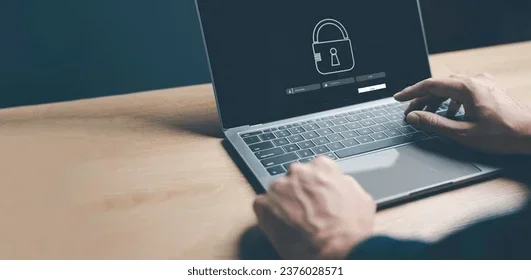
Securing your laptop in public is essential for every traveler and remote worker. This guide covers proven methods to protect your device from theft, keep your data safe on public networks, and stay secure in any public space. You will learn practical tips on physical security, data protection, and the best tools to use. Follow these steps to keep your portable device safe wherever you go.
Every day, thousands of laptops are stolen or compromised in public spaces. Cafes, airports, libraries, and co-working spaces are all targets for thieves. If you carry a portable device with you, understanding how to secure laptop in public is one of the most important skills you can develop. The good news is that with a few simple habits and the right tools, you can greatly reduce your risk.
Whether you are a student, a freelancer, or a business professional, your laptop holds valuable data. Personal photos, work documents, banking information, and login credentials are all at stake. A stolen laptop is not just a financial loss. It can also lead to identity theft and serious privacy breaches. This is why laptop security should never be an afterthought.
In this guide, we will walk you through everything you need to know about protecting your device in public. From physical theft prevention to digital data protection, we have you covered. You will learn practical tips that are easy to follow and implement today.
Key Takeaways
- Always use a cable lock: A physical lock deters opportunistic thieves from stealing your laptop in cafes and libraries.
- Enable a privacy screen filter: This prevents shoulder surfing and keeps your sensitive data hidden from onlookers.
- Use a VPN on public Wi-Fi: VPN protection encrypts your internet traffic and keeps hackers from intercepting your data.
- Back up your data regularly: Storing copies of your files ensures you won’t lose important work if your device is stolen.
- Choose an anti-theft bag: These bags add an extra layer of physical security when you are traveling or commuting.
- Never leave your laptop unattended: Even a few seconds away from your device can give a thief the chance to steal it.
📑 Table of Contents
Why Securing Your Laptop in Public Matters
Many people underestimate the risks of using a laptop in public. They assume theft only happens to careless users. But the truth is, thieves are opportunistic. They watch for distracted users, unattended devices, and unsecured networks. Understanding these risks is the first step toward theft prevention.
Here are some eye-opening facts about laptop theft in public:
- Over 70 million laptops are stolen worldwide each year.
- Only about 3% of stolen laptops are ever recovered.
- Most thefts happen in cafes, airports, and public transit.
- A stolen laptop can lead to data breaches costing thousands of dollars.
- Many victims do not have backups, leading to permanent data loss.
These numbers show why device protection is so important. You do not need to be paranoid. You just need to be prepared. A few smart habits can make a huge difference.
The Cost of a Stolen Laptop
Beyond the cost of replacing the hardware, a stolen laptop can cause lasting damage. Sensitive files, personal information, and professional documents may all be exposed. Cybercriminals can use this information for fraud, phishing, and other malicious activities. This is why data protection is just as important as physical security.
Before you head out, take a moment to understand what your laptop is running. You can learn how to check RAM in my laptop to see your current hardware setup. Knowing your system helps you plan for backups and security measures.
Physical Security Tips for Your Laptop
Physical security is the first line of defense. It is about keeping your device safe from being grabbed or stolen in public. These tips are simple but incredibly effective.
Use a Cable Lock
A cable lock is one of the best physical security tools you can own. It tethers your laptop to a heavy object like a table leg or a desk. Most cable locks use a Kensington lock slot, which is found on most modern laptops. When you step away from your seat, even for a moment, the lock keeps your device attached to something secure.
Here is how to use a cable lock effectively:
- Find a sturdy, immovable object to attach the lock to.
- Thread the cable through your laptop’s lock slot.
- Lock the cable in place with a strong combination or key.
- Never leave your laptop unlocked, even for a few seconds.
Quick Tips
- Choose a cable lock with a thick steel cable for maximum strength.
- Avoid locking your laptop to objects that can be easily moved or broken.
- Keep your lock combination in a secure place, not written on a sticky note.
Use an Anti-Theft Bag
An anti-theft bag adds another layer of physical security to your daily routine. These bags are designed with hidden zippers, slash-proof material, and lockable compartments. They make it much harder for a thief to quickly grab your laptop and run.
When choosing an anti-theft bag, look for these features:
- Slash-resistant straps and fabric
- Lockable zippers or combination locks
- Hidden compartments for valuables
- Water-resistant material for all-weather protection
- Comfortable padding to protect the laptop inside
Never Leave Your Laptop Unattended
This might seem obvious, but it is the most violated rule. People leave their laptops on café tables to go to the restroom or order food. In those few seconds, a thief can grab the device and disappear. If you must leave your laptop, take it with you or ask someone you trust to watch it. Never trust a stranger with your portable device.
Protecting Your Data on Public Networks
Physical theft is not the only threat. Public Wi-Fi networks are a goldmine for hackers. They can intercept your data, steal login credentials, and install malware on your device. This is why digital security is just as important as physical security when you are working on the go.
Always Use a VPN
A VPN, or Virtual Private Network, encrypts your internet connection. This means that even if a hacker is on the same public network, they cannot see what you are doing. VPN protection is essential for anyone who uses public Wi-Fi regularly.
Here is why a VPN matters:
- It encrypts all data sent and received on your device.
- It hides your IP address from websites and trackers.
- It prevents hackers from intercepting sensitive information.
- It allows you to browse safely on unsecured networks.
Choose a reputable VPN service and always turn it on before connecting to public Wi-Fi. This is one of the simplest yet most powerful steps you can take for safe computing.
Avoid Sensitive Transactions on Public Wi-Fi
Even with a VPN, it is best to avoid accessing bank accounts or entering credit card numbers on public networks. If you must do so, make sure the website uses HTTPS encryption. Look for the padlock icon in your browser’s address bar. This confirms the connection is encrypted and much harder for hackers to intercept.
Turn Off Auto-Connect for Wi-Fi
Many laptops are set to automatically connect to available Wi-Fi networks. This is convenient but dangerous. It means your device might connect to a rogue network without you knowing. Disable auto-connect and manually choose which networks to join. This small change greatly improves your travel safety.
Best Devices and Tools for Laptop Security
The right tools can make a big difference in keeping your laptop safe. Here are some of the best security devices and accessories you should consider.
Privacy Screen Filters
A privacy screen filter attaches to your laptop display and limits the viewing angle. This means only someone sitting directly in front of the screen can see what is on it. People sitting beside or behind you will see a dark or blank screen. This is one of the best defenses against shoulder surfing.
Privacy screen filters are affordable and easy to install. They are a must-have for anyone who works in cafes, on planes, or in any crowded public space.
Laptop Locks and Alarms
Beyond cable locks, there are portable laptop alarms available. These small devices attach to your laptop and emit a loud sound if someone tries to move it. They are great for added peace of mind, especially in crowded environments.
If your laptop does not have a Kensington lock slot, you can still use a laptop alarm. These battery-powered devices are lightweight and easy to carry.
Keep Your Software Updated
One of the most overlooked aspects of laptop security is keeping your software updated. Updates often include security patches that fix known vulnerabilities. An outdated system is much easier for hackers to exploit.
Enable automatic updates on your operating system and all installed software. This ensures you always have the latest protections in place.
If you have an older device that struggles with modern security tools, you might consider upgrading. If you are wondering, can you upgrade RAM in a laptop, the answer is yes in most cases. More RAM can help your laptop run security software and modern operating systems more smoothly.
Comparison: Security Tools for Your Laptop
| Security Tool | Best For | Cost Range | Effectiveness |
|---|---|---|---|
| Cable Lock | Physical theft prevention | $15 – $50 | High |
| Privacy Screen Filter | Preventing shoulder surfing | $10 – $30 | High |
| VPN Service | Data protection on public Wi-Fi | $3 – $12/month | Very High |
| Anti-Theft Bag | Overall physical protection | $30 – $100 | Medium-High |
| Laptop Alarm | Alerting you to theft attempts | $10 – $25 | Medium |
| Biometric Login | Unauthorized access prevention | Built-in or $20-$50 | Very High |
Using a combination of these tools gives you layered device protection. No single tool is perfect on its own, but together they create a strong security system.
Common Mistakes People Make in Public
Even with the best intentions, many people make mistakes that put their laptops at risk. Here are the most common errors to avoid.
Leaving Your Laptop in Your Car
This is one of the most common and dangerous mistakes. A visible laptop in a parked car is an invitation for a break-in. Thieves scan parking lots for unattended devices. If you must leave your laptop in your car, lock it in the trunk out of sight before you arrive at your destination.
Using Weak or No Passwords
If your laptop is stolen, a weak password gives the thief easy access to your files. Use a strong password or enable biometric login like fingerprint or face recognition. This ensures that even if someone gets hold of your device, they cannot access your data without authorization.
Ignoring Backup Solutions
Many people do not back up their data regularly. If your laptop is stolen, all your files, photos, and documents could be gone forever. Use cloud storage or an external hard drive to keep copies of your important files. This is a critical part of any laptop security plan.
Common Mistakes to Avoid
- Leaving your laptop unattended, even for a minute.
- Connecting to unsecured public Wi-Fi without a VPN.
- Using the same password for multiple accounts.
- Ignoring software update notifications.
- Displaying expensive laptop brands in public.
- Not enabling firewall and antivirus protection.
Expert Tips for Maximum Protection
Security experts recommend going beyond the basics. Here are some advanced tips that can take your laptop security to the next level.
Enable Full Disk Encryption
Full disk encryption scrambles all the data on your laptop. Even if someone steals your device, they cannot access your files without the encryption key. Both Windows and macOS offer built-in encryption tools. Windows has BitLocker, and macOS has FileVault. Enable these features for strong data protection.
Use a Tracking Device
Services like Find My Device (Windows) or Find My Mac can help you locate a stolen laptop. Some third-party tracking devices can even show you the location of your laptop in real time. While tracking does not prevent theft, it can help you recover your device.
Set Up a Remote Wipe Plan
If your laptop is stolen and you cannot recover it, you should be able to erase all data remotely. Both Windows and macOS allow you to wipe your device through their respective tracking services. Set this up before you need it. This ensures that even in the worst-case scenario, your data remains safe.
Be Aware of Your Surroundings
Situational awareness is one of the most powerful security tools. When you are in a crowded space, pay attention to who is around you. If someone seems overly interested in your screen, move to a quieter spot. Simple awareness can prevent shoulder surfing and other forms of theft.
Expert Insight
Security professionals recommend treating your laptop like a wallet. You would never leave your wallet unattended in a public place. Apply the same mindset to your device. Keep it close, keep it locked, and keep your data encrypted at all times.
Upgrade an Older Laptop for Better Security
If your laptop is older and struggling with modern security demands, consider upgrading its components. More RAM can help your device run faster and handle security software more efficiently. If you decide to upgrade, learning how to install RAM in a laptop is a simple process that anyone can follow with basic tools.
Upgrading your device not only improves performance but also ensures you can run the latest security features. An older laptop with outdated software is much more vulnerable to attacks. A few hardware improvements can make a big difference.
Securing your laptop in public is not about being overly cautious. It is about being smart and prepared. With the right habits, tools, and awareness, you can use your device confidently in any public space. Start with the tips in this guide and build them into your daily routine.
Final Thoughts
Protecting your laptop in public does not have to be complicated. Start with the basics: use a cable lock, enable a privacy screen, and always use a VPN on public networks. These three steps alone will put you ahead of most users. From there, you can build on your security with anti-theft bags, full disk encryption, and regular backups.
The most important thing to remember is that securing laptop in public is a habit. It becomes second nature once you practice it consistently. Make it part of your routine every time you leave the house with your device. Your laptop holds too much valuable information to leave it unprotected.
Take action today. Review your current security setup and identify areas for improvement. A few small changes now can save you from a major headache later. Stay safe, stay secure, and enjoy the freedom of working anywhere with confidence.
Frequently Asked Questions
How can I secure my laptop in a cafe?
Always use a cable lock to secure your laptop to a table or heavy object. Enable a privacy screen filter so no one can see your data from the side. Never leave your laptop unattended, even for a moment. Use a VPN to protect your data on the cafe’s public Wi-Fi network.
What is the best way to protect my data if my laptop is stolen?
Enable full disk encryption and set up a remote wipe plan through your operating system. Use strong passwords and biometric login. Keep regular backups of all important files in the cloud or on an external drive. These steps ensure your data stays safe even if the device is taken.
Is public Wi-Fi safe to use without a VPN?
No, public Wi-Fi is not safe without a VPN. Hackers on the same network can intercept your data, steal login credentials, and access your files. Always use a reliable VPN service when connecting to public networks to encrypt your internet traffic and protect your privacy.
How do I prevent shoulder surfing when working in public?
Attach a privacy screen filter to your laptop display. This limits the viewing angle so only someone directly in front of the screen can see your content. Sit with your back to a wall when possible. Be aware of people around you and adjust your screen brightness to reduce visibility from the side.
Can I use a regular lock instead of a cable lock for my laptop?
It is not recommended. Regular locks are not designed for laptops and may not provide adequate security. A cable lock with a Kensington lock slot is specifically designed for laptops. It is strong, portable, and easy to use. Choose a lock made for portable devices for the best protection.
How often should I update my laptop’s security software?
You should enable automatic updates for your operating system and all security software. Most updates include important security patches that fix known vulnerabilities. Check for updates at least once a week if automatic updates are not available. Keeping your software current is one of the simplest and most effective security measures.