Should I Upgrade My Cpu or Gpu
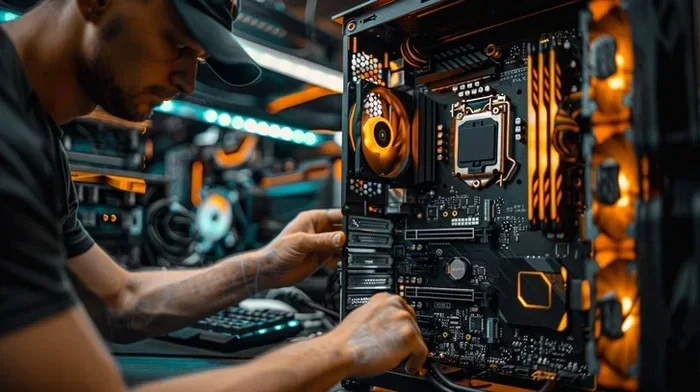
Deciding whether to upgrade your CPU or GPU can be tricky. The right choice depends on what you use your PC for, your current bottlenecks, and your budget. This guide breaks down everything you need to know so you can make a smart, confident decision.
Should I Upgrade My CPU or GPU? That is the question many PC users face at some point. Whether you are a gamer, a content creator, or someone who just wants a faster computer, knowing which component to upgrade first can save you time and money.
Your CPU handles the brain work. It processes instructions, runs your operating system, and manages background tasks. Your GPU handles the visual work. It renders images, videos, and 3D graphics. When one of these components falls behind, your whole system suffers.
The good news is that figuring out which upgrade to pursue is not as hard as it sounds. In this guide, we walk you through every step. You will learn how to spot the signs of a bottleneck, compare CPU and GPU upgrades, and choose the right path for your needs and budget.
Key Takeaways
- Know your bottleneck: A slow CPU or GPU can hold back your entire system, so identifying the weak link is the first step.
- Match your upgrade to your workload: Gaming favors GPU upgrades, while video editing and rendering often need a stronger CPU.
- Compatibility matters: Always check your motherboard, power supply, and case before buying any new component.
- Balance is key: Pairing a top-tier GPU with an outdated CPU creates a system imbalance that wastes money.
- Budget wisely: Sometimes upgrading RAM or cleaning your system gives you a free performance boost before spending on a new CPU or GPU.
📑 Table of Contents
Understanding CPU vs GPU
Before you decide should I upgrade my CPU or GPU, you need to understand what each part does. Think of your CPU as the manager and your GPU as the worker crew.
Your CPU (Central Processing Unit) handles all the general tasks. It runs your operating system, opens apps, processes spreadsheets, and manages your web browser. It is great at doing many different tasks quickly, one after another.
Your GPU (Graphics Processing Unit) is built for parallel work. It can handle thousands of small tasks at the same time. This makes it perfect for rendering images, running games, editing video, and training AI models.
When both components work well together, your PC feels fast and responsive. When one is much weaker than the other, you get a bottleneck. A bottleneck happens when one part slows down the whole system.
What Is a CPU Bottleneck?
A CPU bottleneck means your processor cannot keep up with your GPU. For example, you might have a powerful graphics card, but an old CPU. In this case, your GPU sits idle while waiting for the CPU to feed it data. The result is lower frame rates in games and slower performance in demanding apps.
What Is a GPU Bottleneck?
A GPU bottleneck is the opposite. Your CPU is fast, but your graphics card cannot keep up. This is common in gaming when you have a modern processor but an older GPU. You get stuttering, low frame rates, and poor visual quality even though your processor is ready to go.
Signs You Need a CPU Upgrade
How do you know your processor is holding you back? There are clear signs that point to a CPU upgrade.
If you notice these symptoms, your CPU might be the problem:
- Low GPU usage during games: Open your task manager or use a tool like MSI Afterburner. If your GPU usage stays below 70% while your CPU is at 90% or above, your processor is the bottleneck.
- Slow multitasking: If switching between apps feels sluggish, your CPU might not have enough cores or clock speed to keep up.
- Long rendering or export times: Video editing, 3D rendering, and compiling code rely heavily on CPU power. If these tasks take forever, an upgrade may help.
- High temperatures under light load: If your CPU gets hot even when you are doing simple tasks, it might be struggling to keep up.
- Older generation processor: CPUs from several generations ago simply cannot match modern chips in instructions per clock and efficiency.
Before you rush out to buy a new CPU, check your current specs. You can learn how to check your system specs and compare them against modern requirements. Also, make sure your motherboard supports the new CPU. Upgrading your processor sometimes requires a new motherboard, which adds to the cost.
Signs You Need a GPU Upgrade
Now let us talk about when a graphics card upgrade makes more sense. GPU upgrades are the most common PC upgrade for gamers and creative professionals.
Look for these signs that your GPU needs replacing:
- Low frame rates in games: If you cannot hit your target frame rate even on medium settings, your GPU is likely the weak link.
- GPU usage at 100% while CPU is idle: This is a clear sign your graphics card is the bottleneck. Your processor is waiting for the GPU to finish rendering.
- Artifacts or visual glitches: Flickering textures or random lines on screen can mean your GPU is failing or too old for modern games.
- No driver support for new games: If a new game does not support your GPU architecture, it is time to upgrade.
- You want higher resolutions: Moving from 1080p to 1440p or 4K puts a lot more demand on your graphics card.
GPU upgrades are usually simpler than CPU upgrades. You just need to make sure your power supply has enough wattage and your case has room for a larger card. If you are also thinking about other upgrades, check out whether you can upgrade your laptop RAM to pair with your GPU improvements for a more balanced system.
CPU vs GPU Upgrade: Which One First?
This is where most people get stuck. The answer depends on what you do with your PC.
| Use Case | Upgrade CPU First? | Upgrade GPU First? | Why? |
|---|---|---|---|
| Gaming (Competitive) | Sometimes | Yes | Higher frame rates depend on GPU power, but a balanced system matters. |
| Gaming (AAA, High Settings) | No | Yes | The GPU does most of the heavy lifting in modern games. |
| Video Editing | Yes | Sometimes | CPU handles encoding and timeline scrubbing. GPU helps with rendering. |
| 3D Rendering / Animation | Yes | Yes | Both matter, but CPU often handles scene calculations. |
| General Use / Office Work | Rarely | Rarely | Neither component matters much for basic tasks. |
| Machine Learning / AI | Sometimes | Yes | GPU acceleration is critical for training models. |
The general rule of thumb is to fix the biggest bottleneck first. If your GPU usage is always low, upgrade the CPU. If your CPU usage is low but games stutter, upgrade the GPU.
How to Find Your Bottleneck
You do not need to be a tech expert to find your bottleneck. Here is a simple process:
- Open Task Manager (Ctrl + Shift + Esc on Windows).
- Run a game or demanding app you use regularly.
- Watch the CPU and GPU usage percentages.
- If one stays near 100% while the other is below 50%, the one at 100% is your bottleneck.
- Use a tool like GPU-Z or CPU-Z for more detailed readings.
This simple check tells you exactly where to focus your upgrade budget. It takes just a few minutes and saves you from wasting money on the wrong component.
How to Match Your CPU and GPU
Upgrading one component without considering the other can create new problems. A top-tier GPU paired with a weak CPU will still perform poorly. The reverse is also true.
When choosing components, aim for balance. You want your CPU and GPU to complement each other. Think of them as a team. If one player is much slower than the other, the team suffers.
If you are unsure about pairing components, learn how to match a CPU and GPU properly. This will help you avoid buying parts that do not work well together.
Here are some quick tips for matching your components:
- Check benchmark comparisons online. Sites like PassMark and UserBenchmark let you compare CPU and GPU scores side by side.
- Match tiers. A high-end GPU works best with a mid-to-high-end CPU and vice versa.
- Consider your power supply. A powerful GPU needs a strong PSU. Make sure yours can handle the load.
- Check your motherboard socket. A new CPU must fit your existing motherboard or require a board swap.
Budget Considerations for Upgrading
Upgrading your PC is an investment. Before you spend any money, set a realistic budget and stick to it.
Here is a rough breakdown of what to expect:
- Budget CPU upgrade: $100 to $200. Great for mild performance gains and fixing bottlenecks.
- Mid-range CPU upgrade: $200 to $350. Noticeable improvement for gaming and content creation.
- High-end CPU upgrade: $350 to $500+. Best for professional workloads and extreme gaming.
- Budget GPU upgrade: $150 to $250. Solid for 1080p gaming and general use.
- Mid-range GPU upgrade: $250 to $400. Great for 1440p gaming and moderate creative work.
- High-end GPU upgrade: $400 to $700+. Built for 4K gaming and professional rendering.
Remember that upgrading your CPU or GPU is not the only way to boost performance. Sometimes a simple RAM upgrade or a thorough cleaning can give your system new life. If you are also considering cleaning up your system, check out how often you should clean your laptop to keep things running smoothly.
Also, consider the cost of any additional parts you might need. A new CPU might require a new motherboard. A new GPU might require a new power supply. Factor these costs into your budget before you buy.
Common Mistakes to Avoid
Many people make avoidable mistakes when upgrading their PC. Here are the most common ones:
- Upgrading without checking compatibility: Always verify that your motherboard supports the new CPU and that your case and power supply fit the new GPU.
- Ignoring the bottleneck: Upgrading the wrong component wastes money. Use the monitoring steps above to find the real problem first.
- Buying the most expensive option: The priciest GPU or CPU is not always the best choice for your specific needs and budget.
- Forgetting about cooling: A powerful CPU or GPU generates more heat. Make sure your cooling system can handle it.
- Skipping the power supply check: A weak PSU can cause crashes, instability, or even damage to new components.
Avoiding these mistakes saves you from frustration and wasted money. Take your time, do your research, and make a plan before you spend.
Expert Insights: When to Upgrade vs. When to Build New
Sometimes upgrading is not the best option. If your motherboard is several generations old, your case is too small for modern GPUs, or your power supply is outdated, building a new PC might make more sense.
Here is a simple rule: if upgrading more than two components would cost more than a new budget build, consider starting fresh. A new PC gives you the latest architecture, better efficiency, and a longer lifespan.
That said, if your current setup is solid and only one component is holding you back, a targeted upgrade is the smarter and greener choice. It reduces e-waste and saves you a significant amount of money.
Final Thoughts
So, should I upgrade my CPU or GPU? The answer comes down to your specific needs, your current bottleneck, and your budget. Use the monitoring tools and the comparison table above to make an informed choice. Balance is everything. A well-matched system will always outperform a mismatched one no matter how expensive the individual parts are.
Take the time to identify your weak point, plan your upgrade, and check compatibility. A smart upgrade today can keep your PC running strong for years to come.
Frequently Asked Questions
Can I upgrade my CPU without changing the motherboard?
It depends on your motherboard socket. If the new CPU uses the same socket as your current one, you can often swap them without changing the motherboard. Check your motherboard manufacturer’s website for a list of compatible CPUs before buying.
How do I know if my GPU is the bottleneck?
Monitor your GPU and CPU usage while gaming or running demanding apps. If your GPU usage is at or near 100% while your CPU usage is below 70%, your GPU is the bottleneck. Low frame rates and stuttering despite a strong processor are also clear signs.
Is it worth upgrading both CPU and GPU at the same time?
It can be, but it is expensive. If your budget allows and both components are outdated, upgrading together gives you the best balanced performance. If budget is tight, fix the biggest bottleneck first and upgrade the other component later.
How much does a CPU or GPU upgrade cost?
CPU upgrades range from $100 to $500 or more depending on the tier. GPU upgrades range from $150 to $700 or more. Remember to factor in any additional costs like a new motherboard or power supply if needed.
Will upgrading my GPU improve my gaming performance?
Yes, in most cases. A better GPU directly improves frame rates, visual quality, and resolution support in games. However, if your CPU is the bottleneck, you may not see the full benefit until the processor is also upgraded.
How long should a CPU or GPU last before upgrading?
A good CPU or GPU typically lasts 4 to 7 years depending on usage and technological advances. If you are a heavy gamer or professional creator, you may want to upgrade sooner to keep up with software demands.