Ssd Nvme M 2 Gen 5

SSD NVMe M 2 Gen 5 represents the latest leap in storage technology, offering blazing-fast speeds and massive bandwidth for gamers, creators, and professionals. This guide covers everything you need to know, from how Gen 5 works to real-world performance and top drive picks. If you are building or upgrading a PC, understanding next-generation NVMe storage is essential.
Storage technology moves fast. Just when you got comfortable with PCIe Gen 4 drives, Gen 5 showed up and changed the game entirely. If you have been hearing about SSD NVMe M 2 Gen 5 and wondering what all the hype is about, you are in the right place. This guide breaks down everything from the basics to real-world performance, so you can make a smart decision for your next build or upgrade.
The NVMe M.2 Gen 5 standard is the fifth generation of PCIe-based solid state drives using the M.2 form factor. These drives connect directly to the motherboard through a compact slot and deliver speeds that were unimaginable just a few years ago. Whether you are a gamer chasing zero load times, a video editor working with massive files, or a tech enthusiast who wants the fastest hardware available, Gen 5 SSDs are worth your attention.
So, what makes PCIe Gen 5 NVMe different from the drives you already own? The answer comes down to bandwidth, protocol efficiency, and NAND flash improvements. Let us dive into the details and explore why this technology is shaping the future of PC storage.
Key Takeaways
- Gen 5 doubles the bandwidth: PCIe 5.0 delivers up to 14 GB/s per lane, making it twice as fast as Gen 4.
- Real-world speeds are impressive: Top Gen 5 SSDs achieve sequential reads over 12,000 MB/s.
- Compatibility matters: You need a compatible motherboard and CPU to use PCIe Gen 5 drives.
- Gen 5 is ideal for: 4K video editing, large game libraries, data-heavy workloads, and high-end gaming.
- Prices are dropping: As production scales, NVMe M.2 Gen 5 drives are becoming more affordable.
- Cooling is important: Gen 5 drives run hot and benefit from heatsinks or enclosures.
📑 Table of Contents
- What Is SSD NVMe M 2 Gen 5?
- Why Gen 5 Matters: Speed and Bandwidth
- Top PCIe Gen 5 NVMe M.2 SSDs on the Market
- Compatibility: Do You Need a New Motherboard?
- Gen 5 vs Gen 4: Is the Upgrade Worth It?
- Tips for Getting the Most Out of Your Gen 5 SSD
- Common Mistakes to Avoid with Gen 5 SSDs
- The Future of NVMe M.2 Storage
What Is SSD NVMe M 2 Gen 5?
SSD NVMe M 2 Gen 5 refers to a solid state drive that uses the NVMe protocol over a PCIe 5.0 interface in the M.2 2280 form factor. NVMe stands for Non-Volatile Memory Express, and it is a communication protocol designed specifically for flash storage. Unlike older SATA drives, NVMe drives bypass bottlenecks and communicate directly with the CPU through the PCIe lanes.
The “Gen 5” part means the drive operates on PCIe 5.0, which doubles the per-lane bandwidth compared to Gen 4. Each PCIe lane can move up to 32 GT/s (gigatransfers per second) in Gen 5, compared to 16 GT/s in Gen 4. When you combine four lanes, that is a massive jump in throughput capacity.
How NVMe M.2 Drives Work
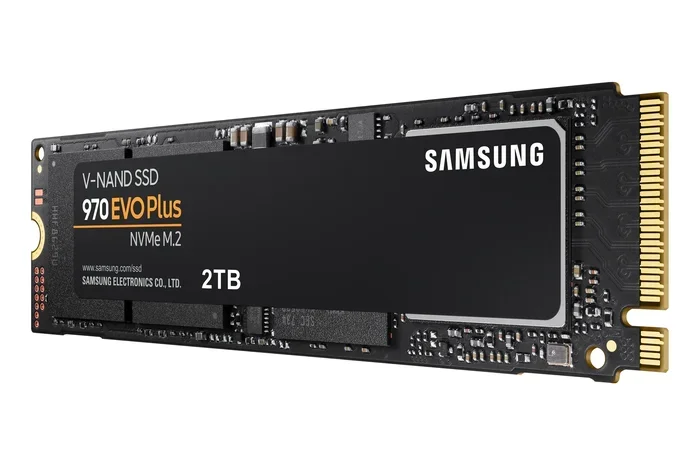
An M.2 drive is a small, rectangular stick of NAND flash memory with a controller chip that manages data flow. The NVMe protocol tells the drive how to talk to the rest of your system. Think of it like a language — NVMe is a much faster and more efficient language than the older AHCI protocol used by SATA drives.
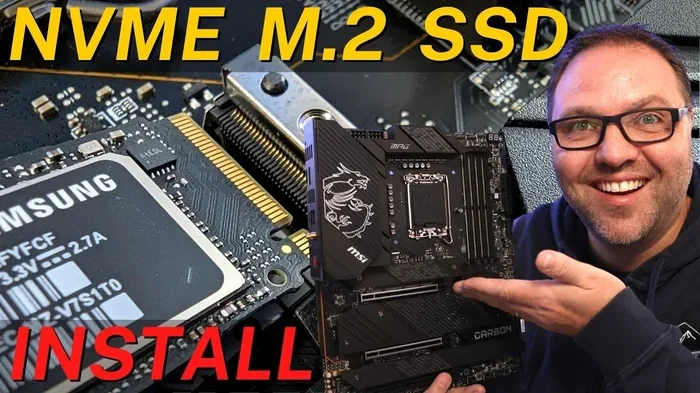
When you install a PCIe NVMe M.2 SSD, it slots directly into a dedicated M.2 connector on your motherboard. There are no cables, no extra power connectors, and no wasted space. The entire setup is clean and compact, which is one reason M.2 drives have become the standard for modern PCs.
Why Gen 5 Matters: Speed and Bandwidth
The biggest selling point of any NVMe M 2 Gen 5 drive is raw speed. But speed numbers alone do not tell the whole story. Let us look at what Gen 5 actually delivers and why it matters in everyday use.
Sequential Read and Write Speeds
Top Gen 5 SSDs currently offer sequential read speeds of 10,000 to 14,000 MB/s. Write speeds range from 8,000 to 12,000 MB/s depending on the model and capacity. To put that in perspective, a fast Gen 4 drive might hit 7,000 MB/s reads. Gen 5 is nearly double that.
For large file transfers, you will notice the difference immediately. Copying a 50GB video project that took several minutes on a Gen 3 drive takes seconds on a Gen 5 NVMe M.2 drive. This is a game-changer for anyone who works with large media files daily.
Random Read and Write Performance
Sequential speeds grab headlines, but random read/write performance affects how your system feels day to day. Random IOPS (input/output operations per second) determine how fast your drive can handle small, scattered data requests. High IOPS mean faster application launches, snappier file searches, and smoother multitasking.
Gen 5 drives push random read IOPS well into the millions. This translates to near-instant boot times, rapid game loading, and virtually no lag when opening multiple applications at once.
Top PCIe Gen 5 NVMe M.2 SSDs on the Market
The Gen 5 SSD market is growing fast. Several manufacturers have released drives that take full advantage of the PCIe 5.0 bandwidth. Here are some of the most notable options available right now.
Crucial T705
The Crucial T705 PCIe Gen 5 NVMe M.2 SSD is one of the most popular Gen 5 drives on the market. It delivers read speeds up to 12,400 MB/s and write speeds around 11,800 MB/s. It is available in capacities ranging from 500GB to 4TB, making it versatile for different user needs. The T705 also offers excellent sustained write performance, which is rare in Gen 5 drives that often slow down under heavy workloads.
For users looking at the Crucial T705 PCIe Gen 5 NVMe M.2 SSD, you get a reliable, well-reviewed drive that balances speed, capacity, and price effectively.
Other Notable Gen 5 Drives
Beyond the Crucial T705, several other brands have entered the Gen 5 space. Samsung, Seagate, and WD all have or are developing Gen 5 models. When comparing drives, look beyond just read speeds. Sustained write performance, thermal throttling behavior, and warranty terms all matter for long-term reliability.
If you are considering a 2TB NVMe M.2 SSD, Gen 5 drives in this capacity tier offer excellent value for professionals who need both speed and storage volume. The price per gigabyte has dropped significantly compared to earlier generations.
Compatibility: Do You Need a New Motherboard?
This is one of the most common questions about SSD NVMe M 2 Gen 5. The short answer is yes — you need a motherboard with PCIe 5.0 M.2 slots to get the full Gen 5 speeds.
Motherboard Requirements
Not all motherboards support PCIe 5.0. Most Intel 12th and 13th generation motherboards, along with AMD AM5 platform boards, include Gen 5 M.2 slots. Older motherboards with only Gen 4 slots will still work with a Gen 5 drive, but you will be limited to Gen 4 speeds.
Before buying a Gen 5 NVMe M.2 drive, check your motherboard manual. Look for the M.2 slot specifications and confirm it supports PCIe 5.0 x4. If your board only has Gen 4 slots, you can still use the drive — it just will not run at full speed.
CPU Compatibility
Your processor also plays a role. Modern CPUs from Intel and AMD that support PCIe 5.0 include native Gen 5 M.2 support. Older CPUs may not provide Gen 5 lanes, even if your motherboard has the slot. Always verify CPU compatibility alongside motherboard support to avoid disappointment.
Gen 5 vs Gen 4: Is the Upgrade Worth It?
It is natural to wonder whether upgrading from a Gen 4 to a Gen 5 NVMe M.2 SSD is worth the investment. Let us compare the two generations side by side.
| Feature | PCIe Gen 4 | PCIe Gen 5 |
|---|---|---|
| Per-Lane Bandwidth | 16 GT/s | 32 GT/s |
| Max Sequential Read (Typical) | 7,000 MB/s | 12,000+ MB/s |
| Max Sequential Write (Typical) | 5,000 MB/s | 10,000+ MB/s |
| Random Read IOPS | ~800,000 | ~1,500,000+ |
| Power Consumption | Moderate | Higher (needs cooling) |
| Availability | Widely Available | Growing |
| Price per TB | Lower | Higher (but dropping) |
For most everyday users, a Gen 4 drive is still more than fast enough. The jump to Gen 5 is most noticeable for professionals who transfer enormous files regularly or run workloads that max out storage bandwidth. If you are a gamer, Gen 5 reduces game load times, but the difference compared to Gen 4 is less dramatic than the raw numbers suggest.
However, buying Gen 5 now means you are future-proofing your system. PCIe 5.0 is the current standard for new platforms, and more drives and motherboards will support it going forward. If you are building a new PC today, a Gen 5 NVMe M.2 SSD is a smart investment.
Tips for Getting the Most Out of Your Gen 5 SSD
Buying a fast drive is only half the battle. To actually get the best performance from your SSD NVMe M 2 Gen 5, you need to set things up correctly.
Use a Heatsink or Enclosure
Gen 5 drives generate more heat than their Gen 4 predecessors. High temperatures can cause thermal throttling, which reduces speeds when the drive gets too hot. Most Gen 5 drives come with or recommend a heatsink. Some PCIe NVMe M.2 SSD models include built-in thermal pads or aluminum heatsinks that keep temperatures in check.
If you use an external enclosure, make sure it supports Gen 5 bandwidth. Not all M.2 enclosures are created equal, and a cheap enclosure can bottleneck your drive. Look for enclosures rated for PCIe 5.0 or at least USB 3.2 Gen 2×2 to avoid bottlenecks.
Enable Gen 5 in BIOS
Some motherboards default to Gen 4 mode even when a Gen 5 drive is installed. Enter your BIOS and check the M.2 slot configuration. Make sure the PCIe version is set to Auto or Gen 5 explicitly. This simple step can double your drive’s speed with no extra cost.
Keep Firmware Updated
Drive manufacturers regularly release firmware updates that improve performance, fix bugs, and enhance compatibility. Check the manufacturer’s website periodically and update your NVMe M.2 Gen 5 drive whenever a new firmware version is available.
Optimize Your OS for NVMe
Make sure your operating system is set up to take full advantage of NVMe storage. Enable TRIM support, use the latest NVMe drivers, and avoid filling your drive past 80% capacity. Keeping free space on your drive helps maintain consistent performance and extends the lifespan of the NAND flash cells.
Common Mistakes to Avoid with Gen 5 SSDs
Even experienced PC builders make mistakes when working with Gen 5 NVMe M.2 drives. Here are some pitfalls to watch out for.
- Assuming all M.2 slots are the same: Your motherboard may have multiple M.2 slots, but only some may support PCIe 5.0. Check which slot gives you Gen 5 speeds before installing your drive.
- Ignoring thermal management: Skipping a heatsink on a Gen 5 drive can lead to throttling and slower speeds over time. A small investment in cooling pays off.
- Buying Gen 5 without a compatible system: If your PC does not support PCIe 5.0, you will not get Gen 5 speeds. Always verify compatibility first.
- Overlooking driver updates: Outdated NVMe drivers can limit performance and cause stability issues. Keep them current.
- Expecting Gen 5 to fix everything: A fast SSD does not fix slow RAM, a weak CPU, or a bottlenecked GPU. Storage speed is just one piece of the performance puzzle.
The Future of NVMe M.2 Storage
The NVMe M.2 Gen 5 standard is still relatively new, but the industry is already looking ahead. PCIe 6.0 is on the horizon, promising even higher bandwidth and lower power consumption. As NAND flash technology improves, we can expect Gen 5 drives to become faster, more efficient, and more affordable over time.
For now, Gen 5 represents the cutting edge of consumer storage. Whether you are building a high-end gaming rig, a workstation for video production, or simply want the fastest storage possible, SSD NVMe M 2 Gen 5 delivers the performance that modern computing demands.
The key is to match your drive to your actual needs. If you are not pushing your storage to its limits every day, a Gen 4 drive may still serve you well. But if you want the best of the best and your system supports it, there is no better time to jump into the Gen 5 era of NVMe storage.
Invest in a quality Gen 5 NVMe M.2 SSD, set it up correctly, and enjoy the fastest storage speeds available to consumers today. Your files, your games, and your workflow will thank you.
Frequently Asked Questions
What makes SSD NVMe M 2 Gen 5 faster than Gen 4?
Gen 5 doubles the per-lane bandwidth from 16 GT/s to 32 GT/s. This means a Gen 5 drive can transfer data at up to 14 GB/s across four lanes, compared to about 7 GB/s on Gen 4. The NVMe protocol and improved NAND controllers also contribute to the speed gains.
Do I need a special motherboard for SSD NVMe M 2 Gen 5?
Yes, you need a motherboard with PCIe 5.0 M.2 slots. Most Intel 12th and 13th gen motherboards and AMD AM5 boards support Gen 5. If your motherboard only has Gen 4 slots, a Gen 5 drive will still work but at Gen 4 speeds.
Is PCIe Gen 5 worth it for gaming?
Gen 5 reduces game load times, but the difference compared to Gen 4 is often small in everyday gaming. The real benefits show up in large file transfers, 4K video editing, and other data-heavy tasks. If you want future-proofing, Gen 5 is a solid choice.
Do Gen 5 NVMe M.2 SSDs need cooling?
Yes, Gen 5 drives run hotter than Gen 4 and benefit greatly from heatsinks or thermal pads. Without proper cooling, thermal throttling can reduce speeds during sustained workloads. Most Gen 5 drives come with or recommend a heatsink solution.
How much does a Gen 5 NVMe M.2 SSD cost?
Prices have dropped significantly as production has scaled. A 1TB Gen 5 drive typically costs between $80 and $120, while 2TB models range from $150 to $220. Prices continue to fall as more manufacturers enter the market.
Can I use a Gen 5 SSD in an external enclosure?
Yes, but you need an enclosure that supports PCIe 5.0 or USB 3.2 Gen 2×2 bandwidth. A standard enclosure may bottleneck your Gen 5 drive and limit speeds. Check the enclosure specifications carefully before purchasing.
=== CONCLUSION ===
SSD NVMe M 2 Gen 5 represents the fastest and most advanced consumer storage available today. With read speeds exceeding 12,000 MB/s, massive bandwidth, and future-proof PCIe 5.0 support, these drives deliver a noticeable upgrade for power users and enthusiasts alike. Whether you are editing video, building a gaming rig, or simply want the best performance your PC can deliver, Gen 5 NVMe M.2 drives are the way to go.
Just remember to check your motherboard compatibility, use proper cooling, and keep your firmware updated. With the right setup, your Gen 5 NVMe M.2 SSD will serve you well for years to come. The future of storage is here, and it is incredibly fast.