Crucial P5 Plus 2tb Nvme Ssd
The Crucial P5 Plus 2TB NVMe SSD delivers top-tier PCIe Gen4 speeds with 6600 MB/s reads and 5000 MB/s writes. This 2TB solid state drive is perfect for gaming, creative work, and everyday upgrades. It offers strong endurance, a DRAM cache, and a reliable 5-year warranty.
The Crucial P5 Plus 2TB NVMe SSD has been turning heads in the storage world. If you are looking for a fast, reliable, and affordable way to upgrade your system, this drive deserves your attention. In this guide, I will break down everything you need to know about the Crucial P5 Plus 2TB NVMe SSD, from its speed specs to real-world performance.
Storage technology has come a long way. Traditional hard drives are slow, and even older SSDs feel sluggish compared to modern NVMe drives. The Crucial P5 Plus is built on PCIe Gen4 technology, which means it can move data at incredible speeds. Whether you are a gamer, a content creator, or someone who just wants a faster PC, this drive delivers.
In this article, I will cover the design, performance benchmarks, real-world use cases, and how it stacks up against competitors. By the end, you will know if the Crucial P5 Plus 2TB NVMe SSD is the right choice for your setup.
Key Takeaways
- Blazing Speeds: The Crucial P5 Plus 2TB NVMe SSD hits 6600 MB/s sequential reads and 5000 MB/s sequential writes.
- PCIe Gen4 Performance: It uses the latest PCIe Gen4 interface for fast data transfer and smooth multitasking.
- 2TB Capacity: Plenty of space for large game libraries, video projects, and professional workloads.
- DRAM Cache: The built-in DRAM cache boosts random read and write performance significantly.
- 5-Year Warranty: Crucial backs this drive with a solid 5-year limited warranty and 1200 TBW endurance.
- Easy Installation: The M.2 2280 form factor fits most modern desktops and laptops with an M.2 slot.
- Great Value: It offers near-flagship performance at a competitive price point.
📑 Table of Contents
What Is the Crucial P5 Plus 2TB NVMe SSD?
The Crucial P5 Plus is a high-performance NVMe M.2 SSD made by Micron under the Crucial brand. It uses a Phison E18 controller and Micron’s 176-layer TLC NAND flash memory. This combination gives you a serious boost in both sequential and random performance.
Here are the key specs at a glance:
- Interface: PCIe Gen4 NVMe
- Form Factor: M.2 2280
- Sequential Read: Up to 6600 MB/s
- Sequential Write: Up to 5000 MB/s
- Capacity: 500GB, 1TB, 2TB
- DRAM Cache: Yes
- Endurance (2TB): 1200 TBW
- Warranty: 5 years limited
Compared to older PCIe Gen3 SSDs, the P5 Plus is a massive leap forward. It also outperforms many budget Gen4 drives in the market. If you have been eyeing an upgrade, this is a strong contender.
Why NVMe Matters for Your System
NVMe stands for Non-Volatile Memory Express. It is a protocol designed specifically for flash storage. Unlike SATA SSDs, which max out around 550 MB/s, NVMe drives can reach several thousand MB/s. The Crucial P5 Plus 2TB NVMe SSD takes full advantage of this by using the PCIe Gen4 interface.
This matters because your system boots faster, games load quicker, and large files transfer in seconds instead of minutes. For anyone building or upgrading a PC, an NVMe drive is almost a must-have today.
Performance Benchmarks and Speed Tests
Speed is the main reason most people buy an NVMe SSD. The Crucial P5 Plus 2TB NVMe SSD does not disappoint in this area. Let us look at the numbers.
Sequential Read and Write Speeds
In CrystalDiskMark testing, the P5 Plus consistently hits its advertised speeds. Sequential reads reach close to 6600 MB/s, and sequential writes land around 5000 MB/s. These numbers are excellent for a consumer-grade drive and put it on par with many premium options.
For context, a good SATA SSD like the Samsung 970 Evo Plus Nvme M 2 Ssd tops out around 3500 MB/s reads. That means the P5 Plus is nearly twice as fast in sequential workloads. The difference is very noticeable when copying large video files or moving massive game libraries.
Random Read and Write Performance
Random performance is just as important, especially for everyday tasks. The P5 Plus delivers strong 4K random read speeds thanks to its DRAM cache. This helps with boot times, app launches, and multitasking.
Here is a quick comparison of random performance:
- 4K Random Read (QD1): Around 90 MB/s
- 4K Random Write (QD1): Around 85 MB/s
- 4K Random Read (QD32): Over 1,000 MB/s
- 4K Random Write (QD32): Over 1,200 MB/s
These numbers show that the drive stays fast even under heavy multi-threaded workloads. If you run several applications at once or work with large databases, you will feel the difference.
Real-World Performance
Benchmarks are great, but real-world performance is what really matters. In everyday use, the Crucial P5 Plus 2TB NVMe SSD makes your system feel snappy. Windows boots in seconds, heavy applications open almost instantly, and game load times drop significantly.
For gamers, this means less time waiting and more time playing. For content creators, it means faster exports and smoother editing workflows. The DRAM cache plays a big role here, as it keeps frequently accessed data close to the controller.
Design and Build Quality
The Crucial P5 Plus comes in a standard M.2 2280 form factor. This is the same size as a stick of gum and fits directly into the M.2 slot on your motherboard. No cables, no extra power connectors, and no clutter.
Heatsink and Thermal Design
One thing to note is that PCIe Gen4 drives can run warm. The P5 Plus does not come with a heatsink included, so you may want to buy one separately if your case has limited airflow. Many motherboards now include M.2 heatsinks on their boards, which makes this less of an issue.
Crucial has designed the drive with a single-sided aluminum label that helps dissipate some heat. Under heavy workloads, you might notice the drive getting warm, but it should stay within safe operating temperatures for most use cases.
Compatibility
The M.2 2280 form factor is widely supported. Whether you have a modern desktop motherboard or a compatible laptop, the P5 Plus should fit. Just make sure your system supports PCIe Gen4 for the best speeds. On older PCIe Gen3 motherboards, the drive will still work but at reduced speeds.
If you are upgrading from an older drive, you might also want to check out the Crucial P310 1Tb Pcie Gen4 Nvme 2280 M 2 Ssd, which offers a more budget-friendly entry point into Gen4 storage.
Who Should Buy the Crucial P5 Plus 2TB NVMe SSD?
This drive fits a wide range of users. Let us look at some use cases.
Gamers
Modern games are huge. A single title can take up 100GB or more. With 2TB of space, you can store several AAA titles without worrying about running out of room. The fast read speeds also mean shorter load screens and quicker level transitions.
Games like Cyberpunk 2077, Starfield, and Hogwarts Legacy benefit greatly from NVMe storage. The P5 Plus handles these titles with ease, delivering smooth and responsive performance.
Content Creators and Professionals
If you work with video editing, 3D rendering, or large photo libraries, the Crucial P5 Plus 2TB NVMe SSD is a great tool. The fast sequential write speeds mean you can save and export large files quickly. The 2TB capacity gives you plenty of room for project files and raw footage.
For professionals who need even more speed, you might consider the Crucial T705 Pcie Gen5 Nvme M 2 Ssd, which offers next-generation PCIe Gen5 performance. However, for most workflows, the P5 Plus is more than enough.
Everyday Users and Students
Even if you just browse the web, stream videos, and use office apps, an NVMe SSD makes a noticeable difference. The P5 Plus brings fast boot times, quick app launches, and a generally snappier experience. The 2TB capacity also means you do not have to worry about storage running out anytime soon.
Crucial P5 Plus vs Competitors
How does the Crucial P5 Plus 2TB NVMe SSD compare to other drives in its class? Let us take a quick look.
| Feature | Crucial P5 Plus 2TB | Samsung 970 Evo Plus | Crucial P3 Plus 2TB |
|---|---|---|---|
| Interface | PCIe Gen4 NVMe | PCIe Gen3 NVMe | PCIe Gen4 NVMe |
| Sequential Read | 6600 MB/s | 3500 MB/s | 5000 MB/s |
| Sequential Write | 5000 MB/s | 3200 MB/s | 4200 MB/s |
| DRAM Cache | Yes | Yes | Yes |
| Endurance (2TB) | 1200 TBW | 600 TBW | 1200 TBW |
| Warranty | 5 years | 5 years | 5 years |
As you can see, the P5 Plus holds its own against the Samsung 970 Evo Plus and even the newer Crucial P3 Plus. The Gen4 interface gives it a clear edge in raw speed over the Gen3 Samsung drive. And at a competitive price point, it is hard to beat.
If you are looking at higher-end options, the Crucial T705 2Tb Pcie Gen5 Nvme M 2 Ssd offers even faster speeds, but it comes at a premium. The P5 Plus strikes a great balance between performance and price.
Installation and Setup Tips
Installing the Crucial P5 Plus 2TB NVMe SSD is straightforward. Here is a quick guide.
- Make sure your motherboard has an M.2 slot that supports PCIe Gen4.
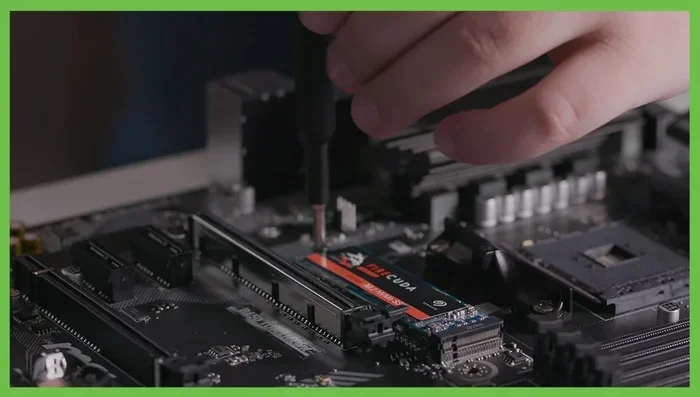
- Locate the M.2 slot on your board and remove the mounting screw.
- Insert the SSD at a 30-degree angle and press it down gently.
- Secure it with the mounting screw.
- Boot into your BIOS and make sure the drive is detected.
- Install your operating system or migrate your existing drive using cloning software.
Common Setup Tips
- Update your motherboard BIOS before installing a Gen4 drive for the best compatibility.
- Use a heatsink if your motherboard does not have one built in.
- Enable XMP/EXPO profiles in BIOS if you are also running fast memory.
- Check your OS supports NVMe. Windows 10 and 11 do, but older systems may need updates.
If you run into issues after installation, you can check out our guide on what to do if your NVMe SSD is not showing up for helpful troubleshooting steps.
Endurance and Reliability
One of the standout features of the Crucial P5 Plus 2TB NVMe SSD is its endurance rating. With 1200 TBW (terabytes written) for the 2TB model, this drive is built to last.
TBW tells you how much data you can write to the drive before it is likely to fail. For most users, 1200 TBW is more than enough. Even if you write 100GB of data every day, it would take over 30 years to reach that limit.
The 5-year limited warranty adds extra peace of mind. Crucial has a strong reputation for reliability, and the P5 Plus continues that tradition. The Micron TLC NAND and DRAM cache both contribute to a stable and consistent experience over time.
For comparison, the Crucial P3 1Tb Nvme Ssd offers a more budget-friendly option but with lower endurance and slower speeds. If you need more capacity and performance, the P5 Plus is the better investment.
Final Thoughts
The Crucial P5 Plus 2TB NVMe SSD is an excellent choice for anyone looking to upgrade their storage. It delivers fast PCIe Gen4 speeds, a generous 2TB capacity, and strong build quality at a competitive price. The DRAM cache, high endurance rating, and 5-year warranty make it a reliable pick for both casual and professional use.
If you are upgrading from a SATA SSD or an old hard drive, you will be amazed at the difference this drive makes. Your system will feel faster, more responsive, and ready for whatever you throw at it.
Whether you are a gamer looking for quick load times, a creator who needs fast file transfers, or a student who wants a snappy and spacious setup, the Crucial P5 Plus 2TB NVMe SSD checks all the boxes. It is one of the best values in the NVMe SSD market right now.
For those who want to explore other options, you can also look at the Crucial P3 Plus Nvme Ssd Review for a comparison with a slightly different performance tier, or check out the Crucial T705 Pcie Gen5 Nvme M 2 Ssd if you want to future-proof with the latest Gen5 technology.
In short, the Crucial P5 Plus 2TB NVMe SSD is a solid, fast, and trustworthy drive that earns its place in any modern PC build.
Frequently Asked Questions
Is the Crucial P5 Plus 2TB NVMe SSD worth it?
Yes, it is. The drive offers excellent sequential speeds of 6600 MB/s reads and 5000 MB/s writes, a generous 2TB capacity, and strong endurance at 1200 TBW. For the price, it delivers outstanding value for gamers, creators, and everyday users alike.
Can I use the Crucial P5 Plus on a PCIe Gen3 motherboard?
Yes, it is backward compatible with PCIe Gen3 motherboards. However, you will not get the full Gen4 speeds. On a Gen3 board, you can expect speeds around 3500 MB/s reads and 3000 MB/s writes, which is still faster than most SATA SSDs.
Does the Crucial P5 Plus need a heatsink?
It is not strictly required, but a heatsink can help maintain stable performance under heavy workloads. Many modern motherboards include built-in M.2 heatsinks. If your setup runs warm, adding a heatsink is a smart move.
How does the Crucial P5 Plus compare to the Samsung 970 Evo Plus?
The P5 Plus is significantly faster because it uses PCIe Gen4, while the Samsung 970 Evo Plus uses PCIe Gen3. The P5 Plus also offers higher endurance and newer NAND technology. For most users, the P5 Plus is the better choice in 2024.
What is the warranty on the Crucial P5 Plus 2TB NVMe SSD?
Crucial provides a 5-year limited warranty on the P5 Plus. The drive also has a 1200 TBW endurance rating for the 2TB model, which means it is built to handle heavy use over many years.
Can I use this SSD for video editing and 3D rendering?
Absolutely. The fast sequential write speeds and large 2TB capacity make the Crucial P5 Plus 2TB NVMe SSD well-suited for video editing and 3D rendering workloads. The DRAM cache helps with quick access to project files and smooth performance during intensive tasks.
=== SEO TITLE ===
Crucial P5 Plus 2tb Nvme Ssd
=== META TITLE ===
Crucial P5 Plus 2TB NVMe SSD Review – Fast Gen4 Storage
=== URL SLUG ===
crucial-p5-plus-2tb-nvme-ssd