M 2 2tb Nvme Ssd
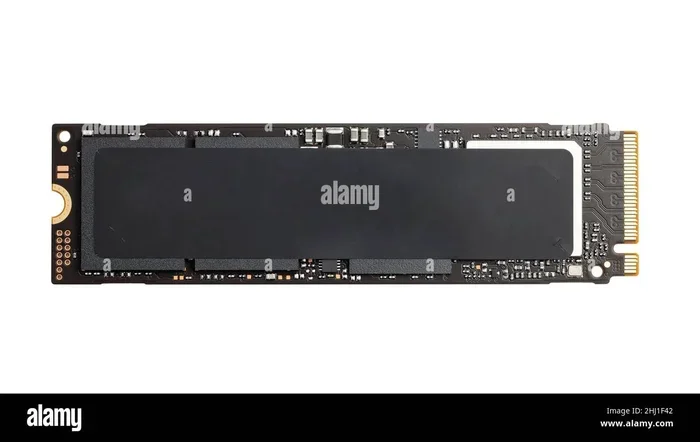
The M 2 2tb Nvme Ssd is one of the most popular storage upgrades today. It delivers blazing fast speeds, massive 2TB capacity, and a compact form factor that fits any modern PC. Whether you are a gamer, content creator, or professional, this guide breaks down everything you need to know about choosing and using a 2TB NVMe M.2 drive.
If you have been shopping for a storage upgrade, you have probably seen the term M 2 2tb Nvme Ssd everywhere. And for good reason. These drives are incredibly fast, compact, and offer plenty of space for games, videos, and professional workloads. A 2TB NVMe M.2 solid state drive can transform how your computer handles data, making everything from boot times to file transfers feel instant.
In this guide, we will walk you through everything you need to know about 2TB M.2 NVMe drives. We will cover how they work, what to look for when buying one, and which options stand out in today’s market. By the end, you will feel confident picking the right drive for your needs.
Key Takeaways
- Speed Matters: M 2 2tb Nvme Ssd drives offer sequential reads up to 7,000 MB/s or more, far outpacing traditional SATA SSDs.
- Compact Design: The M.2 2280 form factor fits directly onto your motherboard, saving space and reducing cable clutter.
- Gen4 and Gen5 Options: PCIe Gen4 and Gen5 NVMe drives provide different speed tiers to match your budget and needs.
- Capacity Sweet Spot: 2TB offers the ideal balance between ample storage and reasonable pricing for most users.
- Compatibility Is Key: Always check your motherboard for an M.2 slot and NVMe support before purchasing.
- Top Brands Shine: Crucial, Corsair, Samsung, and WD lead the market with reliable and high-performing 2TB options.
📑 Table of Contents
What Is an M 2 2tb Nvme Ssd?
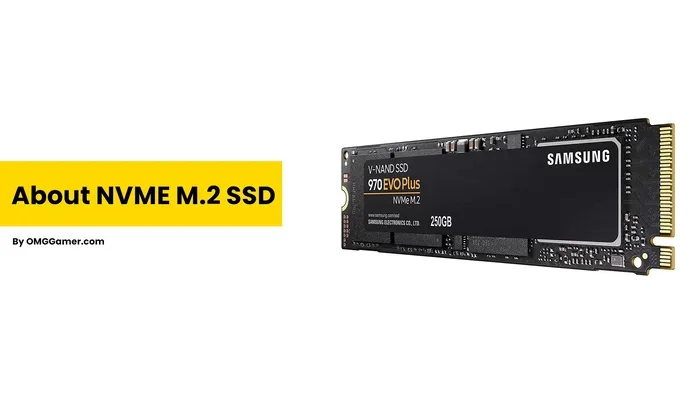
Let us start with the basics. An M 2 2tb Nvme Ssd is a type of solid state drive that uses the M.2 form factor and the NVMe protocol to deliver data at extremely high speeds. The “M.2” refers to the physical shape and size of the drive, while “NVMe” stands for Non-Volatile Memory Express, a communication protocol designed specifically for flash storage.
Unlike traditional 2.5-inch SSDs that connect through SATA cables, an M.2 drive plugs directly into your motherboard. This connection method eliminates bottlenecks and allows for much faster data transfer. The “2TB” simply means the drive holds two terabytes of data, which is roughly 2,000 gigabytes of storage space.
Most M.2 NVMe drives use the 2280 form factor, meaning they are 22 millimeters wide and 80 millimeters long. This size fits the majority of modern desktops and laptops that have an M.2 slot on the motherboard. The 2TB capacity makes these drives ideal for storing large game libraries, video editing projects, and extensive media collections.
How NVMe Differs from SATA
The biggest difference between NVMe and SATA SSDs comes down to speed. A typical SATA SSD maxes out around 550 MB/s. In contrast, a PCIe Gen4 NVMe M.2 SSD can reach speeds of 7,000 MB/s or more. That is more than ten times faster. Even the older PCIe Gen3 drives still outperform SATA by a wide margin.
Here is a quick comparison to put things in perspective:
- SATA III SSD: Up to 550 MB/s sequential read
- PCIe Gen3 NVMe: Up to 3,500 MB/s sequential read
- PCIe Gen4 NVMe: Up to 7,000 MB/s sequential read
- PCIe Gen5 NVMe: Up to 14,000 MB/s sequential read
These speed differences matter a lot if you work with large files or run demanding applications. A 2TB NVMe M.2 solid state drive can cut game load times dramatically and make video rendering much faster.
Why Choose a 2TB M.2 NVMe Drive?
There are many reasons to invest in a 2TB M.2 NVMe SSD. Let us look at the most compelling ones that make this storage option so popular.
Massive Storage Capacity
Two terabytes gives you plenty of room. Modern AAA games can easily take up 100GB or more each. With a 2TB drive, you can store 15 to 20 large games without constantly deleting and reinstalling them. For content creators, 2TB provides enough space for raw video footage, project files, and exports.
Compared to a 1TB M.2 NVMe SSD, the 2TB option doubles your capacity without taking up any additional space on your motherboard. This makes it a smart long-term investment.
Blazing Fast Speeds
Speed is the number one reason people switch to NVMe. Booting Windows takes seconds instead of minutes. Opening heavy applications like Adobe Premiere Pro or AutoCAD happens almost instantly. File transfers that used to take minutes now finish in moments.
If you are a gamer, you know how annoying long load screens can be. A 2TB NVMe M.2 SSD slashes those wait times and keeps you in the action faster. The difference is especially noticeable on systems that also use 64GB RAM with a 2TB SSD configuration, where the fast storage keeps up with demanding workloads.
Space-Saving Design
The M.2 form factor is tiny compared to traditional drives. It is about the size of a stick of gum. This compact size frees up space inside your case and reduces cable management headaches. There is no need for power cables or SATA data cables, which makes building or upgrading a PC much cleaner and simpler.
Top M 2 2tb Nvme Ssd Options to Consider
Now that you understand the benefits, let us look at some of the best 2TB NVMe M.2 SSD options available. Each of these drives has been tested and reviewed by experts in the field.
Crucial T705 2TB PCIe Gen5 NVMe M.2 SSD
The Crucial T705 2TB PCIe Gen5 NVMe M.2 SSD is a top performer for users who want the latest technology. It leverages PCIe Gen5 speeds, offering sequential reads up to 14,000 MB/s. This makes it one of the fastest consumer drives on the market today. The T705 uses a Phison E26 controller and TLC NAND flash, ensuring both speed and reliability.
For users who want a more budget-friendly Gen4 option, the Crucial T705 PCIe Gen5 NVMe M.2 SSD line also offers excellent value with Gen4 speeds that still crush SATA drives by a wide margin.
Corsair MP600 Core XT M.2 NVMe SSD
The Corsair MP600 Core XT M.2 NVMe SSD is another strong contender in the 2TB category. It delivers PCIe Gen4 x4 performance with sequential reads reaching 7,100 MB/s. The drive features a heatsink design that helps maintain consistent speeds under heavy workloads. It is a great choice for gamers and creators who need reliable performance without breaking the bank.
Other Notable Options
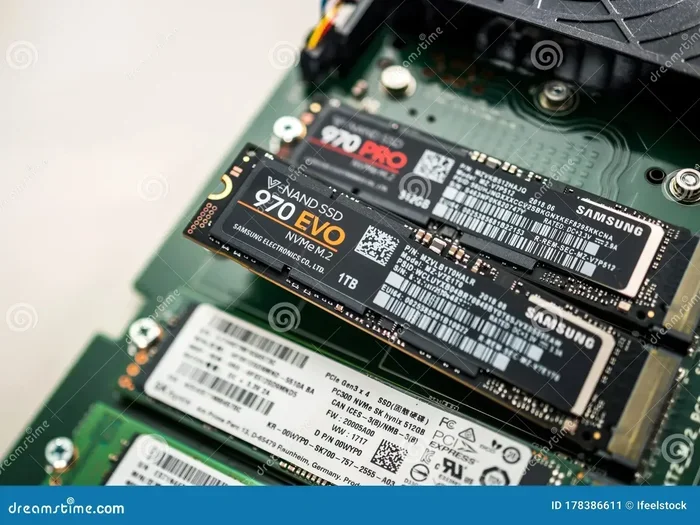
Beyond these two, there are several other excellent 2TB M.2 NVMe SSD drives worth considering. The Samsung 970 EVO Plus remains a trusted name, and the 2TB NVMe M.2 SSD category includes many solid options from brands like WD, Kingston, and Intel. When comparing drives, pay attention to sequential read/write speeds, endurance ratings (TBW), and whether the drive includes a DRAM cache.
How to Choose the Right M 2 2tb Nvme Ssd
Not all 2TB NVMe drives are created equal. Here are the key factors you should consider before making a purchase.
Check Your Motherboard Compatibility
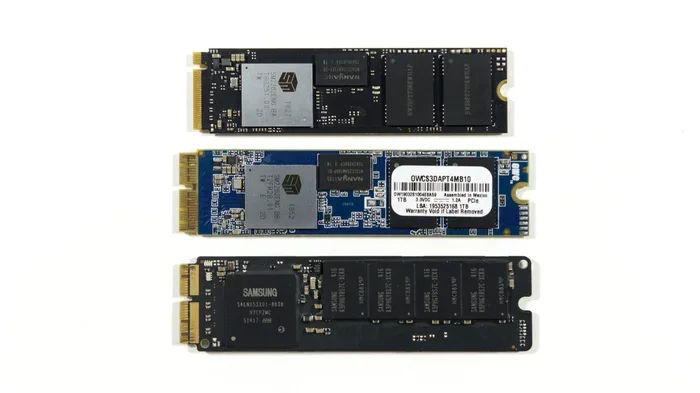
Before buying any M 2 2tb Nvme Ssd, check your motherboard manual. You need an M.2 slot that supports NVMe over PCIe. Some older motherboards only support SATA M.2 drives, which are much slower. Look for slots labeled “M.2 Key M” or “M.2 2280 NVMe” to ensure compatibility.
Consider PCIe Generation
PCIe Gen4 and Gen5 are the current standards for high-speed NVMe drives. Gen5 offers the fastest speeds but comes at a premium price. Gen4 drives like the 2TB M.2 NVMe SSD category provide excellent performance at more reasonable prices. For most users, Gen4 is the sweet spot between speed and cost.
Look at Endurance and Warranty
Endurance is measured in Terabytes Written (TBW), which tells you how much data you can write to the drive over its lifetime. A good 2TB NVMe M.2 SSD should have at least 1,200 TBW for Gen4 drives. Higher TBW means the drive will last longer under heavy use. Also, check the warranty period, as top brands typically offer 5-year coverage.
Heatsink or No Heatsink?
High-speed NVMe drives generate heat, especially during sustained workloads. Many modern drives come with built-in or add-on heatsinks. If you are building a gaming PC or working with large files regularly, a drive with a heatsink can prevent thermal throttling and maintain peak performance. Some motherboards also have M.2 heatsinks built into the board itself.
Common Mistakes to Avoid When Buying an M 2 2tb Nvme Ssd
Even experienced PC builders sometimes make mistakes when purchasing NVMe drives. Here are a few pitfalls to watch out for.
- Ignoring motherboard compatibility: Not all M.2 slots support NVMe. Always double-check your motherboard specifications.
- Skipping the heatsink: Without proper cooling, a fast NVMe drive may slow down during heavy use. A simple heatsink can prevent this.
- Overlooking firmware updates: Drive manufacturers often release firmware updates that improve performance and fix bugs. Check for the latest version before installing.
- Confusing NVMe with SATA M.2: Some M.2 drives use SATA and are much slower than NVMe. Make sure you are buying the right type.
- Not checking the PCIe lane allocation: Some motherboards share PCIe lanes between M.2 slots and other components. This can affect performance if not configured correctly.
Installation and Setup Tips
Installing a 2TB NVMe M.2 SSD is one of the easiest PC upgrades you can do. Most modern motherboards have a dedicated M.2 slot near the CPU or chipset. Here is a quick overview of the process.
- Locate the M.2 slot on your motherboard.
- Remove the mounting screw and carefully insert the drive at a 30-degree angle.
- Press the drive down flat and secure it with the screw.
- Boot into your BIOS or UEFI to ensure the drive is detected.
- Initialize and format the drive through Windows Disk Management.
Once installed, your new M 2 2tb Nvme Ssd will appear as a new storage volume. You can use it as a boot drive, game library storage, or project workspace. For the best performance, make sure your operating system and drivers are up to date, including the latest NVMe M.2 SSD WD Blue driver download if you are using a WD drive.
If you are using an external enclosure, consider options like the UGreen M.2 NVMe SATA SSD enclosure for portable high-speed storage. These enclosures let you use your NVMe drive on the go without sacrificing speed.
Final Thoughts
The M 2 2tb Nvme Ssd category represents some of the best storage technology available to consumers today. With speeds that dwarf traditional drives, compact designs that save space, and 2TB of capacity that handles almost any workload, these drives are a must-have for anyone building or upgrading a modern PC.
Whether you choose the Crucial T705 2TB PCIe Gen5 for top-tier performance or a reliable 2TB SSD M.2 NVMe from another trusted brand, you are making a smart investment in your system’s speed and capability. The key is to match your drive to your motherboard, your budget, and your workload needs.
Take your time, compare options, and do not rush the purchase. A great 2TB NVMe M.2 solid state drive will serve you well for years and make every computing task feel faster and more responsive.
Frequently Asked Questions
Is an M 2 2tb Nvme Ssd worth it over a 1TB drive?
Absolutely. If you have the budget, a 2TB drive gives you double the storage without adding any physical bulk. Modern games and projects take up a lot of space, and having 2TB means you do not have to constantly manage what stays and what goes. The price difference between 1TB and 2TB has narrowed significantly, making it an easy upgrade.
Can I use an M 2 2tb Nvme Ssd as a boot drive?
Yes, and it is one of the best uses for a drive like this. Booting Windows or Linux from a 2TB NVMe M.2 SSD takes just seconds. The fast read speeds make the entire operating system feel snappy and responsive, from opening apps to loading files.
Do I need a special heatsink for my M 2 2tb Nvme Ssd?
It depends on your workload. For casual gaming or everyday use, most drives run cool enough without extra cooling. But if you are doing heavy video editing, large file transfers, or sustained writes, a heatsink helps prevent thermal throttling. Many motherboards already include M.2 heatsinks built in.
What is the difference between PCIe Gen4 and Gen5 NVMe drives?
PCIe Gen5 offers roughly double the bandwidth of Gen4. A Gen5 drive like the Crucial T705 can reach speeds up to 14,000 MB/s, while a Gen4 drive tops out around 7,000 MB/s. For most users, Gen4 is more than enough and costs significantly less. Gen5 is best for enthusiasts and professionals who need every last bit of speed.
Will an M 2 2tb Nvme Ssd work in my laptop?
Most modern laptops with M.2 slots support NVMe drives, but you should check your laptop’s specifications first. Some older or budget laptops only have SATA M.2 slots. If your laptop has an M.2 Key M slot that supports PCIe NVMe, then a 2TB NVMe M.2 SSD will work perfectly.
How long does an M 2 2tb Nvme Ssd last?
Quality NVMe drives are built to last many years. Endurance ratings for a good 2TB M.2 NVMe SSD typically range from 1,200 TBW to 2,400 TBW or more. For an average user, this translates to well over a decade of normal use. Top brands like Crucial, Corsair, and Samsung back their drives with 5-year warranties for extra peace of mind.