Are Usb Hubs Any Good
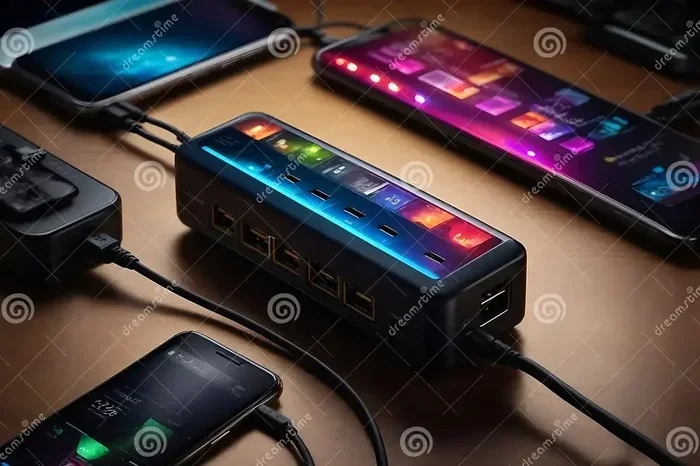
Are USB hubs any good? The short answer is yes, they can be a game-changer for anyone short on ports. A USB hub expands your connectivity, letting you plug in multiple devices at once. Whether you need a USB hub for laptop or a powered USB hub for heavy devices, the right choice makes a big difference.
Do you keep running out of USB ports on your laptop or desktop? You are not alone. Many of us own more devices than our computers can handle at once. That is where a USB hub comes in. But the big question remains: are USB hubs any good?
The truth is, USB hubs can be incredibly useful. They let you connect multiple devices through a single port. From charging your phone to plugging in an external drive, a hub makes life easier. But not all hubs are created equal. Some work great, while others leave you frustrated.
In this guide, we will break down everything you need to know. We will cover the types of hubs, their pros and cons, and how to pick the right one. By the end, you will know exactly whether a USB hub is worth your money.
Key Takeaways
- USB hubs solve the port shortage problem by adding extra connections to your laptop or desktop.
- Powered USB hubs are best for devices that need more energy, like external hard drives.
- Unpowered USB hubs work fine for low-power devices like keyboards and mice.
- USB-C hubs are the latest standard and offer faster data transfer speeds.
- Choosing the right hub depends on your devices, budget, and what you plan to connect.
- Not all USB hubs are equal — cheap hubs can cause slow speeds or connection drops.
- USB hubs are worth it for most users who need more ports without buying new hardware.
📑 Table of Contents
What Is a USB Hub and How Does It Work?
A USB hub is a small device that adds extra USB ports to your computer. Think of it like a power strip, but for USB connections. You plug the hub into one of your computer’s ports, and then you can connect several devices to the hub.
Most hubs work with USB-A or USB-C connections. The hub takes the one port from your computer and splits it into multiple ports. This lets you run several devices at the same time.
Here is how a typical setup looks:
- You plug the hub into your laptop or PC.
- The hub connects to your computer through one cable.
- You then plug in your devices — like a mouse, keyboard, or external drive — into the hub.
Some hubs also pass through power. This means they can charge your devices while you use them. That is a big plus if you are short on wall outlets.
How Data Moves Through a Hub
When you plug a device into a hub, data flows through the hub to your computer. The speed depends on the USB version your hub supports. A USB 3.0 hub is much faster than an older USB 2.0 hub. If you are transferring large files, speed matters a lot.
Some people use a USB hub with an M.2 NVMe SSD to USB 3.1 adapter to get fast external storage. In these cases, the hub needs to support high-speed data transfer. A slow hub can bottleneck your connection.
Types of USB Hubs: Powered vs Unpowered
Not all hubs are the same. The two main types are powered and unpowered hubs. Each has its own strengths and weaknesses.
Powered USB Hubs
A powered USB hub plugs into a wall outlet. It has its own power supply. This means it can deliver full power to every connected device.
These hubs are great for:
- External hard drives that need more electricity.
- Devices that charge quickly.
- Running multiple power-hungry devices at once.
If you plan to connect something like an external SSD, a powered hub is the smart choice. For example, many people pair a powered hub with a SanDisk Extreme Portable 2TB external USB-C NVMe SSD for fast, reliable storage on the go.
Unpowered USB Hubs
An unpowered USB hub draws power from your computer’s port. It does not need a wall outlet. These hubs are smaller, lighter, and more portable.
They work best for low-power devices like:
- Keyboards and mice.
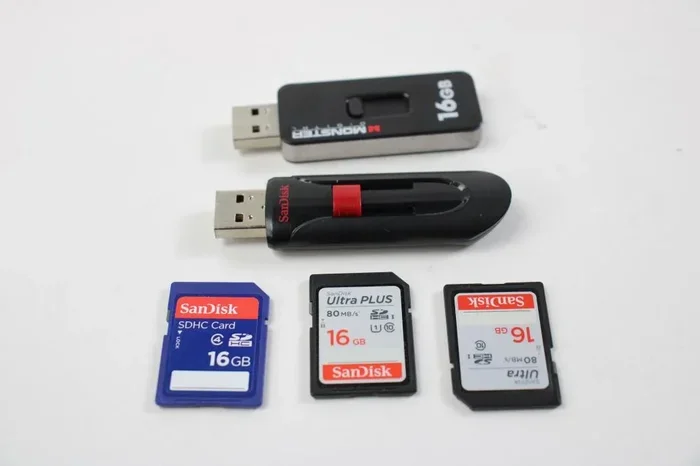
- USB flash drives.
- Webcams and headsets.
The downside is that unpowered hubs cannot support devices that need a lot of power. If you plug in too many power-hungry devices, some may not work properly.
Are USB Hubs Any Good? The Honest Answer
So, are USB hubs any good? The answer depends on what you need them for. For most people, the answer is yes. A USB hub solves a real problem — not enough ports.
Here are some situations where a hub shines:
- Working from home. You have a laptop with limited ports. A hub lets you connect your monitor, keyboard, mouse, and external drive all at once.
- Traveling. A compact hub takes up very little space. You can plug in your charger, headphones, and flash drive without fighting over ports.
- Streaming and content creation. If you use multiple peripherals for streaming or editing, a hub keeps everything connected and ready.
However, there are cases where a hub might not be the best choice. If you only need one or two extra ports, a direct connection may work fine. And if you buy a very cheap hub, you might run into slow speeds or connection issues.
When a USB Hub Is Not a Good Idea
There are a few situations where a USB hub might cause more trouble than it is worth:
- You need ultra-fast data transfer for large files. A cheap hub can slow things down.
- You only need one or two extra ports. A direct connection is simpler.
- You plan to use very power-hungry devices without a powered hub. This can lead to connection drops.
If you need to connect an external drive and want fast speeds, you might also consider a NVMe SSD to USB adapter instead of going through a hub. This can give you a more direct and faster connection.
Benefits of Using a USB Hub
There are plenty of reasons to add a USB hub to your setup. Here are the top benefits.
1. More Ports, Less Stress
The most obvious benefit is having more ports. No more unplugging your mouse every time you want to plug in a flash drive. A hub keeps everything connected at once.
2. Better Organization
A hub helps keep your desk tidy. Instead of cables running in every direction, you have one central connection point. This makes your workspace cleaner and more efficient.
3. Cost Savings
Instead of buying a new computer with more ports, a hub is a much cheaper option. A good USB hub costs a fraction of what a new laptop or desktop would cost.
4. Portability
Many hubs are small and lightweight. You can easily toss one into your laptop bag. This makes it perfect for people who work on the go.
5. Future-Proofing
A USB-C hub with the latest standards can keep your setup ready for newer devices. As technology evolves, having a flexible hub means you will not need to replace your accessories as often.
Common Problems with USB Hubs
USB hubs are not perfect. Here are some common issues to watch out for.
Slow Data Transfer Speeds
Cheap hubs can slow down your data transfer. If you are moving large files, this can be a real pain. Always check the USB version a hub supports before buying.
Power Issues
If you use an unpowered hub with power-hungry devices, you may run into problems. Some devices might disconnect or not charge properly. This is why a powered USB hub is important for heavy-duty use.
Connection Drops
Some hubs lose connection from time to time. This can happen if the hub is low quality or if you have too many devices plugged in. A good hub should stay stable.
Compatibility Issues
Not all hubs work well with every computer. Some work better with Macs, others with Windows. Make sure the hub you choose is compatible with your system.
How to Choose the Right USB Hub
Buying the right USB hub can feel overwhelming with so many options. Here is a simple guide to help you decide.
Step 1: Know Your Devices
List all the devices you want to connect. Do you need to plug in an external drive? A monitor? A webcam? Knowing what you need helps you choose the right hub.
Step 2: Pick the Right USB Version
Look for a hub that supports the latest USB standard you need. USB 3.0 and USB 3.1 offer much faster speeds than older versions. If you want top performance, go for USB 3.1 or USB 4.
Step 3: Decide Between Powered and Unpowered
If you are connecting devices that need a lot of power, go with a powered hub. If you only have low-power devices, an unpowered hub will work just fine.
Step 4: Check the Build Quality
A well-built hub lasts longer and works more reliably. Look for hubs from trusted brands. Read reviews before you buy. A cheap hub that disconnects constantly is not worth the savings.
Step 5: Consider Port Types
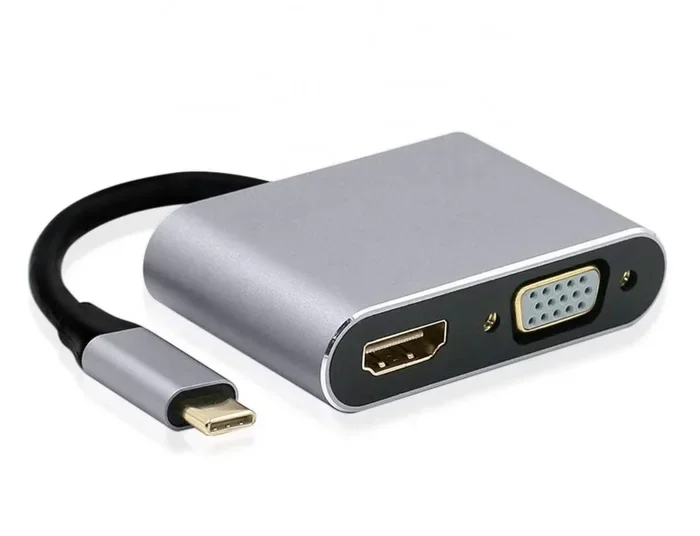
Do you need a mix of USB-A and USB-C ports? Some hubs also include HDMI or Ethernet ports. Think about what else you might need besides standard USB connections.
For example, if you want to connect an external NVMe SSD for extra storage, a M.2 NVMe to USB-C SSD enclosure paired with a quality hub can give you a fast and reliable setup.
Quick Tips for Getting the Most Out of Your Hub
- Always use a powered hub for external drives and hard drives.
- Do not plug in more devices than the hub can handle.
- Keep your hub’s firmware updated if the manufacturer provides updates.
- Use short, high-quality cables to reduce signal loss.
- Buy from reputable brands to avoid connection issues.
Final Thoughts
So, are USB hubs any good? Yes, they really are. A USB hub is one of the most useful accessories you can own. It solves the port shortage problem, keeps your workspace organized, and saves you money.
The key is to choose the right hub for your needs. If you need power for multiple devices, go with a powered USB hub. If you just need a few extra ports for simple devices, an unpowered hub works great.
Take your time, do your research, and pick a hub that fits your setup. A good hub makes a real difference in how you use your computer every day.
Frequently Asked Questions
Do USB hubs slow down data transfer speeds?
Some cheap hubs can slow down speeds, especially if they only support older USB versions. A USB hub that supports USB 3.0 or USB 3.1 will not slow down most devices. Always check the specs before buying.
Can I use a USB hub to charge my phone and laptop at the same time?
Yes, but you need a powered USB hub for this. An unpowered hub may not provide enough power to charge both devices. A powered hub has its own power supply, so it can handle multiple charging devices.
Are USB-C hubs better than USB-A hubs?
USB-C hubs offer faster speeds and a more modern design. They work well with newer laptops and devices. If your computer has USB-C ports, a USB-C hub is the best choice for future-proofing your setup.
How many devices can I connect to a USB hub?
Most hubs support between 4 and 10 devices. However, the number of devices you can run at full speed depends on the hub’s power supply and USB version. Do not overload a hub with too many power-hungry devices.
Is it safe to leave a USB hub plugged in all the time?
Yes, it is generally safe. A good quality hub is designed to run continuously. Just make sure your hub is from a trusted brand and has proper safety features like over-current protection.
Can a USB hub replace a docking station?
For basic needs, a USB hub can work like a docking station. But if you need to connect multiple monitors or use advanced features, a dedicated docking station may be a better choice. Hubs are simpler and more affordable for everyday use.