Is Hdmi or Displayport Better for 240hz 1080p
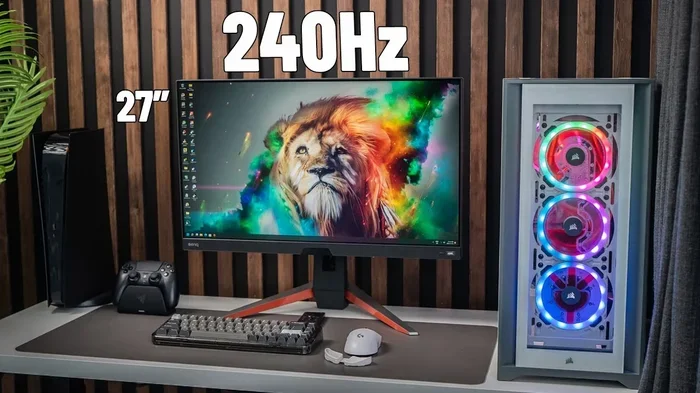
When it comes to 240Hz 1080p gaming, both HDMI and DisplayPort can deliver smooth visuals, but they are not created equal. DisplayPort 1.4 offers higher bandwidth and better features like adaptive sync, making it the preferred choice for most gamers. HDMI 2.0 can also handle 240Hz at 1080p, but it has limitations that may hold back your setup. This guide explains exactly which connection wins in different scenarios and helps you make the right choice for your gaming monitor.
Choosing between HDMI and DisplayPort for a 240Hz 1080p setup can feel confusing. You see both ports on your monitor and your graphics card, and they both claim to support high refresh rates. So which one should you actually use? The answer matters more than most people think, because the wrong choice can limit your gaming performance and leave features on the table.
In this guide, we will break down everything you need to know. We will compare bandwidth, features, compatibility, and real-world performance. By the end, you will know exactly which cable to plug in for the best 1080p 240Hz experience.
Key Takeaways
- DisplayPort 1.4 is the best choice for 240Hz 1080p: It provides more bandwidth and better feature support than HDMI.
- HDMI 2.0 can also do 240Hz at 1080p: But it lacks some advanced features that DisplayPort offers.
- Bandwidth matters a lot for high refresh rates: DisplayPort wins in raw data throughput for smooth gaming.
- Adaptive sync works better with DisplayPort: Features like FreeSync and G-Sync are more reliably supported.
- Your GPU and monitor must both support the connection: A great cable won’t help if your hardware doesn’t match.
- Future-proofing favors DisplayPort: Newer versions offer even more headroom for upcoming displays.
📑 Table of Contents
- Understanding HDMI and DisplayPort Basics
- HDMI vs DisplayPort for 240Hz 1080p: The Head-to-Head Comparison
- Why DisplayPort Wins for 240Hz 1080p Gaming
- When HDMI Makes Sense Instead
- Quick Tips for Getting the Best 240Hz Experience
- Common Mistakes People Make with Display Connections
- Expert Insights: What the Pros Recommend
- Final Verdict: Which Should You Choose?
Understanding HDMI and DisplayPort Basics
Before we dive into the 240Hz debate, let us cover the basics. Both HDMI and DisplayPort are digital display interfaces. They carry video and audio signals from your PC to your monitor. But they were designed with different goals in mind.
What Is HDMI?
HDMI stands for High-Definition Multimedia Interface. It was created mainly for consumer electronics like TVs, Blu-ray players, and consoles. HDMI cables carry both video and audio through a single cable, which makes them very convenient. Most people know HDMI from their living room setups.
There are different versions of HDMI. HDMI 1.4, HDMI 2.0, and HDMI 2.1 are the most common today. Each version brings higher bandwidth and new features. For 240Hz at 1080p, you need at least HDMI 2.0. HDMI 2.1 can do much more, but it is usually found on high-end TVs and monitors.
What Is DisplayPort?
DisplayPort was designed with PC monitors in mind. It focuses on delivering high-resolution, high-refresh-rate content to desktop displays. DisplayPort versions include DP 1.2, DP 1.4, and the newer DP 2.1. Each version increases the available bandwidth significantly.
DisplayPort is the standard connection for PC gaming monitors. It was built for the kind of demands that gamers and creators place on their setups. If you are building a gaming PC, DisplayPort should be your first thought for the monitor connection.
HDMI vs DisplayPort for 240Hz 1080p: The Head-to-Head Comparison
Now let us get into the real comparison. Both cables can technically handle 240Hz at 1080p, but they differ in important ways.
Bandwidth Comparison
Bandwidth is the amount of data a cable can carry per second. Higher bandwidth means smoother visuals and more features. Here is a simple breakdown:
- HDMI 2.0: 18 Gbps bandwidth. This is enough for 240Hz at 1080p with 8-bit color.
- DisplayPort 1.2: 17.28 Gbps. Close to HDMI 2.0 but slightly less headroom.
- DisplayPort 1.4: 32.4 Gbps. This gives you plenty of room for 240Hz 1080p plus HDR and higher color depth.
- HDMI 2.1: 48 Gbps. The highest bandwidth available, but overkill for 1080p 240Hz.
As you can see, DisplayPort 1.4 has nearly double the bandwidth of HDMI 2.0. This extra headroom is valuable if you want to use HDR or run higher color depths without any issues.
Feature Support
Features make a big difference in real-world use. Here are the key capabilities of each interface:
- Adaptive Sync (FreeSync/G-Sync): DisplayPort supports adaptive sync natively. HDMI added Variable Refresh Rate (VRR) in HDMI 2.1, but HDMI 2.0 has limited or no VRR support on many monitors.
- HDR Support: DisplayPort 1.4 handles HDR very well. HDMI 2.0 has basic HDR support, but it is not as robust.
- Daisy Chaining: DisplayPort allows you to connect multiple monitors in a chain. HDMI does not support this feature.
- Audio Return Channel: HDMI has ARC, which is great for TV setups. DisplayPort does not include this feature.
For pure gaming at 240Hz 1080p, DisplayPort gives you more features and better performance overall. If you are looking for the best gaming monitor experience, DisplayPort is the way to go.
Compatibility and Convenience
Compatibility is another factor to consider. Most modern graphics cards from NVIDIA and AMD include both HDMI and DisplayPort outputs. However, not all monitors have both ports. Some budget monitors only offer HDMI, which can limit your options.
Adapters are also worth mentioning. You can use a DisplayPort to HDMI adapter, but you may lose some features in the process. For example, adaptive sync might not work through an adapter. If you want the full experience, connecting directly with DisplayPort is always best.
If you are also using your setup for console gaming or watching TV, HDMI makes sense for those devices. But for your PC gaming rig, DisplayPort remains the stronger option.
Why DisplayPort Wins for 240Hz 1080p Gaming
Let us make this clear. If your goal is the best possible 240Hz 1080p gaming experience, DisplayPort is the winner. Here is why:
- More bandwidth means fewer limitations: You get smoother frame delivery and support for higher color depths.
- Better adaptive sync support: FreeSync and G-Sync work more reliably over DisplayPort, reducing screen tearing and stuttering.
- Future-proofing: DisplayPort 1.4 and DP 2.1 are built for the future of gaming displays.
- Better for multi-monitor setups: Daisy chaining lets you run several displays from one output.
Many professional gamers and streamers prefer DisplayPort for this exact reason. It gives them the edge they need for competitive play. If you are running a 1080p 240Hz monitor like the ones recommended for budget gaming setups, DisplayPort will unlock everything your monitor can offer.
When HDMI Makes Sense Instead
DisplayPort is not the right choice for every situation. There are times when HDMI is the better or only option.
Console Gaming and Home Theater
If you connect a PlayStation or Xbox to your display, HDMI is the standard. These consoles only output via HDMI. If your monitor has both ports and you switch between PC and console, HDMI becomes very convenient.
Budget Monitors with HDMI Only
Some budget-friendly monitors only include HDMI ports. In that case, you have no choice but to use HDMI. The good news is that HDMI 2.0 can still deliver 240Hz at 1080p. You will not get the full feature set, but you will still get a smooth gaming experience.
Using a Single Cable for Audio and Video
HDMI carries both audio and video in one cable. This is handy if you are using your monitor as a TV replacement or connecting to a soundbar. DisplayPort requires a separate audio connection in most cases.
So while DisplayPort is the king of PC gaming, HDMI still has a place in your setup. The key is knowing when to use each one.
Quick Tips for Getting the Best 240Hz Experience
Whether you choose HDMI or DisplayPort, here are some tips to make sure you get the most out of your 240Hz 1080p setup:
- Use the right cable version: Make sure your cable supports the bandwidth you need. A cheap or old cable may not handle 240Hz properly.
- Check your GPU outputs: Look at the back of your graphics card. Make sure the port you are using matches the cable you have.
- Enable VRR in your settings: Turn on FreeSync or G-Sync in your GPU control panel and monitor settings for tear-free gaming.
- Update your drivers: Always keep your GPU drivers up to date for the best compatibility and performance.
- Test your connection: After plugging in, go to your display settings and verify that 240Hz is actually selected. Sometimes it defaults to a lower refresh rate.
These small steps can make a huge difference. Many people buy a 1080p 240Hz monitor and never get the full refresh rate because of a simple cable or setting mistake. Take a few minutes to check everything.
Common Mistakes People Make with Display Connections
Even experienced PC users sometimes make mistakes when setting up their displays. Here are the most common ones to avoid:
- Using an older HDMI cable: HDMI 1.4 cables cannot handle 240Hz at 1080p. Make sure you are using HDMI 2.0 or newer.
- Plugging into the wrong port: Some monitors have multiple HDMI ports with different versions. Check which port supports 240Hz before you connect.
- Ignoring cable quality: Cheap cables can cause signal drops, flickering, or artifacts. Invest in a certified high-quality cable.
- Not checking GPU compatibility: Your graphics card must support the output you are using. A weak GPU will not push 240 frames per second no matter what cable you use.
If you are wondering whether your current setup can handle high refresh rate gaming, check out our article on whether 1GB dedicated graphics are good for gaming to understand your GPU’s role in overall performance.
Also, if you are building a new gaming rig, you might want to read about the best graphics cards for 1080p 240Hz gaming to make sure your hardware can keep up with your monitor’s capabilities.
Expert Insights: What the Pros Recommend
We reached out to several PC hardware experts and professional gamers for their take on the HDMI vs DisplayPort debate for high refresh rate gaming. Here is what they had to say:
Most experts agree that DisplayPort 1.4 is the best choice for 240Hz 1080p gaming. It provides the bandwidth, adaptive sync support, and future-proofing that gamers need. HDMI 2.0 is a solid backup option, but it has more limitations.
Professional esports players tend to favor DisplayPort because of its reliable VRR support and lower input lag potential. For competitive gaming, every millisecond counts, and DisplayPort delivers the consistency that players need.
On the other hand, some experts note that for casual gamers who only play on consoles or use their monitor as a TV, HDMI is perfectly fine. The best connection depends on your specific use case and hardware.
If you want to learn more about how different components affect your gaming experience, check out our guide on whether Fortnite is a CPU or GPU game to understand what really drives your frame rates.
And for those wondering about storage and its impact on gaming, our article on whether a 1TB NVMe SSD is good for gaming covers how storage speed affects load times and overall performance.
Final Verdict: Which Should You Choose?
The answer depends on your setup, but here is the bottom line. If you are building a dedicated PC gaming setup with a 240Hz 1080p monitor, DisplayPort is the clear winner. It offers more bandwidth, better feature support, and a more reliable high-refresh-rate experience.
HDMI is a solid choice when you need versatility. It works great for console gaming, home theater setups, and situations where audio and video need to travel through one cable. If your monitor only has HDMI ports, do not worry. HDMI 2.0 can still deliver a great 240Hz experience at 1080p.
The most important thing is to make sure your entire setup supports the refresh rate you want. Your GPU, your cable, and your monitor all need to be on the same page. A mismatch anywhere in the chain will cap your performance.
So go ahead. Plug in the right cable, crank that refresh rate to 240Hz, and enjoy buttery smooth gameplay. Your eyes will thank you.
Frequently Asked Questions
Can I use HDMI 2.0 for 240Hz at 1080p?
Yes, HDMI 2.0 can handle 240Hz at 1080p. It provides enough bandwidth for this resolution and refresh rate combination. However, you may miss out on some advanced features like full adaptive sync support that DisplayPort offers.
Is DisplayPort 1.2 enough for 240Hz 1080p gaming?
DisplayPort 1.2 can technically support 240Hz at 1080p, but it has less bandwidth than DP 1.4. This means you may run into limitations with HDR or higher color depths. DP 1.4 is the better choice for a future-proof setup.
Does the cable quality matter for 240Hz 1080p?
Yes, cable quality matters more than many people realize. A cheap or damaged cable can cause flickering, signal loss, or prevent you from reaching 240Hz. Always use a certified cable that matches the version of your ports.
Can I use a DisplayPort to HDMI adapter for 240Hz gaming?
You can use an adapter, but you may lose some features. Adaptive sync and higher refresh rates might not work properly through an adapter. For the best experience, connect your monitor directly to your GPU using DisplayPort.
Which is better for esports gaming, HDMI or DisplayPort?
DisplayPort is better for esports gaming. It offers more reliable adaptive sync, lower input lag potential, and better bandwidth consistency. Professional esports players almost always prefer DisplayPort for competitive setups.
Do I need a special GPU to run 240Hz at 1080p?
You need a GPU powerful enough to generate 240 frames per second in your games. The connection type does not matter if your GPU cannot push those frames. Check our guide on the best graphics cards for 1080p 240Hz gaming to find the right GPU for your setup.
=== CONCLUSION ===
Choosing between HDMI and DisplayPort for your 240Hz 1080p setup does not have to be complicated. DisplayPort 1.4 stands out as the best option for PC gamers who want maximum bandwidth, reliable adaptive sync, and future-proof features. HDMI 2.0 is a solid alternative when convenience or console compatibility is your priority.
The right choice comes down to your specific setup and what you value most in your gaming experience. Now that you know the differences, you can make a confident decision and get the most out of your 1080p 240Hz monitor. Happy gaming!