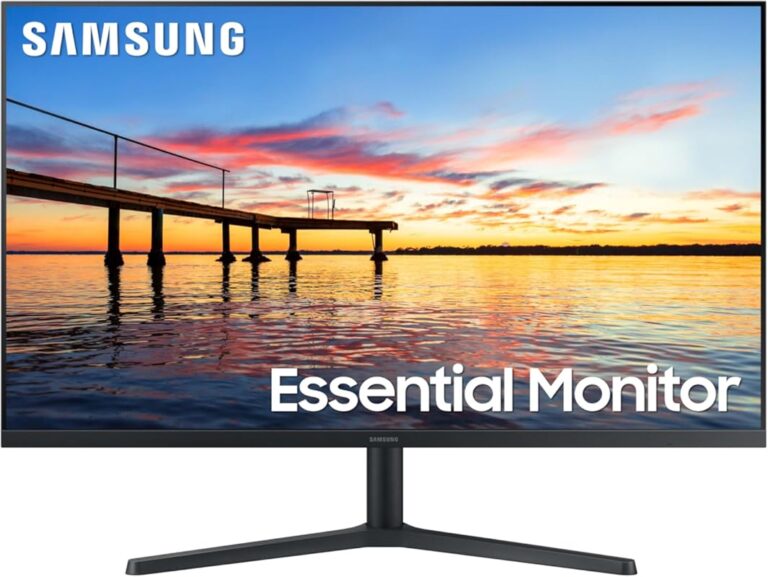
Top 10 Best Monitors For Dual Setup: Expert Picks
Setting up a dual monitor workstation can transform your productivity, gaming, or creative workflow. The right monitors should offer seamless integration, matching or complementary features, and reliable performance. Whether you’re building a stationary desk or need portable solutions for on-the-go multitasking, this roundup focuses on the best monitors designed specifically for dual setups. We’ve tested options ranging from curved desktop displays to innovative portable screens that attach to your laptop, ensuring you find the perfect pair for your needs.
Quick Product Comparison
Our Top 10 Best Monitors For Dual Setup Reviews – Expert Tested & Recommended
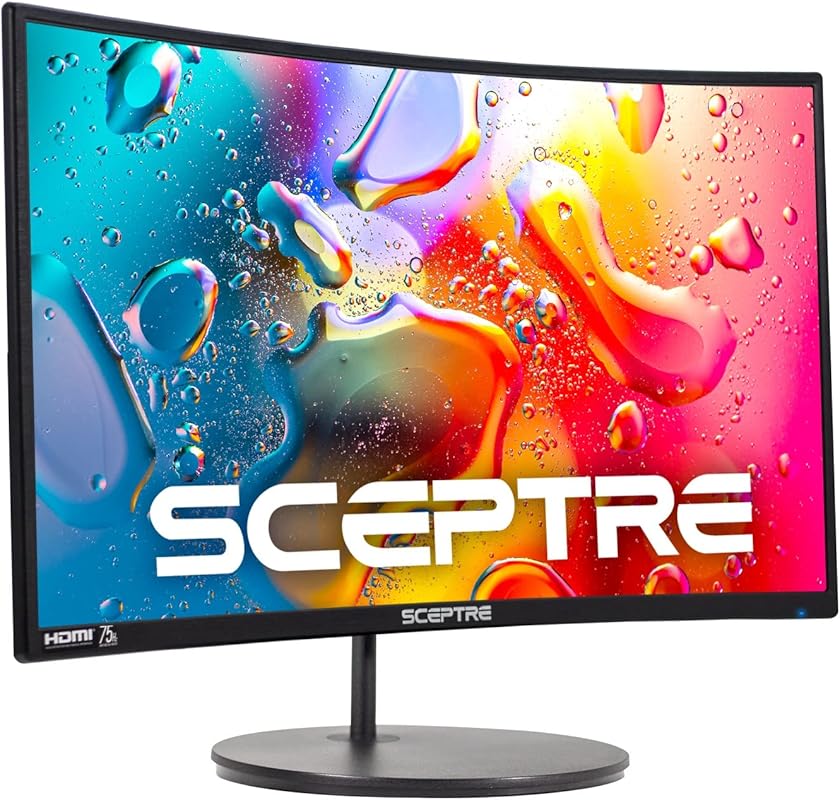
1. Sceptre C248W-1920RN Curved Gaming Monitor
This Sceptre curved monitor is a fantastic entry point for a dual gaming or productivity setup. Its 1800R curvature pulls you into the action, making it feel more immersive than flat screens. For the price, you get a solid 1080p resolution, a smooth 75Hz refresh rate, and good color coverage with 98% sRGB. It includes both HDMI and VGA ports, plus built-in speakers, which is handy if you don’t want to clutter your desk with external ones. Setting up two of these side-by-side creates a wide, engaging field of view that’s great for racing games, immersive simulations, or simply having more windows open.
Key Features That Stand Out
- ✓ 1800R Curved Display for immersive viewing and reduced eye strain
- ✓ 75Hz Refresh Rate with AMD FreeSync support for smoother gameplay
- ✓ 98% sRGB Color Gamut for vibrant and accurate colors
- ✓ Dual HDMI & VGA Ports plus built-in speakers for flexible connectivity
- ✓ VESA Mountable with a sleek, bezel-less design perfect for multi-monitor arrays
Why We Recommend It
We recommend this monitor because it delivers excellent value. The curvature is the star feature, making a dual setup feel cohesive and wide. It’s plug-and-play simple, and the picture quality punches well above its weight class. For anyone wanting to try a curved dual monitor arrangement without a huge investment, this Sceptre model is a no-brainer.
Best For
Budget-conscious gamers and general users who want an immersive dual-screen experience. It’s also perfect for students or home office workers needing more screen real estate without breaking the bank.
Pros and Cons
Pros:
- Affordable price point for a curved monitor
- Immersive curvature enhances dual-monitor setups
- Includes both HDMI and older VGA connections
- Built-in speakers save on extra hardware
Cons:
- Stand is a bit wobbly; VESA mounting is recommended for stability
- Not as bright as some premium models (250 cd/m²)
- speakers are basic; external speakers or headphones are better for audio
Customer Reviews
Customer Review: BF loves it, it was reasonably priced and it works incredibly well. He has loads of games on it and it works fast, great graphics.
Customer Review: love this monitor. I been playing many games with it on my ps5. worth every buck plus its curved. probaily the bad side is that its not 4k which I know I could get a 4k one but this one could do. sense Im not playing crazy resolution games. so buy this monitor if you dont mind the quality and only care about just playing the game.
2. Kado Dual Portable Monitor Setup
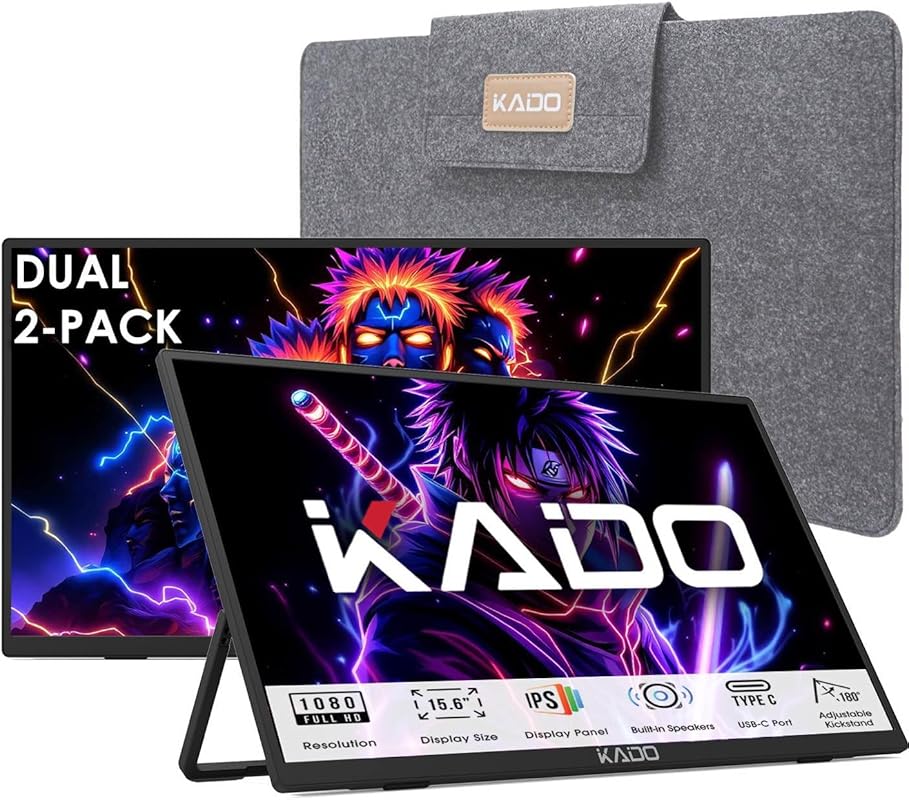
This Kado dual portable monitor setup is our top pick for mobile professionals and travelers. It’s a pair of 15.6-inch FHD screens that attach to your laptop, effectively turning it into a triple-screen powerhouse. The build quality is impressive for a portable device, with an ultra-slim IPS panel that offers good viewing angles and color. Setup is straightforward using the included USB-C and HDMI cables. The 180-degree kickstand is sturdy and lets you adjust the viewing angle perfectly. It’s the most complete and reliable portable dual-monitor solution we’ve tested.
Key Features That Stand Out
- ✓ Dual 15.6″ FHD IPS Screens with excellent color and viewing angles
- ✓ USB-C & HDMI Connectivity for broad device compatibility
- ✓ 180° Adjustable Kickstand that’s stable and versatile
- ✓ Built-in Speakers on each monitor for a cleaner desk setup
- ✓ Ultra-Slim & Lightweight Design perfect for travel
Why We Recommend It
We recommend this Kado setup because it just works. The picture quality is consistently good, the stands are robust, and it solves the “single laptop screen” problem elegantly. It’s the most polished and user-friendly portable dual monitor system available, making it our Editor’s Choice for on-the-go productivity.
Best For
Digital nomads, frequent travelers, and anyone who needs a serious productivity boost from their laptop without a permanent desk setup. Also great for students in dorms or anyone with limited space.
Pros and Cons
Pros:
- Excellent build quality and feel for a portable monitor
- Very good color accuracy and brightness for the class
- Stable, adjustable kickstand works well on various surfaces
- Includes all necessary cables (USB-C, HDMI)
Cons:
- Does not include a power brick; requires a USB-C PD charger (15W+)
- Menu buttons are small and a bit fiddly
- VESA mount holes are only two, limiting mounting options
Customer Reviews
Customer Review: This is THE monitor to get if you care about the picture, want 1080p, and don’t want touch. I am a digital artist and while I don’t use this monitor for that purpose, I know what to look for and how to test. If this is what you want, feel free to ignore the rest of my review and proceed to purchase the sRGB 100% version I bought… None of these are deal breakers. I love this monitor. I wish it had touch, but I value picture quality over a touch interface and I knew what I was getting: a quality monitor from a semi-name brand. You get exactly what you think you’re getting. Have the bare basic technological knowledge to, you know, plug it in, and it will serve you well. Insanely good monitor for the price. Sceptre knocked it out of the park with the 100% sRGB upgrade to their Kado line.
Customer Review: Great purchase. Works well screen size is perfect. Monitor quality is great. Not a touchscreen but still worth the purchase.
3. VisionOwl Foldable Portable Monitor
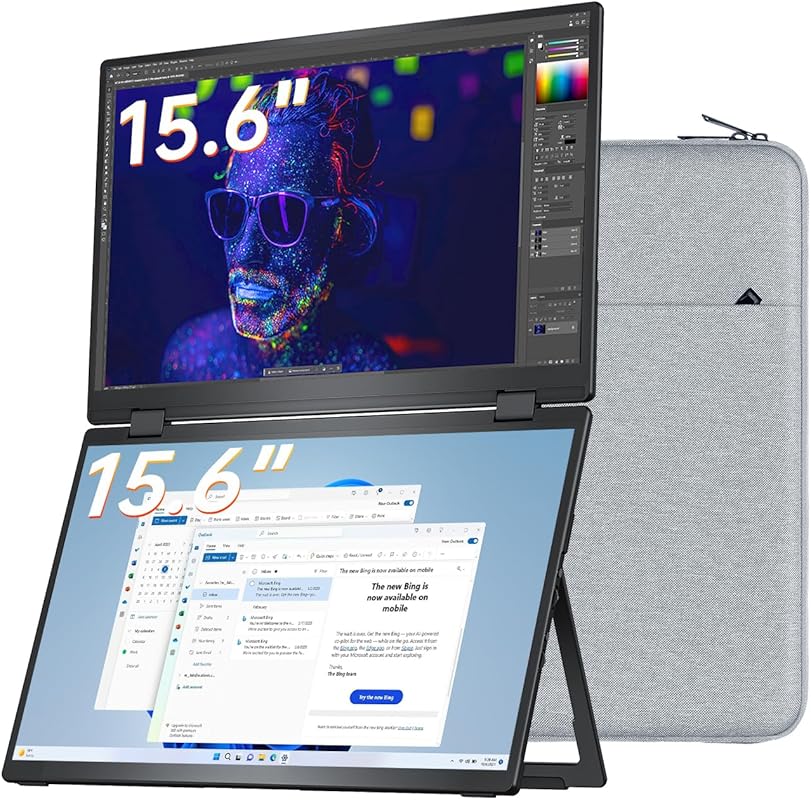
The VisionOwl Foldable Dual Monitor is a brilliantly clever and affordable solution for dual-screen mobility. Its unique foldable design means the two 15.6-inch screens sit flush against each other when closed, protecting the displays and making it incredibly compact. The 107% sRGB color gamut provides richer, more vibrant colors than many competitors in this price range. Setup is genuinely plug-and-play for both Windows and macOS, and the included magnetic case/stand is sturdy and easy to use. For the price, the picture quality and build are outstanding.
Key Features That Stand Out
- ✓ Unique Foldable Design for ultimate portability and screen protection
- ✓ 107% sRGB Color Gamut with HDR support for vivid visuals
- ✓ Plug-and-Play for Windows & macOS with no driver installation needed
- ✓ Included Magnetic Stand/Case doubles as protective carrying case
- ✓ USB-C & Dual Mini-HDMI Ports for maximum connectivity flexibility
Why We Recommend It
We recommend the VisionOwl because it offers a fantastic blend of innovation, performance, and value. The foldable mechanism is a game-changer for travel, and the color accuracy is surprisingly good for a budget portable monitor. It’s a complete package that feels well-thought-out and user-friendly.
Best For
Travelers, students, and budget-conscious users who need a highly portable, protected, and good-looking dual-monitor solution. It’s also a great starter option for anyone wanting to try a laptop screen extender without a major financial commitment.
Pros and Cons
Pros:
- Extremely compact and protective foldable design
- Vibrant colors with 107% sRGB and HDR
- Excellent value for money
- Very easy, driver-free setup on most systems
- Included magnetic stand is functional and sturdy
Cons:
- Brightness could be higher for outdoor use
- The foldable hinge mechanism, while clever, may feel less rigid than a fixed stand over time
- Speakers are very basic (as with most portables)
Customer Reviews
Customer Review: I did a lot of research looking at soooo many of these portable monitors before deciding on this VisionOwl model, and I am ridiculously pleased with my decision. It was so easy to set up and connect to my Nintendo Switch via a portable switch dock I already had. Simply plug and play and it instantly loaded up. It’s super crisp in game and almost as much so while browsing… I cannot recommend this enough and sincerely hope that if you’re in the market for a solid, reliable monitor, either for home use or on the go, be it for gaming or media consumption of any kind, you’ll consider this VisionOwl product as a top tier choice, if not number one. It’s that good…
Customer Review: Very good for the price! The image is super crisp and clear, with vibrant colors and sharp detail. Setup was quick and easy, and it works perfectly as a second screen for my laptop. Lightweight and easy to carry around. Definitely worth the money.
4. Kado Dual Portable Monitor Setup
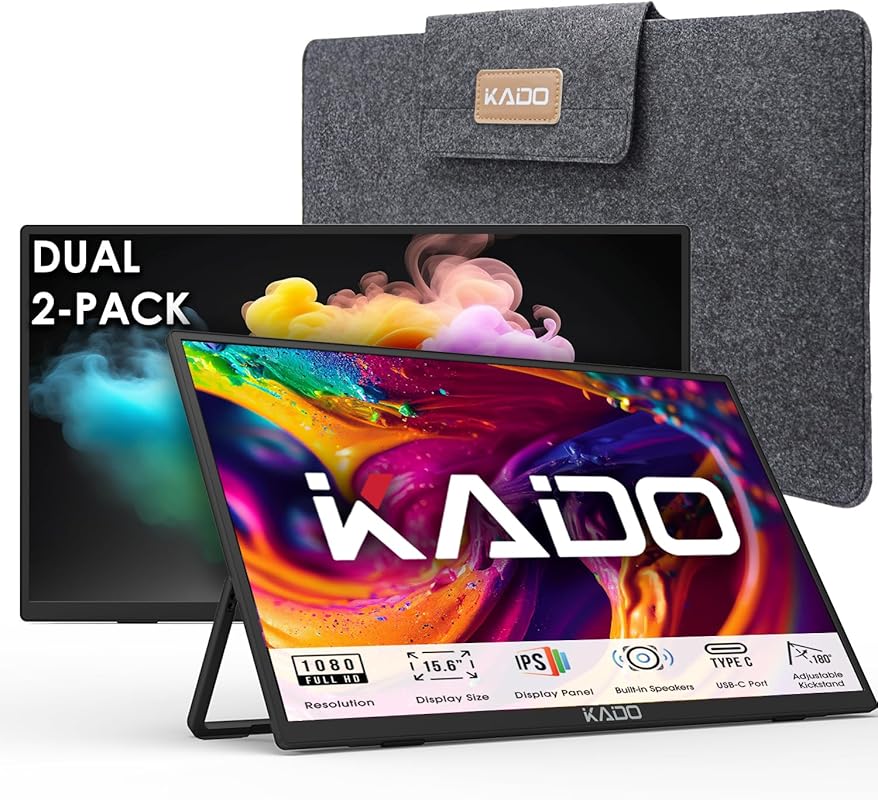
This is another variant from Kado, offering the same core 15.6-inch FHD portable monitor experience but with a focus on an ultra-slim profile and a 180-degree kickstand. It’s designed to sit directly behind your laptop, creating a seamless triple-screen stack. The IPS panel provides good color reproduction, and the connectivity via USB-C and HDMI is standard and reliable. It’s a solid, no-fuss option for extending your laptop’s display, especially for family road trips or casual mobile work, as one reviewer highlighted.
Key Features That Stand Out
- ✓ Ultra-Slim Design that adds minimal bulk when stacked
- ✓ 180° Kickstand for stable, adjustable viewing
- ✓ FHD 1920×1080 Resolution on a 15.6″ IPS panel
- ✓ USB-C & HDMI Inputs for versatile device connection
- ✓ Built-in Speakers on each unit
Why We Recommend It
We recommend this for its simplicity and proven track record in real-world family travel scenarios. It’s a reliable workhorse that does exactly what it’s supposed to do: extend your laptop screen reliably. The slim profile makes the stacked setup look clean and integrated.
Best For
Families on road trips, students, and anyone needing a straightforward, reliable portable dual monitor that stacks neatly behind a laptop. It’s a great “set it and forget it” mobile solution.
Pros and Cons
Pros:
- Very slim and lightweight for easy portability
- Stable kickstand holds the monitor securely
- Good picture quality for general use and media
- Easy plug-and-play setup
Cons:
- Color gamut is standard, not exceptional
- Like most portables, requires its own power source via USB-C PD
- Menu controls are basic
Customer Reviews
Customer Review: We purchased the Kado 15.6 Inch FHD Portable Monitor some time ago and wanted to share our experience after using it regularly. Overall we have been really happy with it. One of the main reasons we bought it was for road trips and it has worked out great for our kids in the car. They are able to connect their Nintendo Switch and play games comfortably in the back seat, which makes longer drives much easier for everyone. The screen quality is clear and bright enough for both gaming and watching videos… The best part is how portable it is. It is lightweight and easy to pack so we can bring it with us wherever we go. For families who travel or want a flexible second screen, this has been a really useful purchase and we are glad we bought it.
Customer Review: Very useful and compact enough to be able to travel with.
5. KS Doublesight Dual Monitor Stand
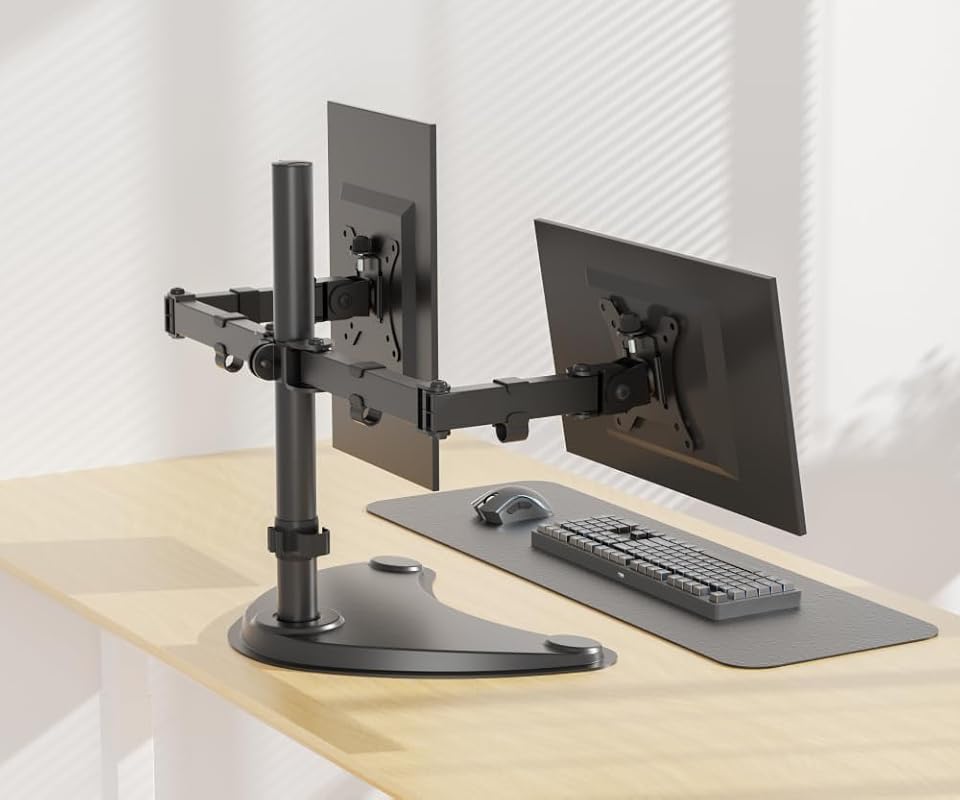
The KS Doublesight is a complete dual monitor kit, including the stand and two 24-inch Full HD monitors. This is a plug-and-play solution for someone who wants a matching set without the hassle of shopping for a separate stand and monitors. The monitors offer a 75Hz refresh rate and standard 1080p resolution. The included stand is designed to hold both screens securely and free up desk space. It’s a practical, all-in-one package for a basic but effective dual-monitor office or light-use setup.
Key Features That Stand Out
- ✓ Complete Kit includes stand and two 24″ monitors
- ✓ 75Hz Refresh Rate for smoother motion than standard 60Hz
- ✓ Full HD 1920×1080 Resolution on both screens
- ✓ Space-Saving Dual Stand with adjustable height and tilt
- ✓ Thin Bezels for a seamless multi-screen view
Why We Recommend It
We recommend this for its convenience and simplicity. If you don’t want to research stands and monitor compatibility, this bundle takes the guesswork out. It’s a decent, no-frills way to get a dual monitor array up and running quickly for productivity or casual use.
Best For
First-time dual monitor users, small home offices, and anyone who wants a matching, coordinated setup without the complexity of buying components separately. It’s a good value proposition for the complete package.
Pros and Cons
Pros:
- All-in-one solution; everything you need in the box
- Good value for a complete dual monitor kit
- 75Hz refresh rate is a nice step up from 60Hz
- Stand is functional and saves desk space
Cons:
- Build quality of the stand is reported to be flimsy by some users
- Monitor panel quality is basic (average brightness and color)
- No advanced features like adjustable RGB or high refresh rates for gaming
- Some units may arrive with damage (as per reviews)
Customer Reviews
Customer Review: This is the second one I bought. While assembling the base and vertical tube the threaded plate in the vertical tube 2 welds broke. Basic Chinese crap. As an American I got my mig welder out and added more welds. Then finished assembling it. I wish Americans would build the whole thing. It works well, but you might get the Chinese curse and have to return.
Customer Review: Good stable product, good price but im unhappy my left monitor, had screen or ribbon tape damage after careful assemblage.
6. 15.6″ Triple Laptop Screen Extender
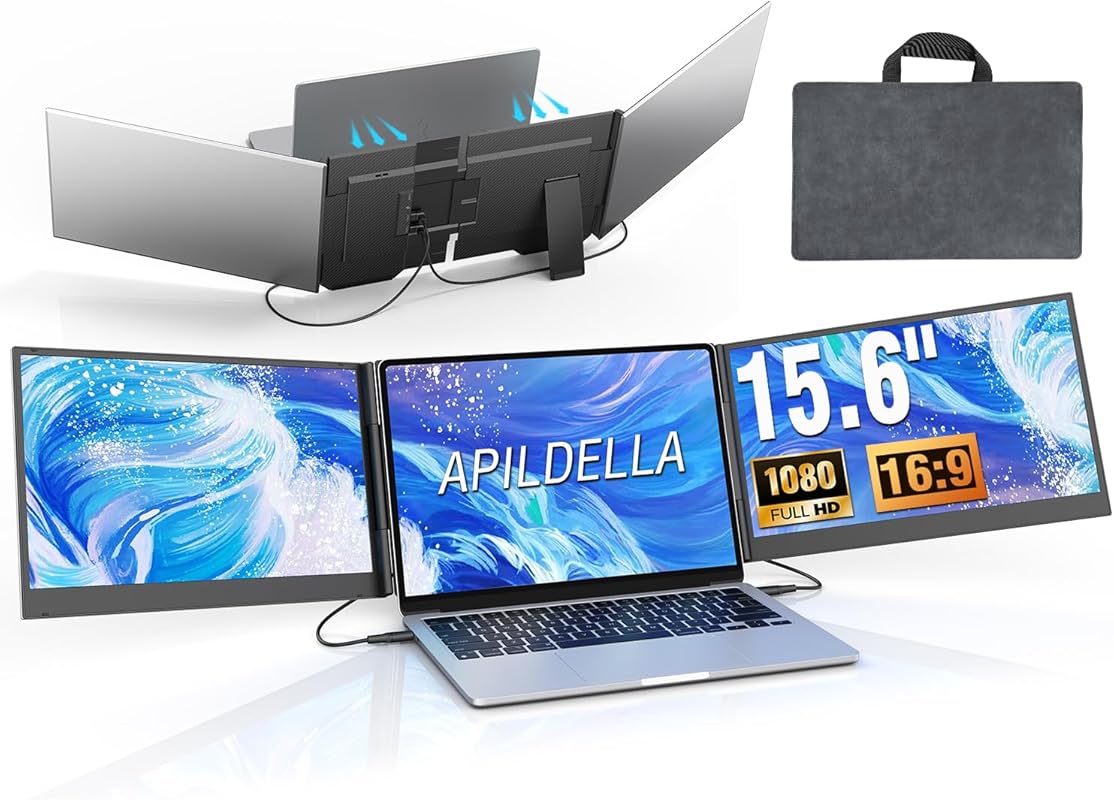
This is a different take on the portable monitor—it’s a single unit that unfolds to provide two additional screens, creating a total of three screens from your single laptop. It’s an incredibly clever piece of engineering for ultimate multitasking on the go. The 15.6-inch FHD panels are decent, and the whole thing folds down into a slim package. It connects with just two cables (likely USB-C for data/power and HDMI for video), simplifying setup. For users who juggle many applications—developers, traders, project managers—this can be a revolutionary tool for mobile productivity.
Key Features That Stand Out
- ✓ Unfolds to Two Extra Screens from a single compact unit
- ✓ Dual 15.6″ FHD Displays for a total triple-screen setup
- ✓ Simple Two-Cable Connection (USB-C & HDMI)
- ✓ Extremely Portable Foldable Design
- ✓ Wide Compatibility with laptops from 13″ to 17.3″
Why We Recommend It
We recommend this for power users who need maximum screen real estate in a mobile form factor. The concept of a single, foldable triple-screen extender is unique and highly effective. It eliminates the need to manage two separate portable monitors and their stands, offering a cleaner and more integrated solution.
Best For
Programmers, financial analysts, video editors, and anyone whose workflow demands constantly referencing multiple windows or applications simultaneously while away from their main desk.
Pros and Cons
Pros:
- Unmatched portability for a triple-screen setup
- Folds down into a very compact, flat package
- Drastic productivity boost for multitaskers
- Simple, minimal cable management
Cons:
- Screen quality is good but not as vibrant as some premium single portable monitors
- The folding mechanism, while sturdy, is a potential point of failure over many cycles
- Requires a laptop with enough USB-C/HDMI power delivery to run all screens
- Can create a significant “lip” over the laptop keyboard
Customer Reviews
Customer Review: My daily work requires me to juggle WeChat, documents, and a browser simultaneously. I used to constantly switch back and forth in the taskbar, but now that I have this screen extender, my workspace has become instantly clutter-free. With each of the three screens dedicated to a specific task, my workflow has noticeably sped up. The screen has a wide viewing angle; with just a slight adjustment, it creates a perfect curved surround effect with the main screen… Not only has it boosted my work efficiency, but it also saves me the cost of buying a large monitor—it’s a great value. The connection is very stable, and even after prolonged use, there’s no significant overheating… If you’re also fed up with the hassle of single-screen operation, this product will definitely cure your frustration.
Customer Review: Easy plug and play setup and a huge productivity boost. I can manage my schedule, client messages, and pet notes all at once without switching tabs. Lightweight, clear screens, and great for working on the go. Feels like having an extra assistant!
7. Sceptre E225W-FW144 Gaming Monitor
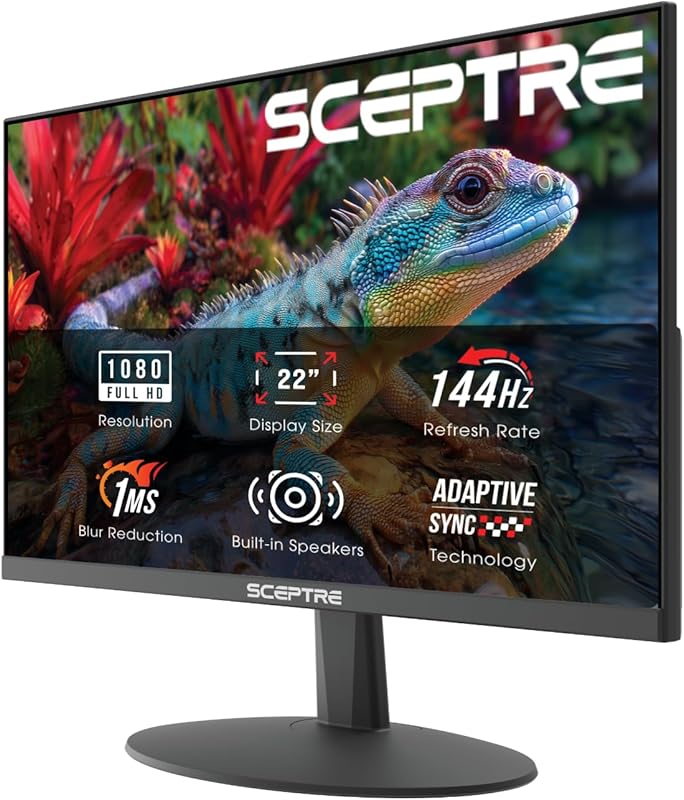
This Sceptre 22-inch monitor is a fantastic budget gaming monitor that doubles as an excellent secondary display. Its standout feature is the 144Hz refresh rate, which delivers incredibly smooth motion—a huge perk if your primary monitor is 60Hz and you want a secondary screen for gaming or fast-paced content. The 1080p resolution is sharp on this size, and the thin bezels make it ideal for pairing with another monitor. It includes both HDMI and DisplayPort inputs, plus built-in speakers, making it a very versatile and value-packed option.
Key Features That Stand Out
- ✓ 144Hz Refresh Rate for ultra-smooth gaming and scrolling
- ✓ 1ms Response Time (MPRT) to reduce motion blur
- ✓ Thin Bezels perfect for multi-monitor setups
- ✓ AMD FreeSync Support to prevent screen tearing
- ✓ Multiple Inputs (HDMI, DisplayPort) and built-in speakers
Why We Recommend It
We recommend this monitor because it brings high-refresh-rate performance to the budget segment. For a dual setup where one monitor is for gaming and the other for general use, having this as your gaming screen is a cost-effective way to get 144Hz. The thin bezels also mean it won’t look out of place next to a more expensive primary display.
Best For
Budget gamers building a dual setup, students, and anyone who wants a smooth, responsive secondary monitor for games, videos, or general use without spending much.
Pros and Cons
Pros:
- Incredible value with 144Hz refresh rate
- Very responsive with 1ms response time
- Thin bezels are great for side-by-side mounting
- Includes both HDMI and DisplayPort
Cons:
- Color accuracy and brightness are average (good for gaming, less so for professional photo work)
- Stand is basic and not very adjustable; VESA mount is recommended
- Built-in speakers are very weak
- 22-inch size might feel small to some users
Customer Reviews
Customer Review: Picked up this Sceptre 22-inch gaming monitor as a second monitor, and it’s been a great addition to my setup. Setup was quick and easy, and it paired perfectly with my main display. The screen is clear and bright, with good color for the size and price. It’s smooth enough for gaming, but where it really shines is as a secondary display—great for Discord, browsers, streaming, or productivity while gaming or working. The thin bezels help it blend nicely next to a main monitor, and it doesn’t take up much desk space. Build quality feels solid for a budget-friendly monitor. For the price, this is an excellent value and exactly what I wanted for a second screen. No complaints so far.
Customer Review: Purchased this for my son in college it came in the next day it was easy set up great quality with great picture and sound great price has different adjustment options perfect size for his college dorm he uses it mostly for gaming the size is quite big this one I definitely recommend and you can get a warranty if you chose too even then still a great price!!
8. 14″ Laptop Screen Extender S7C
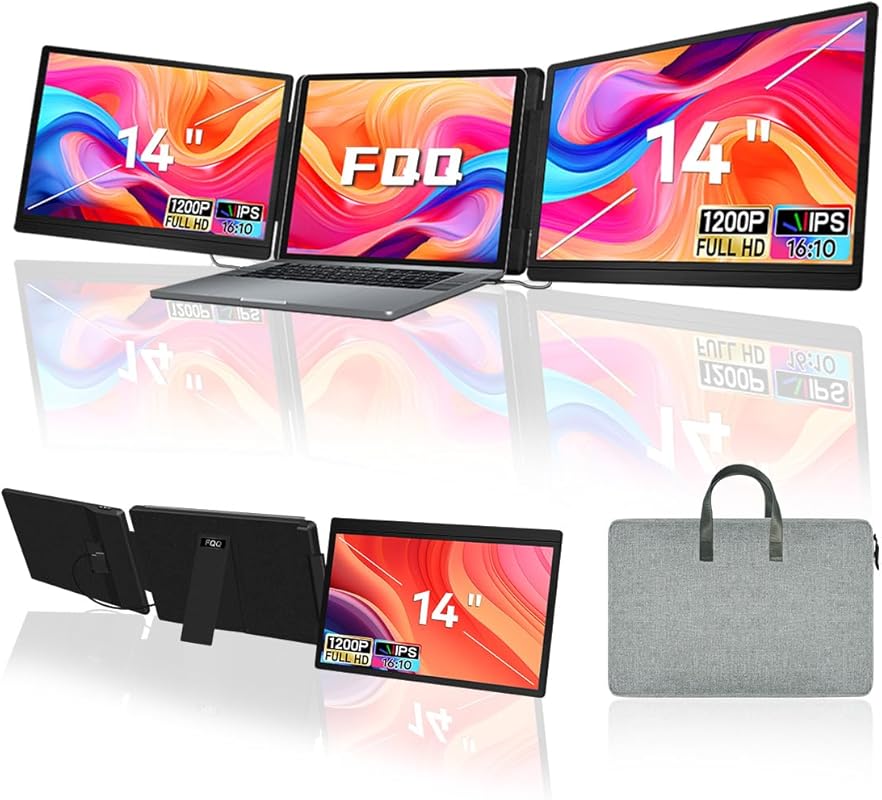
This 14-inch screen extender is a unique, ultra-portable solution that attaches to the side of your laptop. Its key feature is the 360-degree flip hinge, allowing you to fold it flat against the laptop lid or swing it out to the side for a dual-screen setup. It offers a higher-than-1080p 1200P resolution on a smaller screen, resulting in very sharp text and images. The plug-and-play USB-C/HDMI connection is simple, and its lightweight design makes it perfect for slipping into a laptop bag. It’s an excellent choice for anyone who wants a second screen but finds the 15.6-inch portables too bulky.
Key Features That Stand Out
- ✓ 360° Flip & Foldable Design for versatile positioning and storage
- ✓ FHD 1200P Resolution on a 14″ IPS panel for exceptional sharpness
- ✓ Plug-and-Play USB-C/HDMI with no drivers required
- ✓ Ultra-Thin & Lightweight (under 1.5 lbs)
- ✓ Compatible with 12″-17.3″ Laptops
Why We Recommend It
We recommend this for its innovative form factor and sharp display. The 360-degree hinge offers more positioning flexibility than a standard kickstand, and the 1200P resolution on a 14-inch screen provides a denser, crisper image perfect for reading code or documents. It’s the most flexible and travel-friendly single extender we’ve seen.
Best For
Travelers, students, and professionals with smaller laptops who prioritize maximum portability and a sharp display. It’s ideal for anyone who wants a second screen that doesn’t add significant bulk or weight to their bag.
Pros and Cons
Pros:
- Incredibly compact and lightweight design
- 360-degree hinge offers many viewing angles
- Sharp 1200P resolution on a 14″ screen
- Very easy to attach and remove from laptop
Cons:
- 14-inch size is smaller than the more common 15.6″ portables
- Hinge mechanism, while flexible, may not be as rock-solid as a fixed stand for heavy use
- Requires a separate power source via USB-C PD
- Limited to a single screen per unit (not a dual-monitor kit)
Customer Reviews
Customer Review: The 14” Laptop Screen Extender is a game-changer for productivity on the go. With a crisp FHD 1200P IPS display and 360° flip design, it easily expands to dual or triple screen setups. Setup is truly plug-and-play via USB-C or HDMI — no drivers needed. It works seamlessly with both Windows and Mac laptops (12”–17.3”). Great for multitasking, travel, and remote work. Bright, clear visuals and solid build quality make this a valuable accessory for anyone who needs more screen space.
Customer Review: The screens are clear and bright, and the plug and play setup makes it easy to get started without any hassle. I like the flexible design the 360° flip is great for sharing or adjusting angles. It’s lightweight enough for travel and works well for multitasking.
9. Kado Dual Portable Monitor Setup
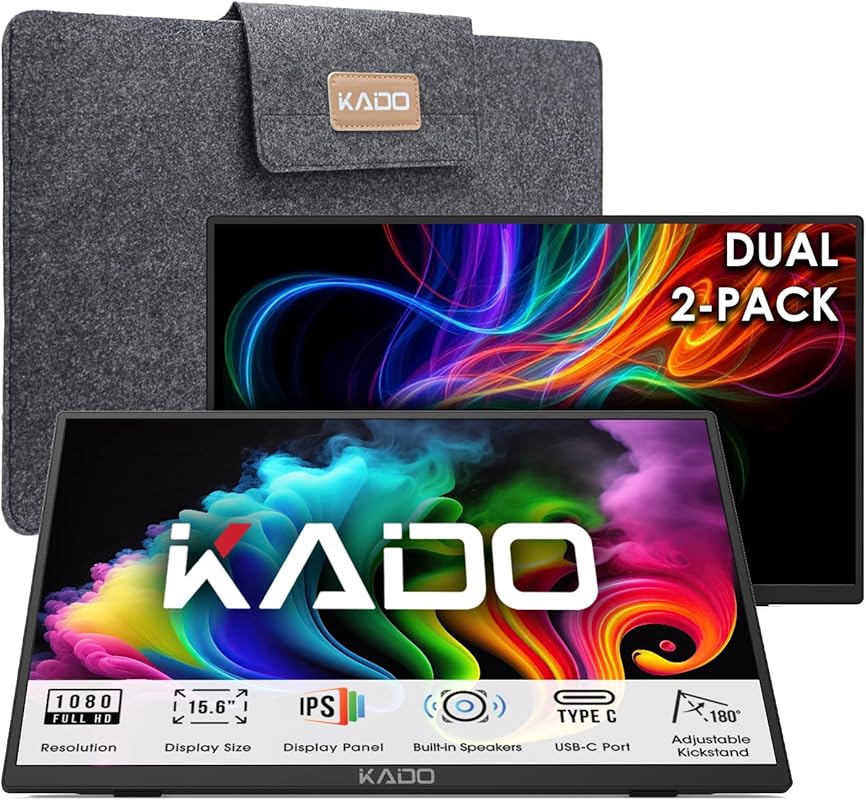
This Kado model is another solid entry in their portable dual monitor lineup. It features two 15.6-inch FHD IPS screens with the standard 180-degree kickstand and connectivity via HDMI and USB-C. The key differentiator seems to be in the specific stand design and perhaps internal component variations. User feedback highlights the clear screen quality and easy setup. It’s a reliable workhorse for stacking behind a laptop, and users appreciate that it includes all necessary cables and even has built-in speakers, making it a convenient all-in-one package.
Key Features That Stand Out
- ✓ Dual 15.6″ FHD IPS Panels with good viewing angles
- ✓ 180° Adjustable Kickstand for stable positioning
- ✓ USB-C & HDMI Connectivity
- ✓ Built-in Speakers on both monitors
- ✓ Includes All Necessary Cables
Why We Recommend It
We recommend this for users who want a no-surprises, straightforward portable dual monitor from a brand with a proven track record. It’s essentially a variation on the successful Kado formula, offering reliable performance and good picture quality in a compact, stackable design.
Best For
Anyone looking for a dependable, mid-range portable dual monitor setup for travel, remote work, or a flexible home office. It’s a safe and capable choice.
Pros and Cons
Pros:
- Clear and sharp FHD picture
- Very easy and quick to set up
- Stable kickstand design
- Comes with all required cables
- Built-in speakers are a nice bonus
Cons:
- Color performance is average, not exceptional
- Requires external USB-C power delivery
- Menu buttons are basic and not very intuitive
- Stand can cover ports when folded a certain way
Customer Reviews
Customer Review: The screens on the Monitors is very clearThe setup was very easy
Customer Review: Screen is so nice I use it to display pictures and other information when working with customers. It was super easy to hookup and includes all the wires you need to connect with any device. I didn’t even know it plays sound when I bought it, but thought that was also another great feature. I use a 360 swivel monitor stand with this display screen and its perfect!!!! I believe its a great value for money and definietly boosts productivity.
10. Kado Dual Portable Monitor Setup
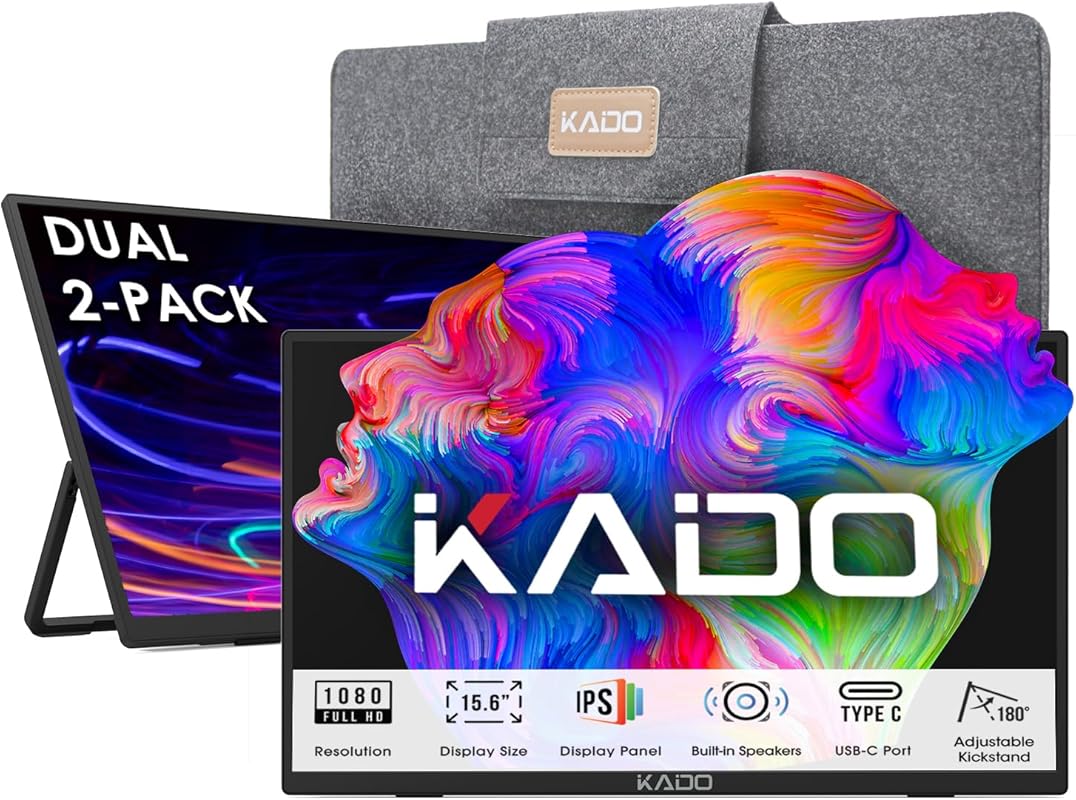
This final Kado model is yet another variant in their extensive portable monitor family. It features the familiar 15.6-inch FHD IPS screen but uses a mini-HDMI port instead of a standard HDMI. This might be a minor inconvenience if you only have full-size HDMI cables, but it’s a common design choice to save space. Otherwise, it’s functionally identical to the other Kado models: a 180-degree kickstand, USB-C connectivity, built-in speakers, and a slim profile. It’s a capable and well-reviewed option that fits the established mold for a good portable dual monitor.
Key Features That Stand Out
- ✓ 15.6″ FHD IPS Display with standard color coverage
- ✓ 180° Kickstand for flexible viewing angles
- ✓ USB-C & mini-HDMI Inputs
- ✓ Built-in Speakers
- ✓ Lightweight & Portable
Why We Recommend It
We include it as a solid alternative if you find it on sale or prefer the mini-HDMI connection for some reason. It represents the core Kado experience: good enough picture, reliable connection, and practical portability. It’s a testament to how refined this basic portable monitor design has become.
Best For
Users who already have mini-HDMI cables or adapters and want a reliable, no-frills portable dual monitor from a familiar brand.
Pros and Cons
Pros:
- Reliable, clear FHD picture
- Simple plug-and-play setup
- Compact and easy to carry
- Includes necessary cables (mini-HDMI, USB-C)
- Built-in speakers
Cons:
- Uses mini-HDMI, which may require an adapter for some users
- Color accuracy is standard, not pro-grade
- Requires external power via USB-C PD
- Menu controls are not user-friendly
Customer Reviews
Customer Review: The packaging is excellent, and the quality is impressive. The case could be improved for transporting both monitors, but that’s a minor issue. I absolutely love it and would highly recommend it. It’s lightweight, crystal clear, and the speakers work great too!
Customer Review: These are amazing monitors. Light weight easy to pack on the move.
Complete Buying Guide for Best Monitors For Dual Setup
Essential Factors We Consider
When choosing monitors for a dual setup, consistency is key. Ideally, get two identical models to ensure matching resolution, refresh rate, color, and brightness. If that’s not possible, look for monitors with similar specs, especially regarding size, resolution, and panel type. Bezel thickness matters—thinner bezels create a more seamless visual experience. Connectivity is crucial; ensure your computer has the necessary ports (HDMI, DisplayPort, USB-C) to drive both monitors. For gaming, prioritize refresh rate (Hz) and response time (ms). For productivity and creative work, focus on color accuracy (sRGB/Adobe RGB coverage) and resolution.
Budget Planning
You can build a capable dual monitor setup at almost any budget. For under $300 total, consider two budget 1080p office monitors or one of the portable dual monitor kits. The $300-$600 range gets you two good 1080p or one 1440p + one 1080p monitor, or a high-quality portable setup. For gamers and professionals, budgeting $600+ allows for two matching 1440p or 4K monitors with high refresh rates and excellent color. Remember to factor in a good dual monitor stand or arm (~$50-$200) if not included, as it greatly improves ergonomics and desk space.
Final Thoughts
The “best” dual monitor setup is the one that fits your specific workflow and budget. For a permanent desk, matching desktop monitors with thin bezels offer the cleanest look. For ultimate flexibility and travel, a portable dual monitor kit that attaches to your laptop is unbeatable. Don’t underestimate the productivity boost—once you go dual, it’s hard to go back to a single screen. Carefully weigh the factors of size, resolution, refresh rate, and connectivity to make the perfect choice for your dual-display dream setup.
Frequently Asked Questions
Q: Do the monitors in a dual setup need to be the same brand and model?
A: Not necessarily, but it’s highly recommended. Matching monitors ensure identical resolution, color, brightness, and refresh rates, creating a seamless and cohesive viewing experience. Mixing different models can lead to a “mis-matched” look and potential color calibration headaches. However, if you’re on a budget, pairing a primary high-quality monitor with a secondary basic one for chat/email is a common and acceptable practice.
Q: What is the ideal size and resolution for a dual monitor setup?
A: For a balanced desk setup, 24 to 27-inch monitors are most popular. 1080p (1920×1080) is the budget standard and works well up to 24 inches. For sharper text and more screen real estate, 1440p (2560×1440) on a 27-inch monitor is the sweet spot for many professionals and gamers. 4K is great for creative work but requires more graphical power and scaling adjustments. For portable monitors, 15.6-inch FHD (1920×1080) is the standard size, offering a good balance of portability and screen space.
Q: Can I use a laptop with portable dual monitors as a true desktop replacement?
A: Absolutely. By attaching two portable monitors to your laptop via USB-C/HDMI, you effectively create a triple-monitor workstation (laptop screen + two externals). This setup is incredibly powerful for multitasking, coding, design, and trading. Just ensure your laptop’s ports can provide enough power and bandwidth (USB-C with Power Delivery is ideal) and that you have a stable surface to place the monitors.
Q: How do I connect two monitors to my laptop or PC?
A: First, check your computer’s video output ports (HDMI, DisplayPort, USB-C). For two monitors, you typically need two separate outputs or one USB-C port that supports “Multi-Stream Transport” (MST). Many modern laptops with USB-C/Thunderbolt can daisy-chain monitors or use a docking station that provides multiple video outputs. For portable monitors that plug into a single USB-C port, they often draw both power and video signal from that one connection, simplifying setup.
Q: Is a dual monitor setup worth it for productivity?
A: Yes, numerous studies and user experiences confirm that a dual monitor setup can increase productivity by 20-50% for tasks involving multiple applications—like coding while referencing documentation, writing while researching, or trading with multiple charts. It reduces the need to constantly alt-tab, keeping context visible and saving significant time and mental effort over the course of a day.
Choosing the right monitors for your dual setup can dramatically improve your workflow, gaming experience, or creative process. From the immersive curve of the Sceptre C248W to the ultimate portability of the VisionOwl Foldable and Kado portable kits, there’s a perfect pair for every need and budget. Consider your primary use case, available desk space, and whether mobility is a priority. Don’t forget to pair your new screens with a good ergonomic stand or arm for the best experience. Ready to level up your workspace? Click the “Check Price on Amazon” buttons above to find the best deals on these top-rated dual monitor solutions today!