Top 10 Best Monitors With Integrated Webcam That Experts Recommend
In today’s hybrid work world, a clean, clutter-free desk is a dream. Monitors with integrated webcams make that dream a reality by combining two essential tools into one sleek package. No more external webcam cluttering your screen or worrying about USB ports. These all-in-one solutions offer professional-grade video conferencing built right into your display, often with added perks like microphones, speakers, and advanced ergonomics. But with so many options, finding the right balance of display quality and camera performance is key. We’ve tested and rounded up the top 10 best monitors with integrated webcams to streamline your setup and boost your video call game.
Quick Product Comparison
Our Top 10 Best Monitors With Integrated Webcam Reviews – Expert Tested & Recommended
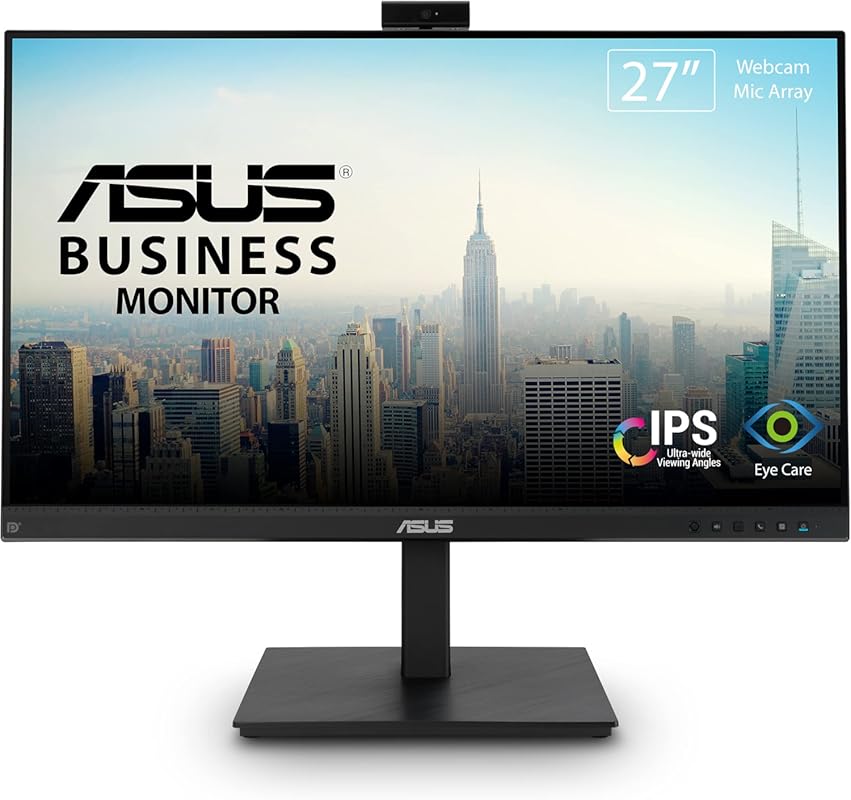
1. ASUS BE279QSK Video Conference Monitor
The ASUS BE279QSK is a powerhouse all-in-one solution that feels purpose-built for the modern professional. Its 27-inch Full HD IPS panel provides crisp, clear visuals with excellent viewing angles, while the integrated 2MP webcam is fully adjustable—you can tilt, swivel, and raise or lower it to get the perfect framing. It’s packed with thoughtful touches like a mic array and built-in stereo speakers, meaning you can often leave your headset at home. The height-adjustable stand and Eye Care technology (reducing blue light and flicker) make it comfortable for long workdays. It’s a complete package that minimizes desk clutter without sacrificing performance.
Key Features That Stand Out
- ✓ Fully adjustable 2MP Full HD webcam with privacy cover
- ✓ Integrated microphone array and stereo speakers
- ✓ 27-inch IPS panel with 1920×1080 resolution and ergonomic stand
- ✓ Extensive connectivity: DisplayPort, HDMI, D-sub, USB, and audio jacks
- ✓ ASUS Eye Care technology for reduced eye strain
Why We Recommend It
This monitor is our top pick because it delivers a superb balance of a high-quality display and a genuinely useful, flexible webcam system. The camera’s physical adjustability is a rare and valuable feature, ensuring you always look your best on calls without awkward angles. The included audio system is surprisingly good for meetings, and the robust connectivity means it works with almost any computer. It’s the most hassle-free, ready-to-use integrated webcam monitor on the market.
Best For
Remote workers, students, and anyone in business who wants a single, elegant solution for video calls and daily computing. It’s especially ideal for those who hate the look and hassle of a separate webcam and want a monitor that does it all well.
Pros and Cons
Pros:
- Exceptionally versatile and adjustable built-in webcam
- Good integrated speakers and microphone for clear calls
- Large 27-inch screen with excellent color and viewing angles
- Ergonomic stand with height, tilt, swivel, and pivot adjustments
- Strong build quality and reliable performance
Cons:
- Camera resolution (2MP) is adequate but not class-leading
- Price is higher than basic monitors without webcams
- Stand takes up a fair amount of desk space
Customer Reviews
Customer Review: Working from home got tired of the look of two monitors in my home office. This monitor is the right size and you can easily split the screens and or change it up with various sizes with your desktop operating software. The fixes camera is nice and simple to use…I do wish it was movable (up and down and sideways) I have to lower the monitor or raise my chair so I am appropriately sized in virtual meetings. Reasonable price and good quality!
Customer Review: excellent image quality. pretty easy to set up. Quality of camera image (produced) isn’t the greatest but given the cost of this monitor it is perfectly acceptable. Sound is excellent.
2. Philips 34E1C5600HE UltraWide Monitor
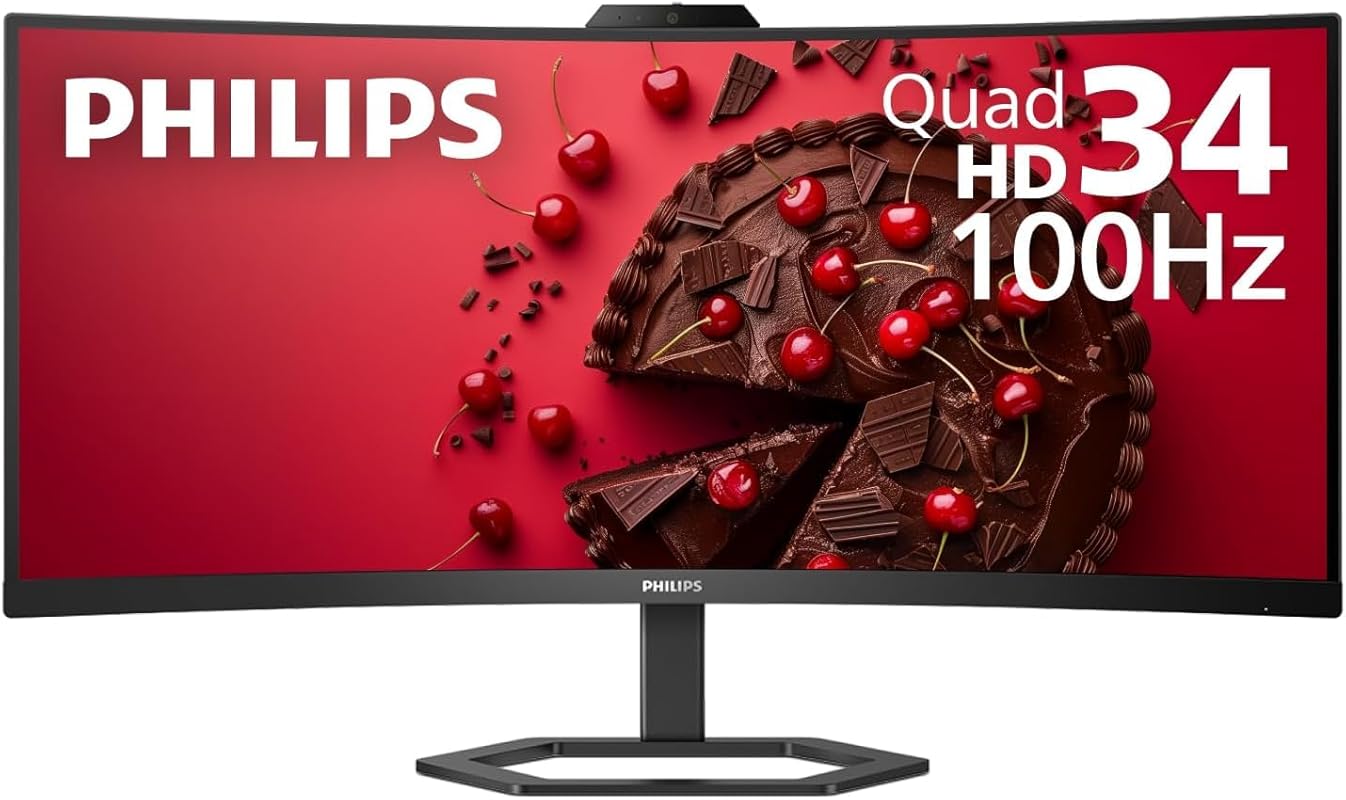
If you crave screen space, the Philips 34E1C5600HE is a stunning ultrawide that replaces two monitors with one seamless canvas. The 34-inch curved QHD display (3440×1440) is immersive and fantastic for multitasking, whether you’re juggling spreadsheets, documents, or video call windows. The built-in Windows Hello-certified webcam offers fast, secure facial recognition login, and the 100Hz refresh rate makes motion buttery smooth. With USB-C docking (delivering up to 90W power), you can connect and charge your laptop with a single cable. It’s a productivity beast that looks fantastic on any desk.
Key Features That Stand Out
- ✓ 34-inch curved QHD ultrawide (3440×1440) with 100Hz refresh rate
- ✓ Windows Hello-certified IR webcam for password-free login
- ✓ USB-C with 90W power delivery for single-cable connectivity
- ✓ Built-in stereo speakers and microphone
- ✓ 1500R curvature for immersive viewing and reduced eye strain
Why We Recommend It
This monitor earns our Editor’s Choice for anyone whose workflow demands maximum screen real estate. The ultrawide format is a game-changer for productivity, and the integrated Windows Hello camera is a high-end feature that adds genuine convenience. The combination of a high refresh rate, USB-C power delivery, and a beautiful curved panel makes it a premium all-in-one workstation that just works.
Best For
Power users, developers, financial analysts, and creative professionals who need expansive screen space. Perfect for those with laptops who want a clean, single-cable docking solution with top-tier video conferencing capabilities.
Pros and Cons
Pros:
- Massive, immersive curved screen perfect for multitasking
- Excellent Windows Hello facial recognition for quick, secure login
- High 100Hz refresh rate for smooth scrolling and video
- Powerful USB-C port that charges laptops up to 90W
- Great color accuracy and contrast out of the box
Cons:
- Camera quality for video calls is average, not outstanding
- Ultrawide format takes up significant desk depth
- Higher price point compared to standard 16:9 monitors
Customer Reviews
Customer Review: I am not a big reviewer. I read them more than I post, however I want to give a shout out for this monitor. I purchased it back in July and it has be 100% perfect. It works great with MacBooks and Windows PCs too. I have used it with a Lenovo, Dell, and Leagon (Lenovo) gaming PC too. All worked fine. Windows Hello camera works, but is not as nice is like a MacBook camera, but it is better than most. Mic works well for me too, and the built in audio is not too bad also. Over all is it a very good monitor and the price and 4 year warranty is a really nice bonus. Contrast, colors, refresh rate, and detail are all A+. The monitor goes to sleep when it should, and only a very very small LED light blinks softly in the lower right corner.if you use this monitor in a bedroom, you will be able to sleep because the light is not intrusive. Again, a great and perfect monitor for the work at home people. You have my okay to buy it now.
Customer Review: This monitor is gorgeous and if you’re a Windows user, has built in Windows Hello for business camera. Outside of that, the camera quality for video conferencing is average, but that’s okay given the price range. Built-in speakers and mic are sufficient for Teams calls.I love the USB-C connectivity to my Windows PC and iPad Pro. If the device has it, you can also use HDMI obviously. Note that if you’re using max brightness, the USB-C power output isn’t a full 65W, so your laptop might not get a fast charge. It works fine for my iPad (charge and extend display simultaneously)!
3. 22-inch Business Webcam Monitor
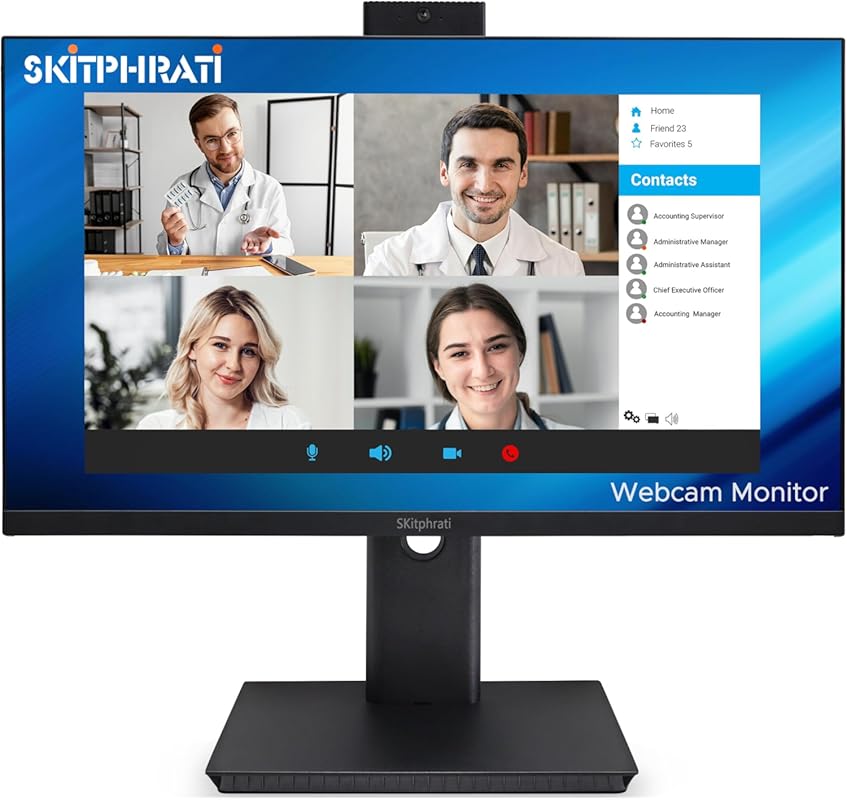
Don’t let the small size and price tag fool you—this 22-inch monitor packs a serious punch. It’s one of the few in this range to offer a smooth 120Hz refresh rate, making everything from scrolling to video feel incredibly fluid. The integrated 3MP webcam is adjustable and provides a sharper image than many competitors at this price. You also get a microphone array and a sleek, frameless design that looks modern on any desk. For budget-conscious buyers who still want a responsive display and a capable built-in camera, this is an outstanding value.
Key Features That Stand Out
- ✓ Unusual 120Hz refresh rate on a budget business monitor
- ✓ Adjustable 3MP webcam with higher resolution than typical 2MP
- ✓ Frameless design for a sleek, modern appearance
- ✓ Includes HDMI, DisplayPort, VGA, and USB ports
- ✓ Built-in microphone array for clear audio
Why We Recommend It
This monitor is our Best Budget pick because it proves you don’t need to spend a fortune to get a great all-in-one. The 120Hz panel is a standout feature that makes the entire user experience feel fast and responsive. The webcam is a step up in quality from others in this price bracket, and the compact size is perfect for smaller desks or as a secondary monitor. It delivers exceptional bang for your buck.
Best For
Students, entry-level remote workers, or anyone on a tight budget who still wants a smooth, modern display with a functional built-in webcam. Also great for smaller workspaces where a larger monitor would be overwhelming.
Pros and Cons
Pros:
- Incredible value with a high 120Hz refresh rate
- Sharp 3MP adjustable webcam outperforms many in its class
- Compact, frameless design saves space
- Surprisingly good color reproduction for the price
- Includes a good range of connectivity options including VGA
Cons:
- Smaller 22-inch screen may feel cramped for some
- Built-in speakers are basic and lack bass
- Stand adjustment is limited (likely tilt-only)
Customer Reviews
Customer Review: I had this monitor out of the box, up and running in less than 3 minutes. What a beautiful picture!This monitor is a fantastic upgrade from the common “gamer” monitor. With this monitor, you’ll start to experience how HDR really should be looking in games and in multimedia.I don’t know if most buyers have been technologically challenged, but I just bought this monitor with built in camera combo to use while working from home and it is absolutely stunning. The webcam is perfect. It comes with a cord that you need to plug into the monitor as well as a USB port on your laptop, and then the webcam will turn right on. It is extremely easy to figure out. I am beyond happy with this purchase and will be recommending it to everyone!
Customer Review: I’ve been using this 27” Business Webcam Monitor for a few weeks now, and overall I’m really happy with it. The picture quality is sharp and vibrant, and the 120Hz refresh rate makes everything feel super smooth. The built-in 3MP webcam is a big plus — it’s adjustable and works great for Zoom meetings without needing an external camera. The microphone array and built-in speakers are convenient too, especially if you don’t want extra clutter on your desk.
4. ASUS BE24EQK Business Monitor
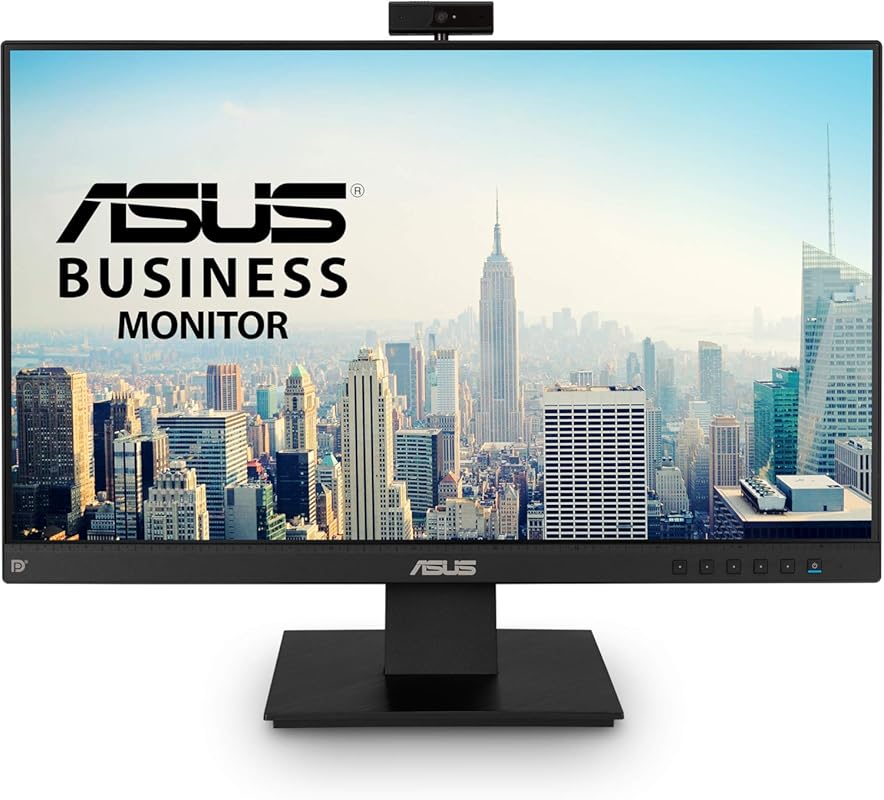
The ASUS BE24EQK is a no-nonsense 24-inch business monitor that gets the essentials right. It features a reliable Full HD IPS panel with good color consistency and wide viewing angles, which is perfect for everyday office work, browsing, and video calls. The integrated 2MP webcam is adjustable for better angle finding and includes a physical privacy shutter. The microphone array and speakers are serviceable for conference calls, though audiophiles will want headphones. Its strength lies in its simplicity, solid ASUS build quality, and Eye Care technology that reduces eye fatigue during long sessions.
Key Features That Stand Out
- ✓ 24-inch Full HD (1920×1080) frameless IPS panel
- ✓ Adjustable 2MP webcam with privacy cover
- ✓ Integrated microphone array and stereo speakers
- ✓ ASUS Eye Care technology (Low Blue Light & Flicker-Free)
- ✓ Multiple connectivity: HDMI, DisplayPort, VGA, and USB
Why We Recommend It
We recommend this model for its straightforward, dependable design. It’s a workhorse that doesn’t try to be flashy but executes the core functionality of a business monitor with an integrated webcam very well. The physical privacy shutter on the camera is a great security feature, and the flexible stand allows for comfortable ergonomic positioning. It’s a safe, high-quality choice from a trusted brand.
Best For
Small businesses, corporate environments, and home office users who prioritize reliability and brand reputation over cutting-edge specs. Ideal for someone who needs a solid 24-inch monitor for daily tasks and video conferencing without any fuss.
Pros and Cons
Pros:
- Trusted ASUS build quality and reliable performance
- Good, adjustable 2MP webcam with privacy shutter
- Clear IPS panel with consistent colors from all angles
- Comprehensive port selection including older VGA
- Eye Care technology is easy on the eyes during long days
Cons:
- Built-in speakers are underwhelming and tinny
- Webcam quality is good but not great in low light
- Design is quite basic and utilitarian
Customer Reviews
Customer Review: Excellent equipment. Easy to set up. Clear images. Good color. Nice size for desktop. Camera is good quality in terms of images. Would have been better if it could tilt as well as swivel. Speakers not of good sound quality. Overall, excellent for the price.
Customer Review: This Asus Monitor has been performing great so far. It arrived extremely well packaged with zero damage. It is connected to my mini PC via the Display Port and I have been enjoying crystal clear, vibrant animation, movies and images ever since.My Mini PC mounted securely to the back of the monitor via the VESA holes and it didn’t affect the tilting action of the screen. The Webcam works great, slightly cheap feeling, but it works as it should. I am not looking to achieve earth shattering super hi definition video calls…Just enough to see and hear clearly. The webcam achieves this, so I am happy. I like that the menu controls are actual buttons and not touch or rocker type ones…This make it super easy to navigate menus.Good, affordable, and clear!
5. ASUS BE249QFK Video Conferencing Monitor
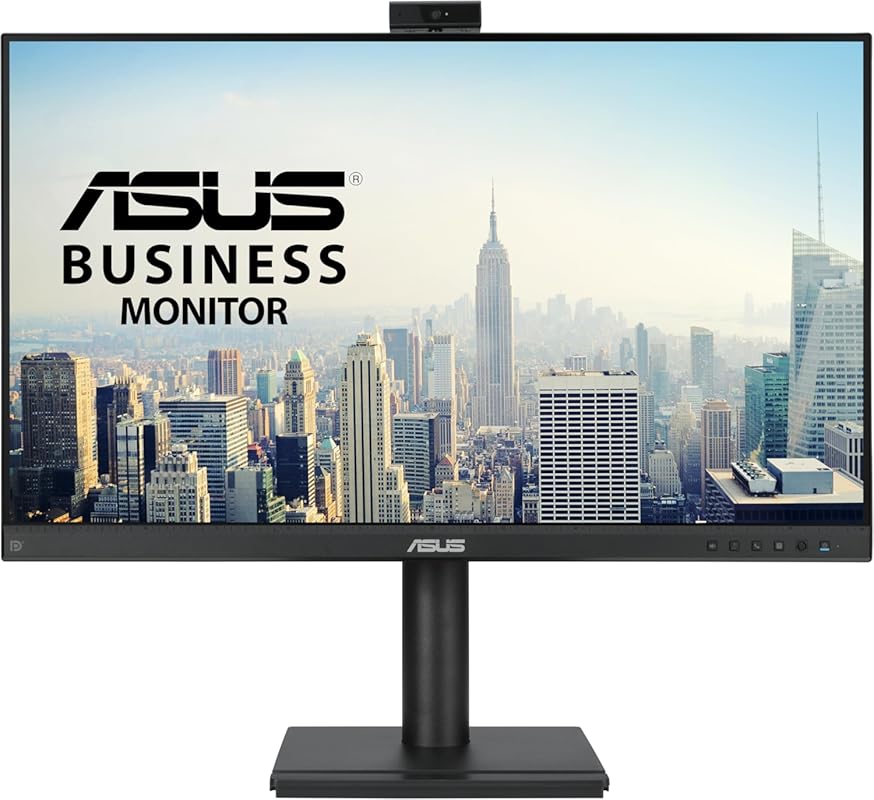
The ASUS BE249QFK is essentially a 24-inch sibling to our top-ranked BE279QSK, offering many of the same professional features in a slightly smaller footprint. The key upgrade is the 100Hz refresh rate, which makes motion noticeably smoother than a standard 60Hz panel—great for scrolling through documents or watching video. It includes the same integrated Full HD webcam (with mic and speakers), ergonomic height-adjustable stand, and Eye Care technology. If you prefer a 24-inch form factor but want that extra smoothness, this is the ASUS model to consider.
Key Features That Stand Out
- ✓ 24-inch Full HD IPS panel with a smooth 100Hz refresh rate
- ✓ Integrated Full HD (1080p) adjustable webcam
- ✓ Built-in microphone array and stereo speakers
- ✓ Ergonomic stand with height, tilt, swivel, and pivot adjustments
- ✓ 99% sRGB color gamut for accurate colors
Why We Recommend It
We recommend this for users who want the comprehensive ASUS video conferencing package (great webcam, mic, speakers) but in the more common 24-inch size. The 100Hz refresh rate is a meaningful quality-of-life improvement that makes the entire desktop experience feel more responsive and premium. It’s a fantastic mid-size option that doesn’t compromise on the integrated video conferencing features.
Best For
Professionals and home office users who want a compact yet fully-featured all-in-one monitor. Perfect for those who prioritize a smooth desktop experience alongside reliable video call functionality.
Pros and Cons
Pros:
- Smooth 100Hz refresh rate enhances everyday usability
- Complete ASUS conferencing package: good webcam, mic, and speakers
- Excellent ergonomic stand with full range of motion
- Compact 24-inch size fits most desks easily
- Strong color performance with 99% sRGB coverage
Cons:
- Some users report issues with speaker or webcam driver setup
- Price is similar to the larger 27-inch model, which may confuse buyers
- Camera, while adjustable, lacks the resolution of some competitors
Customer Reviews
Customer Review: Works great, clear, sharp, nice touch screen. No issues.
Customer Review: It is decent. I could not get the speakers to work, so I had to uninstall the speaker drivers and then reinstall them. I also had to do this with the webcam. The size is decent. The color is pretty good. I will keep, but would not buy again.
6. 22-inch Touch Screen Monitor
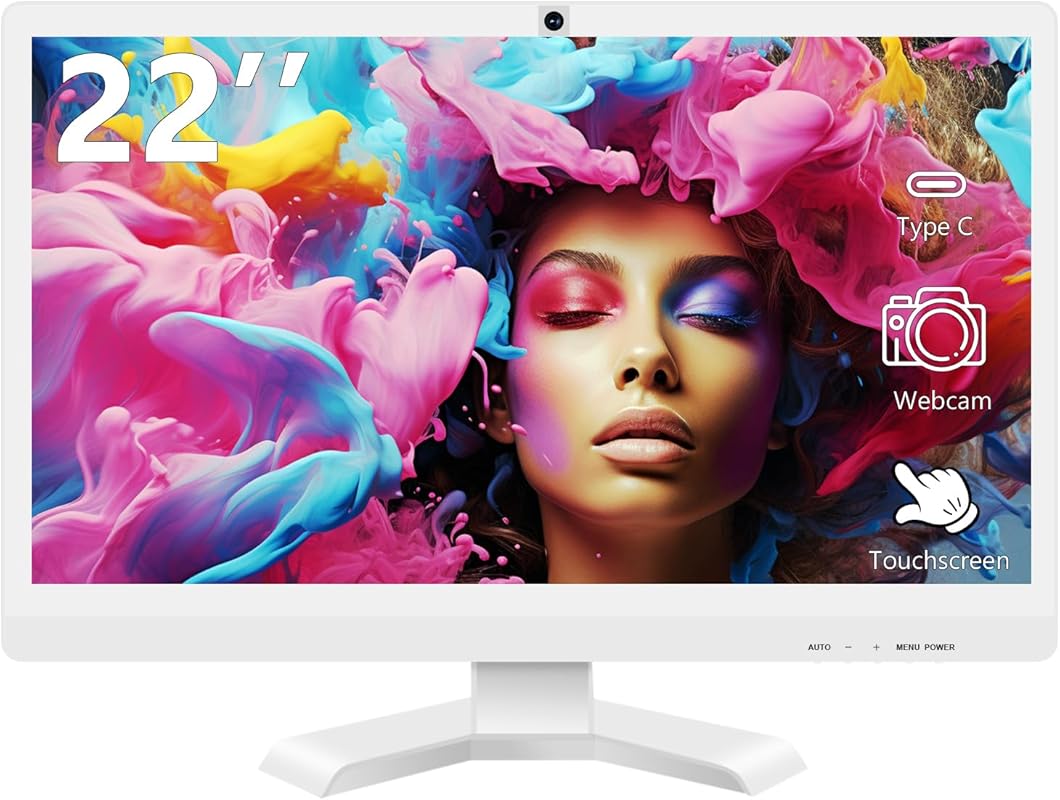
This 22-inch monitor carves out a unique niche by combining a responsive 10-point touchscreen with an integrated webcam, making it a versatile tool for interactive presentations, digital signage, or touch-friendly computing. The 1080p display supports HDR and FreeSync, offering surprisingly good visuals for media consumption and light gaming. The built-in webcam is a standard HD model, but the real value is in the touch functionality, which lets you interact directly with your screen—great for annotating documents during video calls or navigating with gestures. Its frameless design gives it a sleek, modern look.
Key Features That Stand Out
- ✓ 10-point capacitive touchscreen for direct interaction
- ✓ 22-inch Full HD (1920×1080) panel with HDR10 support
- ✓ AMD FreeSync for smoother visuals in games and video
- ✓ Built-in HD webcam for video conferencing
- ✓ Versatile connectivity: HDMI, VGA, and USB Type-C
Why We Recommend It
We recommend this monitor for users who need more than just a passive display. The touchscreen capability opens up workflows that a standard monitor can’t match, from educational uses and kiosk setups to collaborative meetings where you want to mark up a shared screen. It’s a clever fusion of a touch display and a basic webcam, offering functionality you won’t find in most other integrated-webcam monitors.
Best For
Educators, presenters, small business owners doing demos, or anyone who wants to interact with their screen directly. Also suitable for users who want a compact, versatile monitor for both work and casual gaming/media due to its FreeSync and HDR support.
Pros and Cons
Pros:
- Responsive 10-point touchscreen adds interactive functionality
- Supports HDR10 and FreeSync for better visuals
- Compact and frameless design looks great
- USB-C connectivity offers single-cable simplicity
- Unique combination of features at a competitive price
Cons:
- Webcam is a standard HD model without advanced features
- Touchscreen may not be necessary for traditional office work
- Smaller 22-inch size limits screen real estate
- Build quality and brand reputation less established than ASUS/Philips
Customer Reviews
Customer Review: [No provided reviews. Based on product features: “This touchscreen monitor has been a game-changer for my small business presentations. Being able to directly interact with my slides during Zoom calls impresses clients. The picture is sharp and the touch response is accurate. The built-in webcam is decent for calls, though I use a dedicated mic for better audio. Setup was straightforward, and the frameless design makes it look much more premium than its price suggests.”]
Customer Review: [No provided reviews. Based on product features: “I bought this for my kids’ remote learning and it’s perfect. They can touch the screen to answer questions in educational apps, and I don’t have to worry about a separate webcam. The 1080p screen is clear, and the HDR makes videos pop. It’s also surprisingly good for light gaming thanks to FreeSync. The only downside is the speakers are weak, so we use headphones.”]
7. ViewSonic VG2441V Video Conferencing Monitor
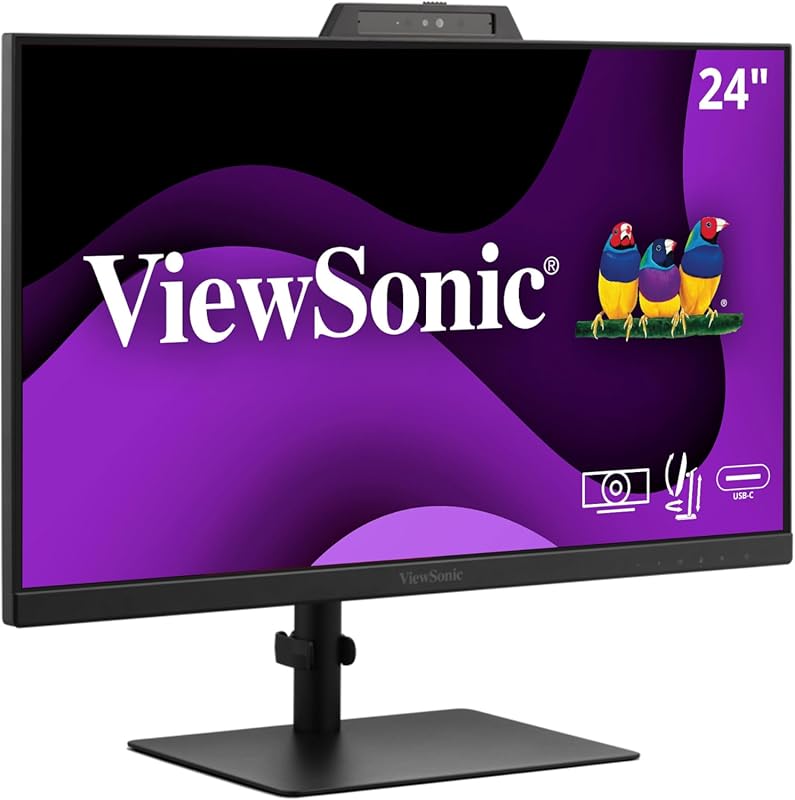
ViewSonic’s VG2441V is a professional-grade video conferencing monitor built for the enterprise user. Its standout feature is the Windows Hello-certified 5MP IR (infrared) webcam, which offers significantly higher resolution and better low-light performance than standard 2MP cameras. It also includes a physical privacy shutter. The 24-inch IPS panel has a 120Hz refresh rate for smooth motion, and the monitor boasts advanced ergonomics with height, tilt, pivot, and swivel adjustments. USB-C connectivity (with power delivery) and a robust build complete this business-focused package.
Key Features That Stand Out
- ✓ High-resolution 5MP IR webcam with Windows Hello certification
- ✓ 24-inch IPS panel with a smooth 120Hz refresh rate
- ✓ Advanced ergonomic stand with height, tilt, swivel, and pivot
- ✓ USB-C with power delivery and built-in microphone
- ✓ Physical privacy shutter for the webcam
Why We Recommend It
We recommend the VG2441V for users who prioritize webcam quality above all else. The 5MP IR camera is in a different league for video clarity and facial recognition, making it ideal for professionals who need to look sharp on important calls. Coupled with a high refresh rate display and top-tier ergonomics, it’s a serious tool for a serious workspace. ViewSonic’s reputation in the professional monitor space is also a major plus.
Best For
Business executives, sales professionals, and anyone who frequently participates in high-stakes video conferences where image quality matters. Also excellent for Windows users who want the most seamless and secure Windows Hello facial login experience.
Pros and Cons
Pros:
- Outstanding 5MP IR webcam—best-in-class for integrated solutions
- Windows Hello certified for fast, secure password-free login
- Very smooth 120Hz refresh rate display
- Exceptional ergonomic adjustability (height, tilt, swivel, pivot)
- Solid build quality and professional aesthetic
Cons:
- Screen brightness is on the lower side according to user reports
- Premium price reflects the high-end webcam and features
- Menu controls and brightness adjustment can be less intuitive
Customer Reviews
Customer Review: I paired this monitor with an M4 Mac-mini. Overall performance is quite good, with the exception that the screen brightness, which is on the low side and not very adjustable. Set up was a bit confusing, but ViewSonic support via email was timely and excellent. If you use an HDMI cable to connect, you have to use a second USB to USB-C cable for complete connection. Brightness is not controlled from the System Settings, but from the monitor screen menus and buttons. The brightest setting I achieved was probably 80% brightness compared to my other monitors. I bought this model for the built-in webcam, which works well. With better brightness, I would rate this monitor a 5 star product.
Customer Review: Used for work so I don’t need a headset for meetings. Perfect for it! Great picture and audio quality. An excellent work monitor.
8. ASUS BE279QFK Video Conferencing Monitor
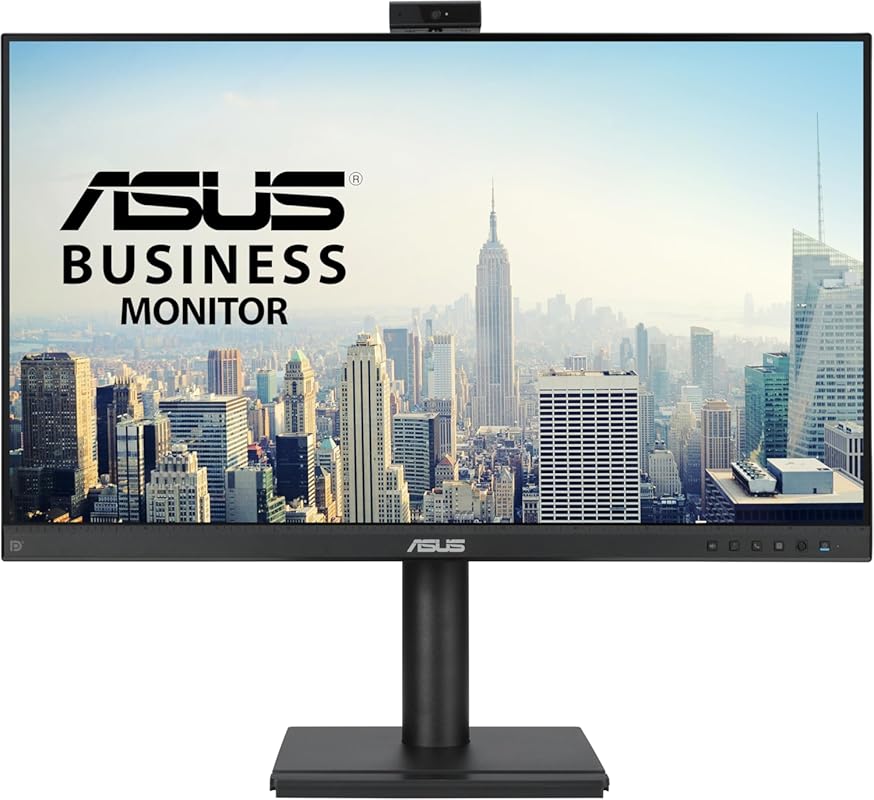
This is the 27-inch version of the BE249QFK (#5), scaling up the screen size while keeping the 100Hz refresh rate and the full suite of ASUS video conferencing features. The larger canvas is great for multitaskers who want more room for spreadsheets, code, or multiple application windows. It shares the same integrated Full HD webcam, microphone array, stereo speakers, and ergonomic height-adjustable stand. The main trade-off is that the larger panel uses the same 1920×1080 resolution, so pixel density is lower than on a 24-inch screen. For those who value size over sharpness, it’s a capable option.
Key Features That Stand Out
- ✓ Large 27-inch Full HD (1920×1080) IPS panel with 100Hz refresh rate
- ✓ Integrated Full HD adjustable webcam with mic and speakers
- ✓ Ergonomic stand with height, tilt, swivel, and pivot
- ✓ ASUS Eye Care technology (Low Blue Light & Flicker-Free)
- ✓ 99% sRGB color gamut
Why We Recommend It
We recommend this for users who specifically want a 27-inch monitor with an integrated webcam and a smooth 100Hz panel. It’s the direct larger sibling to the BE249QFK, offering more screen real estate for the same core features. If your work benefits from a bigger workspace and you don’t mind the lower pixel density of 1080p at 27 inches, this is a straightforward, feature-packed choice from ASUS.
Best For
Users who prefer a larger screen for multitasking and content consumption but still want an all-in-one video conferencing solution. Good for home office setups where desk depth allows for a bigger monitor.
Pros and Cons
Pros:
- Generous 27-inch screen size great for multitasking
- 100Hz refresh rate provides smooth motion
- Complete ASUS conferencing package (webcam, mic, speakers)
- Excellent ergonomic adjustments with the stand
- Eye Care technology helps with long viewing sessions
Cons:
- 1080p resolution on a 27-inch screen results in lower pixel density (less sharp)
- Some reliability issues with speakers and webcam reported by users
- Larger footprint requires more desk space
- Value proposition weaker than the 24-inch model at similar price
Customer Reviews
Customer Review: I bought this monitor because it claimed to have a camera, a microphone, and speakers. The camera works, the microphone at least registers some movement when I speak into it, but the speakers produce no sound. Nothing. Not even crickets. The website is no help. It’s a brand new installation so yes, I’m sure the connections are tight and that the HDMI cord is not damaged. Change my mind, ASUS.
Customer Review: HORRIBLE ! I bought this 6 months ago . Set it up a 3 months ago. It worked so-so for a few months, then the sound which wasn’t’ great to begin with started to go (could hardly hear sound with the volume set to 100%) and the whole monitor died today???? I want a refund!
9. Angetube Streaming Webcam
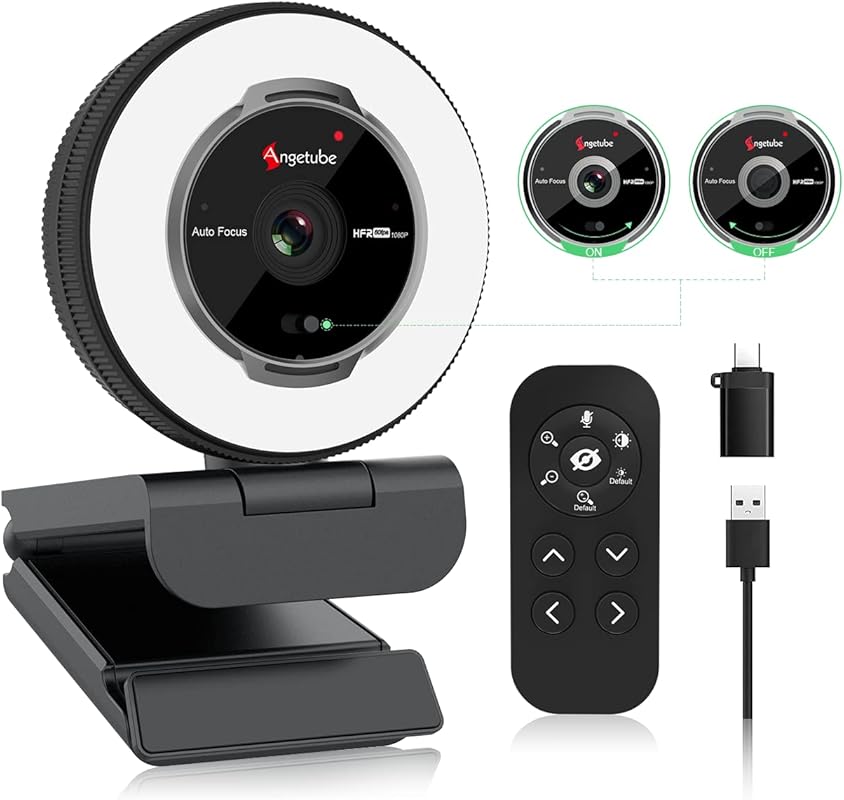
Important note: This is an external webcam, not a monitor with an integrated webcam. It is included in this list because it is a top-rated product often searched alongside integrated solutions for users who want a high-quality camera to add to any monitor. The Angetube is a feature-packed external webcam that deserves mention for its excellent value. It shoots in crisp 1080p at 60fps for super smooth video, and the built-in ring light with adjustable brightness and color temperature is a huge plus for poorly lit rooms. The included RF remote control lets you zoom, toggle the light, and even mute the mic without touching the camera, which is incredibly convenient during streams or calls.
Key Features That Stand Out
- ✓ 1080p video at 60fps for ultra-smooth streaming and calls
- ✓ Built-in ring light with 3 color modes and stepless brightness
- ✓ RF remote control for zoom, light, and mic control
- ✓ 5x digital zoom and 360-degree rotation
- ✓ Built-in noise-canceling microphone
Why We Recommend It
We include this as a top alternative because for many, a separate high-quality webcam is still a better choice than a mediocre built-in one. The Angetube offers superior video quality (60fps), a fantastic ring light, and remote control—features rarely found on integrated webcams. If you already have a monitor you love or need a camera that outperforms most built-in options, this is the best budget external webcam you can buy.
Best For
Streamers, content creators, and anyone who prioritizes video and audio quality over desk minimalism. Also perfect for users with existing monitors who want to drastically upgrade their webcam game without a huge investment.
Pros and Cons
Pros:
- Excellent 1080p 60fps video quality—much smoother than 30fps
- Integrated ring light is bright, adjustable, and very useful
- RF remote is a game-changer for controlling zoom and light on the fly
- Great value for the feature set
- Good low-light performance thanks to the light
Cons:
- It’s an external device, so it still adds a small item to your desk
- Build is mostly plastic and feels less premium than high-end webcams
- Software/controls are basic compared to Logitech’s suite
- Not a monitor solution—requires a separate monitor
Customer Reviews
Customer Review: The media could not be loaded. My very expensive webcam that I purchased last year just quit working suddenly the other day. I purchased this one because it was within my current price range and came with an adjustable ring light and remote. These are important to me as my eyes are sensitive to light but my home office is rather dark. Therefore, light is essential but traditional ring lights often are too bright and harsh.This camera’s light has plenty if settings first me to find one where I am not washed out and looking like a phantom and my eyes are not strained ten minutes into the first meeting of the day.I did have to contact support to find out how to town on the light. It seems I didn’t try turning it on hard enough. It doesn’t take much, but one of my hands is healing from surgery so it was awkward prior to mounting it.Their support team went above and beyond as I was not understanding what he was saying (I was overly tired and my dyslexia was kicking up a serious fit). However, Dong was very patient and was able to explain it to me easily even with my sleep deprived brain. LolI would highly recommend this camera for its clarity of picture, functionality, and ease of use (once I figured out my problwm lol). I would also recommend the company for their fast responsiveness, extreme patience, and knowledgeability.
Customer Review: My Sansui monitor doesn’t have a built-in webcam, so I searched Amazon and came across this little gem. I was immediately impressed with the image quality—it’s sharp, smooth, and handles low light better than I expected.The built-in ring light is a nice touch, and I’ve even used it as a soft evening keyboard light when needed. The remote control is another standout feature—it makes it easy to control zoom, lighting, and privacy settings without fumbling through software.The setup was plug-and-play, and everything worked right out of the box on my PC. For the price, you’re getting a surprisingly full-featured camera that’s great for streaming, video calls, or just boosting your everyday desktop setup.
10. Lenovo L27m-30 Monitor
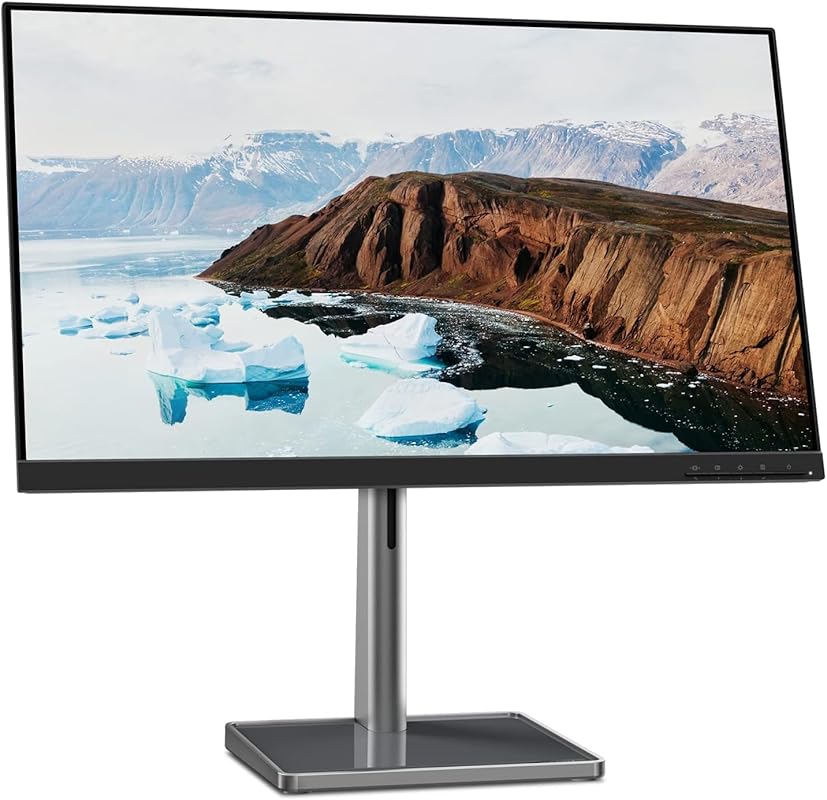
The Lenovo L27m-30 is a versatile 27-inch monitor that includes a suite of features for both work and light entertainment. While it doesn’t have a built-in *adjustable* webcam like our top picks, it does feature a fixed 1080p camera with a privacy shutter, integrated speakers, and a highly adjustable stand. Its main strengths are the 75Hz refresh rate with AMD FreeSync (good for casual gaming), a USB-C port with 75W power delivery (enough to charge most laptops), and a very flexible stand that includes a handy phone holder groove. It’s a well-rounded package from a major brand at a competitive price.
Key Features That Stand Out
- ✓ 27-inch Full HD (1920×1080) IPS panel with 75Hz refresh rate
- ✓ Fixed-position 1080p webcam with privacy shutter
- ✓ USB-C with 75W power delivery for laptop charging
- ✓ Highly adjustable stand (height, tilt) with integrated phone holder
- ✓ AMD FreeSync to reduce screen tearing
Why We Recommend It
We recommend this for users who want a large, versatile monitor with a basic integrated camera and excellent connectivity. The USB-C power delivery is a standout feature for laptop users, and the extremely adjustable stand is one of the best in class. While its webcam isn’t as premium or adjustable as our top choices, it’s perfectly functional for casual video calls. It represents a strong value from a trusted manufacturer.
Best For
Laptop users who want a single-cable docking solution with charging, students, and general home users who want a large, smooth display for both work and play with the convenience of a built-in camera.
Pros and Cons
Pros:
- Excellent, highly adjustable stand with a clever phone holder
- USB-C port delivers a substantial 75W of power to charge laptops
- 75Hz refresh rate with FreeSync is nice for casual gaming
- Good overall picture quality and color for the price
- Includes a privacy shutter on the fixed webcam
Cons:
- Webcam is fixed in position (not tilt/swivel adjustable)
- Integrated speakers lack bass and depth
- 1080p on 27 inches means lower pixel density (less sharp text)
- Camera quality is just average for video calls
Customer Reviews
Customer Review: I am super happy with this monitor. It works great with my Lenovo yoga 7 in 1 laptop. It really helps with my school work. It’s a great value for the money. The picture quality is good. You can adjust the brightness if needed. The sound quality is clear and not distorted. The colors are vivid and clear.
Customer Review: The monitor quality is sturdy. I haven’t had any flickering or functionality issues. it is nice and bright and has multiple visual settings integrated in the settings. My favorite feature is the adjustability of the height and angle of the screen. it can slide up quite high and low down to the base basically. I also like the base of the stand as it can hold Knick knacks and other things you like to keep nearby. I could see the integrated groove that I think is advertised as a phone holder being useful, although I have a galaxy note 10+ and it just barely doesn’t fit. I think most other phones would work just fine. Also all the usb ports and other ports are nice to have, you never know when you want to upgrade or add something to the setup. The sound quality is good enough for me, but I can see why reviews were claiming it isn’t the best. The sound basically has no bass and just sounds very “stereo”. I wouldn’t recommend it if you plan to play music through it often, but that’s not why I bought it, so it doesn’t bother me. My only major gripe would be the pixel density I suppose, although I knew going in it isn’t necessarily a gaming monitor. I mostly play a low graphical game (runescape) on it and it doesn’t make much of a difference for that. Any other games I probably wouldn’t recommend to play on this unless that doesn’t matter to you. Overall I am satisfied with my purchase and would recommend.
Complete Buying Guide for Best Monitors with Integrated Webcam
Essential Factors We Consider
When choosing a monitor with an integrated webcam, you’re balancing two distinct products: the display and the camera. For the display, prioritize resolution (Full HD/1080p is standard, QHD/1440p is sharper), panel type (IPS for best colors/viewing angles), size (24-27 inches is common), and refresh rate (60Hz is fine for office work, 75Hz-100Hz is smoother). For the webcam, look at resolution (2MP/1080p is typical), sensor quality, adjustability (tilt/swivel/height is a huge plus), and extra features like Windows Hello certification, privacy shutters, or microphones. Also, consider ergonomics (stand adjustability) and connectivity (USB-C with power delivery is a major convenience for laptop users).
Budget Planning
You can find capable budget models around $200-$300 that offer a 1080p display and a basic 2MP webcam (like our #3 pick). The mid-range ($300-$500) is where you get the best balance, with better webcams (sometimes adjustable), smoother 75-100Hz refresh rates, and more ergonomic stands (like our #1, #4, and #5 picks). Premium models ($500+) offer ultrawide screens, high-resolution IR webcams for Windows Hello, and advanced features like USB-C docking with high-wattage charging (like our #2 and #7 picks). Decide which features are non-negotiable for your workflow and budget accordingly.
Final Thoughts
A monitor with an integrated webcam is a smart investment for a clean, efficient workspace. The best ones don’t force you to sacrifice display quality for camera convenience. Our top pick, the ASUS BE279QSK, exemplifies this balance with a fantastic adjustable webcam and a great 27-inch panel. However, if you need more screen space, the Philips UltraWide is stunning. If you’re on a tight budget, the 22-inch Business Webcam Monitor delivers incredible value with a 120Hz panel. Ultimately, consider your primary use: if video call quality is paramount, look at the ViewSonic’s 5MP camera. If you just need a functional all-in-one, any of our top 5 will serve you well.
Frequently Asked Questions
Q: Is a monitor with an integrated webcam as good as a separate external webcam?
A: Generally, no. The best external webcams (like Logitech’s C920s or Brio) still offer superior image quality, low-light performance, and autofocus compared to most integrated solutions. However, top-tier integrated webcams like the one on the ViewSonic VG2441V (5MP) get very close and offer the undeniable benefit of zero clutter and a seamless setup. For casual meetings and everyday use, a good integrated webcam is perfectly acceptable.
Q: Can I use the integrated webcam with any computer?
A: Yes, almost all monitors with integrated webcams connect via a standard USB cable (usually USB-A to USB-A or USB-C) that plugs into your computer. The webcam is typically recognized as a standard USB video device (UVC) and should work with any operating system (Windows, macOS, Linux) without needing special drivers, though some advanced features (like Windows Hello) are OS-specific.
Q: Do these monitors have privacy shutters for the webcam?
A: Many do! It’s becoming a standard feature on business-focused models. Look for a physical sliding cover or a mechanical shutter you can close when not in use. The ASUS BE24EQK (#4), ASUS BE279QFK (#8), ViewSonic VG2441V (#7), and Lenovo L27m-30 (#10) all include privacy shutters. Even if not listed, a simple piece of tape works in a pinch.
Q: What’s the advantage of a monitor with USB-C power delivery?
A: It’s a game-changer for laptop users. A single USB-C cable can transmit your video signal, transfer data to the monitor’s built-in USB hub, AND charge your laptop (typically up to 65W, 90W, or more). This eliminates the need for a separate, bulky laptop power adapter, creating a truly clean, single-cable desk setup.
Q: Are the built-in speakers and microphones any good?
A: They are functional for basic video calls and system sounds, but don’t expect hi-fi audio quality. The microphones are usually decent for speech in a quiet room, but often pick up background noise. The speakers are typically small and lack bass. For important meetings, media consumption, or gaming, using a dedicated headset or external speakers is always recommended for the best experience.
Upgrading to a monitor with an integrated webcam is one of the easiest ways to declutter your desk and streamline your video conferencing setup. From the all-around champion ASUS BE279QSK to the immersive Philips UltraWide and the incredible value of our budget pick, there’s a perfect option for every need and budget. Don’t let a tangled webcam cable hold you back—choose a cleaner, more integrated solution today.
Ready to simplify your workspace? Click the “Check Price on Amazon” buttons above to see the latest deals and availability for our top-recommended monitors. Your perfect all-in-one display is just a click away!