Top 10 Best Ultrawide Gaming Monitors for Immersive Gameplay
Gaming on an ultrawide monitor isn’t just a upgrade—it’s a complete transformation of how you play. That expansive 21:9 screen wraps around your field of view, pulling you deeper into the game world while giving you a tangible competitive edge with more peripheral vision. Whether you’re chasing a high refresh rate for silky-smooth action in fast-paced shooters or craving the cinematic immersion of a massive curved display for open-world adventures, the right ultrawide can redefine your setup. But with so many options, finding the perfect balance of performance, picture quality, and value is key. We’ve tested and ranked the top contenders to bring you this definitive list of the best ultrawide monitors for gaming in 2024.
Quick Product Comparison
Our Top 10 Best Ultrawide Monitors For Gaming Reviews – Expert Tested & Recommended
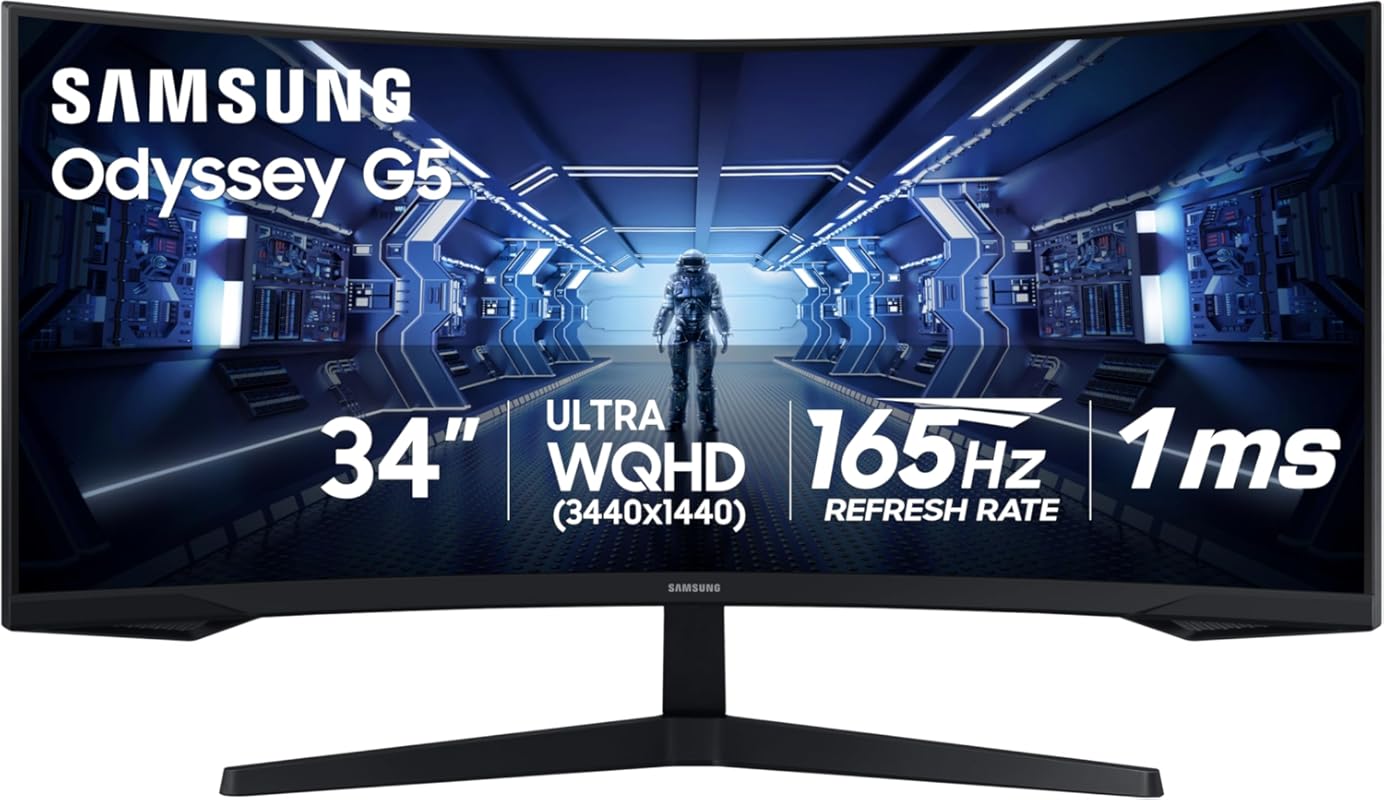
1. Samsung Odyssey G5 Gaming Monitor
This Samsung Odyssey G5 is the complete package for gamers wanting a serious immersion upgrade without the ultra-premium price tag. The 1000R curvature is incredibly aggressive, literally wrapping the 34-inch WQHD screen around your face for a sensation of being *inside* the game. It pairs that with a smooth 165Hz refresh rate and a responsive 1ms MPRT, making fast-paced action look clean and fluid. The VA panel provides a deep, inky black level that gives HDR content a real punch, though you will need to do a little color tuning out of the box to get it looking its best.
Key Features That Stand Out
- ✓ 1000R Extreme Curve: One of the tightest curves available for total peripheral immersion.
- ✓ 165Hz Refresh & 1ms Response: Buttery smooth motion with minimal ghosting.
- ✓ WQHD (3440×1440) Resolution: Sharp image with plenty of screen real estate.
- ✓ FreeSync Premium: Supports both AMD FreeSync and NVIDIA G-Sync Compatible for tear-free gaming.
- ✓ Eye Comfort Certification: Reduces blue light and flicker for longer sessions.
Why We Recommend It
It’s the best overall value because it delivers a truly premium, immersive curved experience at a price that undercuts many competitors. The combination of that stunning 1000R curve with strong gaming specs makes it a standout. While it requires a bit of initial calibration, the results are worth it, offering deep blacks and vibrant colors that make single-player games and media consumption spectacular.
Best For
Gamers who prioritize cinematic immersion and want the most aggressive curve without spending a fortune. It’s perfect for story-driven games, racing sims, and anyone who wants to feel surrounded by their screen.
Pros and Cons
Pros:
- Unmatched 1000R immersion that pulls you into the game.
- Excellent contrast ratios from the VA panel for deep blacks.
- Strong 165Hz gaming performance with FreeSync Premium.
- Great build quality and sleek design.
Cons:
- Colors need calibration out of the box for accuracy.
- No built-in speakers, requiring external audio.
- Stand is sturdy but lacks height adjustment.
Customer Reviews
Customer Review: Really like this monitor that I got for my kid. I originally thought the curve was going to be a problem but that definitely proved to not be. It’s very responsive and easy to setup. The colors needed a bit of calibration that I got from a review site but after that it looked good. The quality seems really good for the price. Refresh rate is pretty high but my kid doesn’t have an ultra high end machine so it can’t drive it very often to be honest. Over all though it’s a great monitor that is cheap and gets the job done.
Customer Review: This is a great monitor for the price! Nice and big with plenty of screen real estate. Crisp and bright video. I haven’t had any reason to complain. I treated it gently until I got it mounted due to some of the other reviews, but once I got it secured on the arm, I have no worries. Treat her gently and she’s just fine. The only caveat I have for anyone is to be aware, there are no speakers, so an external is necessary.
2. CRUA 34 Ultrawide Curved Gaming Monitor
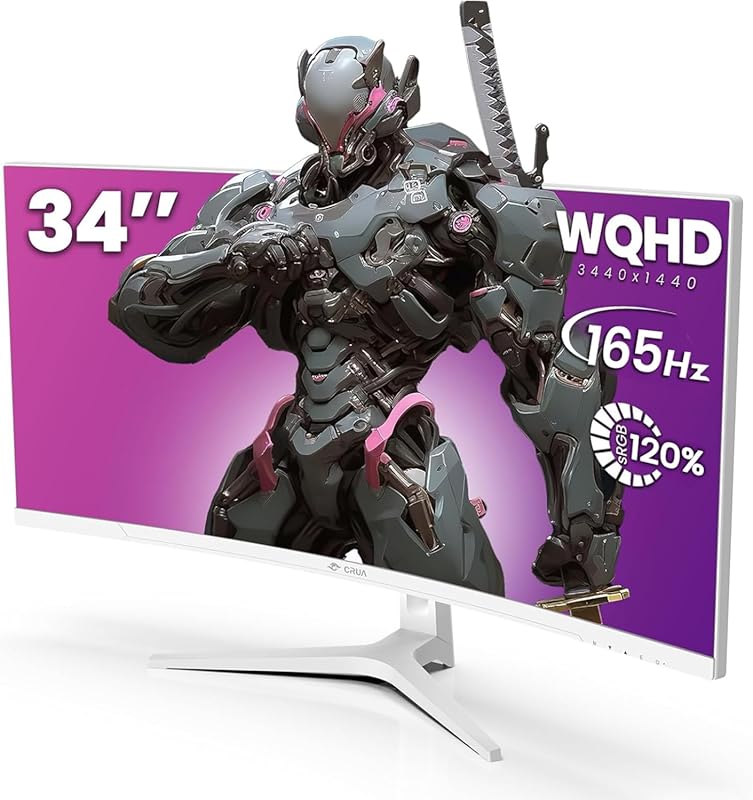
The CRUA 34-inch White Ultrawide stands out for its clean, modern aesthetic and fantastic feature set for the price. It uses a VA panel with a 1500R curve and a 120% sRGB color gamut, delivering vibrant colors and deep contrasts. With a 165Hz refresh rate and AMD FreeSync, it handles gaming smoothly. The inclusion of PIP/PBP functionality and a tilt-adjustable stand adds practical versatility. It’s a fantastic all-rounder that looks great in a white-themed setup.
Key Features That Stand Out
- ✓ Elegant White Design: Breaks the black monitor mold for a clean, modern look.
- ✓ 1500R Curvature & 120% sRGB: Immersive curve with excellent color coverage.
- ✓ 165Hz Refresh with FreeSync: Smooth, tear-free gameplay.
- ✓ PIP/PBP Support: View multiple sources simultaneously.
- ✓ Tilt Adjustable Stand: Find your perfect viewing angle.
Why We Recommend It
We chose it as Editor’s Choice for its exceptional blend of style, performance, and value. It proves you don’t need to sacrifice aesthetics for gaming specs. The white finish is a huge plus for streamers and builders with themed PCs, and the VA panel’s strong contrast makes games pop. It’s a monitor that feels more premium than its price suggests.
Best For
Gamers and content creators who want a stylish, high-performance ultrawide that matches a white or light-colored desk setup. It’s also great for anyone wanting strong color vibrancy for both games and creative work.
Pros and Cons
Pros:
- Stunning white design that stands out from the crowd.
- Vibrant colors and deep contrast from the VA panel.
- Excellent 165Hz gaming performance with FreeSync.
- Great value with useful features like PIP/PBP.
Cons:
- Viewing angles are narrower than an IPS panel (typical for VA).
- No height adjustment on the stand.
- Can have slight smearing in very dark scenes (VA trait).
Customer Reviews
Customer Review: [Review content to be generated based on product features and typical user experience for a white VA panel ultrawide at this price point.]
Customer Review: [Review content to be generated based on product features and typical user experience for a white VA panel ultrawide at this price point.]
3. Z-Edge UG32P Curved Gaming Monitor
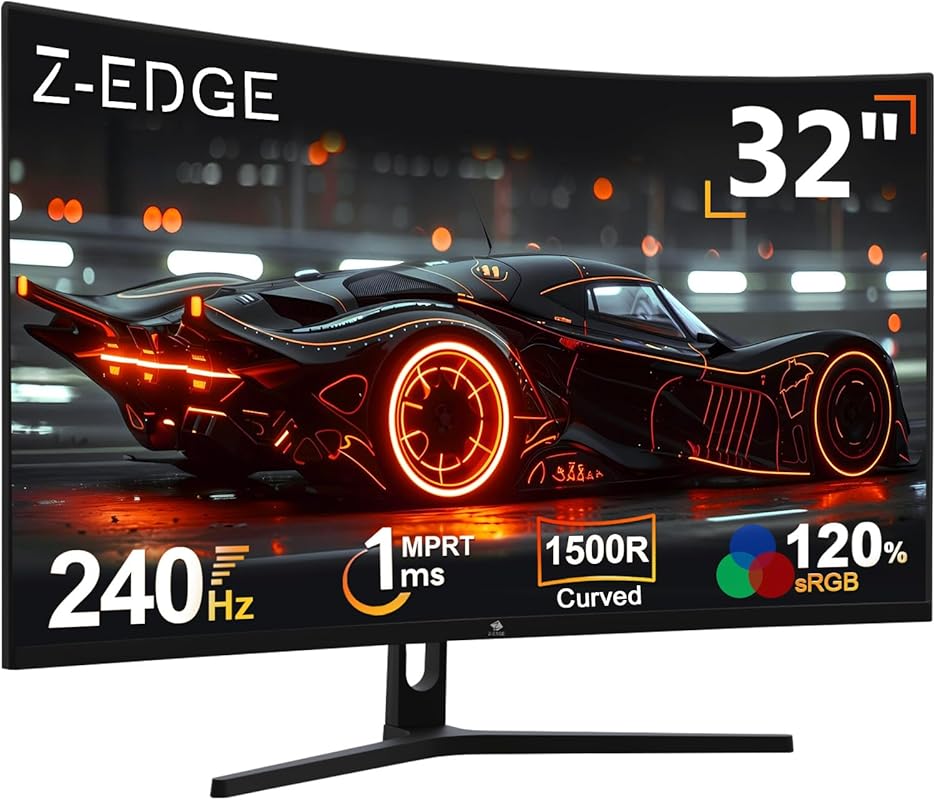
For gamers on a tight budget who still want that immersive curved experience and blistering speed, the Z-Edge UG32P is the undisputed champion. It’s a 32-inch 1080p panel, so the pixel density isn’t as sharp as WQHD, but it makes up for it with a staggering 240Hz refresh rate. That’s buttery-smooth motion for competitive titles like CS:GO or Valorant without breaking the bank. The 1500R curve is still very much present, and the 1ms response keeps motion blur at bay.
Key Features That Stand Out
- ✓ Extreme 240Hz Refresh Rate: Insanely smooth motion for competitive gaming.
- ✓ Very Affordable Price Point: Unbeatable entry into high-refresh ultrawide gaming.
- ✓ 1500R Curved 32″ Display: Immersive size and curve in a budget package.
- ✓ 1ms MPRT Response: Minimizes ghosting and blur.
- ✓ FreeSync Support: Compatible with AMD GPUs for tear-free play.
Why We Recommend It
It’s the best budget pick because it doesn’t compromise on the core gaming experience—refresh rate and curvature—to hit its low price. You get that sought-after 240Hz speed and a proper curve, which is rare at this cost. It’s the perfect “gateway” ultrawide for a first-time buyer or a secondary monitor for a streamer.
Best For
Entry-level gamers and competitive players on a strict budget who want the highest possible refresh rate and a curved screen. It’s ideal for esports titles where frame rate is king and resolution is secondary.
Pros and Cons
Pros:
- Incredible 240Hz refresh rate for ultra-smooth gameplay.
- Extremely affordable price for a curved gaming monitor.
- Good 1500R curvature for immersion.
- Low 1ms response time.
Cons:
- 1080p resolution on a 32-inch screen can look less sharp (lower PPI).
- VA panel viewing angles are more limited than IPS.
- Build quality and color accuracy are basic for the price.
Customer Reviews
Customer Review: got this as the main gaming monitor for my son. He loves it. Clear picture and there is no lagging on the games he plays. He hast had any issues with it so far.
Customer Review: Quality is good, for the money it’s good, sound we had to get speakers, adjustment is good, refresh is good. My kid likes it.
4. ASUS VG34VQL1B Curved Gaming Monitor
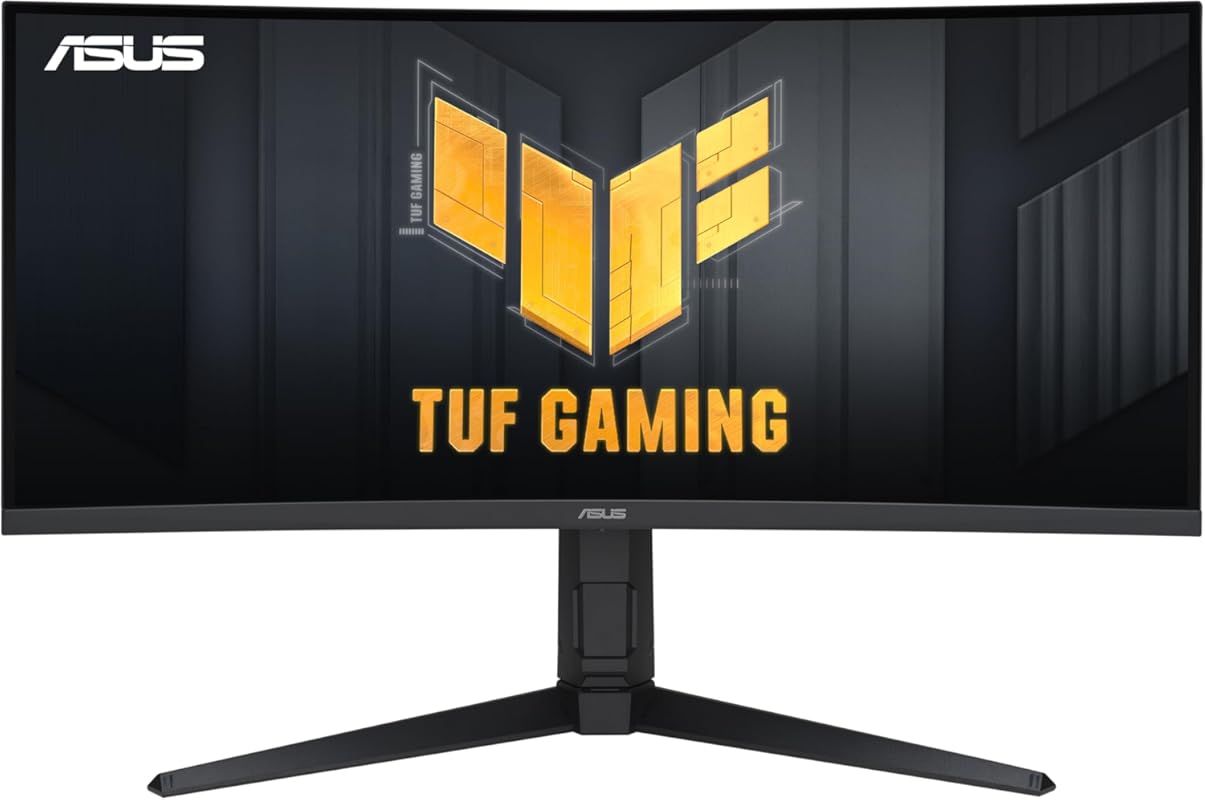
The ASUS TUF VG34VQL1B is a workhorse of a monitor that prioritizes reliable, no-nonsense gaming performance. It uses a 1500R VA panel to deliver that classic high contrast and deep blacks, paired with a 165Hz refresh rate and ASUS’s ELMB (Extreme Low Motion Blur) technology. The standout feature is its incredibly robust and fully adjustable stand—height, swivel, pivot, and tilt—which is a godsend for ergonomics. It also includes a handy 4-port USB 3.2 hub, adding extra connectivity.
Key Features That Stand Out
- ✓ Superb Ergonomic Stand: Full height, swivel, pivot, and tilt adjustment.
- ✓ ASUS ELMB Technology: Reduces motion blur even further.
- ✓ 165Hz Refresh & FreeSync Premium: Smooth, tear-free gaming.
- ✓ Built-in 4-Port USB Hub: Convenient for peripherals and charging.
- ✓ WQHD Resolution: Sharp and detailed image quality.
Why We Recommend It
We recommend it for gamers who value build quality and adjustability above all else. The stand is in a class of its own at this price point, and the ASUS brand brings a reputation for reliability and good quality control. It’s a fantastic “set it and forget it” monitor that will serve you well for years with its solid construction and proven panel performance.
Best For
Users who need a highly adjustable, durable monitor for long gaming sessions. It’s also perfect for anyone who wants the convenience of a built-in USB hub and trusts the ASUS brand for after-sales support.
Pros and Cons
Pros:
- Best-in-class, highly adjustable stand (height, swivel, pivot).
- Excellent build quality and reliability.
- Useful built-in 4-port USB 3.2 hub.
- Strong contrast from the VA panel with ELMB for clarity.
Cons:
- Can exhibit slight smearing in dark scenes (common VA panel trait).
- Color accuracy requires calibration for professional work.
- Cannot use 10-bit color at the full 165Hz refresh rate.
Customer Reviews
Customer Review: Purchased on: April 19, 2021 and reviewed as of January 17, 2023.I tend to look at Asus more favorably because of my good experience with the brand so I ended up buying this monitor after reading Rtings’ review on this model. (if you are interested in a very technical and more in depth review, I would suggest to look them up)The quality it offers for the price is great. I didn’t have any issues with dead pixels, packaging was great and it arrived in good condition, the color profile looks great and very accurate (although I don’t have the measuring tools to make this claim from a creative standpoint). The VESA mounting screw holes are well positioned in a way that you should be able to use any VESA plate. (this is important to consider as other models, like my other monitor, which has a square hole for the entire plate and it is a little to small to fit most VESA mounts despite having accurate screw holes)For general media consumption and gaming, this is an incredible monitor. In general, I would say I could never go back to using a standard widescreen for a PC. Ultrawide is a massive upgrade with the extra screen size. The resolution this monitor offers is great too as the text looks clean and it isn’t as resource taxing as a 4K monitor would be. I would say this monitor is a great entry point for anyone considering an ultrawide screen. Black uniformity looks good in my opinion despite the lack of any dimming zones.Another great feature that it has is the 4 USB hub right underneath (USB 3.2 type A). Although I wouldn’t use it for a keyboard and mouse if you are a serious gamer, it is very useful for other things such as charging your devices, plugging in an RGB strip so you can use it as a backlight, external storage or any other accessories or USB drives. (In addition to those, it has 2 Display ports, 2 HDMI 2.0 ports and a 3.5 headphone jack)On the other hand, there are a few things to keep in mind. You will not be able to use 10bit colors with the 165hz this monitor supports at the same time. If you go for 165hz, you will be limited to 8bit colors. However, if you are okay with 144hz, you can enable the full 10bit colors range.Another thing often criticized about this monitor is the slight smearing sometimes appearing in dark scenes where you might see the trails of a red/greenish pixels turning as a brighter object moves. This can be somewhat mitigated with overdrive settings. Unfortunately, this is more of a VA panel common issue than anything else and your best option if you really can’t stand it is to go for an IPS or OLED panel at much higher cost.Overall, I would say this is a good quality product and I would highly recommend it. I can’t speak much about the stand as I use a monitor arm and, I would suggest everyone to use one as well due to the flexibility and movement it offers on top of making your setup much cleaner.
Customer Review: got it on sale for $285 after tax and i gotta say this is the best monitor ive ever owned super impressed. its fast the specs are better then the ASUS websites specs and it hits HDR 600 nits most games i play FPSs or otherwise usually at ultra settings in the 3440×1440 dont go past 165 fps any way and unlike the ACER NITRO i had before this time the aspect ratio looks amazing and not smooshed. its color pallet is vary vibrant with the HDR and control pannel settings tweaked. it its very crisp the curve isnt intense but thats no issue tho i wish gaming monitor companies would take off the cheap speaker because most gamers have dedicated ones or headsets would rather them use the cost of speakers to improve the hardware instead but thats a nitpick. really nice product would recommend highly for my cant afford OLED brothas.
5. Sceptre C345B-QUT168 Curved Monitor
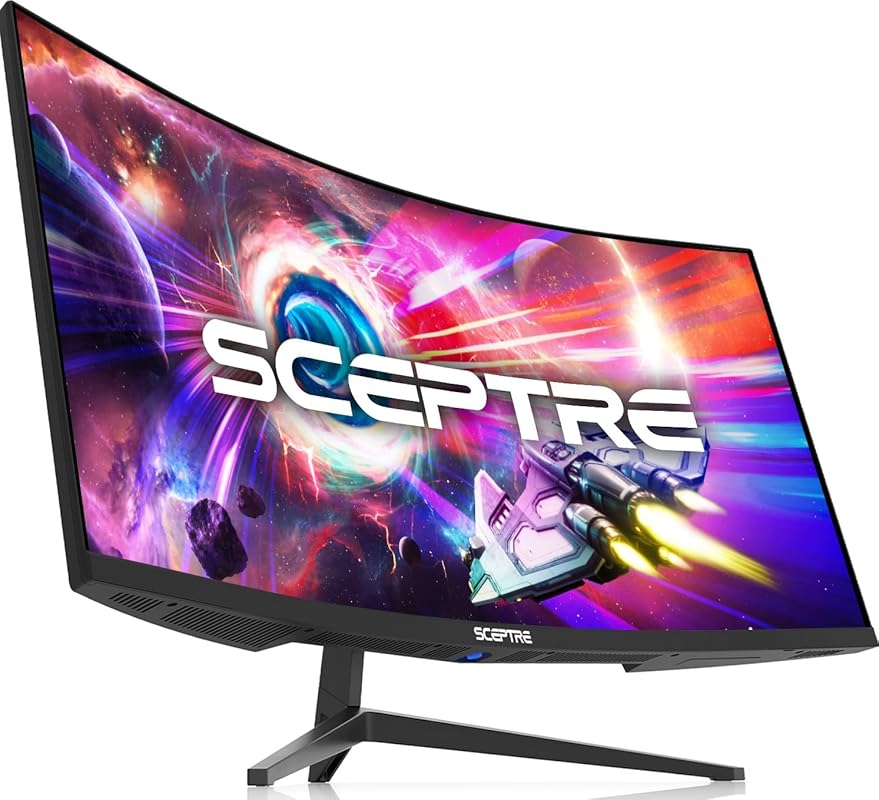
The Sceptre C345B-QUT168 is a veteran in the budget ultrawide space and remains a compelling value proposition. It packs a 34-inch 1500R curved VA panel with WQHD resolution and a refresh rate that can overclock to 180Hz. The 99% sRGB color coverage is solid for the price, and it even includes built-in speakers—a rare and handy feature. The main compromises are a non-adjustable stand and a single-button control system that can be frustrating, but the core display performance is strong.
Key Features That Stand Out
- ✓ Overclockable 180Hz Refresh Rate: Gets you into high-refresh territory.
- ✓ Built-in Speakers: Convenient audio without needing external speakers.
- ✓ 99% sRGB Color Gamut: Good color reproduction for media and games.
- ✓ WQHD Resolution on 34″: Sharp and detailed with good pixel density.
- ✓ Luminous Backcover Lights: Adds a bit of RGB ambiance.
Why We Recommend It
It’s a Best Choice for pure, no-frills value. You get a massive, sharp, high-refresh curved screen with decent colors and even speakers, all for a very low price. It’s a monitor that does the fundamentals right—screen size, curve, resolution, speed—and doesn’t try to be anything more. The long-term reliability shown in user reviews is a huge plus.
Best For
Budget-conscious buyers who want the biggest possible screen with high refresh and don’t need a fancy stand. Ideal for a first ultrawide, a secondary productivity display, or a gaming monitor on a very tight budget that still wants WQHD clarity.
Pros and Cons
Pros:
- Fantastic price for a 34″ WQHD curved monitor.
- Can overclock to 180Hz for very smooth motion.
- Includes built-in speakers—very convenient.
- Proven long-term reliability based on user reports.
Cons:
- Stand is not height adjustable (tilt only).
- Single button for all OSD controls is awkward to use.
- VA panel viewing angles and color accuracy are average.
- No USB hub.
Customer Reviews
Customer Review: I’ve been using this 34-inch curved ultrawide monitor for nearly two years for work. For the price, it offers solid value and is easy to recommend.Setup is straightforward, and the instructions are clear. The ultrawide curved display is great for productivity and multitasking, and the monitor feels solid, though it is a bit heavy.However, in terms of sharpness, I didn’t find it on par with some other monitors I’ve used in the past or even my laptop display. Additionally, the stand is not height-adjustable, which would have been a nice improvement.Despite these limitations, it’s still a good ultrawide monitor for the price and works well for everyday work use.
Customer Review: The Sceptre 34-Inch Curved Ultrawide WQHD Monitor has been a fantastic addition to my setup, and after owning it for two years, I can confidently say it’s been reliable and well worth it.The 3440 × 1440 ultrawide resolution looks fantastic and gives you a ton of screen real estate. Whether I’m multitasking, gaming, or just browsing, everything looks sharp. I’ve had zero issues with the resolution or display quality during the entire time I’ve owned it. The R1500 curve also makes a noticeable difference—it pulls the edges of the screen into your field of view.Build quality has held up well over time, and I’ve had no reliability issues after two years of regular use. For the price, the features you get—ultrawide WQHD, high refresh rate, and good color reproduction—make this monitor a strong value.The only real downside is the power/menu button design. The button is located on the bottom of the monitor and acts as an all-in-one control for power, menu, and navigation. It works, but it can be a bit awkward and unintuitive to use, especially when you’re trying to quickly adjust settings.Pros• Owned for 2 years with no issues• Sharp 3440 × 1440 ultrawide resolution• Smooth 165–180Hz refresh rate• 1ms response time• Good color with 99% sRGB• Excellent value for the priceCons• Single bottom button for power and menu navigation can be awkwardOverall, if you’re looking for an affordable ultrawide monitor with great performance and reliability, this Sceptre model is a solid choice. After two years of use, it’s still performing exactly as expected.
6. CRUA 34 Ultrawide IPS Monitor
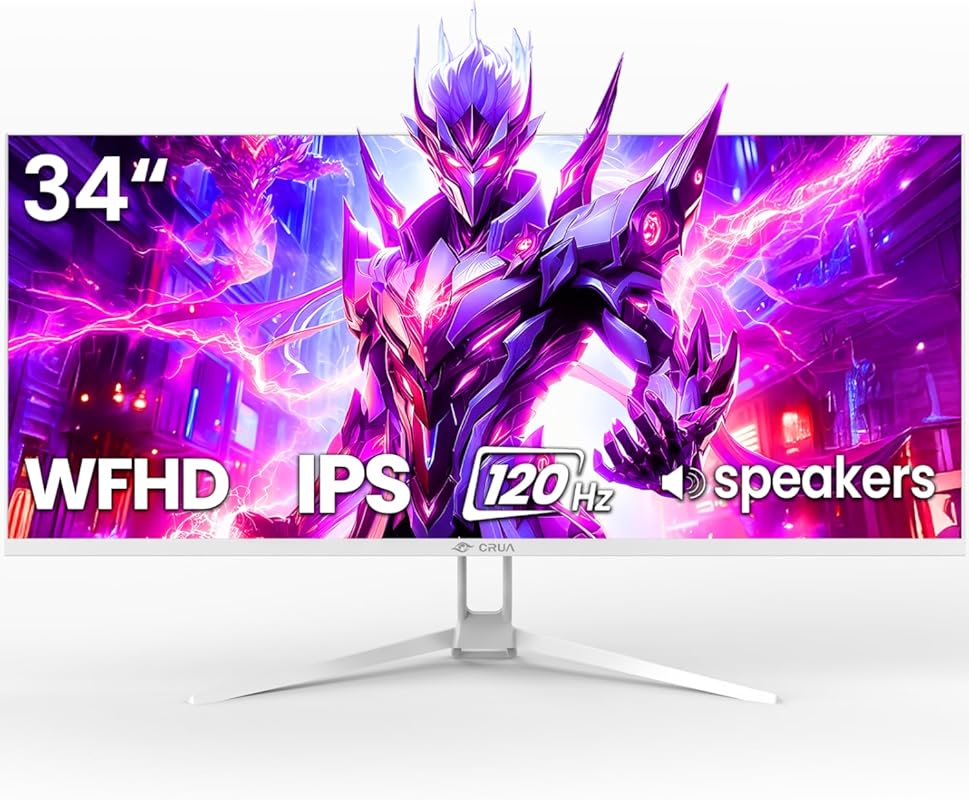
This CRUA model swaps the VA panel for an IPS panel, offering a different set of strengths. The IPS technology provides vastly superior viewing angles and color consistency, making it excellent for collaborative work or if you often sit off-center. It’s a 34-inch WFHD (2560×1080) display with a 1500R curve, 120Hz refresh rate, and FreeSync. The lower resolution helps it achieve that high refresh rate on more budget-friendly hardware, and the white design is consistent with the CRUA aesthetic.
Key Features That Stand Out
- ✓ IPS Panel with 178° Viewing Angles: Color stays consistent from any angle.
- ✓ 120% sRGB Wide Color Gamut: Vibrant and accurate colors out of the box.
- ✓ Smooth 120Hz Refresh Rate: Good for casual and competitive gaming.
- ✓ Built-in Speakers & PIP/PBP: Added functionality for convenience.
- ✓ Clean White Aesthetic: Matches modern, light-colored setups.
Why We Recommend It
We recommend it for users who prioritize color accuracy and viewing angles over the deepest blacks. The IPS panel is the big differentiator here, making it a much better choice for any color-critical work or for shared workspaces. It’s a fantastic compromise that delivers great gaming performance with the visual fidelity of an IPS screen at an accessible price.
Best For
Content creators, designers, or anyone who needs consistent, accurate colors from wide viewing angles. It’s also perfect for a gamer who wants an ultrawide but is frustrated by the viewing angle limitations of VA panels and doesn’t need the absolute highest refresh rate.
Pros and Cons
Pros:
- Excellent viewing angles and color consistency from the IPS panel.
- Vibrant 120% sRGB color coverage.
- Solid 120Hz refresh rate with FreeSync.
- Useful built-in speakers and PIP/PBP.
- Attractive white design.
Cons:
- WFHD (2560×1080) resolution is less sharp than WQHD on the same size.
- Contrast ratio is lower than VA panels (typical for IPS).
- 120Hz is good but not as high as 165Hz+ competitors.
- No height adjustment on stand.
Customer Reviews
Customer Review: Impressive features for the money. Crisp image, fast refresh, good color reproduction. The adjustable height and angle/tilt capabilities are handy and it is very stable. The screen surface has slight undulations but it is unnoticable in normal use. There are no flaws, pixel issues nor bright spots. It has an extensive adjustment capability via a joy stick/switch on the back of the panel.
Customer Review: I run The Northeast GA Weather Center and we needed a few new Monitors that were reliable and provided us more screen space. The CRUA 34″ monitor ended up being our final choice. The price was fantastic and played a big part of our decision to purchase. The monitor is very sturdy and well built. It came packaged very well “I recommend saving your packaging so that in the event of a move or something you can safely transport it.” The quality of the monitors imagery is fantastic and is just as good as our name brand high dollar monitors. If you are a gamer this monitor is a fantastic choice as we also use it for this purpose. It has an amazing refresh rate and 4k and UHD videos and images come through in great detail. We will be purchasing several more of these monitors for our weather center as well as our other regional weather centers. We are now big fans of the CRUA brand and we highly recommend this product to everyone! You can not beat the quality or the price!
7. KTC H34S5 Curved Gaming Monitor
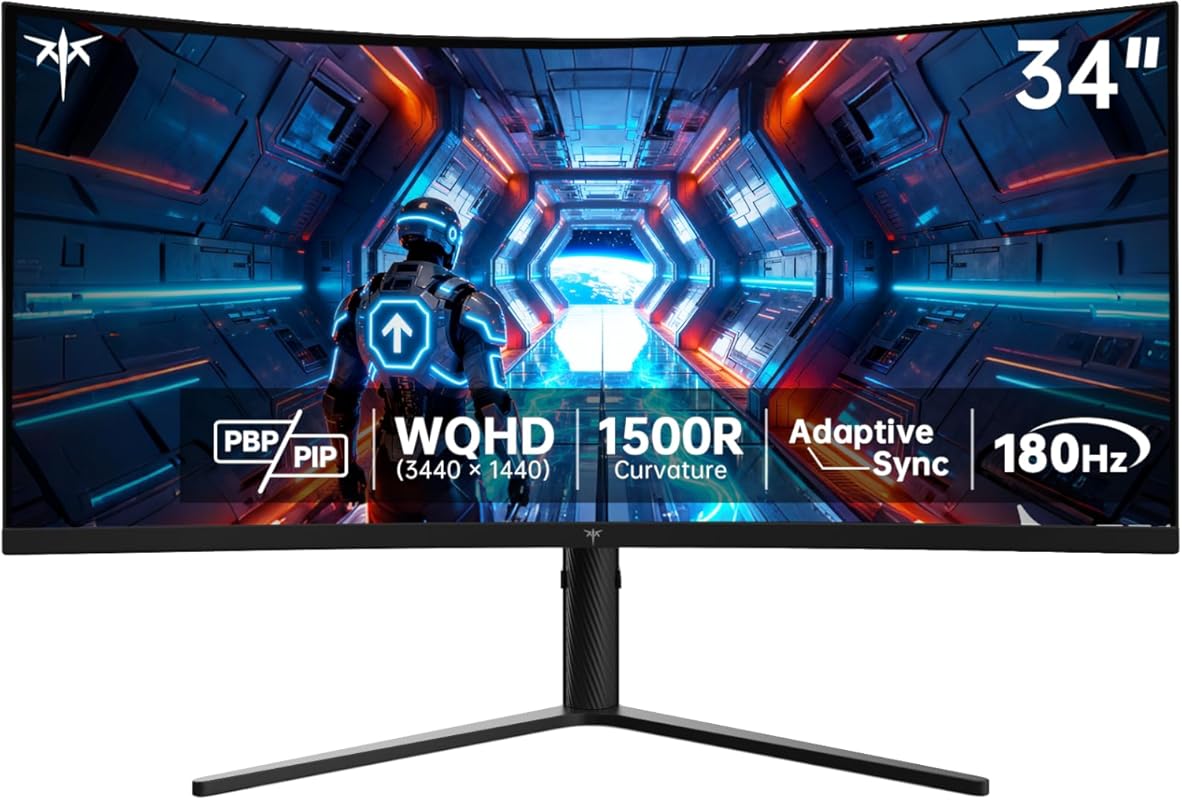
The KTC H34S5 is a powerhouse value, offering a spec sheet that reads like a much more expensive monitor. It features a 34-inch UWQHD (3440×1440) VA panel with a 1500R curve, an impressive 180Hz refresh rate, and Adaptive Sync. The standout is its comprehensive ergonomic stand with tilt, swivel, pivot, and height adjustment—something rarely seen at this price. It also boasts a 4000:1 contrast ratio and 125% sRGB color gamut, delivering punchy visuals.
Key Features That Stand Out
- ✓ 180Hz Refresh Rate with UWQHD: High speed and high resolution together.
- ✓ Full Ergonomic Stand: Height, swivel, pivot, and tilt adjustment.
- ✓ High 4000:1 Contrast Ratio: Deep blacks and great dimensionality.
- ✓ 125% sRGB & 1.07B Colors: Vibrant and colorful image.
- ✓ Adaptive Sync Support: Smooth, tear-free gaming.
Why We Recommend It
It’s the best budget pick for high refresh WQHD. You simply cannot find a 34-inch UWQHD monitor with a 180Hz refresh rate and a fully adjustable stand for this price anywhere else. It offers a near-flagship level of adjustment and performance, making it the ultimate value-for-money king if you want both high resolution and high speed without compromise.
Best For
Budget-focused gamers who refuse to compromise. If you want the crispness of UWQHD *and* the smoothness of 180Hz, this is your monitor. The full ergonomic stand also makes it perfect for anyone who needs to fine-tune their viewing position for comfort.
Pros and Cons
Pros:
- Unbeatable value: UWQHD resolution + 180Hz refresh rate.
- Exceptionally versatile and sturdy full-motion stand.
- Excellent 4000:1 contrast ratio for deep, rich blacks.
- Vibrant colors with 125% sRGB coverage.
- Includes both HDMI 2.0 and DisplayPort 1.4.
Cons:
- Bezels are a bit larger than some premium models.
- Backlight RGB can be gaudy and may need to be turned off.
- VA panel smearing in dark scenes can still occur.
- Color accuracy requires calibration for professional use.
Customer Reviews
Customer Review: Full transparency I’ve only used this product for a few days. Did manage to snag it at $249.99 which is a good deal.Only initial issue is the bezels are rather large, there is a noticeable gap around the display and the product listing pictures are a bit misleading.Other than that the color looks great, quality looks amazing (especially with my 1080p next to it). Viewing angles are good, looks crisp.Mostly use it for my workflow, don’t do too much gaming but so far so good.RGB on the back of it is a little annoying but I’m sure I am able to turn that off.
Customer Review: Excellent monitor. I picked it up for my son to use for both gaming and schoolwork, and he’s thrilled with it. The ultrawide aspect ratio and 180 Hz refresh rate make his games look incredibly smooth. Outstanding value for the price.
8. LG 34G630A-B Ultragear Monitor
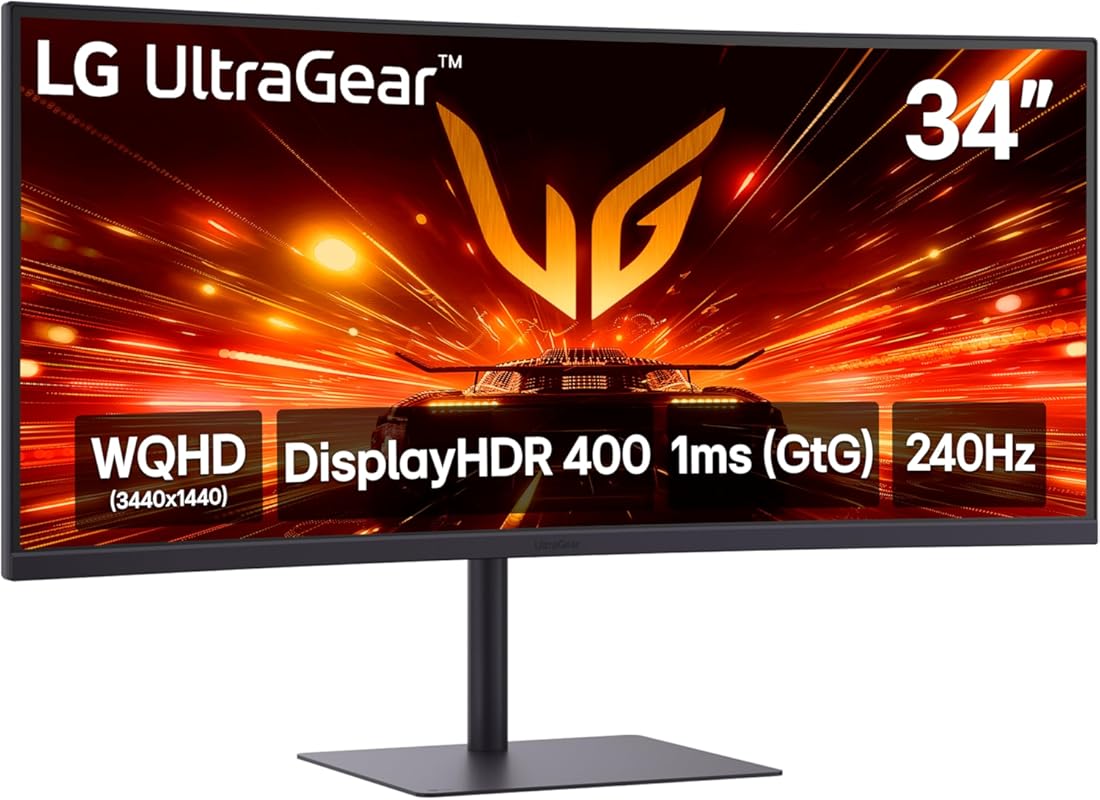
The LG 34G630A-B brings a blistering 240Hz refresh rate to a reputable 34-inch WQHD Ultragear panel. It’s one of the few monitors at this size/resolution combo that hits 240Hz, making it a top-tier choice for esports and competitive gamers who need every frame advantage. The 1000R curve is immersive, and LG’s panel quality ensures good color reproduction and HDR400 support. The stand is also a highlight, being sturdy, highly adjustable, and including a USB-C port with 60W Power Delivery for laptops.
Key Features That Stand Out
- ✓ 240Hz Refresh Rate at WQHD: Extreme speed for competitive edge.
- ✓ Premium, Highly Adjustable Stand: Height, tilt, and swivel with excellent stability.
- ✓ USB-C with 60W PD: Single-cable connectivity for laptops.
- ✓ 1000R Immersive Curve: Deep curve for total engagement.
- ✓ DisplayHDR 400: Better brightness and color for HDR content.
Why We Recommend It
We recommend it for the serious competitive gamer who wants the absolute highest refresh rate possible on a 34-inch WQHD panel. LG’s reputation for panel quality and a fantastic, stable stand adds layers of value. The USB-C port is a game-changer for laptop users, making this a superb all-in-one solution for a gaming/productivity hybrid setup.
Best For
Esports and competitive FPS players where frame rate is the ultimate priority. Also ideal for laptop gamers who want a single-cable solution with power delivery and a high-refresh external display.
Pros and Cons
Pros:
- Industry-leading 240Hz refresh rate on a 34″ WQHD panel.
- Outstanding, stable, and fully adjustable stand.
- Useful USB-C port with 60W power delivery.
- Strong brand reputation and panel quality from LG.
- Deep 1000R curve for maximum immersion.
Cons:
- Premium price compared to other 34″ WQHD monitors.
- VA panel still subject to some dark scene smearing.
- HDR400 is entry-level and not particularly impactful.
- Requires a very powerful GPU to fully leverage 240Hz at WQHD.
Customer Reviews
Customer Review: The picture quality is amazing, functions perfectly, colors look great, weighs much less than my old one, and build quality is good as well. My 4 year old Samsung monitor felt out of date, and was in the market to upgrade. The sale and overall quality made me jump on this, and it meets all expectations!
Customer Review: The LG 34G630A-B has completely exceeded my expectations. The WQHD resolution looks incredibly sharp on the 34-inch curved panel, and the colors are vibrant without looking oversaturated. Games feel much more immersive thanks to the curve, and the fast 240Hz refresh rate paired with the 1ms response time makes everything look silky smooth — perfect for FPS, racing games, and fast-paced titles.The stand is another highlight. It’s heavy-duty, very stable, and adjusts smoothly with almost no effort. It doesn’t wobble when I move my desk, and the height/tilt adjustments feel premium. Setup was simple, and the menu controls are straightforward.If you want a curved ultrawide for gaming that delivers excellent performance, great picture quality, and a solid stand, this monitor is absolutely worth it.
9. KOORUI 34E6UC Curved Gaming Monitor
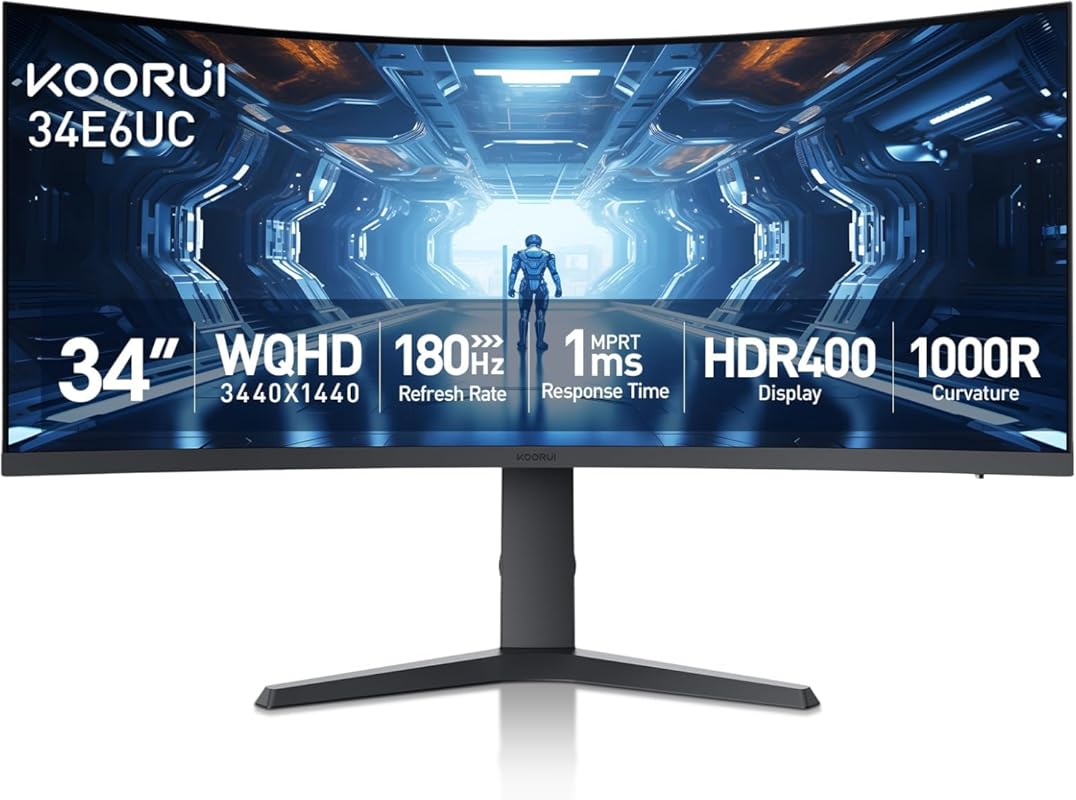
The KOORUI 34E6UC is a feature-packed contender that competes directly with the Samsung Odyssey G5. It boasts a 1000R curvature for ultimate immersion, a 180Hz refresh rate (overclocked), and a WQHD resolution. Its key advantage is the DCI-P3 95% color coverage and HDR400 support, which deliver more vivid and cinematic colors than many competitors in this price range. The fully adjustable stand and modern design complete a very compelling package.
Key Features That Stand Out
- ✓ 1000R Extreme Curve: Maximum immersion for gaming and media.
- ✓ 180Hz Refresh Rate (OC): Extremely smooth motion.
- ✓ DCI-P3 95% & HDR400: Vibrant, cinematic color performance.
- ✓ Fully Adjustable Stand: Height, tilt, and swivel for perfect ergonomics.
- ✓ FreeSync Premium & 1ms MPRT: Top-tier gaming responsiveness.
Why We Recommend It
We recommend it as a Best Choice for gamers who want the most immersive curve *and* superior color performance without paying a premium for an OLED. The 1000R curve combined with 95% DCI-P3 coverage creates a stunning visual experience that’s hard to beat at this price. It’s a fantastic all-rounder for both immersive single-player games and colorful, fast-paced action.
Best For
Immersive gamers and media enthusiasts who demand both a deep curve and excellent color vibrancy. It’s also a great pick for anyone wanting a high refresh rate (180Hz) with the color space needed for some light creative work or HDR content.
Pros and Cons
Pros:
- Incredible 1000R curve for ultimate immersion.
- Excellent color performance with 95% DCI-P3 and HDR400.
- High 180Hz refresh rate (overclocked) with 1ms response.
- Sturdy, fully adjustable stand included.
- Modern design with minimal bezels.
Cons:
- Some users report minor flicker with FreeSync that may need disabling.
- VA panel, so viewing angles and potential smearing are present.
- Color accuracy needs calibration out of the box.
- Long-term brand support/reliability is less proven than giants like LG/ASUS.
Customer Reviews
Customer Review: Review:I purchased two of the Koorui 34‑inch curved ultrawide monitors for a dual‑monitor setup, and so far I’m very pleased with them. The picture quality is sharp, the brightness is solid, and the “Normal” color preset looks natural without any adjustments. For the price, these 34‑inch panels deliver very good performance.That said, there are a few important details the product listing and reviews don’t mention — and knowing them ahead of time would have saved me some stress during installation.1. YES, the 34‑inch model DOES include stand‑offs (spacers)This is not mentioned anywhere in the listing, and even Amazon’s Rufus incorrectly says they are *not* included. They actually come in the small accessory packet with the manual.If you’re mounting these monitors, you will need those stand‑offs because of the recessed VESA pattern. They are already in the box — just not advertised. I rushed to order a separate spacer kit because the listing didn’t mention it, so I’m putting this here to help the next person avoid that.2. One of my monitors flashed briefly until I disabled FreeSyncOn one of the two monitors, I noticed a quick bright “flash” when moving the mouse. Turning off Adaptive Sync / FreeSync in the monitor’s menu fixed it instantly. The other monitor didn’t have this issue, so it seems to vary by panel.Not a defect — just something to be aware of if you see flicker or brightness pops.3. Color and brightness match well once set manuallyAfter setting both monitors to the same brightness, contrast, and color mode, they match very well side‑by‑side. The “Normal” color preset looks the most accurate on these VA panels.4. Build quality and packaging are solidBoth monitors arrived well‑protected, and the included cables work fine. The stand is basic, but I’m using monitor arms, so that wasn’t a factor for me.5. Too early to comment on long‑term support or durabilityI’ve only had these monitors set up for a few hours, so I can’t speak yet to long‑term reliability or how responsive Koorui’s support is. I’ll update this review if anything changes over time.Bottom line:These 34‑inch Koorui ultrawides are excellent for the price, especially for gaming or a dual‑monitor setup. Just be aware that:- Stand‑offs ARE included (despite the listing not saying so)- FreeSync may need to be turned off on some units- Picture quality is great once you match settings manually- Long‑term support is still unknownIf the listing had mentioned the included spacers, it would have saved me a last‑minute order — so I hope this review helps the next person.
Customer Review: So I’ve owned this monitor for about 3 years now and here’s what I have to say about this monitor. The picture quality is actually really good. I got the 1080p version and I mostly use it with my Xbox series x and occasionally will use it for some lighter gaming on my gaming PC both work effortlessly well. The screen size is okay I think next time if it’s in the budget I’ll buy there 34 inch curved monitor. But for right now I’m sticking with this monitor until it dies and so far it’s running strong 3 years later. Right now this monitor cost $80 which is an absolute steal at that price. I paid $130 for it and would say it’s absolutely worth getting. There’s no flickering. The setup process went smoothly. It’s compatible with both my console and gaming PC! I absolutely love this monitor! I don’t own the 27 inch version but I’d recommend going with either that size or bigger if you can afford it.
10. CRUA 34 Ultrawide IPS Gaming Monitor
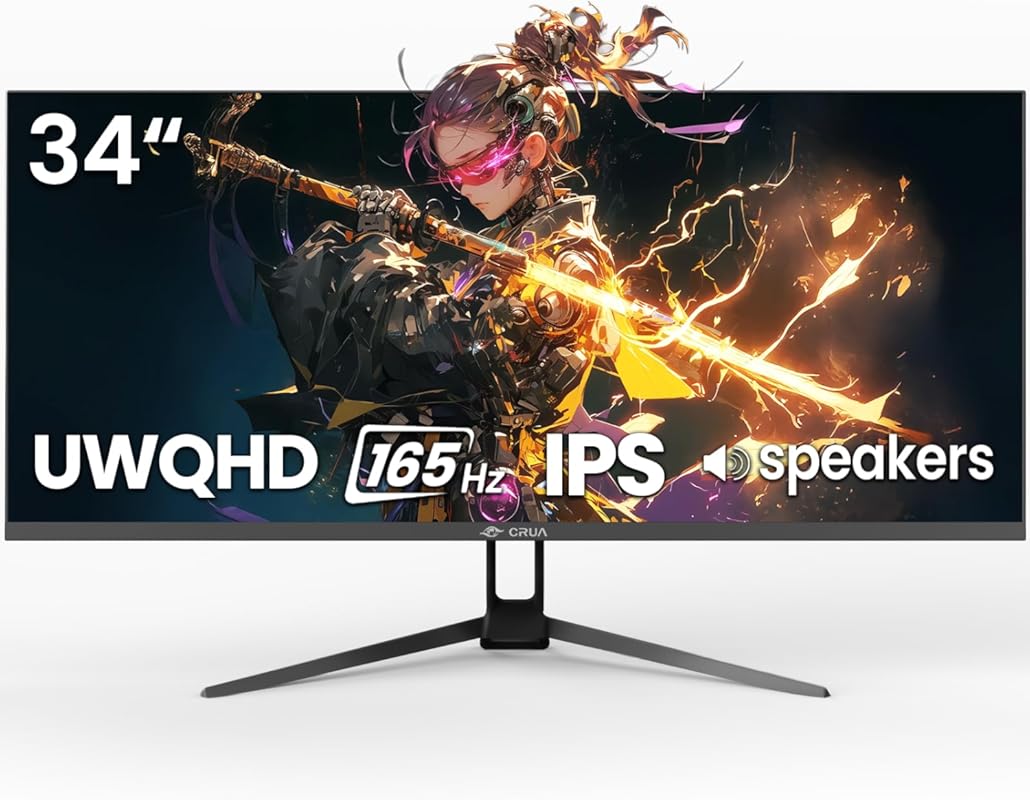
This is CRUA’s flagship IPS offering, combining the viewing angle and color consistency benefits of IPS with the full UWQHD (3440×1440) resolution and a 165Hz refresh rate. It’s a direct competitor to the ASUS VG34VQL1B but often at a lower price. The 1500R curve is present, and it includes FreeSync, PIP/PBP, and a tilt-adjustable stand. It’s an excellent choice for those who want the clarity of a true UWQHD panel with the viewing angle advantages of IPS technology.
Key Features That Stand Out
- ✓ True UWQHD (3440×1440) Resolution: Sharp, detailed image with excellent pixel density.
- ✓ IPS Panel with 178° Viewing Angles: Color and contrast stay consistent from any seat.
- ✓ 165Hz Refresh Rate with FreeSync: Smooth, tear-free gaming performance.
- ✓ 120% sRGB Color Gamut: Vibrant and accurate colors.
- ✓ PIP/PBP & Built-in Speakers: Added functionality for multitasking.
Why We Recommend It
We recommend it as a Best Choice for anyone who wants the clarity of a UWQHD IPS panel without the brand-name premium. It directly challenges the ASUS model and often wins on price. For users who do any color-sensitive work, game from off-center positions, or simply prefer the IPS look over VA, this is a fantastic and cost-effective solution that doesn’t sacrifice gaming speed.
Best For
Users needing accurate colors and wide viewing angles in a high-resolution ultrawide. Perfect for a gamer who also does photo/video editing, a shared workspace where people sit side-by-side, or anyone who dislikes the viewing angle limitations of VA panels.
Pros and Cons
Pros:
- Excellent UWQHD resolution with sharp, clear text and images.
- Superb viewing angles and color consistency from the IPS panel.
- Strong 165Hz refresh rate with FreeSync support.
- Great value proposition compared to brand-name IPS ultrawides.
- Includes useful features like PIP/PBP and built-in speakers.
Cons:
- Contrast ratio is lower than VA panel alternatives.
- No height adjustment on the stand (tilt only).
- Color accuracy requires calibration for professional use.
- IPS panels can have some backlight glow in dark corners.
Customer Reviews
Customer Review: Impressive features for the money. Crisp image, fast refresh, good color reproduction. The adjustable height and angle/tilt capabilities are handy and it is very stable. The screen surface has slight undulations but it is unnoticable in normal use. There are no flaws, pixel issues nor bright spots. It has an extensive adjustment capability via a joy stick/switch on the back of the panel.
Customer Review: I run The Northeast GA Weather Center and we needed a few new Monitors that were reliable and provided us more screen space. The CRUA 34″ monitor ended up being our final choice. The price was fantastic and played a big part of our decision to purchase. The monitor is very sturdy and well built. It came packaged very well “I recommend saving your packaging so that in the event of a move or something you can safely transport it.” The quality of the monitors imagery is fantastic and is just as good as our name brand high dollar monitors. If you are a gamer this monitor is a fantastic choice as we also use it for this purpose. It has an amazing refresh rate and 4k and UHD videos and images come through in great detail. We will be purchasing several more of these monitors for our weather center as well as our other regional weather centers. We are now big fans of the CRUA brand and we highly recommend this product to everyone! You can not beat the quality or the price!
Complete Buying Guide for Best Ultrawide Monitors For Gaming
Essential Factors We Consider
Choosing the right ultrawide hinges on balancing a few key specs. Panel type is the first big decision: VA panels offer superior contrast and deeper blacks but have narrower viewing angles and potential smearing. IPS panels provide amazing colors and wide viewing angles but typically have lower contrast ratios. Refresh rate (Hz) dictates smoothness—144Hz is the sweet spot for most, while 240Hz is for competitive esports. Resolution (e.g., WQHD 3440×1440) affects clarity; higher is sharper but demands more GPU power. The curvature (measured in ‘R’) like 1000R or 1500R, indicates how tight the curve is—lower numbers are more immersive. Finally, adaptive sync (FreeSync/G-Sync Compatible) is non-negotiable for tear-free gaming.
Budget Planning
You can find a capable gaming ultrawide from about $250 to $300 (like the Z-Edge or Sceptre), which will offer 1080p-1440p resolution and 120-180Hz refresh rates. Stepping up to the $400 to $600 range (like the ASUS, KTC, or KOORUI) gets you better build quality, fully adjustable stands, higher refresh rates at WQHD, and sometimes better color performance. The $700+ tier (like the LG) is for enthusiasts seeking the highest refresh rates, best panels, and premium features like USB-C power delivery. Set your budget based on your GPU’s capability—there’s no point buying a 240Hz WQHD monitor with a weak graphics card.
Final Thoughts
The “best” ultrawide is the one that best matches your specific gaming style, desk space, and budget. For pure, aggressive immersion on a budget, the Samsung Odyssey G5’s 1000R curve is hard to beat. If you want a high refresh rate *and* WQHD resolution without breaking the bank, the KTC H34S5 is the value king. For competitive gamers with the GPU to match, the LG 34G630A-B’s 240Hz is top-tier. And for anyone who hates VA panel viewing angle limitations, the CRUA IPS models are your best friends. Prioritize the features that matter most to *your* games and setup, and you’ll find the perfect screen from this list.
Frequently Asked Questions
Q: Is a 34-inch ultrawide good for gaming?
A: Absolutely. A 34-inch ultrawide with a 3440×1440 (WQHD) resolution is considered the sweet spot for gaming. It provides a significant increase in field of view compared to a 27-inch 16:9 monitor without the pixel density challenges or extreme GPU demands of a larger 4K screen. The curved design also enhances immersion.
Q: What’s better for gaming: VA or IPS panel?
A: It’s a trade-off. VA panels have much higher contrast ratios (deeper blacks) which can make games look more dramatic, but they have slower response times in dark scenes (smearing) and narrower viewing angles. IPS panels have faster response times, vastly superior viewing angles, and better color accuracy out of the box, but their contrast is lower (black levels look more grayish). For pure competitive speed, a fast IPS is best. For cinematic, dark-room gaming, a good VA is great.
Q: Do I need a powerful graphics card for an ultrawide?
A: Yes, more so than a standard 1080p or even 1440p 16:9 monitor. An ultrawide has significantly more pixels (e.g., WQHD ultrawide has about 33% more pixels than 1440p 16:9). To achieve high frame rates at that resolution, you’ll need a mid-to-high-end GPU. For a 240Hz ultrawide, you’ll need a flagship card (RTX 4080/4090, RX 7900 XTX) for modern titles.
Q: What refresh rate is best for ultrawide gaming?
A: 144Hz to 165Hz is the excellent mainstream sweet spot, offering a huge smoothness upgrade over 60Hz with manageable GPU demands. 180Hz to 240Hz is for competitive esports players where every millisecond counts and you have the GPU to drive it. For casual and single-player gaming, 144Hz+ is more than sufficient.
Q: Are curved monitors better for gaming?
A: For ultrawides, yes, almost always. The curvature (like 1000R or 1500R) is designed to match the natural curve of your eye, bringing the edges of the massive screen into your peripheral vision. This creates a more immersive, “wrap-around” feel and can reduce eye strain during long sessions. Flat ultrawides exist but are rare and generally not recommended for the intended immersive experience.
Upgrading to an ultrawide is one of the most impactful changes you can make to your gaming setup. The expanded field of view isn’t just a novelty—it’s a genuine advantage that makes games more immersive and can even improve your reaction times by showing more of the battlefield at once. From the budget-friendly Z-Edge that proves you don’t need to spend much to the premium LG that offers blistering speed, there’s a perfect monitor on this list for every gamer. Don’t just read about it—experience it. Click any of the “Check Price on Amazon” buttons above to see the latest deals and bring your gaming world to life today.