Western Digital Nvme M 2 Ssd

The Western Digital NVMe M.2 SSD delivers blazing-fast storage for PCs and laptops. These drives offer incredible read and write speeds that make your system feel instant. Whether you need a boot drive, a game library storage, or a creative workstation solution, there is a Western Digital NVMe M.2 SSD for you. In this guide, we break down the best models, key features, and everything you need to know before buying.
If you are building a new PC or upgrading an existing one, you have probably heard about the Western Digital NVMe M.2 SSD. These drives are among the fastest storage options available today. They transform slow, laggy systems into responsive machines that boot in seconds and load games almost instantly.
But with so many options on the market, how do you know which Western Digital NVMe M.2 SSD is right for you? What makes NVMe different from a regular SATA drive? And is the price premium worth it? In this article, we answer all of these questions and more. We will walk you through the top models, explain the technology, and give you practical buying advice.
Whether you are a gamer, a content creator, or just someone who wants a faster computer, this guide has you covered. Let us dive in and explore the world of Western Digital NVMe M.2 SSDs.
Key Takeaways
- Blazing Speeds: Western Digital NVMe M.2 SSDs offer sequential read speeds up to 7,000 MB/s, far outpacing traditional hard drives and SATA SSDs.
- Multiple Models for Every Need: From the WD Black SN850X for gaming to the WD Blue SN580 for everyday use, there is a drive for every budget and workload.
- Easy Installation: The M.2 2280 form factor slots directly into your motherboard, making upgrades simple and tool-friendly.
- PCIe Gen4 and Gen5 Options: Western Digital offers both fourth and fifth-generation NVMe drives for maximum performance.
- Great Value: Prices have dropped significantly, making high-speed NVMe storage accessible to most users.
- Reliable Performance: WD’s reputation for quality and endurance ensures your data stays safe and your drive lasts for years.
📑 Table of Contents
What Is a Western Digital NVMe M.2 SSD?
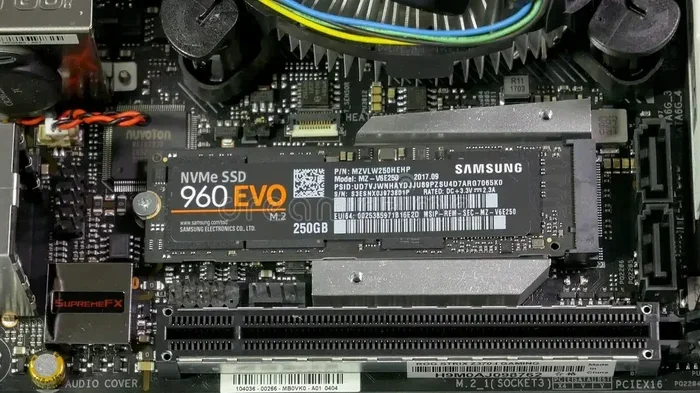
An NVMe M.2 SSD is a type of solid state drive that uses the NVMe protocol over a PCIe connection. Unlike older SATA drives, NVMe drives communicate directly with the CPU through the PCIe bus. This means much faster data transfer and lower latency. The M.2 part refers to the physical shape and size of the drive.
Western Digital is one of the biggest names in storage. They make a wide range of NVMe M.2 SSDs designed for different users. The WD Black line targets gamers and enthusiasts who want maximum speed. The WD Blue line offers reliable performance for everyday tasks at a more affordable price. The WD Red line focuses on NAS and surveillance workloads.
Most Western Digital NVMe M.2 SSDs use the 2280 form factor. This means they are 22 millimeters wide and 80 millimeters long. They plug directly into an M.2 slot on your motherboard. No cables, no bulky drive bays, just a small stick that delivers enormous performance.
How NVMe Differs from SATA
To understand why NVMe is so much faster, you need to know how SATA SSDs work. SATA drives use an older interface designed for spinning hard drives. They max out around 550 MB/s. That was fast in 2010, but today it feels slow.
NVMe drives, on the other hand, use the PCIe interface. A Western Digital NVMe M.2 SSD can reach sequential read speeds of 5,000 to 7,000 MB/s or even higher. That is up to 13 times faster than SATA. The difference is noticeable the moment you turn on your PC or launch a heavy application.
Here are the key differences at a glance:
- SATA SSD: Max speed around 550 MB/s. Uses AHCI protocol. Older interface with more overhead.
- NVMe SSD: Max speed up to 7,000+ MB/s. Uses NVMe protocol. Direct PCIe connection to CPU.
- Form Factor: SATA drives are usually 2.5-inch. NVMe M.2 drives are small sticks that save space.
Top Western Digital NVMe M.2 SSD Models
Western Digital offers several NVMe M.2 SSD models. Each one targets a different audience and use case. Here is a look at the most popular options.
WD Black SN850X
The WD Black SN850X is the flagship performance drive. It is built for gamers and professionals who demand the absolute best. This drive uses a custom WD controller and 9-layer 176-layer TLC NAND flash memory. It delivers up to 7,300 MB/s sequential read speeds.
Key features of the SN850X include:
- Sequential read speeds up to 7,300 MB/s
- Sequential write speeds up to 6,600 MB/s
- Available in 1TB, 2TB, and 4TB capacities
- DRAM cache for consistent performance
- Excellent random 4K read/write speeds
- Low power consumption for gaming laptops
If you want the fastest Western Digital NVMe M.2 SSD money can buy, the SN850X is the one to get. It competes with the best drives from Samsung and Crucial, including the Crucial T705 PCIe Gen5 NVMe M.2 SSD, which also delivers top-tier Gen5 performance.
WD Blue SN580
The WD Blue SN580 is the sweet spot for most users. It offers excellent NVMe performance at a more budget-friendly price. This drive uses a Phison E19 controller and 176-layer TLC NAND. Sequential read speeds reach up to 4,000 MB/s.
Why choose the SN580?
- Great value for everyday computing
- Available in 250GB, 500GB, 1TB, and 2TB sizes
- No DRAM cache, but still very responsive
- Low power draw, ideal for laptops
- Reliable endurance rated at 300 TBW for the 1TB model
The SN580 is perfect as a boot drive or a general-purpose storage solution. It is also a great choice if you are building a budget-friendly PC and still want NVMe speed.
WD Black SN770
The WD Black SN770 sits between the SN850X and the SN580. It offers a great balance of speed and price. With sequential reads of up to 5,150 MB/s, it handles gaming and creative workloads with ease.
The SN770 comes in capacities from 500GB to 4TB. It is a solid choice if you want a Western Digital NVMe M.2 SSD that can handle large game libraries without breaking the bank.
How to Choose the Right Western Digital NVMe M.2 SSD
Not all NVMe drives are the same. Choosing the right one depends on several factors. Let us break them down so you can make a confident decision.
Consider Your Storage Capacity Needs
Storage capacity is the first thing to think about. Games today can be 100GB or more. Video editing projects eat up space fast. A 500GB drive fills up quickly if you are serious about your work or hobbies.
Here is a simple guide:
- 500GB: Good for a boot drive with a few applications. Not ideal for large game libraries.
- 1TB: The most popular choice. Enough for Windows, several games, and everyday files. A 1TB NVMe M.2 SSD is a great starting point for most users.
- 2TB: Perfect for heavy gamers and content creators who store large projects.
- 4TB: For power users who need maximum storage without compromising speed.
If you are unsure, go with 1TB or 2TB. The price difference between these sizes has narrowed significantly, and you will thank yourself later.
Check Your Motherboard Compatibility
Before buying any Western Digital NVMe M.2 SSD, check your motherboard. You need an M.2 slot that supports NVMe over PCIe. Most modern motherboards have at least one M.2 slot, but older boards may only support SATA M.2 drives.
Quick compatibility checklist:
- Does your motherboard have an M.2 slot?
- Does the M.2 slot support PCIe NVMe (not just SATA)?
- What PCIe generation does it support (Gen3, Gen4, or Gen5)?
- Is there a heatsink on the M.2 slot, or do you need an aftermarket one?
Running a Gen4 NVMe drive in a Gen3 slot will still work, but it will be limited to Gen3 speeds. Similarly, a Gen5 drive in a Gen4 slot will be capped at Gen4 speeds. Always match your drive generation to your motherboard for the best results.
Think About Your Workload
Different tasks demand different levels of performance. For basic office work and web browsing, even a budget NVMe drive will feel blazing fast. For gaming, you want quick load times and consistent frame rates, which the SN850X or SN770 delivers perfectly.
For video editing and 3D rendering, you need sustained write speeds and high endurance. Drives with DRAM cache tend to handle these workloads better because they can manage data more efficiently. The WD Black SN850X shines in this area.
Budget Considerations
Price is always a factor. Western Digital NVMe M.2 SSDs range from around $50 for a 500GB SN580 to over $300 for a 4TB SN850X. As a general rule, you get what you pay for in terms of speed and endurance.
However, NVMe prices have dropped dramatically in recent years. A 1TB NVMe drive now costs only slightly more than a 1TB SATA SSD. For that small premium, you get a massive speed boost. In most cases, the extra cost is absolutely worth it.
Installation and Setup Tips
Installing a Western Digital NVMe M.2 SSD is one of the easiest PC upgrades you can do. You do not need to be a tech expert. Here is how to do it step by step.
Step-by-Step Installation
Follow these simple steps to install your new NVMe M.2 drive:
- Turn off your PC and unplug it from the power outlet.
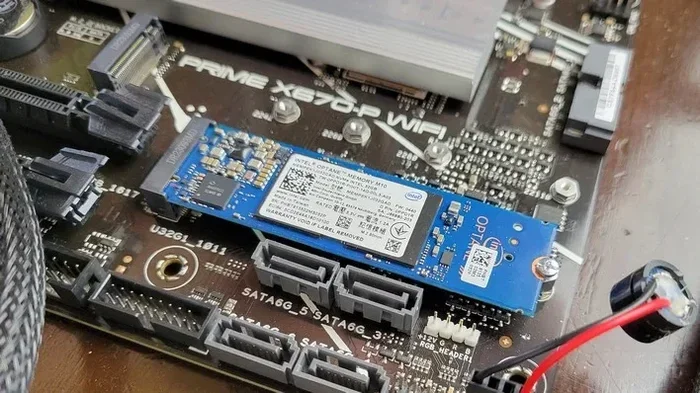
- Open the case and locate the M.2 slot on your motherboard.
- Remove the heatsink or protective cover if one is attached.
- Align the NVMe drive with the M.2 slot at a 30-degree angle.
- Gently press the drive down and secure it with the small screw.
- Replace the heatsink if needed.
- Close the case and reconnect power.
- Boot into your BIOS or operating system.
That is it. The drive should be recognized automatically. If you are installing it as a boot drive, you may need to clone your existing drive or reinstall your operating system.
Enclosure Options for External Use
Did you know you can use your Western Digital NVMe M.2 SSD as an external drive? An NVMe M.2 enclosure turns your internal drive into a portable high-speed storage solution. This is great for backing up large files or transferring data between computers.
Enclosures like the NVMe M.2 SSD Enclosure connect via USB-C and can deliver speeds of up to 10 Gbps. They are compact, affordable, and incredibly convenient for on-the-go professionals.
Keeping Your Drive Cool
NVMe drives can generate heat under heavy workloads. Most Western Digital NVMe M.2 SSDs come with a small heatsink built into the M.2 slot on your motherboard. If your board does not have one, consider buying an aftermarket M.2 heatsink.
Thermal throttling is when a drive slows down because it gets too hot. This is rare in normal use but can happen during extended heavy writes. A heatsink solves this problem easily and keeps your drive running at peak performance.
Western Digital NVMe M.2 SSD vs. Other Brands
Western Digital is not the only player in the NVMe M.2 SSD market. Samsung, Crucial, Kingston, and Seagate all offer competitive drives. So how does WD stack up?
Here are some quick comparisons:
- Samsung 980 Pro: Similar performance to the WD Black SN850X. Samsung has a slight edge in some benchmarks, but WD often offers better value.
- Crucial T705: A strong Gen5 competitor. The Crucial T705 PCIe Gen5 NVMe M.2 SSD offers raw speed that rivals WD’s top models.
- Kingston NV2: A budget-friendly option. Kingston uses a Phison controller similar to some WD drives, but WD generally offers better sustained performance.
- Seagate FireCuda 530: A solid competitor with good endurance and consistent speeds across all capacities.
What sets Western Digital NVMe M.2 SSDs apart is the balance of performance, reliability, and price. WD has years of experience in the storage industry, and their NVMe drives reflect that expertise. They also offer excellent warranty support, which gives you peace of mind.
Common Mistakes to Avoid
Before you buy your next Western Digital NVMe M.2 SSD, keep these common mistakes in mind:
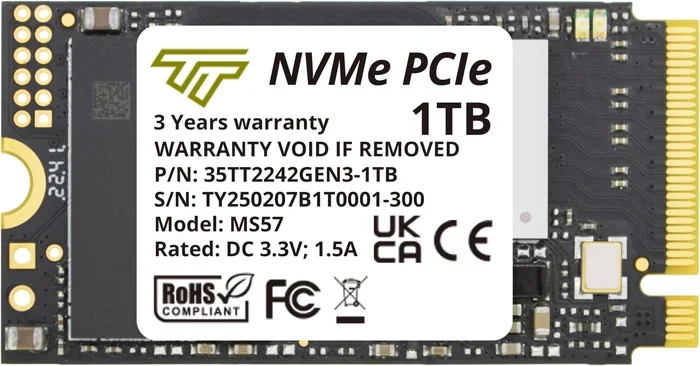
- Buying the wrong form factor: Make sure your motherboard supports 2280 M.2 NVMe drives. Some older systems only support 2242 or SATA M.2.
- Ignoring PCIe generation: A Gen5 drive in a Gen3 slot will not give you Gen5 speeds. Check your motherboard specs first.
- Skipping the heatsink: While not always necessary, a heatsink can prevent thermal throttling during heavy workloads.
- Not checking endurance ratings: TBW (terabytes written) tells you how much data the drive can handle over its lifetime. Higher is better for heavy users.
- Forgetting to update firmware: WD regularly releases firmware updates that improve performance and fix bugs. Check the WD website after installation.
Final Thoughts
The Western Digital NVMe M.2 SSD is one of the best upgrades you can make for your computer. Whether you choose the top-tier WD Black SN850X or the budget-friendly WD Blue SN580, you will notice an immediate improvement in speed and responsiveness.
These drives offer incredible read and write speeds, generous capacities, and reliable performance. They are perfect for gaming, content creation, everyday computing, and everything in between. With prices continuing to drop, there has never been a better time to upgrade to NVMe storage.
Consider your needs, check your motherboard compatibility, and pick the model that fits your budget. A Western Digital NVMe M.2 SSD is an investment that pays off every single day you use your computer. You will wonder how you ever managed without it.
For those who want to explore external options, an SSD NVMe PCIe M.2 enclosure can extend the versatility of your drive even further, turning it into a portable high-speed storage solution.
Frequently Asked Questions
What makes a Western Digital NVMe M.2 SSD faster than a regular SSD?
A Western Digital NVMe M.2 SSD uses the PCIe interface and NVMe protocol, which allows much faster data transfer than the older SATA interface used by regular SSDs. This means read and write speeds that are several times faster, resulting in quicker boot times, faster game loads, and snappier overall system performance.
Is a Western Digital NVMe M.2 SSD worth the extra cost over a SATA SSD?
Yes, for most users the extra cost is worth it. The speed difference is dramatic and noticeable in everyday use. NVMe drives boot Windows in seconds, load games much faster, and handle large file transfers with ease. The price gap between SATA and NVMe has narrowed, making NVMe the better choice for almost everyone.
Can I use a Western Digital NVMe M.2 SSD in a laptop?
Absolutely. Most modern laptops have an M.2 slot that supports NVMe SSDs. The compact M.2 form factor is perfect for laptops because it saves space and uses less power than a traditional 2.5-inch drive. Just make sure your laptop has an M.2 slot that supports PCIe NVMe before purchasing.
How long does a Western Digital NVMe M.2 SSD last?
Western Digital NVMe M.2 SSDs are built with high-quality NAND flash and controllers designed for long-term use. Endurance is measured in TBW (terabytes written), and most models range from 300 TBW for the 1TB SN580 to over 1,200 TBW for the 2TB SN850X. With normal use, these drives can last many years.
Do I need a heatsink for my Western Digital NVMe M.2 SSD?
Not always, but it helps. Modern motherboards often include a heatsink on the M.2 slot already. If your board does not have one, or if you plan to run heavy workloads for extended periods, adding an aftermarket heatsink can prevent thermal throttling and keep your drive running at full speed.
What is the difference between WD Black and WD Blue NVMe M.2 SSDs?
The WD Black line is designed for enthusiasts and gamers who want maximum performance. It typically includes a DRAM cache, higher endurance ratings, and faster speeds. The WD Blue line is aimed at everyday users who want reliable NVMe performance at a lower price point. Both lines offer excellent value in their respective categories.