Do Usb C to Hdmi Cables Exist
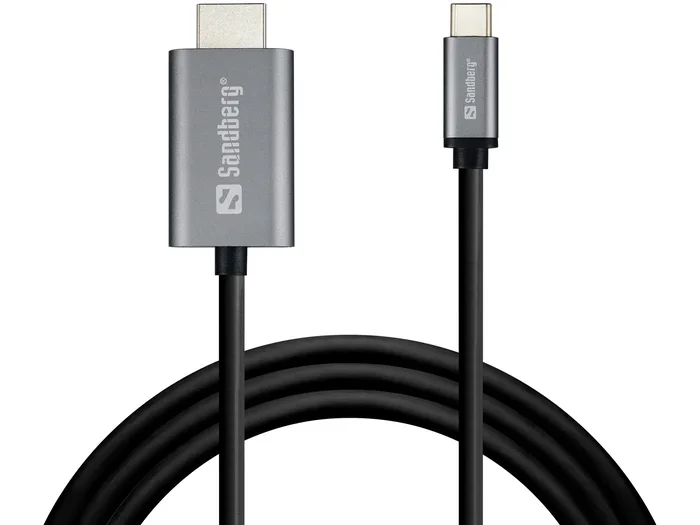
Yes, USB C to HDMI cables do exist and they are a game changer for anyone who needs to connect their laptop, tablet, or phone to a display. These cables let you send high quality video and audio from a USB C port straight to an HDMI screen. In this guide, we will walk you through everything you need to know about USB C to HDMI cables, including how they work, what types are available, and how to pick the best one.
Have you ever looked at your laptop and its tiny USB C port and wondered if you could plug it straight into your TV or monitor? The good news is that USB C to HDMI cables do exist. They are real, they work, and they are changing the way we connect devices. Whether you want to mirror your screen, extend your workspace, or just watch a movie on a bigger display, a USB C to HDMI cable makes it simple. In this article, we will cover everything you need to know about these cables, from how they work to which one you should buy.
The world of USB C connectivity has grown fast in recent years. More and more laptops, tablets, and phones now use the USB Type C connector because it is small, reversible, and fast. But not everyone knows that USB C can also carry video signals. This means you can use a single cable to connect your device to an external display. It is incredibly convenient and saves you from carrying multiple cables around. Let us dive into the details and answer all your questions about USB C to HDMI cables.
Key Takeaways
- USB C to HDMI cables do exist and come in both active and passive forms for different needs.
- USB C to HDMI adapters are widely available and support 4K and even 8K resolutions depending on the model.
- Compatibility matters so always check your device’s USB C port to see if it supports video output.
- USB C hubs with HDMI ports offer more flexibility than single cables alone.
- Thunderbolt 3 and USB 3.1 both support video output through USB C to HDMI connections.
- USB C to HDMI cables are affordable and a simple way to expand your display setup.
📑 Table of Contents
- What Is a USB C to HDMI Cable?
- Do USB C to HDMI Cables Actually Exist?
- How Do USB C to HDMI Cables Work?
- Types of USB C to HDMI Cables and Adapters
- Compatibility and What to Look For
- Common Uses for USB C to HDMI Cables
- How to Choose the Right USB C to HDMI Cable
- Common Mistakes to Avoid
- Final Thoughts
What Is a USB C to HDMI Cable?
A USB C to HDMI cable is a cable or adapter that lets you connect a device with a USB C port to an HDMI display. This could be a television, a computer monitor, a projector, or any screen with an HDMI input. The cable carries both video and audio signals through one connection. You no longer need a separate audio cable or a dongle for basic setups.
These cables come in different forms. Some are active cables with built-in chips that do the conversion. Others are passive adapters that rely on the source device to handle the signal conversion. The type you need depends on your device and what you want to do. For example, if you have a modern laptop with a full-featured USB C port, a passive cable might work perfectly. But if you have a phone or an older device, you may need an active cable with extra power.
It is worth noting that USB C to HDMI cables are not the same as regular USB cables. Standard USB cables carry data and power but do not send video signals. A USB C to HDMI cable is specifically designed to handle high definition video output along with multi channel audio. This makes it a powerful tool for presentations, gaming, and media consumption.
Understanding USB C and HDMI Connections
Before we go further, it helps to understand the two ends of the cable. The USB Type C connector is a small, oval shaped plug that is reversible. You can plug it in either way, which is a nice convenience. On the other side, the HDMI connector is the classic flat trapezoid shape that you have probably seen on TVs and monitors for years.
USB C is a versatile port. It can handle data transfer, power delivery, and video output all at the same time. HDMI is a dedicated audio and video standard that has been around for a long time. When you combine them with a USB C to HDMI cable, you get the best of both worlds. You get a single cable solution that handles everything you need to connect your device to a big screen.
Do USB C to HDMI Cables Actually Exist?
Yes, USB C to HDMI cables absolutely exist. They are sold by many brands and are easy to find online and in electronics stores. You might be surprised by how many options are available. From budget friendly options to premium cables that support 8K resolution, there is something for everyone.
Some people get confused because they see a USB C cable and an HDMI cable and assume they are completely different things. But the USB C to HDMI cable bridges the gap between these two standards. It has a USB C plug on one end and an HDMI plug on the other end. Simple as that. You plug one side into your laptop or phone and the other side into your TV or monitor.
If you have ever used a M 2 Nvme To Usb C Ssd Enclosure, you already know how versatile USB C can be. It handles data transfer, power, and video all through one small connector. The same versatility applies to USB C to HDMI cables. They are just one more example of how the USB C standard has made our lives easier.
Active Cables vs. Passive Adapters
There are two main types of USB C to HDMI cables you should know about. Active cables have a built in chip or chip set that converts the USB C signal to HDMI. They often need their own power source or draw power from the USB C port. Passive cables or adapters rely on your device to support DisplayPort Alt Mode, which is a feature that allows USB C ports to output video natively.
Here is a simple way to think about it. An active cable does the work for you. A passive adapter asks your device to do the work. Most modern laptops and tablets support DisplayPort Alt Mode, so a passive option will work fine. But if you are using a phone or an older device, an active cable is your safer bet. Always check your device specs before you buy.
How Do USB C to HDMI Cables Work?
The technology behind USB C to HDMI cables is simpler than it sounds. When your device sends a video signal through the USB C port, the cable carries that signal to the HDMI end. The HDMI end then talks to your TV or monitor and displays the picture. It all happens in seconds and you barely notice it is happening.
The key technology that makes this possible is called DisplayPort Alt Mode. When a USB C port supports this mode, it can send a video signal directly through the cable. This is what allows a USB C to HDMI cable to work without any extra software or drivers in most cases. You just plug it in and the screen shows up.
Some USB C to HDMI cables also support features like High Dynamic Range or HDR. This means you can get richer colors and better contrast when connecting to a compatible display. If you are a movie lover or a gamer, this is a big deal. You get a much better picture quality than you would with a standard cable or wireless connection.
Another important thing to know is that many USB C to HDMI cables also carry audio. So when you plug your laptop into a TV, you do not need a separate audio cable. The sound comes through the HDMI connection automatically. This makes setup quick and easy, even for people who are not very tech savvy.
The Technology Behind the Connection
Inside a USB C to HDMI cable, there are tiny wires that carry different signals. Some wires handle video data, some handle audio, and some handle power if the cable supports it. The USB C connector has 24 pins, and many of them are dedicated to different functions. This is what makes USB C so versatile compared to older connector types.
When you plug in a USB C to HDMI cable, the device and the display negotiate the best possible connection. They agree on the resolution, the refresh rate, and the color depth. This all happens automatically in the background. You do not need to change any settings most of the time. Just plug in the cable and enjoy your content on the big screen.
If you are curious about other USB C accessories, devices like the Sandisk Extreme Portable 2Tb External Usb C Nvme Ssd show how powerful USB C connectivity can be. These devices use the same USB C port for fast data transfer and power delivery, proving that the USB C standard is incredibly flexible.
Types of USB C to HDMI Cables and Adapters
Not all USB C to HDMI cables are the same. There are several types to choose from, and each one serves a slightly different purpose. Let us break them down so you can find the right one for your needs.
USB C to HDMI Adapter Cables: These are the most common type. They have a USB C plug on one end and an HDMI plug on the other. They are simple, compact, and easy to carry around. You can toss one in your bag and use it whenever you need to connect to a display. These cables work great for quick presentations or movie nights.
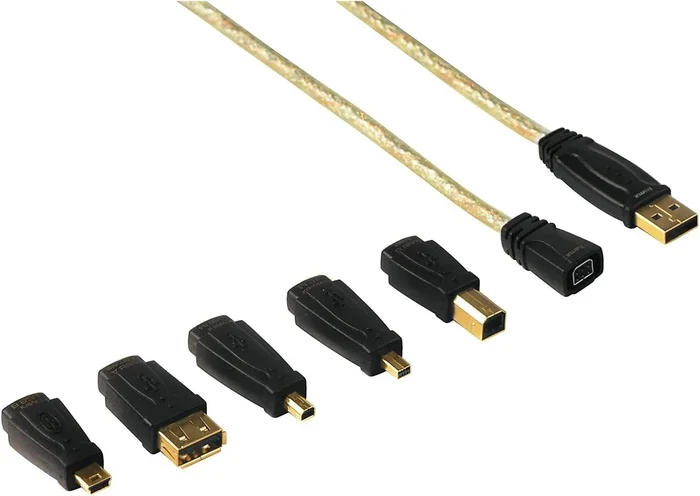
USB C to HDMI Adapter Dongles: These are small adapters that plug into your USB C port. You then plug an HDMI cable into the adapter. They are not cables themselves but they serve the same purpose. Dongles are useful when you already have an HDMI cable lying around and do not want to buy a new one.
USB C Hubs with HDMI Ports: These are multi port devices that expand your USB C port into several connections. Most hubs include an HDMI port for video output, along with USB A ports, SD card readers, and even Ethernet ports. If you need more than just a video connection, a hub is a great investment. It is like getting several adapters in one device.
USB C Docking Stations: These are larger docking stations that connect to your laptop via USB C and provide multiple ports for displays, peripherals, and charging. Many docking stations include HDMI outputs for connecting to monitors. These are ideal for office setups where you need a permanent connection to external displays.
USB C to HDMI Adapter Cables
A USB C to HDMI adapter cable is the simplest option for connecting your device to a display. It is a single cable with a USB C connector on one end and an HDMI connector on the other end. You plug it in and it works. No extra hardware needed. These cables are lightweight, affordable, and perfect for people who travel often.
When shopping for a USB C to HDMI adapter cable, look for one that supports the resolution you need. Most cables on the market support 4K at 30Hz or 60Hz. If you need higher refresh rates or 8K support, you will need a premium cable. Always check the product specs before you buy to make sure it meets your needs.
USB C Hubs with HDMI Ports
A USB C hub with an HDMI port is a great option if you need more connectivity options. These hubs typically include multiple USB ports, an HDMI output, and sometimes an SD card reader or Ethernet port. They are perfect for people who use their laptop as a desktop but do not want to clutter their desk with multiple adapters.
USB C hubs are especially useful for people who work with external displays regularly. You can connect your keyboard, mouse, external drive, and monitor all through one hub plugged into your laptop’s USB C port. It keeps your workspace clean and organized. Some hubs also support charging through the USB C connection, which means you can power your laptop while using all the peripherals.
Compatibility and What to Look For
Not every USB C port can output video. This is the most important thing to know before you buy a USB C to HDMI cable. Some USB C ports are designed only for data transfer and power delivery. They do not support video output at all. So how do you know if your device supports it?
The easiest way is to check your device’s specifications. Look for terms like “DisplayPort Alt Mode,” “Thunderbolt 3,” or “USB C with video output.” If your device supports any of these, a USB C to HDMI cable will work for you. If you are not sure, you can also check the manufacturer’s website or contact their support team.
Another thing to consider is the version of USB C your device has. USB 3.1 and USB 3.2 both support video output through USB C. Thunderbolt 3 and Thunderbolt 4 ports also support HDMI output. The newer the standard, the better the performance you can expect from your USB C to HDMI cable.
You might also want to check if your display has an HDMI port. Most modern TVs and monitors do, but some newer displays use USB C or DisplayPort instead. If your display only has USB C input, you might need a different type of cable or adapter. Always check both ends of the connection before you make a purchase.
Check Your Device’s USB C Port
Take a moment to look at your device’s USB C port. Is it labeled with any symbols or text? Some devices have a small lightning bolt icon next to the port, which indicates Thunderbolt support. Others might have a “D” symbol for DisplayPort Alt Mode. These markings tell you that the port can handle video output.
If your device does not have any markings, do not panic. Many modern laptops and tablets support video output through USB C even if it is not labeled. The safest way to confirm is to check the product manual or the manufacturer’s website. You can also try plugging in a USB C to HDMI cable and see if the display shows up. If it does, you are good to go.
For comparison, USB adapters like the M 2 Nvme Ssd To Usb 3 1 Adapter work with specific protocols and standards. Similarly, USB C to HDMI cables work best when you match the cable capabilities with your device’s output capabilities. Matching the right equipment ensures the best performance and compatibility.
Common Uses for USB C to HDMI Cables
USB C to HDMI cables are incredibly versatile. People use them for all kinds of purposes every day. Let us look at some of the most common ways these cables make life easier.
Connecting Laptops to Monitors: This is probably the most popular use case. Many modern laptops only have USB C ports and no HDMI port. A USB C to HDMI cable lets you connect your laptop to an external monitor instantly. You can extend your desktop, mirror your screen, or use the monitor as your primary display. It is perfect for people who work from home or need a bigger screen for productivity.
Watching Movies on a TV: Want to watch a movie from your laptop or tablet on your big screen TV? Just plug in a USB C to HDMI cable and you are ready to go. The picture quality is much better than streaming on a small screen, and you get the added benefit of better speakers if your TV has them. It is a simple upgrade that makes a big difference.
Gaming Setups: Gamers love USB C to HDMI cables because they allow low latency connections to external monitors and TVs. If you game on a laptop and want a bigger screen with faster refresh rates, a good USB C to HDMI cable can deliver. Just make sure your cable supports the refresh rate you need for smooth gameplay.
Presentations and Meetings: If you give presentations at work or school, a USB C to HDMI cable is a lifesaver. You can connect your laptop to a projector or conference room display in seconds. No need to worry about adapters or converters. Just plug in and start your presentation.
Creative Work and Design: Designers, video editors, and photographers often need external displays for color accurate work. A USB C to HDMI cable that supports high resolutions and color depths can help you connect to professional monitors. This gives you more screen real estate and better color accuracy for your creative projects.
Connecting Laptops to Monitors
Using a USB C to HDMI cable to connect a laptop to a monitor is one of the easiest setups you can create. Plug the USB C end into your laptop and the HDMI end into your monitor. Most operating systems will detect the external display automatically. You can then go into your display settings to choose whether you want to mirror or extend your screen.
This setup is especially useful for people who work from home. Having a second monitor can double your productivity. You can have your email and chat on one screen and your main work on the other. A USB C to HDMI cable makes this setup simple and cable clutter free.
Gaming and Presentation Setups
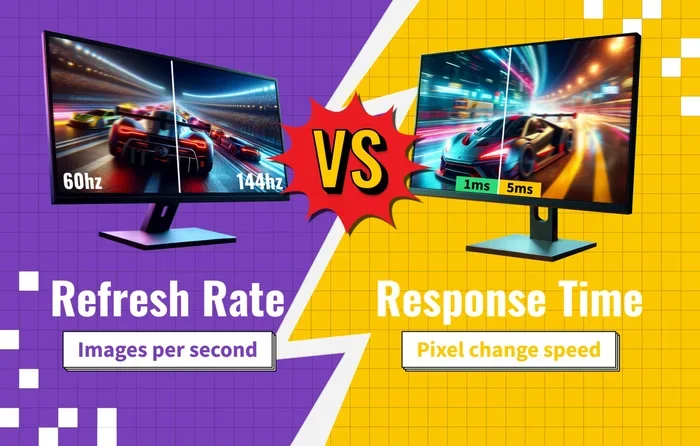
For gamers, a USB C to HDMI cable with high refresh rate support is essential. Look for cables that support at least 4K at 60Hz or 1080p at 144Hz depending on your needs. A stable and fast connection ensures smooth gameplay with no lag or stuttering. The last thing you want is a cable that bottleneck your gaming performance.
For presentations, simplicity is key. A basic USB C to HDMI cable works perfectly for most conference rooms and classrooms. You do not need any fancy features. Just a reliable cable that delivers clear video and audio every time. Keep one in your bag so you are always prepared for any presentation opportunity.
How to Choose the Right USB C to HDMI Cable
Buying the right USB C to HDMI cable does not have to be confusing. Here are a few things to keep in mind when you shop.
- Resolution Support: Make sure the cable supports the resolution you need. 4K is standard now, but if you have a 4K monitor or TV, you need a cable that can handle it.
- Refresh Rate: If you are a gamer or need smooth video playback, look for cables that support higher refresh rates like 60Hz or 120Hz at your target resolution.
- Cable Length: Choose a length that works for your setup. Short cables are great for desk setups, while longer cables are better for living room connections.
- Build Quality: Look for cables with good shielding and durable connectors. A well built cable will last longer and perform better over time.
- Brand Reputation: Stick with reputable brands that have good reviews. A cheap cable might not deliver the performance you expect.
- Active vs. Passive: Choose active cables if your device does not support DisplayPort Alt Mode. Passive cables work well for most modern laptops and tablets.
When you buy a USB C to HDMI cable, also consider what else you might need. A USB C hub or docking station can give you more ports and more flexibility. These accessories work great alongside your cable and make your setup more versatile. Think about your current needs and your future needs when you make your purchase.
It is also worth noting that many USB C to HDMI cables are backward compatible. This means they work with older USB C devices even if those devices do not support the latest USB standards. You get a reliable connection even if your device is not brand new. This makes USB C to HDMI cables a safe investment for anyone.
Common Mistakes to Avoid
Even though USB C to HDMI cables are simple to use, there are a few common mistakes people make. Avoiding these mistakes can save you time, money, and frustration.
Buying the wrong cable type: Not all USB C cables support video output. Some are charging cables only. Always check the product description to confirm it supports HDMI video output before you buy.
Ignoring resolution limits: A cheap cable might only support 1080p even if your device and display support 4K. Make sure your cable matches the resolution of your setup to get the best picture quality.
Not checking device compatibility: As mentioned earlier, not every USB C port supports video output. Plugging in a cable without checking compatibility first can lead to disappointment. Always verify your device supports DisplayPort Alt Mode or Thunderbolt before purchasing.
Using a damaged cable: A frayed or damaged cable can cause poor video quality, flickering, or no signal at all. Inspect your cable regularly and replace it if you notice any damage. A small investment in a new cable can solve many display issues.
Overlooking audio support: Most USB C to HDMI cables carry audio, but some cheap cables might not. If you need audio along with video, make sure the cable you buy supports both. Check the product specs to confirm.
Final Thoughts
USB C to HDMI cables are a simple yet powerful tool that everyone should have in their tech arsenal. They make it easy to connect your laptop, tablet, or phone to any HDMI display with just one cable. Whether you are working from home, gaming, watching movies, or giving a presentation, a USB C to HDMI cable gets the job done quickly and reliably.
The technology behind these cables is mature and well supported. Most modern devices with USB C ports can use a USB C to HDMI cable right out of the box. You do not need special drivers or software. Just plug and play. This ease of use is one of the biggest reasons why USB C to HDMI cables have become so popular.
As more devices adopt the USB C standard, the need for USB C to HDMI cables will only grow. They are already an essential accessory for professionals, students, gamers, and casual users alike. If you do not have one yet, it is well worth adding to your collection of tech accessories. A single cable can unlock a whole new world of display possibilities for your devices.
So the next time someone asks you if USB C to HDMI cables exist, you can confidently say yes. They are real, they work great, and they are easy to use. Grab one for your setup and enjoy the convenience of connecting any device to any display with a single cable.
Frequently Asked Questions
Can I use any USB C to HDMI cable with my laptop?
Most modern laptops with USB C ports will work with a USB C to HDMI cable. However, you need to make sure your laptop supports video output through USB C. Check your laptop specs for DisplayPort Alt Mode or Thunderbolt support. If your laptop has these features, the cable will work right away.
Do USB C to HDMI cables support 4K resolution?
Yes, many USB C to HDMI cables support 4K resolution. The exact resolution depends on the cable quality and the version of USB C your device supports. Look for cables that specifically mention 4K support at 30Hz or 60Hz for the best results. Premium cables often support higher refresh rates at 4K.
Is there a difference between a USB C to HDMI cable and a USB C to HDMI adapter?
A USB C to HDMI cable is a single cable with USB C on one end and HDMI on the other. An adapter is a small dongle that plugs into your USB C port and gives you an HDMI port to connect a separate HDMI cable. Both serve the same purpose but the cable is more compact and convenient for travel.
Can I connect my phone to a TV with a USB C to HDMI cable?
Yes, you can connect many phones with USB C ports to a TV using a USB C to HDMI cable. Your phone needs to support DisplayPort Alt Mode for this to work. Some phones may require an active cable with extra power. Check your phone’s specifications to confirm compatibility before buying.
Do USB C to HDMI cables carry audio too?
Yes, most USB C to HDMI cables carry both video and audio signals through the HDMI connection. This means you do not need a separate audio cable when connecting your device to a TV or monitor. However, some very cheap cables may not support audio, so always check the product details.
How much should I expect to pay for a good USB C to HDMI cable?
A good quality USB C to HDMI cable typically costs between $10 and $30. Premium cables that support 4K at 60Hz or higher refresh rates may cost more. You do not need to spend a fortune to get a reliable cable. Look for well reviewed options from reputable brands for the best value.
=== CONCLUSION ===
USB C to HDMI cables are a must have accessory for anyone who uses modern devices with USB C ports. They offer a simple, reliable, and affordable way to connect your laptop, tablet, or phone to any HDMI display. Whether you need a second monitor for work, a bigger screen for movies, or a connection for presentations, a USB C to HDMI cable delivers every time. With so many options available at different price points, there is a cable out there for everyone. Pick the right one for your needs, plug it in, and enjoy the freedom of a seamless display connection.