Pcie Gen 5 Ssd Guide 2026 Everything You Need To Know
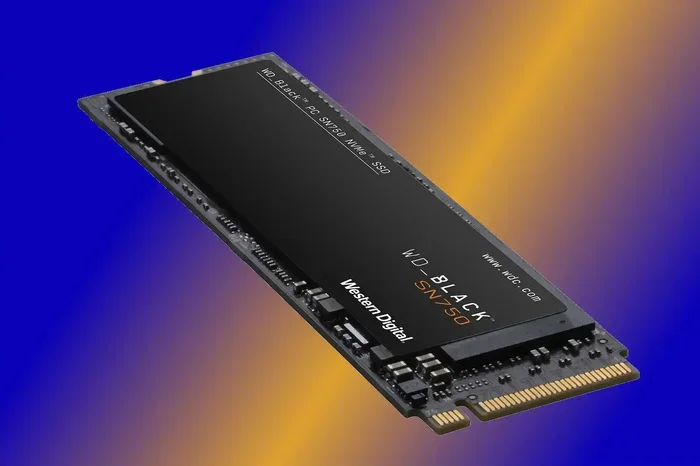
The PCIe Gen 5 SSD is the fastest consumer storage available in 2026, offering double the bandwidth of Gen 4 drives. This guide explains everything from speed benchmarks and compatibility to pricing and the best options for your setup. Whether you are a gamer, creator, or tech enthusiast, you will find clear answers here.
If you are building or upgrading a PC in 2026, the storage drive you choose matters more than ever. Solid state drives have come a long way, and the newest standard is the PCIe Gen 5 SSD. This is the fifth generation of the PCIe interface, and it doubles the bandwidth of the previous Gen 4 standard. The result is incredible read and write speeds that make everything feel lightning fast.
But speed is not the only thing to consider. Compatibility, price, and real world performance all play a role. Many people ask whether a PCIe Gen 5 SSD is worth the extra cost compared to a PCIe Gen 4 NVMe SSD. The answer depends on what you do with your PC. This guide will walk you through every important detail so you can decide with confidence.
Key Takeaways
- PCIe Gen 5 SSDs deliver up to 14 GB/s read speeds, making them the fastest consumer storage drives available today.
- Gen 5 SSDs are backward compatible with PCIe Gen 4 and Gen 3 motherboards, though you will not get the full speed boost.
- The price gap between Gen 4 and Gen 5 is shrinking rapidly, making 2026 a great year to upgrade.
- M.2 NVMe form factors dominate the Gen 5 market, with the 2280 size being the most common.
- Real world gains depend on your workload, with large file transfers and video editing benefiting the most.
- Not all motherboards support PCIe 5.0, so always check your board specs before buying a Gen 5 drive.
📑 Table of Contents
What Is a PCIe Gen 5 SSD?
A PCIe Gen 5 SSD is a solid state drive that uses the fifth generation of the PCIe (Peripheral Component Interconnect Express) interface. This interface connects your storage drive directly to the CPU through the motherboard. The NVMe protocol is what makes these drives so much faster than older SATA SSDs. NVMe stands for Non-Volatile Memory Express, and it was designed specifically for flash storage.
The PCIe interface has evolved over the years. Each new generation doubles the bandwidth available to the drive. PCIe Gen 3 offered 8 GT/s per lane. Gen 4 doubled that to 16 GT/s. Now Gen 5 pushes it to 32 GT/s per lane. More lanes mean more data can move at once. This is what allows the incredible speeds we see in modern Gen 5 drives.
How PCIe Generations Work
Think of PCIe generations like highway lanes. Each new generation doubles the number of lanes available for data traffic. PCIe Gen 3 offered 8 GT/s per lane. Gen 4 doubled that to 16 GT/s. Now Gen 5 pushes it to 32 GT/s per lane. More lanes mean more data can move at once. This is why each new generation brings such a big speed boost.
The SSD interface has also improved alongside PCIe. The NVMe protocol replaced the older AHCI protocol because it was built for the parallel nature of flash memory. This means your Gen 5 NVMe SSD can handle many data requests at the same time without slowing down. The PCIe Gen 5 NVMe SSD represents the current peak of this technology for consumers.
Why Gen 5 Matters for Storage
Gen 5 matters because modern workloads demand more speed than ever. Video editing, game loading, and large data transfers all benefit from higher bandwidth. A PCIe Gen 5 NVMe SSD can cut load times in half compared to Gen 4 drives. For creators and professionals, this means faster exports and smoother workflows. Even casual users notice the difference when opening heavy applications or booting into their operating system.
Speed and Performance of PCIe Gen 5 SSDs
The biggest selling point of a PCIe Gen 5 SSD is its raw speed. These drives can achieve sequential read speeds of up to 14 GB/s and write speeds near 12 GB/s. That is roughly double what Gen 4 drives offer. But what does this mean in everyday use?
Read and Write Speeds Explained
Sequential read speed is how fast the drive can pull large files in order. Sequential write speed is how fast it can save them. A top tier Gen 5 NVMe SSD can read a 100 GB file in under 10 seconds. The same task on a Gen 4 drive might take 15 to 20 seconds. That difference adds up when you work with large video files or massive game libraries.
Random read and write speeds also matter a lot. These measure how fast the drive handles small files and multiple tasks at once. PCIe Gen 5 drives excel here too, with random read speeds exceeding 1.5 million IOPS. This is why your system feels so responsive when multitasking across many applications.
Real World Performance Gains
In real world use, you will notice faster boot times, quicker game launches, and snappier file transfers. Here are some practical examples of where a PCIe Gen 5 SSD shines:
- Game loading: Open world games load significantly faster on Gen 5 drives.
- Video editing: Scrubbing through 4K footage becomes smoother and more responsive.
- Large file transfers: Moving folders of photos or videos takes much less time.
- System boot: Your PC starts up in seconds instead of minutes.
- Software installs: Heavy applications like video editors install much quicker.
PCIe Gen 5 SSD vs PCIe Gen 4 SSD
It is natural to wonder whether upgrading from a PCIe Gen 4 NVMe SSD to a Gen 5 drive is worth it. The short answer is: it depends on your needs. Let us break down the key differences.
Bandwidth Comparison
PCIe Gen 4 offers 16 GT/s per lane, while Gen 5 doubles that to 32 GT/s per lane. In a four lane configuration, Gen 4 provides 32 GB/s of bandwidth, and Gen 5 provides 64 GB/s. That is a huge jump on paper. But in everyday use, the difference is less dramatic.
Most users will not notice a huge difference between a PCIe Gen 4 NVMe SSD and a Gen 5 drive for basic tasks. The real benefits show up in heavy workloads like 8K video editing or transferring terabytes of data at once.
Is the Upgrade Worth It?
If you already have a fast Gen 4 drive, the upgrade to Gen 5 may not be urgent. However, if you are building a new PC from scratch, starting with a PCIe Gen 5 SSD makes sense. Prices are dropping, and you get future proofing for years to come.
Also consider that Gen 5 drives often come with larger capacities. The 2TB and 4TB options are becoming more affordable. This means you get both speed and storage space in one drive. For the best value, compare the M.2 NVMe SSD Gen 5 options available on the market today.
Compatibility and Form Factors
Before buying a PCIe Gen 5 SSD, you need to make sure your system supports it. Compatibility is not just about the drive itself. It also depends on your motherboard, CPU, and even your cooling setup.
M.2 NVMe SSD Gen 5 Options
The most common form factor for Gen 5 drives is the M.2 2280 size. This is a small rectangular stick that plugs directly into your motherboard. Many modern M.2 NVMe SSD Gen 5 drives use this form factor. It is compact, easy to install, and fits into most modern PCs.
You may also see smaller M.2 sizes like the 2230 or 2242 in some laptops and compact builds. The key thing to check is whether your motherboard has an M.2 slot that supports PCIe 5.0. Not all M.2 slots are created equal, and some only support Gen 3 or Gen 4 speeds.
For a deeper look at Gen 5 M.2 options, check out our guide on SSD NVMe M.2 Gen 5 drives and their compatibility with different systems.
Which Motherboards Support PCIe 5.0?
Most high end motherboards from Intel and AMD now support PCIe 5.0 on at least one slot. If you have an Intel 14th gen or AMD Ryzen 7000 series processor, chances are your board supports Gen 5. Always check your motherboard manual or spec sheet to confirm.
Another thing to keep in mind is cooling. PCIe Gen 5 drives can run hot under heavy load. Many come with built in heatsinks, but you may want to add additional case airflow to keep temperatures in check. Good thermal management helps your drive maintain peak SSD performance over time.
Pricing and Best Choices for 2026
Price is always a factor when choosing a new SSD. The good news is that PCIe Gen 5 SSD prices have come down significantly in 2026. What was once a premium upgrade is now becoming mainstream.
What Should You Expect to Pay?
A 1TB PCIe Gen 5 NVMe SSD now costs around $80 to $110. A 2TB drive runs between $150 and $200. These prices are dropping fast as more manufacturers enter the market. Compare this to a PCIe Gen 4 drive, and you will see the gap is narrowing quickly.
If you need massive storage, 4TB Gen 5 drives are also available, though they carry a higher price tag. For most users, a 1TB or 2TB drive strikes the perfect balance between speed and capacity. The PCIe 5.0 SSD price continues to fall as competition increases between brands.
Top Picks and Recommendations
When shopping for a Gen 5 NVMe SSD, look for drives from reputable brands like Samsung, Western Digital, Crucial, and Seagate. These manufacturers offer reliable firmware updates and strong warranty support. Read reviews and benchmarks before you buy to make sure you are getting the best value.
Also consider your use case. If you are a gamer, a fast 1TB drive will handle most titles with ease. If you are a video editor, you may want to invest in a 2TB or larger drive to handle large project files. The right drive depends on how much speed and space you actually need.
Common Mistakes and Expert Tips
Even with the best intentions, people make mistakes when buying and installing new SSDs. Here are some tips to help you avoid common pitfalls.
Quick Tips for Choosing the Right Drive
- Check your motherboard support before buying. A PCIe Gen 5 drive will work in a Gen 4 slot, but you will only get Gen 4 speeds.
- Do not ignore cooling. Hot drives slow down over time. Make sure you have good airflow in your case.
- Consider your actual needs. If you only browse the web and play casual games, a Gen 4 drive may be plenty.
- Buy from authorized sellers to avoid counterfeit or refurbished drives sold as new.
- Keep your firmware updated. Manufacturers often release updates that improve performance and fix bugs.
Mistakes to Avoid
One common mistake is assuming all M.2 slots support all PCIe generations. Some older motherboards only have Gen 3 M.2 slots. Another mistake is buying a drive that is too large for your needs. If you only store games and a few applications, a 1TB drive is usually enough.
Also avoid ignoring the warranty. A good PCIe Gen 5 SSD should come with at least a 5 year warranty. This protects you against early failures and gives you peace of mind. Always check the Gen 5 SSD endurance rating, measured in TBW (terabytes written), to ensure the drive can handle your workload over time.
Conclusion
The PCIe Gen 5 SSD is a fantastic storage solution for anyone who wants the fastest speeds available in 2026. Whether you are a gamer, a content creator, or just someone who wants a snappier PC, a Gen 5 drive delivers real world benefits. The prices are more reasonable than ever, and the technology is mature enough to be reliable.
If you are ready to upgrade, start by checking your motherboard compatibility and choosing the right capacity for your needs. A PCIe Gen 5 NVMe SSD can transform your computing experience in ways you will feel every day. Do not wait too long, because storage technology keeps moving fast and the next generation is already on the horizon. Choose wisely, and enjoy the speed.
Frequently Asked Questions
Is a PCIe Gen 5 SSD worth it in 2026?
Yes, a PCIe Gen 5 SSD is worth it if you need the fastest storage speeds and are building or upgrading a compatible system. Prices have dropped significantly, and the performance gains are real, especially for large file transfers and demanding workloads like video editing and gaming.
Can I use a PCIe Gen 5 SSD in a Gen 4 motherboard?
Yes, PCIe Gen 5 SSDs are backward compatible with Gen 4 and Gen 3 slots. However, you will only get the speeds of the older generation. The drive will work, but you will not experience the full Gen 5 performance. Always check your motherboard specs before purchasing.
What is the difference between PCIe Gen 4 and Gen 5 NVMe SSDs?
The main difference is bandwidth. PCIe Gen 4 offers 32 GB/s total bandwidth on four lanes, while Gen 5 doubles that to 64 GB/s. This translates to faster read and write speeds, though real world gains vary depending on your workload and the types of files you handle.
Do all M.2 slots support PCIe Gen 5?
No, not all M.2 slots support Gen 5. You need a motherboard with a PCIe 5.0 compatible M.2 slot. Always check your motherboard specifications before purchasing a Gen 5 drive to ensure compatibility. Using a Gen 5 drive in an older slot will work but at reduced speeds.
How hot do PCIe Gen 5 SSDs get?
PCIe Gen 5 SSDs can run warmer than Gen 4 drives because of the higher speeds and increased power draw. Most Gen 5 drives come with heatsinks, but good case airflow is still important to maintain optimal performance and longevity. Monitor your drive temperatures during heavy workloads.
What capacity should I choose for a PCIe Gen 5 SSD?
For most users, a 1TB or 2TB PCIe Gen 5 SSD is the sweet spot. Gamers will find 1TB plenty for most titles, while content creators may prefer 2TB or more for large project files and media storage. Consider your budget and storage needs when deciding.
=== CONCLUSION ===
The PCIe Gen 5 SSD represents the cutting edge of consumer storage technology in 2026. With incredible speeds, growing affordability, and broad compatibility, now is a great time to consider making the switch. Whether you choose a compact M.2 NVMe SSD Gen 5 or a larger capacity drive, the performance improvements are noticeable in everyday use.
Remember to check your system compatibility, choose the right capacity for your needs, and buy from trusted brands. A well chosen PCIe Gen 5 SSD will serve you well for years and keep your PC feeling fast and responsive. Happy building, and enjoy the speed.