What Is an Alphanumeric Keypad

An alphanumeric keypad is an input device that combines letters, numbers, and symbols into one unified layout for typing and data entry. You will find these keypads in laptops, external keyboards, security systems, and remote controls. This guide covers how they work, the different types available, and practical tips for choosing the right one for your needs.
Have you ever looked down at your laptop keyboard and wondered what makes it tick? The alphanumeric keypad is the part of your keyboard that lets you type letters, numbers, and symbols all in one place. It is one of the most important parts of any computer input device. Without it, you would not be able to write emails, search the web, or type up documents.
In this guide, we will break down everything you need to know about the alphanumeric keypad. You will learn how it works, where you will find it, and the different types available today. Whether you are a casual user or a tech enthusiast, this article has something useful for you.
Key Takeaways
- Definition: An alphanumeric keypad includes both letters and numbers in a single unified layout.
- How It Works: Each key sends a signal to the device through a key matrix or membrane system.
- Common Devices: Laptops, desktop keyboards, ATM machines, and remote controls all use alphanumeric keypads.
- Types Available: You can choose from membrane, mechanical, laptop-style, and compact keypads.
- Choosing Tips: Consider layout, switch type, connectivity, and build quality when picking one.
- Maintenance: Regular cleaning and gentle use help extend the life of your alphanumeric keypad.
📑 Table of Contents
- What Is an Alphanumeric Keypad?
- How Does an Alphanumeric Keypad Work?
- Where You Will Find Alphanumeric Keypads
- Types of Alphanumeric Keypads
- How to Choose the Right Alphanumeric Keypad
- Common Mistakes People Make with Alphanumeric Keypads
- Maintaining Your Alphanumeric Keypad
- The Future of Alphanumeric Keypads
- Final Thoughts
What Is an Alphanumeric Keypad?
An alphanumeric keypad is a set of keys that includes both letters and numbers arranged in a specific layout. The word “alphanumeric” comes from “alpha” (letters) and “numeric” (numbers). So an alphanumeric keypad simply means a keypad that handles both.
Most people interact with an alphanumeric keypad every single day. Your laptop keyboard, your desktop computer keyboard, and even your phone’s text input all use this type of layout. The standard keyboard layout you see on most devices is called QWERTY, named after the first six letters on the top left row.
What Makes Up an Alphanumeric Keypad?
An alphanumeric keypad is made up of several key sections. Each section serves a specific purpose. Here is a quick breakdown:
- Letter Keys: These are the A through Z keys you use to type words.
- Number Keys: These are the 0 through 9 keys, usually arranged in two rows at the top of the keyboard.
- Symbol Keys: These include characters like @, #, $, and % that you access using the shift key.
- Function Keys: These are the F1 through F12 keys along the top row that perform specific actions.
- Control Keys: These include Enter, Backspace, Shift, Ctrl, and Alt.
Together, all of these keys form the complete alphanumeric keypad. Each key has a specific role, and they all work together to let you input data into your device.
How Does an Alphanumeric Keypad Work?
Under the hood, an alphanumeric keypad uses a clever system to register your keystrokes. When you press a key, it completes a circuit on a key matrix. The matrix is like a grid of rows and columns underneath the keys. The device reads which row and column intersect at the pressed key and figures out which character to send.
Membrane vs. Mechanical Keyboards
Not all alphanumeric keypads are built the same way. There are two main types of keyboard switches that determine how a keypad feels and performs.
Membrane keypads use a thin rubber dome under each key. When you press a key, the dome pushes down and completes the circuit. These are the most common type found in budget and standard keyboards. They are quiet, lightweight, and affordable. Most laptop keyboards use membrane technology because it keeps the device thin and portable.
Mechanical keypads use individual spring-loaded switches under each key. Each switch has its own tactile feedback, which means you can feel and hear a distinct click when you press a key. Mechanical alphanumeric keypads are popular among gamers and typists who want a more responsive and satisfying typing experience.
The Role of the Key Matrix
The key matrix is the hidden blueprint inside every alphanumeric keypad. It maps out which key is where so the device knows exactly what you typed. Think of it like a grid on a piece of graph paper. Each intersection point represents a specific key. When you press a key, the device checks the grid and identifies the match. This process happens in milliseconds, which is why typing feels instant and smooth.
Where You Will Find Alphanumeric Keypads
You might be surprised to learn how many devices use an alphanumeric keypad in their design. These keypads are everywhere in the tech world. Let us look at the most common places you will encounter them.
Laptops and Desktop Computers
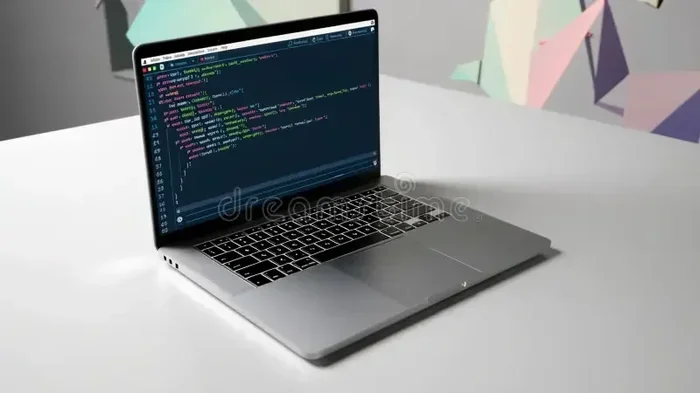
The most obvious place to find an alphanumeric keypad is on your laptop keyboard or desktop computer keyboard. Every modern laptop comes with a built-in alphanumeric keypad as part of its design. Desktop keyboards offer more space and often include a separate number pad on the right side for easier data entry.
If you have ever dealt with why your laptop keypad might stop working, you know how frustrating it can be when this essential input device fails. Troubleshooting issues with your alphanumeric keypad is an important part of laptop maintenance.
Remote Controls
Many TV remotes and streaming device remotes include a small alphanumeric keypad. These let you type in channel numbers, search for shows, or enter PIN codes. The keys are smaller and more closely spaced than a full keyboard, but they follow the same basic keys layout principle.
Security Systems and ATMs
Alphanumeric keypads are also used in security systems and ATM machines. You type in your PIN or passcode on these devices. The security keypad usually only has numbers and a few control keys, but the underlying technology is very similar to what you find on a full alphanumeric keyboard.
Calculators and Point-of-Sale Devices
Old-school calculators and modern POS systems at retail stores also rely on alphanumeric input. Cashiers type in prices, discounts, and item codes using these compact keypads. The calculator keypad layout arranges numbers differently than a standard keyboard, starting with 7-8-9 at the top.
Types of Alphanumeric Keypads
Not all alphanumeric keypads are created equal. Different devices need different styles of keypads. Here are the most common types you will come across.
Full-Size Keyboards
A full-size alphanumeric keypad includes all the letter keys, number keys, function keys, and a dedicated number pad. These are the standard keyboards you see in offices and homes. They offer the most complete typing experience and are ideal for heavy typing tasks like writing reports or coding.
Compact and Laptop-Style Keypads
Laptop keyboards are a more compact version of the full-size alphanumeric keypad. They leave out the separate number pad to save space. Some compact external keyboards follow the same approach. These are great for people who travel often or work in tight spaces.
If you are shopping for a compact option, you might also wonder about other laptop components. For example, many people ask about what is good RAM for a laptop when upgrading their device. Similarly, understanding your keyboard layout helps you choose the right accessories.
Ergonomic Keypads
Ergonomic alphanumeric keypads are designed to reduce strain on your hands and wrists. They split the keyboard in the middle or angle the keys in a way that keeps your hands in a more natural position. These are popular among people who type for long hours and want to avoid repetitive strain injuries.
Wireless and Bluetooth Keypads
Wireless alphanumeric keypads connect to your device using Bluetooth or a USB receiver. They give you more freedom to set up your workspace without tangled cables. Many modern wireless keypads are slim, portable, and compatible with multiple devices like tablets, laptops, and smartphones.
How to Choose the Right Alphanumeric Keypad
Choosing the right alphanumeric keypad depends on a few key factors. Here is what you should consider before making a purchase.
Consider Your Typing Needs
Think about what you will use the keypad for. If you type documents all day, you want a comfortable keyboard with good key travel. If you mostly browse the web and send messages, a compact keypad might be all you need. Understanding your typing habits will guide your decision.
Check the Switch Type
The switch type affects how the keypad feels when you type. Membrane switches are soft and quiet. Mechanical switches are clicky and responsive. If you are choosing between options, think about whether you prefer a quiet typing experience or a more tactile one. The switch type also affects durability, so choose wisely.
Look at Connectivity Options
Most alphanumeric keypads connect via USB or Bluetooth. Wired connections offer zero latency and do not need batteries. Wireless connections give you more flexibility and a cleaner desk setup. Some keyboards offer both options, which gives you the best of both worlds.
Build Quality and Durability
A good alphanumeric keypad should feel solid and last for years. Look for keyboards with a metal frame or high-quality plastic. Check the manufacturer’s rated lifespan, which is usually measured in millions of keystrokes. A higher rating means the keypad will last longer under heavy use.
Compatibility Matters
Make sure the keypad you choose works with your device. Most modern keyboards are plug-and-play and work with Windows, Mac, and Chrome OS. However, some specialty keypads may only work with specific systems. Always check compatibility before you buy.
Common Mistakes People Make with Alphanumeric Keypads
There are a few common mistakes that people make when using their alphanumeric keypads. Avoiding these can help you get more life out of your device.
- Spilling liquids on the keyboard: This is one of the fastest ways to damage an alphanumeric keypad. Always keep drinks away from your device.
- Pressing too hard: You do not need to slam the keys to type. Gentle pressure is all you need, and it reduces wear and tear.
- Ignoring cleaning: Dust and crumbs can build up between the keys over time. Clean your keypad regularly with compressed air or a soft cloth.
- Using the wrong keyboard for your needs: A gaming keyboard might not be the best choice for office work, and vice versa. Match the keypad to your primary use case.
Maintaining Your Alphanumeric Keypad
Taking care of your alphanumeric keypad is simple but important. A little maintenance goes a long way in keeping your typing experience smooth and responsive.
Start by cleaning your keyboard regularly. Use a can of compressed air to blow out dust and debris from between the keys. For a deeper clean, gently wipe the keys with a slightly damp microfiber cloth. Never use harsh chemicals, as they can damage the key labels and the underlying key switch mechanisms.
If you use a laptop, be mindful of what you eat and drink near it. Crumbs can work their way under the keys and cause sticky or unresponsive keys over time. If you ever run into issues, understanding what is RAM for a laptop can also help you troubleshoot broader hardware problems that might affect your keypad performance.
For external keyboards, consider using a keyboard cover when the device is not in use. This protects against dust, spills, and accidental damage. A little prevention can save you from costly replacements down the road.
The Future of Alphanumeric Keypads
The world of input devices is always evolving. Alphanumeric keypads are no exception. New technologies are making keyboards thinner, more responsive, and more versatile than ever before.
One exciting trend is the rise of foldable and flexible keyboards. These use OLED or membrane technology to create keypads that can roll up or fold flat. They are perfect for people who want a full-size alphanumeric keypad without the bulk.
Another trend is the integration of touch-sensitive surfaces. Some modern devices replace physical keys with touch panels that can change layout on the fly. While these are still in their early stages, they point to a future where the traditional alphanumeric keypad might look very different.
Voice input and AI-powered typing are also changing how we interact with devices. However, the physical alphanumeric keypad is far from obsolete. Many users still prefer the tactile feel of real keys, especially for long typing sessions and precise data entry tasks.
Final Thoughts
The alphanumeric keypad is one of the most essential parts of any computing device. It is the bridge between your thoughts and the digital world. Whether you are typing a quick message, entering data at work, or searching the web, your alphanumeric keypad makes it all possible.
Understanding how your keypad works and how to choose the right one can make a big difference in your daily tech experience. From membrane to mechanical, from full-size to compact, there is an alphanumeric keypad out there for everyone. Take the time to find one that fits your needs, and you will enjoy a smoother, more comfortable typing experience every single day.
Keep your keypad clean, choose the right type for your workflow, and do not be afraid to upgrade when the time comes. Your hands will thank you for it.
Frequently Asked Questions
What is the difference between an alphanumeric keypad and a numeric keypad?
An alphanumeric keypad includes both letters and numbers, while a numeric keypad only has numbers. You will find alphanumeric keypads on full keyboards and laptops, whereas numeric keypads are common on calculators and ATM machines.
Can I connect an external alphanumeric keypad to my tablet?
Yes, most external alphanumeric keypads connect to tablets via Bluetooth or USB. Just make sure the keypad is compatible with your tablet’s operating system before purchasing.
How long does an alphanumeric keypad typically last?
A good quality alphanumeric keypad can last anywhere from 5 to 10 million keystrokes. Mechanical keypads tend to last longer than membrane ones. Regular cleaning and gentle use also help extend the lifespan significantly.
Is a laptop keypad the same as an external keyboard keypad?
They work the same way but differ in size and layout. A laptop keypad is more compact and usually lacks a separate number pad. An external keyboard often includes a full number pad and more spacing between keys for comfort.
What should I do if my alphanumeric keypad stops working?
First, check your connections if it is an external keyboard. For laptop keypads, try restarting your device or updating your keyboard drivers. If the issue persists, you may want to look into why your laptop keypad might stop working and explore hardware troubleshooting steps.
Are wireless alphanumeric keypads as good as wired ones?
Yes, modern wireless keypads offer excellent performance with minimal lag. They are convenient and reduce cable clutter. However, wired keypads are slightly more reliable for tasks that require zero latency, such as competitive gaming or fast data entry.
=== CONCLUSION ===
The alphanumeric keypad is a fundamental part of how we interact with technology every day. From your laptop to your remote control, this input device makes typing, searching, and entering data quick and easy. Understanding the different types, how they work, and how to choose the right one empowers you to make better decisions for your tech setup.
Whether you prefer a full-size mechanical keyboard or a slim laptop-style keypad, there is an option that fits your needs perfectly. Keep your device well-maintained, stay informed about new technologies, and enjoy a better typing experience every time you sit down to work.