What Material Is a Computer Screen Made From
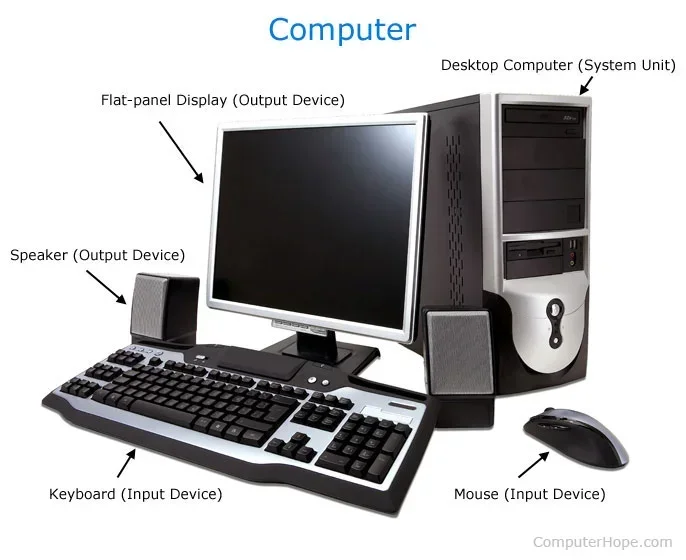
A computer screen is made from a combination of glass, liquid crystals, plastic polymers, and metals. The display panel uses layers of liquid crystal display material sandwiched between polarizing filters and a glass substrate, while the outer layer often features Gorilla Glass or similar toughened glass for protection. The frame and housing are typically built from aluminum or plastic, and modern screens use LED backlighting to illuminate the pixels.
Have you ever wondered what material is a computer screen made from? It is easy to look at a monitor every day and never think about the layers of materials working together to display your favorite shows, work documents, and games. The truth is that a computer screen is a marvel of modern engineering. It combines glass, special plastics, metals, and advanced chemicals into a single thin panel.
Understanding what goes into making a screen helps you appreciate the technology more. It also helps you make better buying decisions. Whether you are shopping for a new monitor or just curious about how your laptop display works, this guide covers everything. We will break down every major material and explain what it does.
Most people assume a screen is just a flat piece of glass. In reality, it is a sandwich of many different layers. Each layer has a specific job. From the outer protective glass to the inner liquid crystals, every material matters. Let us dive in and explore the fascinating world of display technology.
Key Takeaways
- Glass is the primary outer material: Most computer screens use tempered or chemically strengthened glass like Gorilla Glass to protect the display.
- Liquid crystals create the image: LCD screens rely on liquid crystal molecules that change orientation when electricity is applied.
- LED backlighting is essential: Modern monitors use LED arrays behind the panel to produce bright, even light.
- Plastic and metal form the frame: The bezel and housing are typically made from aluminum alloys or durable plastics like polycarbonate.
- OLED screens use organic materials: Unlike LCDs, OLED displays use organic compounds that emit light when powered.
- Multiple layers work together: A screen has several layers including polarizers, filters, and protective coatings.
- Touchscreens add extra layers: Devices with touch capability include additional sensor layers like ITO coatings.
📑 Table of Contents
- The Outer Layer: Screen Glass
- Inside the Panel: Liquid Crystals and LCD Technology
- Backlighting: How the Screen Gets Its Light
- The Frame and Housing: Plastic and Metal
- OLED and Advanced Display Materials
- Protective Coatings and Additional Layers
- Common Screen Materials at a Glance
- How Screen Materials Affect Your Purchase Decision
- Conclusion
The Outer Layer: Screen Glass
The outermost layer of most computer screens is glass. This is not ordinary window glass. It is a special type of tempered glass or chemically strengthened glass designed to resist scratches and impacts. The most famous brand of this is Corning Gorilla Glass, which you will find on many premium monitors and laptops.
Types of Screen Glass
There are a few common types of glass used in computer screens. Each type has unique properties.
- Aluminosilicate glass: This is the most common type. It contains aluminum and silicon atoms mixed with oxygen. It is very hard and scratch-resistant.
- Soda-lime glass: This is the basic type of glass found in older or budget monitors. It is cheaper but less durable.
- Chemically strengthened glass: This glass goes through a special ion-exchange process. It becomes much stronger than regular glass without adding extra thickness.
- Gorilla Glass and similar brands: These are branded solutions that combine aluminosilicate composition with chemical strengthening. They offer excellent durability in a thin form factor.
The glass layer does more than just protect the screen. It also helps with touch sensitivity on touchscreen monitors. The glass is coated with a thin layer of indium tin oxide, which is a transparent conductor. This allows your finger or stylus to register touches accurately.
If you are concerned about screen durability, you might want to check how good idle GPU temperature levels affect your display over time. Excessive heat from your GPU can degrade screen components faster than normal.
Inside the Panel: Liquid Crystals and LCD Technology
Under the outer glass sits the heart of the screen. This is where the liquid crystal display technology works its magic. LCD stands for Liquid Crystal Display, and it is the most common type of screen used in computers today.
What Are Liquid Crystals?
Liquid crystals are not really a solid or a liquid. They are a unique state of matter. These tiny molecules can flow like a liquid but maintain an ordered structure like a solid. When electricity passes through them, they change shape. This change controls how much light passes through each pixel.
Each pixel on an LCD screen is made of three sub-pixels. One is red, one is green, and one is blue. By controlling the light passing through each sub-pixel, the screen creates millions of different colors. This is how you see a full-color image on your monitor.
The liquid crystal layer sits between two polarizing filters. These filters block light waves that are not aligned properly. When voltage is applied to the liquid crystals, they twist and untwist. This changes the direction of light passing through, creating bright or dark pixels.
The Role of Polarizing Filters
Polarizing filters are thin sheets that only allow light waves vibrating in one direction to pass through. Without them, the liquid crystal layer would not work properly. The first filter sits in front of the backlight. The second filter sits behind the viewer. The liquid crystals between them act like a shutter, controlling which light gets through.
Some screens also include color filters on top of the liquid crystal layer. These filters ensure that each sub-pixel displays the correct color. Red, green, and blue filters work together to produce the full color spectrum you see on your display.
Backlighting: How the Screen Gets Its Light
LCD screens do not produce their own light. They need a backlight behind the panel. This is where LED backlighting comes in. LED stands for Light Emitting Diode. These tiny diodes emit bright, efficient light that passes through the liquid crystal layer.
Types of LED Backlighting
Not all LED backlights are the same. There are a few different configurations used in modern monitors.
- Edge-lit LED: LEDs are placed along the edges of the screen. Light is spread across the panel using a light guide plate. This design allows for thinner monitors.
- Direct-lit LED: LEDs are placed directly behind the entire panel. This provides more even brightness and better local dimming.
- Full-array local dimming (FALD): This is an advanced form of direct-lit LED. Groups of LEDs can be dimmed or turned off independently. This creates deeper blacks and better contrast.
- Mini-LED: This uses thousands of tiny LEDs for even more precise dimming control. It is found in high-end monitors and Apple displays.
The backlight is one of the most important components for display quality. A good backlight makes colors pop and text sharp. If your screen seems dim or uneven, the backlight may be the issue.
The Frame and Housing: Plastic and Metal
The outer frame of a computer screen, also called the bezel, is made from different materials depending on the monitor’s price and design. The two most common materials are plastic and metal.
Plastic Housings
Budget and mid-range monitors often use plastic for the frame. The most common type is polycarbonate. This is a strong, lightweight plastic that can be molded into thin shapes. It is also inexpensive to produce, which keeps monitor prices lower.
Some monitors use ABS plastic, which is the same material used in LEGO bricks. It is durable, impact-resistant, and easy to mold. ABS plastic housings are common in office monitors and basic home setups.
Metal Frames
Premium monitors and laptops use metal frames, usually aluminum or aluminum alloys. Metal frames offer several advantages:
- They feel more premium and sturdy.
- They dissipate heat better than plastic.
- They can be made thinner while maintaining strength.
- They look sleeker and more modern.
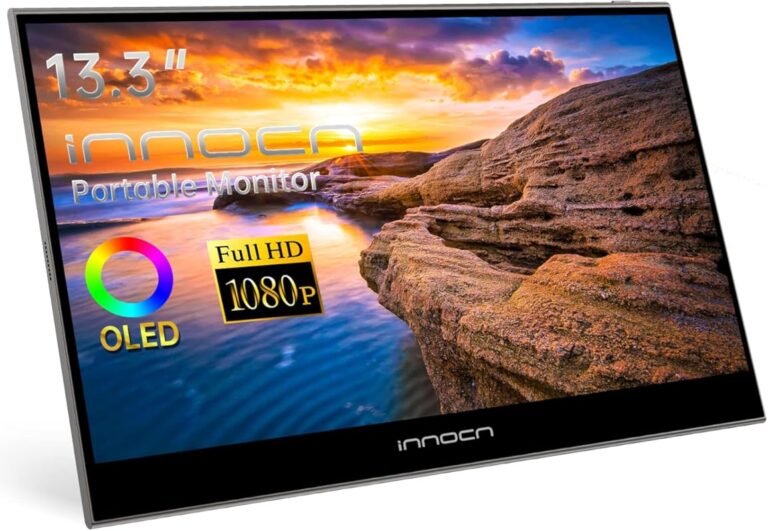
Some high-end monitors use magnesium alloy frames. This material is even lighter than aluminum while maintaining excellent strength. It is common in portable monitors and professional displays.
The internal components of a computer also play a role in display performance. For example, having proper RAM on a laptop ensures smooth rendering of high-resolution content on your screen without lag or stuttering.
OLED and Advanced Display Materials
While LCD screens dominate the market, OLED technology is growing fast. OLED stands for Organic Light Emitting Diode. Unlike LCD screens, OLED panels do not need a backlight. Each pixel produces its own light using organic compounds.
How OLED Materials Work
OLED screens use thin films of organic compounds placed between two conductors. When electricity flows through these layers, the organic materials emit light. Different organic compounds produce different colors. Red, green, and blue OLED materials are layered to create each pixel.
The main advantage of OLED is perfect blacks. Since each pixel can turn off completely, there is no light bleeding through. This creates stunning contrast and vivid colors. OLED screens are common in high-end laptops, gaming monitors, and professional displays.
MicroLED: The Future of Screens
MicroLED is an emerging technology that combines the best of both LCD and OLED. It uses microscopic inorganic LEDs as individual pixels. MicroLED screens offer the brightness of LCDs and the perfect blacks of OLEDs. They are still expensive and mostly used in large commercial displays, but they are coming to consumer monitors soon.
If you are worried about your laptop overheating during heavy use, you should know that can a laptop explode from overheating is a rare but real concern. Overheating can damage internal components including the screen, so proper ventilation matters.
Protective Coatings and Additional Layers
A computer screen has more than just glass and liquid crystals. Several additional layers and coatings improve the viewing experience and protect the panel.
Anti-Glare and Anti-Reflective Coatings
Many monitors come with an anti-glare coating on the outer glass. This coating scatters incoming light and reduces reflections. It makes the screen easier to use in bright rooms or near windows. The coating is a thin film applied to the glass surface using vapor deposition.
Blue Light Filters
Some screens include a blue light filtering layer. This layer reduces the amount of high-energy blue light emitted by the display. It helps reduce eye strain during long work sessions. Many modern monitors have software-based blue light filters, but some include a physical layer in the screen panel.
Hard Coat Layers
Beyond the glass itself, there is usually a hard coat layer applied. This is a thin transparent film that adds scratch resistance. It also makes the screen easier to clean by reducing fingerprint smudges. The hard coat is typically made from a soft polymer that fills in micro-scratches on the glass surface.
Common Screen Materials at a Glance
Here is a quick overview of the main materials found in a typical computer screen and what they do.
| Material | Location in Screen | Primary Function |
|---|---|---|
| Tempered Glass | Outer protective layer | Scratch and impact protection |
| Indium Tin Oxide | Coating on glass | Touch conductivity |
| Liquid Crystals | Middle layer | Control light passage for image |
| Polarizing Filters | Above and below crystal layer | Filter light direction |
| LED Diodes | Back of panel | Provide backlight illumination |
| Color Filters | Above crystal layer | Produce red, green, and blue pixels |
| Polycarbonate / ABS Plastic | Frame and housing | Structural support and housing |
| Aluminum Alloy | Frame and heatsink | Durable structure and heat dissipation |
| Organic Compounds | OLED panels only | Emit light per pixel |
| Anti-Reflective Coating | Outer glass surface | Reduce glare and reflections |
Each material plays a critical role. Removing any one of them would make the screen non-functional. This is why computer screens are engineering marvels despite their thin and simple appearance.
How Screen Materials Affect Your Purchase Decision
Now that you know what materials make up a computer screen, you can use this knowledge when buying a new monitor. Here are some practical tips.
- Choose tempered glass over soda-lime glass: It will last longer and resist scratches better.
- Look for FALD or mini-LED backlighting: These offer the best contrast and brightness for the price.
- Consider an OLED if you want perfect blacks: Great for photo editing, gaming, and movie watching.
- Pick an anti-glare coating if you work near windows: It reduces eye strain significantly.
- Check the frame material: Metal frames feel more durable and help with heat management.
The material of a screen also affects how it handles display technology advancements. For instance, a monitor with better glass and coatings will age better and maintain clarity longer than a budget panel with basic materials.
If you are building or upgrading a computer, remember that the screen material quality connects to overall system performance. A powerful graphics card paired with a high-quality display panel gives you the best experience. Understanding the materials helps you choose the right combination for your needs.
For those interested in camera technology and display quality, you might also enjoy learning about what is a WDR camera, which uses advanced sensor technology that shares some principles with high-end display panels.
Conclusion
So, what material is a computer screen made from? The answer is a combination of many carefully engineered materials. From the outer tempered glass to the inner liquid crystals, from the LED backlight to the aluminum or plastic frame, every component serves a purpose. Together, they create the vibrant displays we rely on every day for work, entertainment, and communication.
Understanding these materials helps you appreciate the complexity of something we often take for granted. It also empowers you to make smarter choices when shopping for a new monitor or laptop. Whether you prefer an LCD with mini-LED backlighting or a stunning OLED panel, knowing what is inside the screen helps you get the best value for your money.
Next time you look at your computer screen, remember all the layers of advanced materials working together to bring that image to life. It is a tiny piece of engineering magic sitting right on your desk.
Frequently Asked Questions
What is the glass on a computer screen made of?
The outer glass on most computer screens is made of aluminosilicate glass, which is a mix of aluminum, silicon, and oxygen. Premium screens use chemically strengthened glass like Gorilla Glass. This type of glass is harder and more scratch-resistant than regular soda-lime glass.
Do all computer screens use liquid crystals?
Most modern computer screens use liquid crystals in an LCD panel. However, OLED screens do not use liquid crystals. Instead, they use organic compounds that emit light when electricity is applied. Both technologies are common in computers today.
Why do some screens have a blue light filter?
A blue light filter is a layer or coating that reduces high-energy blue light from the display. It helps reduce eye strain during long periods of screen use. Some filters are physical layers in the screen, while others are software-based adjustments.
Can the glass on a computer screen shatter?
Yes, the tempered glass on a screen can shatter if hit hard enough. However, tempered glass is designed to crack into small, rounded pieces rather than sharp shards. This makes it safer than regular glass if it does break.
What is the difference between LCD and OLED screen materials?
LCD screens use liquid crystals and a backlight to create images. OLED screens use organic compounds that glow on their own. OLED does not need a backlight, which allows for thinner panels and perfect black levels.
Are computer screen materials recyclable?
Yes, many screen materials can be recycled. Glass and metals like aluminum are easily recyclable. However, the liquid crystal and chemical layers require special handling. Always recycle old monitors through proper electronic waste programs.