512 Nvme M 2 Ssd
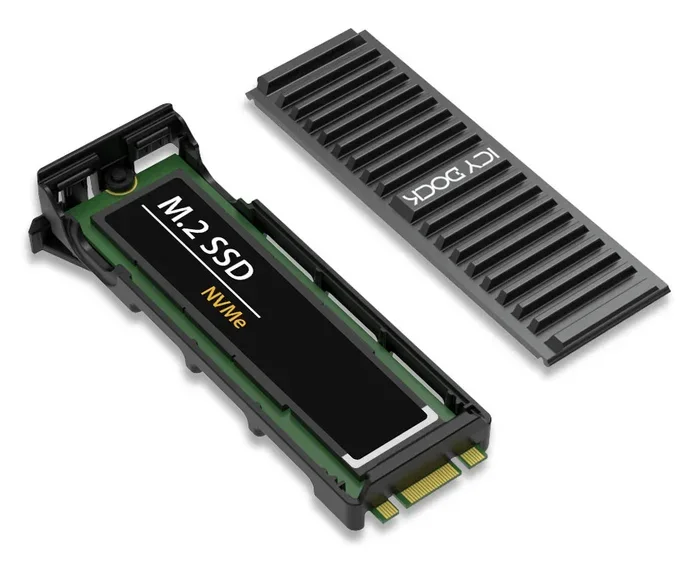
A 512 NVMe M.2 SSD delivers blazing fast storage in a tiny form factor, making it perfect for upgrading laptops and desktops. This guide walks you through everything you need to know, from speed benchmarks and benefits to buying tips and installation steps. Whether you are a gamer, creator, or just tired of slow storage, you will find practical advice here to make the right choice.
A 512 NVMe M.2 SSD is one of the best upgrades you can make to any computer. Whether your machine feels sluggish or you are building a new setup from scratch, this type of drive transforms the experience. Loading times drop, file transfers fly, and your entire system feels snappier.
If you have been wondering what all the hype is about, you are in the right place. This guide breaks down everything you need to know about the 512 NVMe M.2 SSD in simple, practical terms. Let us dive in.
Key Takeaways
- Speed Boost: A 512 NVMe M.2 SSD offers dramatically faster read and write speeds compared to traditional hard drives and SATA SSDs.
- Compact Size: The M.2 form factor fits into small laptops and desktops without taking up much space.
- Gaming and Productivity: Faster load times and smoother multitasking make this drive ideal for gaming and creative work.
- Easy Installation: Most modern PCs and laptops support M.2 slots, making upgrades straightforward.
- Price Range: 512GB models are affordable and strike a great balance between capacity and cost.
- Check Compatibility: Always verify your motherboard supports NVMe and the correct key type before purchasing.
📑 Table of Contents
- What Is a 512 NVMe M.2 SSD?
- Key Benefits of a 512 NVMe M.2 SSD
- 512 NVMe M.2 SSD vs. Other Storage Options
- Who Should Get a 512 NVMe M.2 SSD?
- What to Look For When Buying a 512 NVMe M.2 SSD
- How to Install a 512 NVMe M.2 SSD
- Common Mistakes to Avoid
- Expert Tips for Getting the Most From Your 512 NVMe M.2 SSD
- Final Thoughts on the 512 NVMe M.2 SSD
What Is a 512 NVMe M.2 SSD?
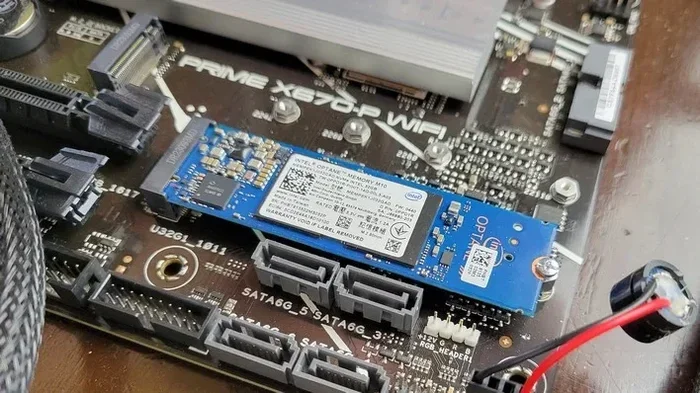
A 512 NVMe M.2 SSD is a solid state drive that uses the NVMe protocol over a PCIe connection. The “M.2” refers to the physical shape and size of the drive, which looks like a small stick of gum. These drives slot directly into an M.2 connector on your motherboard.
Unlike older hard drives that use spinning disks, NVMe SSDs use flash memory. This means no moving parts, less heat, and much faster performance. A typical 512 GB NVMe M.2 drive can deliver read speeds of 3,500 MB/s or more. That is several times faster than a traditional SATA SSD.
The “512” in the name refers to the storage capacity. At 512 gigabytes, this size hits a sweet spot. You get enough room for your operating system, games, and essential files without spending a fortune.
How NVMe Differs from SATA
It helps to understand the difference between NVMe and SATA. SATA SSDs have been around for a long time and they work well. However, they max out around 550 MB/s due to the older AHCI protocol. NVMe drives, on the other hand, use the PCIe bus. This allows them to reach speeds of 3,500 MB/s to 7,000 MB/s depending on the generation.
Think of it like a highway. SATA is a two-lane road, while NVMe is a multi-lane expressway. Both get you to your destination, but NVMe handles much more traffic at once. For everyday tasks like booting Windows or opening apps, the difference is night and day.
Understanding the M.2 Form Factor
The M.2 form factor comes in different lengths, but the most common size is 2280. That means it is 22 millimeters wide and 80 millimeters long. Most motherboards and laptops support this size. Always double-check your device specifications before buying.
M.2 drives also come in different key types, like B-key and M-key. The M-key supports PCIe NVMe and is what you want for a 512 NVMe M.2 SSD. B-key supports SATA and older PCIe lanes. Make sure you match the key type to your slot to avoid compatibility issues.
Key Benefits of a 512 NVMe M.2 SSD
There are many reasons to choose a 512 NVMe M.2 SSD over other storage options. Let us look at the biggest advantages.
Blazing Fast Speeds
The most obvious benefit is speed. A 512 NVMe M.2 SSD can read and write data at incredible rates. Booting your operating system takes seconds, not minutes. Large files transfer in a flash. Games load faster, and video editing workflows become much smoother.
For comparison, a traditional hard drive might read at 100 to 150 MB/s. A SATA SSD sits around 500 to 550 MB/s. An NVMe drive pushes past 3,000 MB/s easily. That is a massive jump in performance.
Compact and Space-Saving
M.2 drives are tiny. They do not need cables or bulky drive bays. This makes them perfect for small form factor PCs, ultrabooks, and mini PCs. If you have limited space inside your case, an M.2 drive is a great solution.
Many modern laptops come with M.2 slots built in. This means you can upgrade your storage without replacing the entire laptop. Just pop in a new drive, and you are good to go.
Energy Efficiency
NVMe SSDs use less power than traditional hard drives. This translates to better battery life on laptops. Less power also means less heat generated, which helps keep your system cool and quiet.
For users who build silent PCs or work with laptops on battery, this efficiency is a real-world advantage. Your system stays cooler and your battery lasts longer.
Improved Multitasking
With faster read and write speeds, your system handles multiple tasks more smoothly. Running several applications at once, switching between browser tabs, or editing large files becomes much more responsive. A 512 NVMe M.2 SSD keeps up with heavy workloads without breaking a sweat.
512 NVMe M.2 SSD vs. Other Storage Options
Not sure how a 512 NVMe M.2 SSD compares to other drives? Here is a quick breakdown.
| Feature | 512 NVMe M.2 SSD | SATA SSD | HDD |
|---|---|---|---|
| Read Speed | 3,000-7,000 MB/s | 500-550 MB/s | 80-160 MB/s |
| Write Speed | 2,000-5,000 MB/s | 400-500 MB/s | 80-150 MB/s |
| Form Factor | M.2 (2280) | 2.5-inch | 3.5-inch |
| Power Usage | Low | Medium | High |
| Price per GB | Moderate | Low | Very Low |
| Best For | OS, games, apps | Storage, backup | Mass storage |
As you can see, the NVMe drive wins on speed and efficiency. However, if you need a lot of cheap storage for media files, a hard drive still makes sense. Many users combine both: a small NVMe drive for the operating system and a larger HDD for bulk storage.
If you want even more capacity, consider a 2TB SSD M.2 NVMe for your media and game library while keeping a 512 GB drive for your system.
When a 512 GB Drive Is Enough
A 512 GB capacity works well for most users. Here are some scenarios where it hits the mark:
- Your operating system and essential applications only
- A handful of games (5 to 10 modern titles)
- Office work, web browsing, and media consumption
- A boot and application drive paired with cloud or external storage
If you store lots of large video files or have a massive game collection, you might want to look at a larger drive. Options like a Kingston 1TB M.2 NVMe SSD offer more room at a modest price increase.
Who Should Get a 512 NVMe M.2 SSD?
Now that you understand the benefits, let us talk about who actually needs one. The answer might surprise you.
Gamers
Gamers benefit hugely from a 512 NVMe M.2 SSD. Modern games are huge, often exceeding 50 to 100 GB each. Loading screens shrink dramatically, and open-world games stream assets much faster. Your game worlds feel more alive and responsive.
Even if you have a smaller budget, a 512 GB NVMe drive can hold your most-played games while you use a larger drive for older titles. This setup gives you the best of both worlds.
Content Creators
Video editors, photographers, and designers need fast storage. A 512 NVMe M.2 SSD handles large file transfers and real-time editing with ease. Rendering timelines and scrubbing through 4K footage becomes much smoother.
The compact size also matters for creators who work with laptops. An M.2 drive adds speed without adding bulk or weight to your setup.
Everyday Users and Students
Even if you are not a gamer or creator, a 512 NVMe M.2 SSD improves your daily computing experience. Your laptop boots in seconds. Applications open instantly. File searches are nearly instant. For students juggling multiple programs and large documents, this speed boost is invaluable.
PC Builders and Upgraders
If you are building a new PC or upgrading an older one, an NVMe M.2 drive is a no-brainer. Most modern motherboards have at least one M.2 slot. The installation process is simple and takes just a few minutes.
For those just starting out, a SSD NVMe PCIe M.2 drive provides excellent performance at a reasonable price point for a first build.
What to Look For When Buying a 512 NVMe M.2 SSD
Not all 512 NVMe M.2 SSDs are created equal. Here are the key factors to consider before you buy.
NVMe Generation (Gen3 vs. Gen4)
NVMe drives come in different generations. Gen3 PCIe 3.0 is the most common and offers excellent speeds. Gen4 PCIe 4.0 is newer and faster, but you need a compatible motherboard to take full advantage.
For most users, a Gen3 512 GB drive provides more than enough speed. If you have a Gen4 motherboard and want maximum performance, look for a Gen4 model. The price difference is shrinking as Gen4 becomes more mainstream.
DRAM Cache
Some NVMe SSDs include a DRAM cache chip. This helps the drive manage its internal mapping tables more efficiently. Drives with DRAM tend to perform better under heavy workloads and sustained reads and writes.
For a 512 GB drive used as a boot or application drive, DRAM is a nice-to-have but not essential. For intensive tasks like video editing or running databases, it makes a noticeable difference.
Endurance and Warranty
Drive endurance is measured in TBW (terabytes written). A higher TBW means the drive can handle more data over its lifetime before potential wear. Most 512 GB NVMe drives offer a TBW rating between 150 and 300 TBW.
Look for a warranty of at least three to five years. A longer warranty signals the manufacturer’s confidence in the drive’s reliability and gives you peace of mind.
Brand Reputation and Reviews
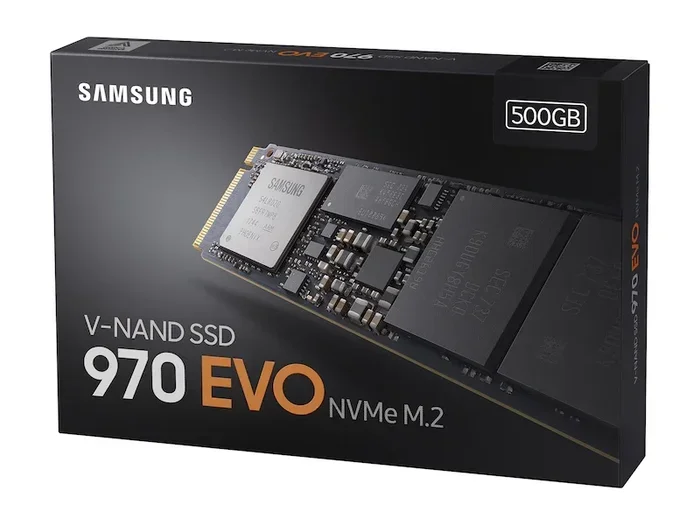
Stick with well-known brands that have a track record of quality. Read user reviews and expert benchmarks before making a decision. Popular choices include Samsung, Kingston, Crucial, WD, and Intel.
Avoid unknown brands that cut corners on NAND quality or firmware. A cheap drive might save you money upfront but could cost you data and performance in the long run.
Price and Value
512 GB NVMe M.2 SSDs are very affordable now. Prices have dropped significantly over the past few years. You can find solid models for under $50 in many cases. Compare prices across retailers and watch for sales or bundles.
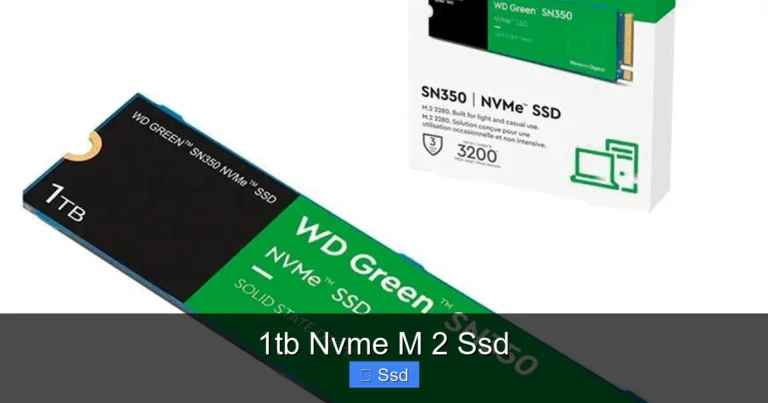
If you need more space and can stretch your budget, a 1TB SSD M.2 NVMe drive offers excellent value and gives you plenty of headroom for future needs.
How to Install a 512 NVMe M.2 SSD
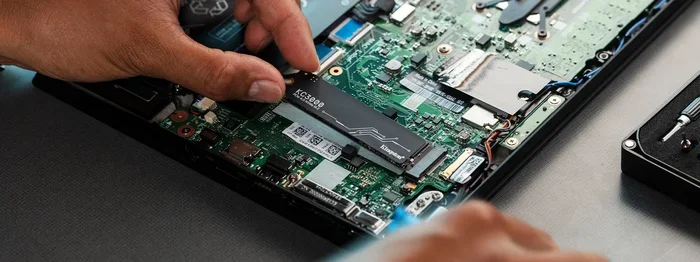
Installing a 512 NVMe M.2 SSD is straightforward. Here is a quick step-by-step guide.
- Check compatibility: Confirm your motherboard has an M.2 slot that supports NVMe PCIe.
- Gather tools: You will need a small Phillips screwdriver and possibly an M.2 mounting bracket.
- Power down: Shut off your PC, unplug it, and press the power button to discharge any remaining electricity.
- Locate the M.2 slot: Find the M.2 connector on your motherboard. It is usually labeled near the CPU socket.
- Insert the drive: Hold the drive at a 30-degree angle and gently slide it into the slot. Press it down flat and secure it with the mounting screw.
- Boot up: Power on your PC and enter the BIOS to confirm the drive is detected.
- Install your OS or migrate data: You can install a fresh operating system or use cloning software to transfer your existing setup.
If your laptop has an M.2 slot, the process is similar but you may need to remove the bottom panel first. Always consult your device manual for specific instructions.
For those who want an external enclosure to use their NVMe drive on the go, check out our Ugreen M.2 NVMe SATA SSD enclosure review for a reliable and affordable option.
Common Mistakes to Avoid
Before you buy and install your drive, keep these common pitfalls in mind.
- Buying the wrong key type: Make sure your M.2 slot supports NVMe (M-key), not just SATA (B-key).
- Ignoring motherboard compatibility: Not all motherboards support all NVMe generations. Check your manual before purchasing.
- Skipping the BIOS update: An outdated BIOS can cause compatibility issues with newer NVMe drives.
- Overheating: Some NVMe drives run hot. Consider adding a heatsink if your motherboard does not include one.
- Not backing up data: Always back up your important files before installing or migrating to a new drive.
Avoiding these mistakes ensures a smooth experience and protects your data during the upgrade process.
Expert Tips for Getting the Most From Your 512 NVMe M.2 SSD
Here are some pro tips to help you get the best performance and longevity from your new drive.
- Enable PCIe Gen4 in BIOS: If your motherboard supports it, make sure Gen4 is enabled in your BIOS settings for maximum speeds.
- Keep firmware updated: Check the manufacturer’s website periodically for firmware updates that can improve performance and fix bugs.
- Use TRIM: Make sure TRIM is enabled in your operating system. This helps the drive maintain optimal performance over time.
- Leave 10-15% free space: SSDs perform best when they are not completely full. Keeping some free space helps with wear leveling and garbage collection.
- Monitor drive health: Use tools like CrystalDiskInfo or the manufacturer’s software to keep an eye on drive health and temperature.
These simple habits can extend the life of your drive and keep it running at peak performance for years to come.
Final Thoughts on the 512 NVMe M.2 SSD
A 512 NVMe M.2 SSD is one of the most impactful upgrades you can make to any computer. It brings speed, reliability, and compactness into a single package. Whether you are a gamer, a student, a creative professional, or just someone who wants a faster PC, this drive delivers.
The technology has matured to the point where a 512 GB NVMe M.2 drive offers outstanding value. You get fast performance, a small footprint, and energy efficiency all in one affordable package. It is hard to go wrong with this choice.
If you are ready to upgrade, take a moment to verify your system compatibility, pick a reputable brand, and follow the installation steps above. Your computer will thank you. And once you experience the speed of NVMe storage, going back to an old hard drive or SATA SSD feels painfully slow.
Start your search today and enjoy the difference that a 512 NVMe M.2 SSD can make in your daily computing experience.
Frequently Asked Questions
Is a 512 NVMe M.2 SSD enough for gaming?
Yes, a 512 GB NVMe M.2 SSD is plenty for gaming if you manage your library wisely. Keep your most-played games on the drive and store less frequently played titles on a larger storage device. Most modern games benefit greatly from NVMe speeds, so your load times will be noticeably shorter.
Can I use a 512 NVMe M.2 SSD as my primary boot drive?
Absolutely. In fact, a 512 NVMe M.2 SSD makes an excellent boot drive. The fast read speeds mean your operating system starts in seconds, and applications launch almost instantly. Most users who upgrade to an NVMe boot drive notice an immediate improvement in daily performance.
What is the difference between a 512 GB NVMe M.2 SSD and a 1 TB NVMe M.2 SSD?
The main difference is storage capacity. A 1 TB drive holds twice as much data as a 512 GB drive. Performance is usually very similar between the two sizes from the same manufacturer. The 1 TB option costs more but gives you extra room for games, files, and applications.
Do I need a heatsink for my 512 NVMe M.2 SSD?
Not always. Many modern NVMe drives run cool enough without additional cooling. However, if you do heavy workloads like video editing or sustained large file transfers, a heatsink can help maintain peak performance. Some motherboards come with built-in M.2 heatsinks, so check yours first.
How long does a 512 NVMe M.2 SSD last?
Most 512 GB NVMe M.2 SSDs are rated for several hundred terabytes written. Under normal consumer use, a drive can last 5 to 10 years or more. Keeping firmware updated, enabling TRIM, and leaving free space on the drive helps maximize its lifespan.
Can I upgrade from a SATA SSD to a 512 NVMe M.2 SSD?
Yes, as long as your motherboard has an M.2 slot that supports NVMe PCIe. The upgrade process is straightforward and the performance improvement is significant. You can clone your existing SATA SSD to the new NVMe drive or do a fresh install of your operating system for the best results.