Samsung 980 Pro 1tb M.2 Nvme Ssd

The samsung 980 pro 1tb m.2 nvme ssd is a top-tier storage drive that offers incredible read and write speeds using PCIe Gen4 technology. It is built for gamers, creators, and professionals who need fast boot times and smooth multitasking. With a DRAM cache and V-NAND flash memory, this drive handles heavy workloads with ease. Read on to learn about its speeds, features, and whether it is worth your money.
If you are building or upgrading a PC and want the fastest storage available today, the samsung 980 pro 1tb m.2 nvme ssd should be at the top of your list. This drive has earned a reputation as one of the best NVMe SSDs on the market, and for good reason. It combines cutting-edge PCIe Gen4 technology with Samsung’s trusted V-NAND flash memory to deliver speeds that truly feel next-generation.
Whether you are a gamer who wants instant load screens, a video editor working with large files, or simply someone tired of waiting for your computer to boot up, this SSD promises to change your experience. In this review, we will break down everything you need to know. We will look at its speed benchmarks, real-world performance, how it compares to competitors, and whether it is worth the investment in 2024 and beyond.
Samsung has been a leader in the SSD space for years, and the 980 Pro continues that tradition. It replaces the popular 970 Pro and brings significant improvements in both speed and efficiency. The 1TB capacity strikes a sweet spot between affordability and plenty of storage space for most users. Let us dive into what makes this drive so special.
Key Takeaways
- Blazing Speeds: The Samsung 980 Pro delivers up to 7,000 MB/s read and 5,100 MB/s write speeds using PCIe Gen4.
- DRAM Cache Built In: This means faster random read and write performance for everyday tasks and heavy workloads.
- Great for Gaming: Load times drop significantly, making it a favorite among gamers and content creators.
- Reliable Endurance: It carries a 600 TBW rating, meaning it lasts for years of regular use.
- Easy Installation: The M.2 2280 form factor fits most modern desktops and laptops with an M.2 slot.
- Thermal Management Matters: A heatsink is recommended for sustained performance in demanding tasks.
- Strong Value: Compared to other Gen4 NVMe drives, the 980 Pro offers excellent performance at a competitive price.
📑 Table of Contents
What Makes the Samsung 980 Pro Stand Out
The Samsung 980 Pro stands out because it uses a PCIe Gen4 x4 interface along with the NVMe protocol. This combination is what allows it to reach speeds that older SATA SSDs and even some Gen3 NVMe drives simply cannot match. The drive uses Samsung’s Elite V-NAND technology, which stacks memory cells vertically to increase density and performance.
Here are some of the key features that set this SSD apart:
- PCIe Gen4 x4 Interface: This is the latest mainstream interface for NVMe SSDs, doubling the bandwidth of Gen3 drives.
- DRAM Cache: The 980 Pro includes a full DRAM cache, which dramatically improves random read and write performance.
- V-NAND Flash Memory: Samsung’s proprietary 3D V-NAND technology delivers high endurance and reliability.
- Phoenix Controller: Samsung’s custom controller chip is optimized for Gen4 speeds and power efficiency.
- M.2 2280 Form Factor: This is the standard size for M.2 SSDs, fitting most modern motherboards and laptops.
- Samsung Magician Software: This free software lets you update firmware, monitor drive health, and optimize performance.
When you compare this to an older Samsung 970 Evo Plus M.2 NVMe SSD, the generational leap in speed becomes obvious. The 970 Evo Plus uses PCIe Gen3, which caps out around 3,500 MB/s read speeds. The 980 Pro nearly doubles that with its Gen4 design. This is a huge upgrade for anyone coming from a Gen3 drive or a traditional SATA SSD.
Performance and Speed Benchmarks
Speed is where the Samsung 980 Pro really shines. In synthetic benchmarks, the drive consistently hits its advertised maximums. The sequential read speed reaches up to 7,000 MB/s, and the sequential write speed tops out at 5,100 MB/s. These numbers are impressive for a consumer SSD and place the 980 Pro among the fastest drives available.
But raw benchmark numbers only tell part of the story. Let us look at how this drive performs in real-world scenarios.
Random Read and Write Performance
Random read and write speeds matter more for everyday use than sequential speeds. When you are opening apps, loading games, or switching between browser tabs, your drive is performing small random I/O operations. The Samsung 980 Pro excels here thanks to its DRAM cache. Random read speeds reach around 1,000,000 IOPS, and random write speeds hit approximately 150,000 IOPS.
This means your system feels snappy and responsive. Boot times on Windows can drop to under 10 seconds. Applications launch almost instantly. File transfers involving thousands of small files complete much faster than on drives without a DRAM cache.
Sustained Write Performance
One thing to keep in mind is that sustained write speeds can vary depending on the amount of data being written and the temperature of the drive. When writing large files continuously, the drive may slow down temporarily as it fills its SLC cache. However, Samsung has tuned the 980 Pro well, and the drop in sustained write performance is less severe than on many competing drives.
Real-World Use Cases
Here are some practical examples of how the Samsung 980 Pro performs in everyday use:
- Gaming: Modern games like Cyberpunk 2077 and Call of Duty load significantly faster on Gen4 NVMe drives. The 980 Pro reduces load screens by a noticeable margin compared to SATA SSDs.
- Video Editing: Scrubbing through 4K video timelines in Premiere Pro or DaVinci Resolve becomes smoother with the fast read speeds of this SSD.
- Boot Drive: Using the 980 Pro as your system drive makes the entire operating system feel lightning fast. Everything from startup to file searches feels instant.
- Content Creation: Photographers and videographers benefit from fast transfer speeds when moving large RAW files or video clips to and from the drive.
Who Should Buy the Samsung 980 Pro
The Samsung 980 Pro is an excellent choice for a wide range of users. Here is a breakdown of who will benefit the most from this drive:
Gamers
If you are a PC gamer, the samsung 980 pro 1tb m.2 nvme ssd is a fantastic upgrade. Modern games are increasingly designed to take advantage of NVMe storage. DirectStorage technology, which is becoming more common in PC games, allows the GPU to read data directly from the NVMe SSD, bypassing the CPU and reducing load times even further.
The 980 Pro’s fast read speeds mean you spend less time staring at loading screens and more time playing. For gamers with large libraries, the 1TB capacity gives you enough room for several AAA titles without constantly managing space.
Content Creators and Professionals
Video editors, 3D modelers, and photographers working with large files will appreciate the sustained performance and high endurance of the 980 Pro. The 600 TBW (terabytes written) endurance rating means you can write a massive amount of data over the lifetime of the drive before it wears out. This is important for professionals who constantly write and rewrite large files.
General Users Upgrading from SATA SSDs or HDDs
If you are still using a traditional hard drive or an older SATA SSD, the Samsung 980 Pro will feel like a massive upgrade. The difference in speed is night and day. Boot times, application launches, and file transfers all become dramatically faster. Even for casual users who browse the web, stream videos, and do office work, the responsiveness improvement is very noticeable.
How the Samsung 980 Pro Compares to Other SSDs
To put the Samsung 980 Pro in perspective, let us compare it to a few other popular drives in the same category. The table below highlights the key differences.
| Feature | Samsung 980 Pro | Crucial P310 | WD Blue SN570 |
|---|---|---|---|
| Interface | PCIe Gen4 x4 | PCIe Gen4 x4 | PCIe Gen4 x4 |
| Sequential Read | Up to 7,000 MB/s | Up to 7,400 MB/s | Up to 7,100 MB/s |
| Sequential Write | Up to 5,100 MB/s | Up to 6,400 MB/s | Up to 5,100 MB/s |
| DRAM Cache | Yes | No | No |
| Endurance (TBW) | 600 TBW | 300 TBW | 300 TBW |
| Capacity Options | 250GB, 500GB, 1TB, 2TB | 500GB, 1TB, 2TB | 250GB, 500GB, 1TB, 2TB |
| Warranty | 5 years | 5 years | 5 years |
As you can see from the comparison, the Samsung 980 Pro holds its own well. The Crucial P310 offers slightly higher sequential speeds, but it lacks a DRAM cache, which hurts its real-world random performance. The Crucial P310 1TB PCIe Gen4 NVMe M.2 SSD is a solid budget option, but the 980 Pro delivers a more consistent and reliable experience, especially under heavy workloads.
If you are looking for a general 1tb nvme m.2 ssd for your system, the Samsung 980 Pro is one of the most well-rounded options available. Its combination of speed, endurance, and software support makes it a top pick.
Installation and Setup Tips
Installing the Samsung 980 Pro is straightforward if your system has an M.2 slot that supports PCIe Gen4. Here are some tips to make the process smooth.
Check Your Motherboard Compatibility
Before buying the drive, check your motherboard manual to confirm it has an M.2 slot that supports PCIe Gen4. Most motherboards released since 2020 with an M.2 slot will support Gen4, but it is always worth double-checking. Some older boards may only support Gen3, which would limit the drive’s maximum speed.
Use a Heatsink
The Samsung 980 Pro can generate heat during heavy workloads, especially when writing large amounts of data continuously. Many modern motherboards come with an M.2 heatsink built in. If yours does not, consider purchasing a standalone M.2 heatsink. This will help maintain peak performance and prevent thermal throttling.
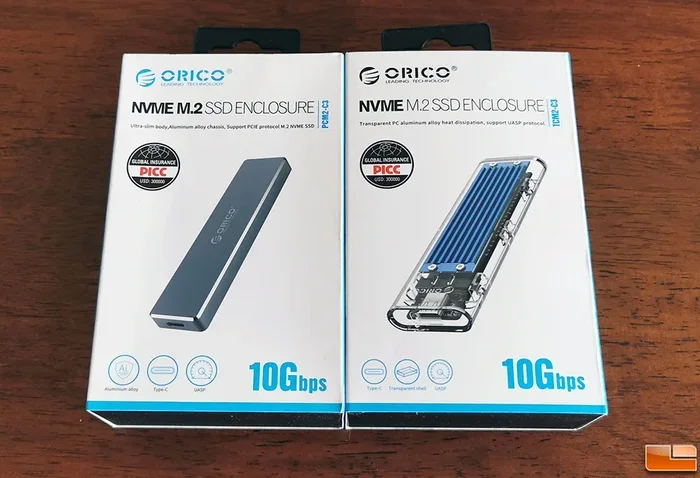
For those who need an external enclosure, the M.2 NVMe SSD enclosure options from Ugreen and others can turn this internal drive into a portable external SSD when needed.
Install Samsung Magician Software
After installing the drive, download Samsung Magician from the Samsung website. This free software does several important things:
- Updates the SSD firmware to the latest version for optimal performance and stability.
- Monitors the drive’s health status, including remaining life and temperature.
- Runs performance optimization scans to keep the drive running at its best.
- Securely erases the drive if you ever need to sell or dispose of it.
Enable NVMe Mode in BIOS
Make sure your system BIOS is set to AHCI or NVMe mode for the M.2 slot. If it is set to IDE or Legacy mode, the drive will not perform at its full potential. This is a quick check that can make a big difference in performance.
Common Mistakes to Avoid
Even with a great SSD like the Samsung 980 Pro, there are a few mistakes users sometimes make that can affect performance or longevity:
- Skipping Firmware Updates: Samsung regularly releases firmware updates that improve compatibility and performance. Always keep your drive updated using Samsung Magician.
- Ignoring Thermal Management: Without proper cooling, the drive may throttle its speeds during sustained writes. A heatsink is a small investment that pays off.
- Using the Drive as the Only Storage: While the 1TB capacity is generous, heavy users may find themselves running out of space quickly. Consider pairing the 980 Pro with a larger capacity drive or an external HDD for mass storage.
- Not Enabling TRIM: TRIM helps maintain the drive’s performance over time by allowing the operating system to inform the SSD which data blocks are no longer in use. Make sure TRIM is enabled in your operating system.
Final Verdict
The Samsung 980 Pro 1TB M.2 NVMe SSD is an excellent choice for anyone looking for fast, reliable, and high-performance storage. Its PCIe Gen4 speeds, DRAM cache, and strong endurance rating make it one of the best options in its class. Whether you are a gamer, a content creator, or simply someone who wants a fast and responsive PC, this drive delivers on all fronts.
The price has come down significantly since its launch, making it more accessible than ever. When you compare it to alternatives like the NVMe M.2 SSD 1TB options from other brands, the Samsung 980 Pro offers a compelling mix of speed, reliability, and software support that is hard to beat.
If you are ready to upgrade your storage, the Samsung 980 Pro is a choice you will not regret. It transforms your computing experience and gives your system the speed boost it deserves.
Frequently Asked Questions
Is the Samsung 980 Pro worth it over the Samsung 980 EVO?
Yes, the 980 Pro is worth it if you need the extra performance. The Pro version uses a DRAM cache and a more powerful controller, which translates to faster random read and write speeds. The 980 EVO is a solid budget option, but if you want the best performance from a Samsung Gen4 NVMe drive, the 980 Pro is the clear winner.
Can I use the Samsung 980 Pro in a laptop?
Absolutely. The Samsung 980 Pro comes in the M.2 2280 form factor, which is compatible with most laptops that have an M.2 slot. Just make sure your laptop supports PCIe Gen4 NVMe SSDs. Check your laptop’s manual or specifications to confirm compatibility before purchasing.
Does the Samsung 980 Pro need a heatsink?
It depends on your use case. For light tasks like booting your operating system or browsing the web, a heatsink is not necessary. However, if you are doing heavy workloads like video editing or transferring large files continuously, a heatsink will help maintain optimal performance by preventing thermal throttling.
What is the warranty on the Samsung 980 Pro?
Samsung offers a 5-year limited warranty on the 980 Pro. This covers defects in materials and workmanship under normal use conditions. The drive also comes with a 600 TBW endurance rating, which means Samsung expects it to handle at least 600 terabytes of written data over its lifetime.
How does the Samsung 980 Pro compare to a SATA SSD?
The difference is massive. The Samsung 980 Pro can be up to 6 to 7 times faster than a SATA SSD in sequential read speeds. In real-world use, this means boot times that are cut in half, applications that launch almost instantly, and file transfers that take a fraction of the time. If you are currently using a SATA SSD, upgrading to the 980 Pro is one of the most noticeable upgrades you can make.
Does the Samsung 980 Pro support hardware encryption?
Yes, the Samsung 980 Pro supports AES 256-bit hardware encryption. This is a standard feature that helps protect your data without any noticeable impact on performance. You can enable encryption through your operating system settings or use Samsung’s proprietary security features through the Magician software.
=== CONCLUSION ===
The samsung 980 pro 1tb m.2 nvme ssd remains one of the best choices for anyone who wants fast, reliable, and high-performance storage. With its PCIe Gen4 speeds, DRAM cache, and strong endurance, it handles everything from gaming to professional workloads with ease. The 1TB capacity gives you plenty of room for your operating system, applications, games, and files.
If you are in the market for a storage upgrade, this SSD should be at the top of your consideration list. It offers excellent value for its price and delivers a computing experience that feels truly next-generation. Upgrade today and feel the difference that fast NVMe storage can make in your daily workflow.