Warning Signs That Someone Is Trying To Hack My Facebook
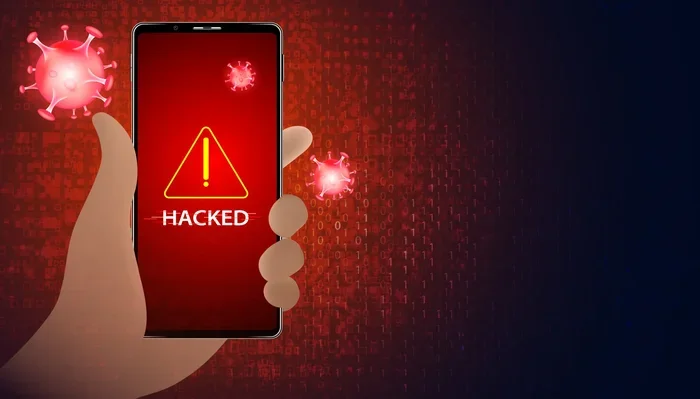
Knowing the warning signs that someone is trying to hack your Facebook account can save you from identity theft and privacy loss. Unusual login activity, strange messages from your account, and unexpected changes to your settings are all red flags you should never ignore. This guide walks you through every sign to watch for and the steps you can take right now to lock down your account.
Your Facebook account holds a lot of personal information. Photos, messages, contacts, and even payment details live inside it. When someone tries to hack my Facebook, the signs are often there if you know what to look for.
Hackers use clever methods like phishing links, social engineering, and malware to gain access. Many people don’t realize their account has been targeted until serious damage is done. The good news is that most hacking attempts leave behind clear warning signs.
In this article, we will cover every major sign that someone is trying to hack your Facebook account. We will also share practical steps you can take to protect yourself. Whether you have already noticed something suspicious or just want to stay ahead of threats, this guide has you covered.
Key Takeaways
- Unusual login activity is one of the earliest signs someone is trying to access your account without permission.
- Messages and friend requests you didn’t send mean your account may already be compromised.
- Changes to your password or email without your knowledge are a serious red flag.
- Unrecognized active sessions let you see exactly where and when someone tried to log in.
- Device slowdowns or strange behavior can indicate malware linked to account theft.
- Two-factor authentication and regular security checkups are your best defenses.
📑 Table of Contents
Unusual Login Activity on Your Facebook Account
The first and most obvious sign that someone is trying to hack your Facebook is unusual login activity. Facebook tracks where and when logins happen. If you notice logins from places you have never been, that is a big red flag.
Login Alerts You Should Never Ignore
Facebook sends login alerts to your registered email or phone number. If you get an alert saying your account was accessed from a new device or location, pay attention. These alerts are designed to help you spot unauthorized access early.
Some people ignore these alerts because they think it is a mistake. But hackers often test stolen credentials from different locations. If you see a login alert from a city or country you have never visited, take action immediately.
Checking Your Login History
You can check your login history directly in Facebook settings. Go to Settings and Privacy, then click on Settings. Under the Security and Login section, you will see a list of active sessions.
Look for any session that shows a device or location you do not recognize. Facebook will show the device type, location, and time of each login. If something looks off, you can log out of that session right away.
Regularly checking your login history is one of the simplest ways to stay safe. Make it a habit to review this section at least once a month.
Friends and Messages You Did Not Send
Another strong sign that someone is trying to hack my Facebook is activity you did not authorize. If your friends tell you they received strange messages from you, your account may already be compromised.
Strange Friend Requests from Your Account
Hackers often use compromised accounts to send friend requests to your contacts. They do this to spread malware or gather more personal information. If you notice friend requests that you did not send, something is wrong.
Your friends might also tell you about friend requests they received from your profile. This is a common tactic used by hackers to expand their reach. Never ignore reports from friends about strange activity coming from your account.
Messages Sent Without Your Knowledge
Check your message history for any conversations you do not remember having. Hackers may send links or requests for money through your account. These messages often contain phishing links designed to steal more information.
If you find messages you did not send, do not click on any links in them. Instead, change your password right away and alert your friends that your account may be compromised.
Changes to Your Account Settings
One of the most alarming signs is when your account settings change without your input. Hackers often modify settings to maintain access or cover their tracks.
Password or Email Changed Without You
If you try to log in and your password no longer works, someone may have changed it. Similarly, if your recovery email or phone number has been updated, this is a serious warning sign.
Hackers change these details to lock you out of your own account. They then use the account for scams or identity theft. If you notice any changes you did not make, act fast to regain control.
Security Questions Modified
Facebook allows you to set up security questions for extra protection. If you find that your security questions have been replaced with new ones, someone else has likely accessed your account.
This is one of the more advanced signs of a targeted attack. It shows the intruder is trying to secure their access while preventing you from recovering your account.
Unrecognized Devices and Locations
Facebook lets you see all the devices that are currently logged into your account. This feature is incredibly useful for spotting unauthorized access.
Active Sessions You Do Not Recognize
Go to your Security and Login settings and scroll down to the Where You’re Logged In section. You will see a list of all active sessions with device names, locations, and timestamps.
If you see a session from a device you do not own, or a location you have never visited, that session is suspicious. You can click on the three dots next to each session and choose to log out. This will immediately end any unauthorized access.
Geo-Location Red Flags
Pay close attention to the geo-location data in your active sessions. If you live in the United States and see a login from another country, that is a clear warning sign.
Some hackers use virtual private networks to disguise their location. But even then, the login pattern may not match your normal behavior. If you never log in from mobile data at 3 AM from another continent, that is suspicious.
Device and Performance Anomalies
Sometimes the signs of a hacking attempt show up on your device itself, not just on Facebook. Malware linked to account theft can cause unusual behavior on your computer or phone.
Your Mouse or Keyboard Acting Weird
If your mouse starts disconnecting randomly or your keyboard stops responding, it could be more than a hardware issue. Malware sometimes interferes with your input devices to prevent you from noticing its activity.
For example, if you notice that your mouse keeps disconnecting for no clear reason, run a full antivirus scan on your device. This could be a sign that your system has been compromised.
System Sluggishness and Unusual Behavior
Hackers often run background processes that consume your device resources. This can cause your system to slow down significantly. If your laptop suddenly becomes sluggish and you have not installed anything new, consider the possibility of malware.
You can check your system resources to see how much RAM your laptop has and monitor whether something is using an unusual amount of memory. High resource usage when you are not running heavy applications is a warning sign.
Keeping your device well-maintained also helps prevent hacking attempts. Regular updates and checking that your hardware components are properly configured can improve both performance and security.
How to Protect Your Facebook Account
Now that you know the warning signs, let us talk about how to keep your account safe. Prevention is always better than recovery.
Enable Two-Factor Authentication
Two-factor authentication adds an extra layer of security to your Facebook account. Even if someone gets your password, they will still need a second form of verification to log in.
You can set this up in the Security and Login section of your Facebook settings. Choose either text message codes, an authentication app, or a security key. Two-factor authentication is one of the most effective ways to stop unauthorized access.
Run a Security Checkup
Facebook offers a built-in security checkup tool. This tool reviews your login sessions, alerts you to unrecognized activity, and helps you update your security settings.
Running a security checkup takes only a few minutes. It is a great way to make sure your account is properly protected. You should run one at least every few months.
Best Practices for Ongoing Protection
- Use a strong, unique password for your Facebook account. Do not reuse passwords across multiple sites.
- Never click on suspicious links in messages or emails, even if they appear to come from friends.
- Keep your device updated with the latest security patches and software updates.
- Log out of sessions on public or shared devices every time you use them.
- Review your active sessions regularly to catch any unauthorized access early.
- Be cautious of friend requests from people you do not know, as they could be phishing attempts.
- Use a password manager to generate and store complex passwords securely.
What to Do If You Think Your Facebook Has Been Compromised
If you have noticed multiple signs from this article, do not panic. There are clear steps you can take to regain control of your account.
First, change your password immediately. Choose a strong password that you have never used before. Next, enable two-factor authentication if you have not already done so. Then, log out of all active sessions to remove any unauthorized access.
Check your account settings for any changes you did not make. Revert your email, phone number, and security questions back to your preferred settings. Finally, scan your device for malware using a trusted antivirus program.
If the problem persists, contact Facebook support through their Help Center. They can guide you through the account recovery process and help you secure your profile.
Conclusion
Staying safe on Facebook requires constant awareness. The warning signs that someone is trying to hack my Facebook are often subtle, but they are there if you look closely. Unusual login activity, unauthorized messages, changed settings, and device anomalies should never be ignored.
By staying proactive and following the protection steps outlined in this guide, you can significantly reduce your risk of falling victim to a hacking attempt. Regular security checkups, strong passwords, and two-factor authentication are your best friends in the fight for account safety. Take action today and make your Facebook account as secure as possible.
Frequently Asked Questions
How do I know if someone has accessed my Facebook account?
Check your login history under Security and Login settings in Facebook. Look for sessions from devices or locations you do not recognize. You should also check for messages or friend requests you did not send, as these are strong indicators of unauthorized access.
Can someone hack my Facebook without me knowing?
Yes, skilled hackers can access your account without triggering obvious alerts. This is why regular security checkups and two-factor authentication are so important. Monitoring your login history and account settings helps you catch even quiet intrusions.
What should I do if I receive a login alert I did not trigger?
Change your Facebook password immediately and enable two-factor authentication. Log out of all active sessions and scan your device for malware. Alert your friends that your account may be compromised so they do not click on any suspicious links sent from your profile.
Is two-factor authentication enough to stop hackers?
Two-factor authentication is one of the most effective security tools available, but it is not foolproof. Hackers can sometimes bypass it through SIM-swapping or phishing attacks. For the best protection, combine two-factor authentication with strong passwords and regular security reviews.
How often should I review my Facebook security settings?
You should review your security settings at least once a month. Run a security checkup every few months and always check your active sessions after logging in from a new device or location. Consistent monitoring is the key to staying ahead of threats.
What are the most common methods hackers use to target Facebook accounts?
The most common methods include phishing emails, fake login pages, malware, and social engineering. Hackers may also use credential stuffing, where they try passwords leaked from other data breaches. Always be cautious of links in messages and never enter your login details on unfamiliar pages.