How Much Is Ram for Laptop

RAM prices for laptops vary widely based on type, speed, and capacity, but you can expect to pay anywhere from $15 for a basic 4GB stick to over $150 for high-performance 32GB modules. Understanding how much is RAM for a laptop helps you budget wisely and avoid overspending on memory you don’t need. This guide breaks down current pricing, factors that affect cost, and tips to get the best deal.
Key Takeaways
- 4GB RAM is the cheapest option — typically $15–$30, but it’s only suitable for very basic tasks like web browsing and document editing.
- 8GB RAM is the sweet spot for most users — priced around $25–$50, it handles everyday multitasking, streaming, and light productivity with ease.
- 16GB RAM is ideal for power users — costing $45–$90, it’s perfect for gaming, video editing, and running multiple demanding applications simultaneously.
- 32GB+ RAM is for professionals and enthusiasts — prices range from $80 to $200+, targeting heavy workloads like 3D rendering, virtual machines, and large-scale data processing.
- DDR4 is more affordable than DDR5 — DDR5 is newer and faster but comes at a premium, while DDR4 offers excellent value for budget-conscious buyers.
- Brand and speed affect pricing — premium brands like Corsair and Kingston cost more, and higher MHz speeds increase the price per module.
- Buying in kits can save money — dual-channel kits (2x8GB) often cost less per GB than buying a single stick and deliver better performance.
📑 Table of Contents
- Introduction: Why RAM Pricing Matters for Your Laptop
- What Is RAM and Why Does It Affect Laptop Performance?
- Current RAM Prices by Capacity: A Complete Breakdown
- DDR4 vs. DDR5: How RAM Type Affects Price
- Factors That Influence Laptop RAM Pricing
- How to Determine How Much RAM You Actually Need
- Where to Buy Laptop RAM and How to Save Money
- How to Install RAM in Your Laptop
- Common Mistakes to Avoid When Buying Laptop RAM
- Conclusion: Making a Smart RAM Purchase
Introduction: Why RAM Pricing Matters for Your Laptop
If you’ve ever shopped for laptop upgrades or a new machine, you’ve probably asked yourself, “How much is RAM for a laptop?” It’s one of the most common questions people ask, and for good reason. RAM — short for Random Access Memory — is one of the most critical components that determines how fast and smoothly your laptop runs. Whether you’re upgrading an existing machine or buying a new one, understanding RAM pricing can save you a lot of money and frustration.
The truth is, there’s no single answer to the question of how much is RAM for a laptop. Prices depend on several factors, including the type of RAM (DDR4 vs. DDR5), the capacity (4GB, 8GB, 16GB, 32GB), the speed measured in MHz, and the brand you choose. A basic 4GB stick might cost as little as $15, while a high-end 32GB DDR5 module can easily exceed $150. Knowing what you need — and what you don’t — is the key to making a smart purchase.
In this comprehensive guide, we’ll walk you through everything you need to know about laptop RAM pricing. We’ll cover current market prices for different capacities, explain what factors drive costs up or down, and give you practical tips for getting the best value. By the end, you’ll have a clear understanding of how much is RAM for a laptop and exactly what you should buy for your specific needs.
What Is RAM and Why Does It Affect Laptop Performance?
The Basics of RAM
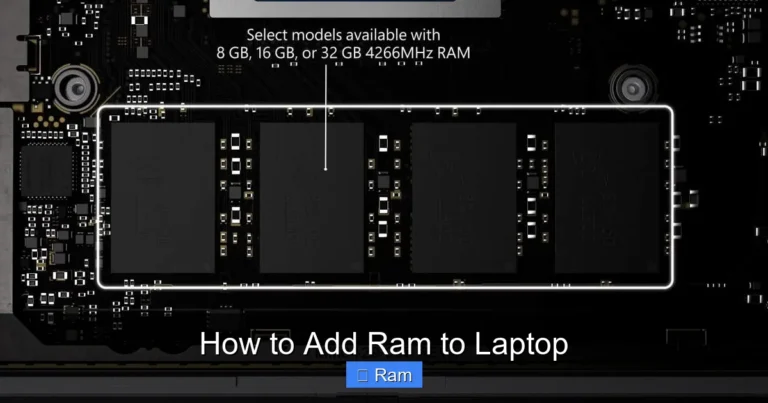
Before diving into pricing, let’s quickly cover what RAM actually does. RAM is your laptop’s short-term memory. It temporarily stores data that your processor needs to access quickly — things like open applications, browser tabs, and active files. The more RAM you have, the more tasks your laptop can handle at once without slowing down.
Visual guide about How Much Is Ram for Laptop
Image source: i.pinimg.com
Think of it like a desk. A small desk (low RAM) means you can only work on one or two things at a time. A large desk (high RAM) gives you room to spread out multiple projects, reference materials, and tools all at once. When your RAM fills up, your laptop starts using your hard drive or SSD as overflow storage, which is significantly slower and causes that frustrating lag everyone hates.
How RAM Impacts Your Daily Experience
The amount of RAM in your laptop directly affects how many programs you can run simultaneously, how quickly applications open, and how smoothly your system handles demanding tasks. If you’ve ever had your laptop freeze when you open too many Chrome tabs, that’s a RAM issue. Understanding what RAM is good for in a laptop helps you appreciate why investing in the right amount matters.
For casual users who mainly browse the web, check email, and stream videos, 8GB of RAM is usually sufficient. But if you’re a gamer, content creator, or someone who runs virtual machines, you’ll want 16GB or more. The price difference between these tiers is significant, which is why knowing how much is RAM for a laptop at each level is so important.
Current RAM Prices by Capacity: A Complete Breakdown
4GB RAM: The Budget Entry Point
At the low end of the market, 4GB RAM modules are the most affordable option available. You can typically find a 4GB DDR4 laptop memory stick for $15 to $30. This is the bare minimum for running a modern operating system, and it’s found in many entry-level laptops and Chromebooks.
However, 4GB is increasingly considered insufficient for Windows 10 or Windows 11. If you’re running either of these operating systems with just 4GB, you’ll likely experience slowdowns with more than a few browser tabs open. It’s fine for basic tasks, but anything beyond light web browsing will push this limit quickly. If you’re on an extremely tight budget, it works — but most users will want to aim higher.
8GB RAM: The Most Popular Choice
Eight gigabytes is the sweet spot for the majority of laptop users, and the pricing reflects its popularity. A single 8GB DDR4 module typically costs between $25 and $50, depending on the brand and speed. This is enough RAM for comfortable multitasking, streaming, office work, and even some light photo editing.
Many mid-range laptops come with 8GB pre-installed, and it’s the most common upgrade recommendation for people moving from 4GB. If you’re wondering whether 8GB RAM is enough for a laptop, the answer for most people is a resounding yes. It handles everyday tasks with room to spare and represents the best balance of performance and affordability.
16GB RAM: For Power Users and Gamers
Stepping up to 16GB opens the door to serious multitasking, gaming, and creative work. A single 16GB DDR4 stick generally costs between $45 and $90, while a 2x8GB dual-channel kit (which offers better performance) ranges from $50 to $100. This is the recommended amount for gamers, video editors, programmers, and anyone who regularly pushes their laptop to its limits.
With 16GB, you can run a game while streaming, edit photos in Photoshop with multiple layers, or keep dozens of browser tabs open without breaking a sweat. If you’re a student, professional, or enthusiast who needs reliable performance, 16GB is where the investment really starts to pay off. The price jump from 8GB to 16GB is noticeable, but the performance improvement is substantial.
32GB and Beyond: Professional-Grade Memory
For professionals who work with 3D modeling, 4K video editing, large datasets, or virtual machines, 32GB of RAM is often necessary. Prices for 32GB kits (2x16GB) typically range from $80 to $200 for DDR4, while DDR5 versions can cost $120 to $250 or more. At this level, you’re paying for headroom — the ability to handle massive workloads without ever worrying about running out of memory.
Some high-end workstations and gaming laptops even support 64GB or 128GB of RAM, but these configurations are rare and expensive. Unless you have a very specific professional need, 32GB is more than enough for virtually any task you can throw at a laptop. The key is honestly assessing whether you need this much memory, because overspending on RAM you’ll never use is one of the most common mistakes people make.
DDR4 vs. DDR5: How RAM Type Affects Price
Understanding the Generational Difference
DDR4 has been the standard for laptop RAM for several years, and it’s widely available and affordable. DDR5 is the newest generation, offering faster speeds, better power efficiency, and higher maximum capacities. However, DDR5 comes at a premium — typically 30% to 50% more expensive than equivalent DDR4 modules.

Visual guide about How Much Is Ram for Laptop
Image source: publicdomainpictures.net
For example, a 16GB DDR4-3200 module might cost around $45, while a 16GB DDR5-4800 module could run $65 or more. The performance difference is real, but for most everyday tasks, you won’t notice a dramatic improvement. DDR5 shines in bandwidth-intensive applications like video editing, scientific computing, and high-end gaming, but for general use, DDR4 remains an excellent value.
Should You Pay Extra for DDR5?
The answer depends on your laptop and your use case. First, check whether your laptop even supports DDR5 — many older models are limited to DDR4. If you’re buying a new laptop and the price difference is small, DDR5 is a smart investment for future-proofing. But if you’re upgrading an existing machine, DDR4 is the practical and economical choice.
It’s also worth noting that DDR5 prices are expected to drop as the technology becomes more widespread. If you’re not in a rush, waiting six months to a year could save you a significant amount. The RAM market tends to fluctuate, and timing your purchase can make a real difference in how much you pay.
Factors That Influence Laptop RAM Pricing
Brand and Quality
Not all RAM is created equal. Established brands like Corsair, Kingston (HyperX), Crucial, G.Skill, and Samsung tend to charge more than generic or off-brand alternatives. You’re paying for reliability, better quality control, warranties, and customer support. For most users, sticking with a reputable brand is worth the small premium — RAM is not the place to cut corners, as faulty modules can cause system instability and data loss.
That said, Crucial (which is owned by Micron, one of the largest memory manufacturers in the world) often offers competitive pricing while maintaining excellent quality. If you’re looking for the best balance of price and reliability, Crucial is a great place to start.
Speed and Latency
RAM speed, measured in MHz (megahertz), directly affects how quickly data can be read from and written to memory. Higher speeds generally mean better performance, but they also mean higher prices. For DDR4, common speeds include 2400MHz, 2666MHz, 3000MHz, and 3200MHz, with prices increasing as you go up the scale.
Latency, measured in CL (CAS Latency) timings, is another factor. Lower latency means faster response times. A DDR4-3200 CL16 module might cost $40, while a DDR4-3200 CL14 module with tighter timings could cost $55 or more. For most users, the difference is negligible, but enthusiasts and overclockers will appreciate the improvement.
Single Stick vs. Dual-Channel Kits
One of the best-kept secrets in RAM pricing is that buying a dual-channel kit (two matched sticks) is often better value than buying a single module. A 2x8GB kit not only costs less per GB in many cases but also delivers better performance because dual-channel mode effectively doubles the memory bandwidth available to your processor.
For example, a single 16GB stick might cost $55, but a 2x8GB kit with the same total capacity could cost just $50 and perform better. This is one of the easiest ways to maximize both your budget and your laptop’s performance. Always check whether your laptop has two RAM slots before making your purchase.
How to Determine How Much RAM You Actually Need
Assessing Your Usage Patterns
The most important step in figuring out how much is RAM for a laptop that you should buy is honestly evaluating how you use your machine. Here’s a simple breakdown:
- Light use (web browsing, email, documents): 4GB–8GB
- Moderate use (multitasking, streaming, light photo editing): 8GB–16GB
- Heavy use (gaming, video editing, programming): 16GB–32GB
- Professional use (3D rendering, virtual machines, large datasets): 32GB+
Be honest with yourself. If you mostly use your laptop for browsing and watching YouTube, you don’t need 32GB. But if you’re editing 4K video or running multiple virtual machines, 8GB will leave you frustrated. Matching your RAM to your actual needs is the smartest way to spend your money.
Future-Proofing Considerations
While it’s important not to overspend, it’s also worth thinking about the future. Software requirements tend to increase over time, and what’s sufficient today might feel limiting in two years. If your budget allows, going one step above your current needs can extend the useful life of your laptop.
For example, if 8GB feels right today, consider 16GB if the price difference is manageable. This gives you headroom for more demanding applications down the road without requiring another upgrade. It’s a small additional cost now that can save you money and hassle later.
Where to Buy Laptop RAM and How to Save Money
Best Places to Shop
You can buy laptop RAM from a variety of sources, each with its own advantages:

Visual guide about How Much Is Ram for Laptop
Image source: bkimg.cdn.bcebos.com
- Amazon — Huge selection, competitive prices, and fast shipping. Easy to compare brands and read reviews.
- Newegg — A go-to for computer components, often with deals and bundle discounts.
- Best Buy — Good for in-store pickup and price matching. Helpful if you want to see products in person.
- Crucial’s website — Their system scanner tool finds compatible RAM for your specific laptop model, taking the guesswork out of shopping.
- Micro Center — If you have one nearby, they often have the best in-store prices on memory.
Tips for Getting the Best Deal
Here are some practical strategies to save money on your RAM purchase:
- Watch for sales events — Black Friday, Prime Day, and back-to-school sales often feature significant discounts on RAM.
- Compare prices across retailers — Use tools like Google Shopping or PCPartPicker to find the lowest price.
- Consider previous-generation RAM — DDR4 is still excellent and much cheaper than DDR5.
- Buy kits instead of single sticks — Better performance and often better value per GB.
- Check for manufacturer rebates — Some brands offer mail-in rebates that can save you $5–$20.
Patience pays off in the RAM market. Prices fluctuate regularly, and waiting for a sale can save you 10% to 30% off retail. If you’re not in a hurry, setting up price alerts on your preferred retailer is a smart move.
How to Install RAM in Your Laptop
Is It Worth Doing Yourself?
Installing RAM in a laptop is one of the easiest and most rewarding upgrades you can do yourself. It typically takes less than 15 minutes, requires only a small screwdriver, and can save you $30–$50 compared to paying a shop to do it. Most laptops have a dedicated access panel on the bottom that makes the process straightforward.
If you’re not sure whether your laptop’s RAM is upgradeable, check your manufacturer’s website or user manual. Some modern ultrabooks and MacBooks have RAM soldered to the motherboard, meaning it can’t be upgraded after purchase. Knowing how to upgrade RAM in a laptop is a valuable skill that can extend the life of your machine significantly.
Step-by-Step Overview
While we won’t go into full detail here (check out our dedicated guide for complete instructions), the basic process involves:
- Power off your laptop and unplug it.
- Remove the bottom panel screws.
- Locate the RAM slots.
- Remove existing modules by releasing the side clips.
- Insert the new module at a 45-degree angle and press down until it clicks.
- Replace the panel and power on to verify the upgrade.
It’s really that simple. If you can change a lightbulb, you can upgrade your laptop’s RAM.
Common Mistakes to Avoid When Buying Laptop RAM
Buying Incompatible RAM
The most common mistake is purchasing RAM that isn’t compatible with your laptop. Laptop RAM (SO-DIMM) is physically smaller than desktop RAM (DIMM), and the two are not interchangeable. Additionally, your laptop may only support specific RAM types (DDR3, DDR4, or DDR5) and speeds. Always verify compatibility before buying.

Visual guide about How Much Is Ram for Laptop
Image source: date-wasabi.com
Overspending on Unnecessary Capacity
More RAM isn’t always better if you don’t need it. Buying 32GB for a laptop that will only ever browse the web is a waste of money. Match your purchase to your actual usage, and put the savings toward other upgrades like a better SSD or a higher-resolution display.
Ignoring Dual-Channel Benefits
Running a single stick of RAM when your laptop supports dual-channel mode leaves performance on the table. Whenever possible, use two matched sticks to take advantage of the increased bandwidth. It’s a free performance boost that costs little or nothing extra.
Conclusion: Making a Smart RAM Purchase
So, how much is RAM for a laptop? As we’ve covered, the answer depends on your specific needs, your laptop’s capabilities, and your budget. For most people, 8GB of DDR4 RAM at $25–$50 represents the best value. Power users and gamers should look at 16GB kits in the $50–$100 range, while professionals with demanding workloads may need 32GB or more.
Visual guide about How Much Is Ram for Laptop
Image source: freeiconspng.com
The key takeaway is to buy what you need — not the most expensive option on the shelf. Assess your usage, check your laptop’s compatibility, compare prices across retailers, and don’t be afraid to wait for a sale. RAM is one of the most cost-effective upgrades you can make to improve your laptop’s performance, and with the right approach, you can get exactly what you need without overspending.
Whether you’re upgrading an aging machine or configuring a new one, understanding RAM pricing puts you in control. Take the time to research, shop smart, and enjoy the noticeably faster, smoother experience that comes with having the right amount of memory in your laptop.
Frequently Asked Questions
How much does 8GB of laptop RAM cost?
8GB of laptop RAM typically costs between $25 and $50 for a DDR4 module, depending on the brand and speed. This is the most popular capacity for general use and offers the best balance of price and performance for most users.
Is it worth upgrading from 4GB to 8GB of RAM?
Absolutely. Upgrading from 4GB to 8GB is one of the most impactful and affordable upgrades you can make. It dramatically improves multitasking, reduces lag, and makes everyday tasks like web browsing and document editing much smoother.
Can I mix different RAM brands in my laptop?
While it’s technically possible, it’s not recommended. Mixing brands, speeds, or capacities can cause instability and prevent dual-channel mode from working. For the best results, use matched sticks from the same manufacturer and product line.
How do I check how much RAM my laptop currently has?
On Windows, open Task Manager (Ctrl+Shift+Esc), go to the Performance tab, and click on Memory. On Mac, click the Apple menu, select “About This Mac,” and look under the Memory section. This shows your current RAM capacity and how it’s being used.
Is DDR5 RAM worth the extra cost over DDR4?
For most users, DDR4 offers better value right now. DDR5 is faster and more future-proof, but the real-world performance difference is minimal for everyday tasks. If you’re building a high-end system or want to future-proof your investment, DDR5 makes sense — otherwise, DDR4 is the smarter buy.
How much RAM do I need for gaming on a laptop?
For modern gaming, 16GB of RAM is the recommended minimum. Many newer games benefit from 16GB, and it gives you enough headroom to run background applications like Discord or streaming software alongside your game. 8GB can work for older or less demanding titles, but 16GB is the sweet spot.