Wd Blue Sn570 1tb Nvme Ssd
The WD Blue SN570 1TB NVMe SSD delivers fast storage speeds and reliable performance for everyday computing and gaming. With PCIe Gen3 NVMe technology, this M.2 SSD offers quick boot times and smooth multitasking. It is a solid choice for upgrading laptops and desktops without breaking the bank.
The WD Blue SN570 1TB NVMe SSD has become one of the most popular choices for people looking to speed up their computers. Whether you are a gamer, a content creator, or just someone tired of slow boot times, this drive promises to make a real difference. In this guide, we will break down everything you need to know about this drive.
Western Digital has been making storage solutions for years, and the Blue line is their go-to for everyday users. The SN570 brings NVMe speeds to the table in a small M.2 form factor. This means you get performance that is way faster than old hard drives, without the hassle of installing a bulky drive.
We will cover the specs, real-world performance, who should buy it, and how to install it. By the end, you will know if the WD Blue SN570 1TB NVMe SSD is the right choice for your setup.
Key Takeaways
- Fast NVMe Speeds: The WD Blue SN570 uses PCIe Gen3 NVMe technology for quick read and write speeds.
- Easy M.2 Installation: This M.2 SSD fits directly into most modern laptops and desktops.
- Great for Gaming: Load times drop significantly when you use this drive as a boot or game drive.
- Affordable Price: The 1TB model offers good value compared to other NVMe M.2 SSD options.
- Reliable Brand: WD Blue is a trusted name in solid state drive technology with solid warranty support.
- No DRAM Cache: This drive uses a DRAM-less design, which is fine for most users but may affect heavy workloads.
📑 Table of Contents
What Is the WD Blue SN570 1TB NVMe SSD?
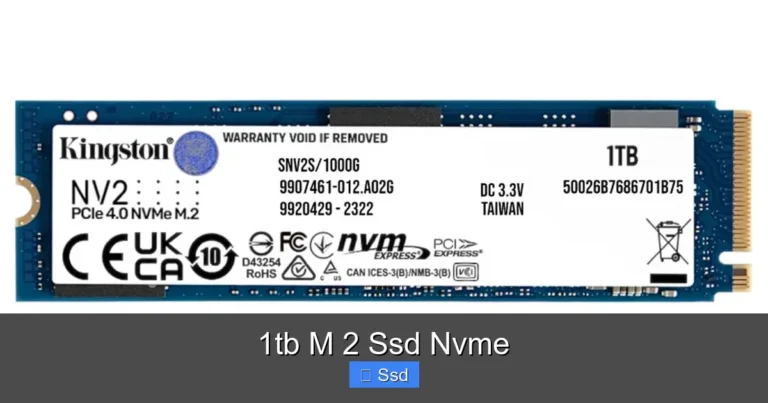
The WD Blue SN570 is a non-volatile memory express solid state drive built on PCIe Gen3 technology. Unlike traditional hard drives that use spinning disks, this drive uses flash memory to store data. That means no moving parts, faster access times, and much better durability.
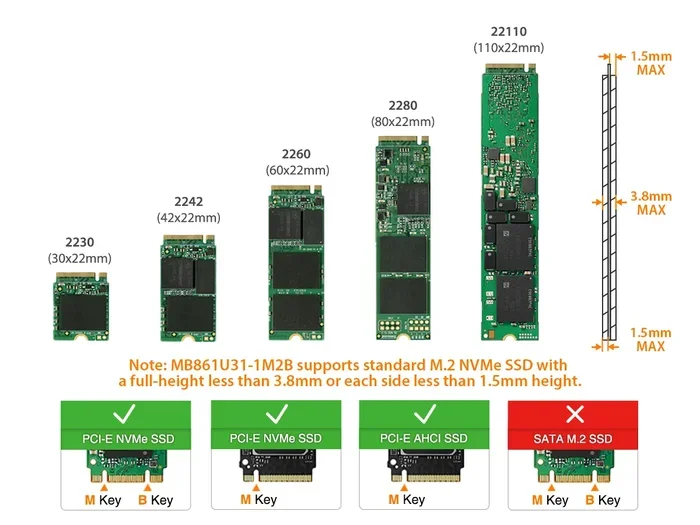
The 1TB version gives you a nice balance of speed and capacity. You can store your operating system, favorite games, and important files all on one drive. It uses the M.2 2280 form factor, which is the most common size for modern motherboards and laptops.
One of the best things about the WD Blue SN570 is that it does not need a separate power cable or SATA cable. You just slot it into the M.2 connector on your motherboard, and you are good to go. This makes it a perfect upgrade SSD for older laptops and desktops alike.
Who Makes the WD Blue SN570?
Western Digital manufactures the SN570 under their Blue brand. The Blue line is aimed at mainstream users who want reliable performance without paying for premium features. This puts the SN570 in a sweet spot between budget drives and high-end options like the WD Black SN850.
Key Features and Specifications
Let us look at what makes the WD Blue SN570 1TB NVMe SSD stand out from the crowd. Here are the key specs and features you should know about.
Read and Write Speeds
The SN570 offers sequential read speeds of up to 3,500 MB/s and sequential write speeds of up to 3,000 MB/s. These numbers are impressive for a PCIe Gen3 drive. In real-world use, you will notice files copying much faster and applications launching almost instantly.
For comparison, a typical SATA SSD tops out around 550 MB/s. The NVMe M.2 SSD speed advantage is huge. Even though the SN570 is a Gen3 drive, it still leaves older SATA drives in the dust.
Form Factor and Compatibility
The drive uses the M.2 2280 form factor. This is a small rectangular stick that plugs directly into the motherboard. Most modern PCs and laptops built after 2018 support this format.
Before buying, check your motherboard or laptop manual to confirm it has an M.2 slot that supports NVMe drives. Some older M.2 slots only support SATA, and those will not work with the SN570.
NAND Flash and Endurance
The SN570 uses 3D NAND flash memory, which is a more advanced and reliable type of storage. WD rates this drive with a 300 TBW (terabytes written) endurance rating for the 1TB model. This means you can write 300 terabytes of data before the drive is expected to wear out.
For most users, this is more than enough. Even if you write 50GB of data every day, the drive should last over 16 years. This makes the WD Blue SN570 a dependable choice for long-term use.
DRAM Cache
One thing to note is that the SN570 does not have a DRAM cache. Some higher-end drives include a small memory chip that helps manage data more efficiently. The SN570 relies on the host system’s memory instead.
For gaming and everyday tasks, this makes no real difference. But if you do heavy video editing or constant large file transfers, you might notice a slight gap compared to DRAM-equipped drives.
Performance Benchmarks and Real-World Speed
Numbers on a spec sheet are one thing, but how does the WD Blue SN570 1TB NVMe SSD perform in real life? Let us break it down.
Boot and Load Times
When you install Windows on the SN570, your PC will boot in seconds. Most users report boot times under 15 seconds. Games also load noticeably faster compared to a traditional hard drive or even a SATA SSD.
If you are a gamer, you will appreciate how quickly levels and maps load up. Popular titles like Fortnite, Call of Duty, and Cyberpunk 2077 see significant load time improvements on the SN570.
Everyday Use and Multitasking
For everyday tasks like browsing the web, streaming videos, and working with documents, the SN570 feels incredibly fast. Switching between apps is smooth, and there is virtually no lag when opening large files.
The drive also handles multitasking well. You can have multiple apps open, a browser with dozens of tabs, and a background download, and the system will still feel responsive.
Thermal Performance
The SN570 runs cool under normal workloads. WD does not include a heatsink in the box, but the drive itself does not generate much heat at typical usage levels. If you plan on running heavy workloads for long periods, adding a small M.2 heatsink is a good idea.
Who Should Buy the WD Blue SN570?
The WD Blue SN570 1TB NVMe SSD is a great fit for several types of users. Here is a quick look at who should consider this drive.
Gamers
If you want faster load times and a more responsive gaming experience, the SN570 delivers excellent value. It handles modern games with ease and keeps your system running smoothly.
Everyday Users
For people who use their PC for browsing, streaming, office work, and light photo editing, this drive is more than enough. It brings a noticeable speed boost over older hard drives.
Laptop Upgraders
If your laptop came with a slow hard drive or a small SATA SSD, swapping in the SN570 is one of the best upgrades you can make. The M.2 form factor fits in most laptops with an available M.2 slot.
Budget Builders
PC builders on a budget will appreciate the SN570’s combination of speed and price. It is not the cheapest drive out there, but it offers strong performance for the cost.
How to Install the WD Blue SN570
Installing the WD Blue SN570 1TB NVMe SSD is straightforward. Here is a quick step-by-step guide.
Step 1: Check Compatibility
Make sure your motherboard or laptop has an M.2 slot that supports NVMe PCIe drives. Check the manual or look up your model online.
Step 2: Prepare the System
Power off your PC and unplug it. If you are working on a laptop, remove the battery if possible. Ground yourself to avoid static damage.
Step 3: Locate the M.2 Slot
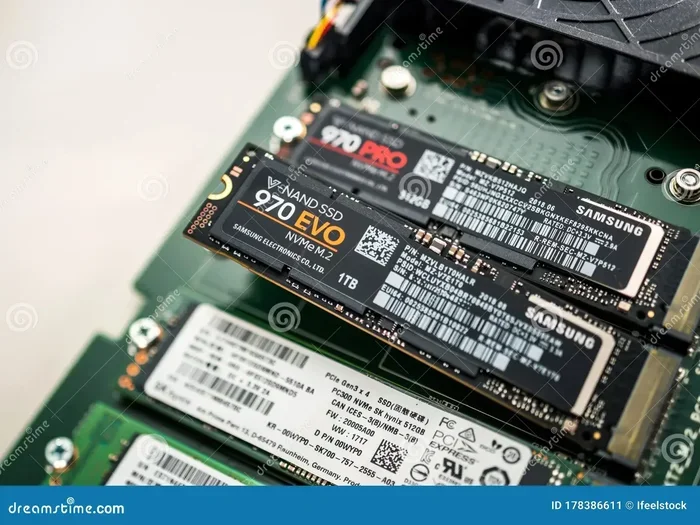
Find the M.2 slot on your motherboard. It is usually labeled and has a small heatsink cover. Remove the screw or latch that holds the slot cover in place.
Step 4: Insert the Drive
Hold the SN570 at a 30-degree angle and gently insert it into the M.2 slot. Press it down flat and secure it with the screw or latch. Do not force it.
Step 5: Initialize the Drive
Boot up your PC and go to Disk Management (Windows) or Disk Utility (Mac). Format the drive and assign a drive letter. You are now ready to use your new NVMe M.2 SSD.
WD Blue SN570 vs. Other SSDs
How does the SN570 compare to other popular drives? Let us take a quick look.
WD Blue SN570 vs. WD Black SN850
The SN850 is a higher-end drive with DRAM cache and slightly faster speeds. It is better for heavy workloads and enthusiasts. The SN570 is more affordable and still delivers excellent performance for most users.
WD Blue SN570 vs. Crucial P3
The Crucial P3 is another budget NVMe drive that competes in the same space. Both drives offer similar speeds and capacities. The SN570 has a slightly better endurance rating and a more established brand reputation.
For a deeper comparison, you can check out our Crucial P3 1TB NVMe SSD review to see how the two stack up side by side.
WD Blue SN570 vs. SATA SSDs
The SN570 is significantly faster than any SATA SSD. If your system supports NVMe, there is no reason to choose a SATA drive for performance. The only advantage SATA drives have is wider compatibility with older systems.
Final Thoughts
The WD Blue SN570 1TB NVMe SSD is a solid, reliable, and affordable way to give your computer a major speed boost. It is perfect for gamers, everyday users, and anyone looking to upgrade from an old hard drive.
With fast NVMe speeds, a compact M.2 design, and a trusted WD brand behind it, this drive checks all the right boxes. The lack of DRAM cache is a minor trade-off that most users will never notice in daily use.
If you are ready to upgrade, the SN570 is one of the best choices in the 1TB NVMe M.2 SSD market right now. It offers the perfect blend of speed, capacity, and value.
For more information on NVMe SSDs and storage upgrades, check out our guide on WD Blue NVMe M.2 SSD and explore our 1TB NVMe M.2 SSD recommendations.
Frequently Asked Questions
Is the WD Blue SN570 good for gaming?
Yes, the WD Blue SN570 1TB NVMe SSD is an excellent choice for gaming. It delivers fast load times for games and handles modern titles with ease. The 1TB capacity gives you plenty of room for multiple games without running out of space.
Does the WD Blue SN570 need a heatsink?
For most everyday and gaming use, the SN570 does not need a heatsink. It runs cool under normal workloads. However, if you plan on running heavy sustained tasks for long periods, adding a small M.2 heatsink can help maintain optimal performance.
Can I use the WD Blue SN570 in a laptop?
Absolutely. The SN570 uses the M.2 2280 form factor, which is compatible with most modern laptops that have an M.2 slot. Just make sure your laptop supports NVMe PCIe drives before purchasing.
How does the WD Blue SN570 compare to SATA SSDs?
The SN570 is much faster than SATA SSDs. While a SATA SSD maxes out around 550 MB/s, the SN570 reaches up to 3,500 MB/s in sequential reads. This means significantly faster boot times, file transfers, and application loading.
What is the warranty on the WD Blue SN570?
WD offers a limited 3-year warranty on the Blue SN570. This provides solid coverage for most users. The drive also has a 300 TBW endurance rating, which means it is built to last for many years of regular use.
Is the WD Blue SN570 DRAM-less, and does that matter?
Yes, the SN570 does not have a built-in DRAM cache. For most users doing everyday tasks and gaming, this makes no noticeable difference. Heavy professional workloads like constant large file transfers may see a slight performance gap compared to DRAM-equipped drives.